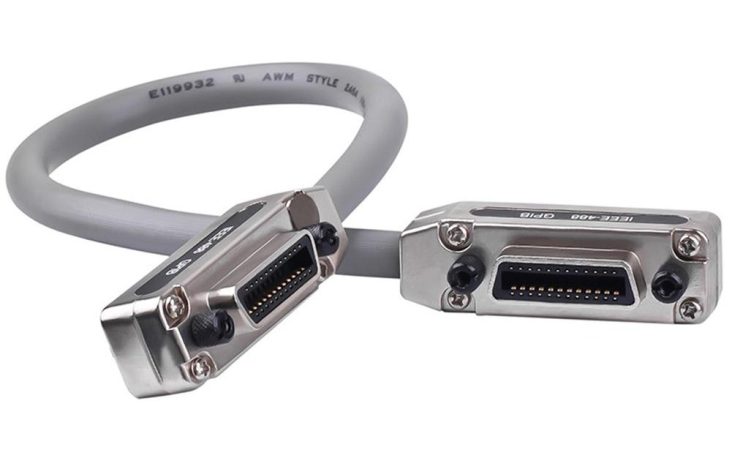
After Decades, Linux Finally Gains Stable GPIB Support

Recently, [Greg Kroah-Hartman] proclaimed the joyous news on the Linux Kernel Mailing List that stable General Purpose Interface Bus (GPIB) support has finally been merged into the 6.19 Linux kernel.

The GPIB is a short-range 8-bit, multi-master interface bus that was standardized as IEEE 488. It first saw use on HP laboratory equipment in the 1970s, but was soon after also used by microcomputers like the Commodore PET, Commodore 64 and others. Although not high-speed with just 8 MB/s, nor with galvanic isolation requirements, it’s an uncomplicated bus design that can be implemented without much of a blip on the BOM costs.

The IEEE 488 standard consists of multiple elements, with 488.1 defining the physical interface and 488.2 the electrical protocol. Over the decades a communication protocol was also developed, in the form of SCPI and its standardized way of communicating with a wide range of devices using a simple human-readable protocol.

Although the physical side of IEEE 488 has changed over the years, with Ethernet becoming a major alternative to the short GPIB cables and large connectors, the electrical protocol and SCPI alike are still very much relevant today. This latest addition to the Linux kernel should make it much easier to use both old and new equipment equipped with this bus.
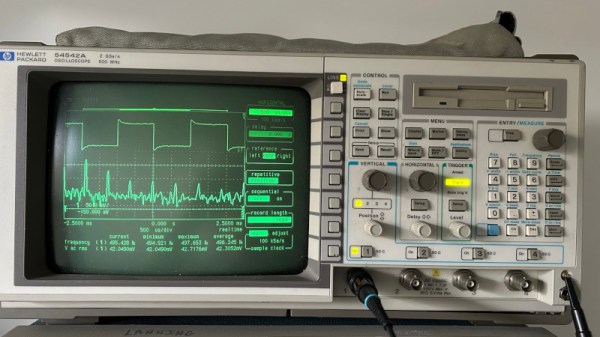
Capturing Screenshots Using A Fake Printer

If you have very old pieces of analogue test equipment with CRTs on your bench, the chances are they will all have surprisingly similar surrounds to their screens. Back when they were made it was common to record oscilloscope screens with a Polaroid camera, that would have a front fitting for just this purpose.

More recent instruments are computerized so taking a screen shot should be easier, but that’s still not easy if the machine can’t save to a handy disk. Along comes [Tom] with a solution, to hook up a fake printer, and grab the screen from a print.

Old instruments come with a variety of ports, serial, IEE-488, or parallel, but they should usually have the ability to print a screen. Then capturing that is a case of capturing an interpreting the print data, be it ESC/P, PCL5, Postscript, or whatever. The linked page takes us through a variety of techniques, and should be of help to anyone who’s picked up a bargain in the flea market.

This isn’t the only time we’ve touched on the subject of bringing older computerized equipment into the present, we’ve also shown you a disk drive emulator.

Thanks [JohnU] for the tip.

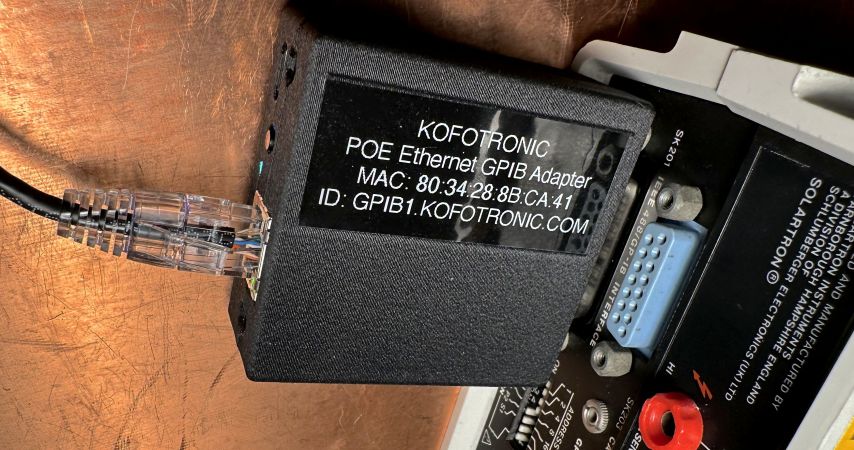
PoE-powered GPIB Adapter With Ethernet And USB-C Support

In the world of (expensive) lab test equipment the GPIB (general purpose interface bus) connection is hard to avoid if you want any kind of automation, but nobody likes wrangling with the bulky cables and compatibility issues when they can just use Ethernet instead. Here [Chris]’s Ethernet-GPIB adapter provides an easy solution, with both Power over Ethernet (PoE) and USB-C power options. Although commercial adapters already exist, these are rather pricey at ~$500.

Features of this adapter include a BOM total of <$50, with power provided either via PoE (802.3af) or USB-C (5V-only). The MCU is an ATmega4809 with the Ethernet side using a Wiznet W5500 SPI Ethernet controller. There is also a serial interface (provided by a CH340X USB-UART adapter), with the firmware based on the AR488 project.

The adapter supports both the VXI-11.2 and Prologix protocols, though not at the same time (due to ROM size limitations). All design documents are available via the GitHub repository, with the author also selling assembled adapters and providing support primarily via the EEVBlog forums.

An HP9863C partially disassembled on a workbench

Repairing A $25,000 HP Workstation To Run Pac-Man

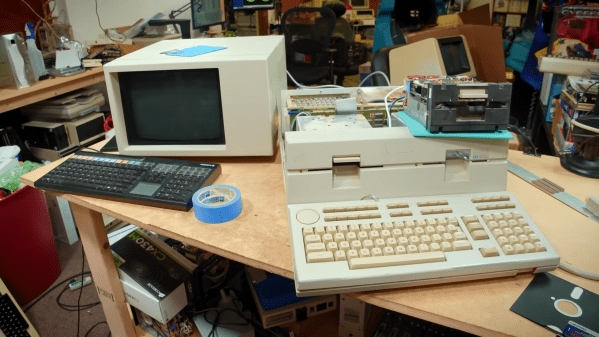
The microcomputer revolution of the 1970s and 1980s turned computers from expensive machines aimed at professionals into consumer products found in the average household. But there always remained a market for professional users, who bought equipment that was so far ahead of consumer gear it seemed to belong in a different decade. While a home computer enthusiast in 1981 might fork out a few hundred dollars for an 8-bit machine with 64 KB of memory, a professional could already buy a 32-bit workstation with 2.8 megabytes of RAM for the price of a brand-new sports car. [Tech Tangents] got his hands on one of those machines, an HP Series 200 9863C from 1981, and managed to get it up and running.

The machine came in more-or-less working condition. The display cable turned out to be dodgy, but since it was just a straight-through sub-D cable it was easily replaced. Similarly, the two 5.25″ floppy drives were standard Tandon TM100-2As which [Tech Tangents] had some experience in repairing, although these specific units merely needed a thorough cleaning to remove forty years’ worth of dust. Continue reading “Repairing A $25,000 HP Workstation To Run Pac-Man

This Rohde & Schwarz Computer Is A Commodore PET

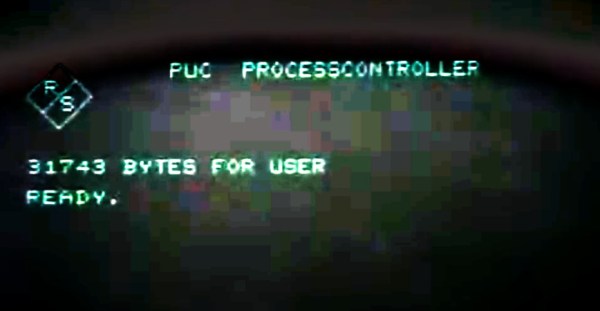
The IEE-488 or GPIB bus for controlling instruments by computer has existed now for many decades. It’s often implemented over USB or Ethernet here in 2023, but the familiar connector can still be found on the backs of pricey instruments. In the earlier days of GPIB when a powerhouse Linux laptop was decades away, what computer did the would-be GPIB user reach for? If they were a Rohde and Schwarz customer in the late 1970s the chances are it would have been the R&S PUC process controller, an 8-bit microcomputer that under its smart exterior turns out to be an enhanced Commodore PET. [NatureAndTech] has one for teardown, and you can see it in the video below the break.

Readers with long memories will remember that the PET had an IE-488 bus on a card edge connector, and it’s possible that’s why R&S took it as the basis for their machine. But this isn’t merely a PET in a fancy box, instead it’s a fully new PET-compatible computer, and it has some interesting features. There’s more memory than the original, a set of disk drives, and an expansion bus complete with a high-res graphics card allowing pixel graphics rather than text. Surprisingly though it has a BASIC interpreter it’s a hardware clone of the PET only, the ROM is unique to Rohde & Schwarz.

We think this machine is probably rare enough that we’re unlikely to see one in the flesh, but it’s been a fascinating thing to examine. You can join in with the video below the break, or you can look at the PET’s impact on a more recent scene.

Continue reading “This Rohde & Schwarz Computer Is A Commodore PET”

HP 3488A Teardown, Dismantled For Parts

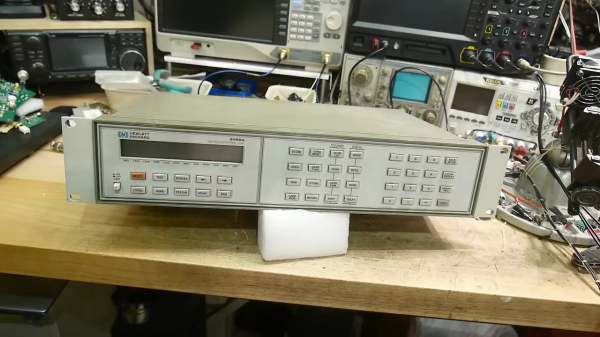
[IMSAI Guy] has an old HP 3488A Switch Control Unit that he wants to dismantle for parts ( see video below the break ). The 3488A is pretty simple as far as HP test equipment goes — a chassis that can hold various types of relay cards and is programmable over GPIB. He notes up front that these are plentiful and inexpensive in the used test equipment market. Continue reading “HP 3488A Teardown, Dismantled For Parts”

Open Source LXI Tools Free Us From Vendor Bloat

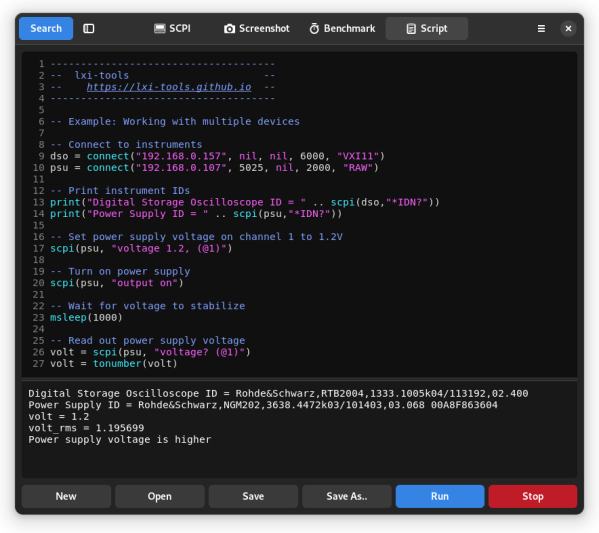
LXI, or LAN eXtensions for Instrumentation is a modern control standard for connecting electronics instrumentation which supports ethernet. It replaces the older GPIB standard, giving much better performance and lower cost of implementation. This is a good thing.  [Martin Lund] has created the open source lxi-tools project which enables us to detach ourselves from the often bloated vendor tools usually required for talking LXI to your bench equipment. This is a partial rewrite of an earlier version of the tool, and now sports some rather nice features such as mDNS for instrument discovery, support for screen grabbing, and a LUA-based scripting backend. (API Link)

SCPI or Standard Commands for Programmable Instruments is the text-based language spoken by many instruments, allowing control and querying of an instrument. Just to be clear, SCPI is not at all a new thing, and older instruments that have GPIB or RS232 connectors, still could talk SCPI. lxi-tools is not for those. Some instruments can also be very picky about the formatting of commands, especially if they’re buggy, so the ability to interactively debug commands is very desirable. It is quite possible to make poor use of SCPI commands in your test script and end up with tests that just take far longer to execute that they need to. lxi-tools has a benchmarking tool too, which helps you to dig in and find out where all the time is going and make suitable adjustments.

We’ve not seen much about LXI on Hackaday, but we did cover using PyVISA for dealing with SCPI-over-GPIB in python.  If you have an older instrument  with GPIB and you don’t want to sell a internal organ to pay for a USB adaptor, here’s one you can make yourself.