Hackaday Links: April 16, 2011

Induction cook top provides power too

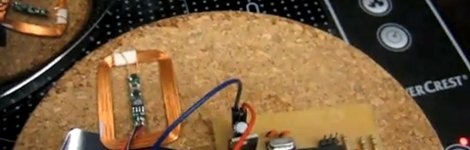
We’re familiar with induction cook tops but we never thought to power a microcontroller with one. [Thanks Hadez]

Ping-Pong Uranium

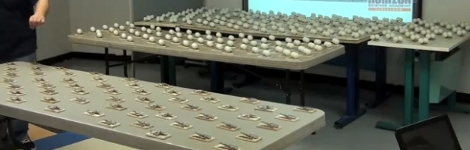
We’ve been big fans of the chain reaction demonstration using ping-pong balls and mouse traps ever since we saw [Mr. Wizard] do it back in the day. If you don’t know what we’re talking about, check out this demonstration that is analogous of a fission reaction. [Thanks nateL]

Phone tripod enclosure

If you’re interested in using your smart phone for some photography, [Mike] has a nice wood and elastic mount for an iPhone which you might try yourself.

Bicycle snow tires

Admittedly we’re a bit late on this one. But keep it in mind for next year: you can use some zip ties for added traction on your bike when it snows. [Thanks Rob]

Now you can BE mario

A little Kinect script lets this gentleman play Super Mario Bros. with his body. Now you can have all the fun that goes along with being a pixellated character stuck in a two-dimensional environment (plus, there are shrooms). [Thanks Das_Coach via Slashdot]

Push Notifications For Snail Mail On An IPhone

[Matt] over at Make came up with a way to send push alerts to his iPhone whenever his mailbox is opened.

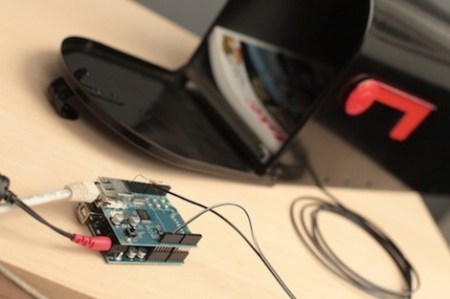
The electronics are just a switch mounted to the mailbox connected to an Arduino with an ethernet shield, but the interesting part of the build is the code. [Matt] got the Arduino WebClient to request a PHP script sitting on a server. This script connects to the Prowl API to push the notification onto an iPhone.

[Matt]’s project has been up for a few months now, and we still haven’t seen any projects using an Arduino+Push combo, or really any other phone except for the iPhone. We think this could be done on an Android phone with cloud to device messaging, but that can’t be the only solution. Any hackaday readers have an idea of how to implement this outside the iOS world? What would Hackaday readers do with a microcontroller that can send push alerts to your phone?

Video of [Matt] walking us through the project after the break

Continue reading “Push Notifications For Snail Mail On An IPhone”

Growling Doorbell Lets You Know Guests Have Arrived

wireless_doorbell_hack

[Sean] was screwing around online looking for nothing in particular when he came across a mailbox hacked to notify the homeowner when the mail had been delivered. Since his mail is delivered via a slot in the door, he had no use for the hack as is, but something similar soon came to mind.

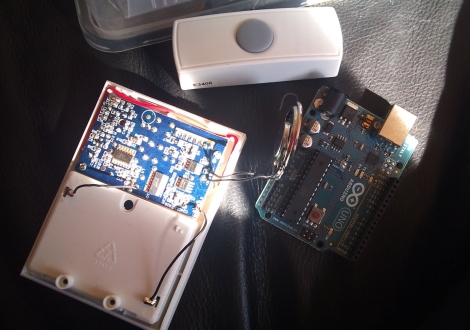
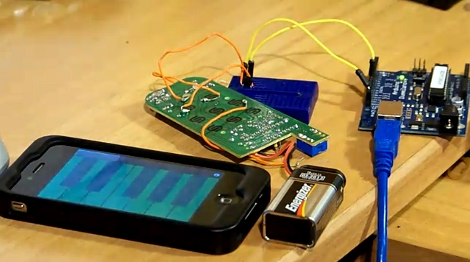
His dog isn’t too keen on visitors, and he figured that he could save himself a bit of grief (and a lot of unnecessary barking) if he were to wire up his doorbell to notify him of guests via his iPhone. He stopped by the local hardware store and picked up a wireless doorbell. It was quickly disassembled and wired up to an Arduino he had set aside for a different project. Tweaking some code he found online, he soon had the doorbell talking with the Arduino and was ready to interface it with his iPhone. He decided that he wanted to deliver notifications to his phone via Growl and found a Perl script online that was close to what he needed. A few tweaks later, and he had a Growling doorbell.

As you can see in the video below, it works, though there seems to be a bit of a delay in the notification. We don’t think that it would be enough to send his visitors packing before he made it to the door, but the lag can likely be reduced with a few small modifications.

As for the post that started this whole thing, we’re pretty sure this is it.

Continue reading “Growling Doorbell Lets You Know Guests Have Arrived”

Using TouchOSC With Your Projects

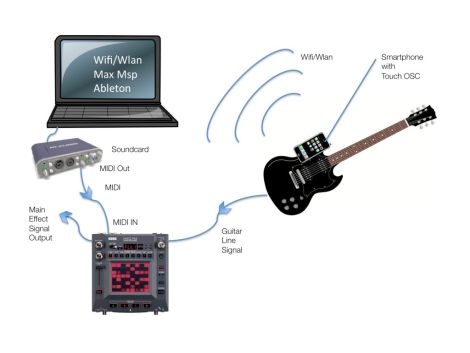
[Marcus] wrote a guide to using TouchOSC to control your projects. He sent a link to us after reading our feature about using Open Sound Control for Arduino without an Ethernet shield. He’s been using that method for quite some time now, but takes it one step further by using a smartphone as a control device. He designs his own user interface for the iPhone using TouchOSC. This is a package which we’ve seen in other projects but now you can get an idea of how easy it really is.

The project starts by interfacing an Arduino with the device you’d like to control. The circuit above patches into a remote control using a couple of transistors. Now the Arduino can simulate button presses on that remote, sending the signal to turn a light on or off. Next, TouchOSC is used for the smartphone – here it’s an iPhone but the suite works on Android as well. In the video after the break you can watch a quick interface design demo. Buttons are dragged into existence, uploaded to the phone, then configured to control you device over a network. A Processing sketch listens for OSC commands and then sends instructions to the Arduino via USB.

Continue reading “Using TouchOSC With Your Projects”

Commandeering Public Video Screens: Real Or Fake?

It’s time for everyone’s favorite comment thread game: Real or Fake? This week’s edition comes in from a tip that [Phil] sent about a way to take over video screens in Times Square. Watch the video after the break to see the hackers using a two-part solution to rebroadcast video from an iPhone onto a screen in the busy urban setting. The first part is a transmitter that plugs into the iPhone, the second is a signal repeater that, when held close to a video screen, overrides the clip currently being displayed with the video from the handheld. The image above shows the repeater being floated up to the big screen using a giant red balloon which you can make out in the black bar to the left of the replayed video.

Our first thought is that someone just watched Tron: Legacy and wanted to have a little Sci-Fi fun with the Internets. We can’t imagine a hardware solution that would actually make this work, but please do share your thoughts about that in the comments. We’d suspect this is more of a video hack that uses After Effects, similar to how the stopped motion candle video of the eyelid shutter glasses videos were faked. But apparently there is a follow-up video on the way that will show how the prototype was made so we could be wrong.

update: [Phil Burgess] points out that the “repeater” looks awfully familiar.

Fake for a variety of already-stated reasons (e.g. video out the headphone jack?). But the smoking gun, watching the 720P video on YouTube, is that I plainly recognize the hardware they’re using as the “repeater”: it’s simply the internals from a Digipower JS1-V3 cell phone USB boost charger (having torn apart a few myself):

Continue reading “Commandeering Public Video Screens: Real Or Fake?”

iphone_universal_ir_dongle

IPhone-based Universal IR Remote

If you have a reasonable home theater setup in your living room, odds are you have up to half a dozen remotes sitting around. Short of trying to get your cable receiver’s remote to control everything or laying down some cash for a Harmony remote, what’s a hacker to do?

[Andrey] decided he wanted to use his iPhone as a universal IR remote, but he didn’t want to pay very much to do so. Instead of buying a dongle at the store, he soldered some IR LEDs to an old headphone plug, creating a mini IR dongle to control his equipment. After studying IR signaling a bit, he got to work encoding IR remote commands into wav files using Python. The files are then played on his iPhone, allowing him to submit certain commands to his TV set.

Unfortunately, the process of manually converting IR codes to audio files doesn’t quite seem like the most efficient way of doing things. There are other IR dongles currently on the market that utilize the headphone jack, most of which provide pretty robust software for free. These might make a good alternative to manually creating audio files for each IR command. We honestly haven’t seen any teardowns of these retail IR dongles posted online, but it would be interesting to see how they compare to what [Andrey] has put together.

ITalkman Refrigerated Franken-phone

italkman_frankenphone

[Jani] over at MetkuMods was commissioned to build a prize for an on-air contest held by MTV3 in Finland. Well known for some of his previous work, he was a natural choice for this project. The only stipulation for the build was that it contain three specific items: a Mobira mobile phone, an Apple iPhone, and a refrigerator. For those of you who don’t know, a Mobira Talkman is an old-school “mobile” phone built by Nokia in the 80’s that weighed in at 11 pounds, and was far from convenient to use. In this case however, the size of the phone is an advantage since he was able to gut it and use the frame to make up the body of the refrigerated compartment. He sacrificed a soft-side portable heater/cooler bag, removing the built-in peltier cooler and associated components, later grafting them onto his Talkman case.

The next task was to add the iPhone to the Talkman. Rather than have the old handset sit there uselessly, [Jani] decided to mount a small Bluetooth hands-free module inside the handset, allowing it to answer calls, adjust the volume, and change music tracks on the iPhone. The iPhone was put in a hard plastic case, then mounted to the Talkman handset where the keypad and display used to reside.

All in all, the iTalkman is a pretty cool looking device, though we wouldn’t want to be tasked with lugging that thing around all day!