Linux On A Commodore 64

We are used to seeing Linux running on almost everything, but we were a bit taken aback to see [semu-c64] running Linux on a Commodore 64. But between the checked-out user name and the caveat that: “it runs extremely slowly and it needs a RAM Expansion Unit”, one can already start piecing together what’s happening here.

The machine running Linux is really a RISC-V32. It just so happens that the CPU is virtual, with the C64 pretending it is a bigger machine. The boot-up appears to take hours, so this is in no way practical, even though the comment is that optimization might be able to get a 10X speed up. It would still be about as slow as you can imagine.

To further add a layer of abstraction, the code hasn’t run yet on real Commodore hardware. Instead, it is running on an emulator. The emulator has “warp” mode to run faster than a real machine, and it is still slow. So think about that before you rush out to volunteer to boot this on your real hardware.

Tricks like this fall into the talking dog category. If a dog can talk, it isn’t that you think it will have something important to say. You just marvel that it can do it at all. Still, we get it. We spend a lot of time doing things at least as pointless. But at least it is fun!

Maybe emulate the whole thing in VR? Or maybe write some virtualization code for the C64 so you can emulate a Linux box and a quantum computer simultaneously.

Linux Fu: The Old School Terminal

Maybe you have a vintage old-school computer. Maybe you have a replica. Maybe you just want to run SIMH and relive the glory days of CP/M or VMS. The problem is, it looks kind of silly to have CP/M running in your beautiful X11 terminal window full of 3D animations, opacity effects, and special fonts. You could buy an old CRT monitor. That would be cool, too, because on a modern screen, you don’t get scan lines and all the crummy artifacts that go along with an electron beam and phosphor display device. Or you can grab retro-cool-term.

Star Trek on CP/M

Even if you don’t have an old computer, the program will work fine to simply run your shell for everyday use. Confound the youngsters when they see your terminal with scan lines and CRT jitter updating the latest packages.

What Is It?

If you want a shell in a GUI, you used to use xterm, although most people use something more modern. I use Konsole, but some like RXVT or whatever terminal your distro favors. Cool-retro-term is just a replacement for this. By default, it only opens a shell prompt.

Continue reading “Linux Fu: The Old School Terminal”

Linux, Running On Not A Lot

There are many possible answers to the question of what the lowest-powered hardware on which Linux could run might be, but it’s usually a pre-requisite for a Linux-capable platform to have a memory management unit, or MMU. That’s not the whole story though, because there are microcontroller-focused variants of the kernel which don’t require an MMU, including one for the Xtensa cores found on many Espressif chips. It’s this that [Naveen] is using to produce a computer which may not be the Linux computer with the lowest processor power, but could be the one consuming the least electrical power.

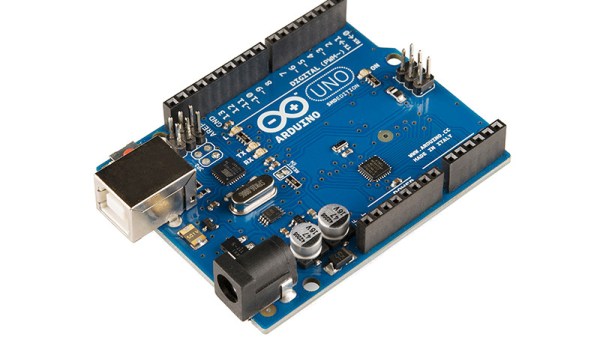
The result is definitely not a Linux powerhouse, but with its Arduino-sourced ESP32 board stacked on an UNO and I2C keyboard and display, it’s an extremely lightweight device. The question remains, though, is it more than a curiosity, and to what can it do? The chief advantage it has over its competitors such as the Raspberry Pi Zero comes in low power consumption, but can its cut-down Linux offer as much as a full-fat version? We are guessing that some commenters below will know the answer.

If you’re curious about the Xtensa version of Linux, it can be found here,

Transforming A Keyboard To A Mouse In Software

You’ve probably heard the old saying that if it looks like a duck, and it quacks like a duck… So when is a keyboard a mouse? When software makes it quack like a mouse — that is, if mice quacked. [Blackle Mori] took a cheap USB keypad and, using the libevdev Linux system, made it impersonate a mouse.

The code on GitHub isn’t complex, but the details can take some time to get right. The code takes over all input events from the device. [Blackle] dumped out events sent from the keypad, but the stock evtest program would probably have done just as well.

Continue reading “Transforming A Keyboard To A Mouse In Software”

Linux Kernel From First Principles

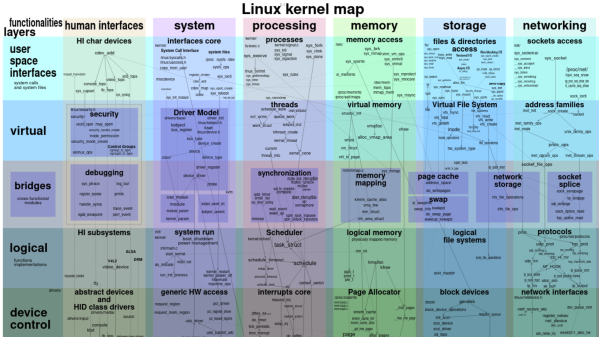
Want to learn the internals of the Linux kernel? Version 6.5-rc5 has about 36 million lines of code in it, so good luck! [Seiya] has a different approach. Go back to the beginning and examine the 0.01 version of the kernel. Now you are talking about 10,000 lines and, removing comments and blanks, way less.

Sure, some things have changed, but the core ideas are the same. [Seiya] reports, “Reading V0.01 was really for me. It was like visiting Computer History Museum in Mountainview…”

Continue reading “Linux Kernel From First Principles”

Blackberry Pi Puts Desktop Linux In Your Pocket

Let’s face it — Android wasn’t what most of us had in mind when we imagined having Linux running on our phones. While there’s a (relatively) familiar kernel hiding at the core of Google’s mobile operating system, the rest of the environment is alien enough that you can’t run Linux software on it without jumping through some hoops. While that’s fine for most folks, there remains a sizable group of users who still dream of a mobile device that can run a full Linux operating system without any compromises.

Judging by the work put into the Blackberry Pi, we’re willing to bet that [IMBalENce] falls into that camp. The custom handheld combines the Raspberry Pi Zero, a 320×240 LCD, and the BBQ20KBD keyboard from Solder Party with a 2500 mAh LiPo pouch cell and associated charging circuitry. Optionally, it also supports modules such as the Raspberry Pi Camera, a Real-Time-Clock, a ADS1015 ADC to read the battery voltage, and even a USB hub — although you can’t have all the goodies installed at once as it draws too much current.

Everything is packed into a 3D printed case that looks roughly like an original DMG-01 Game Boy if somebody replaced the bottom half with a tiny keyboard. We appreciate the ZX Spectrum theme, even if it’s not immediately clear how it relates to the project other than being an excuse to play around with multi-color printing. [IMBalENce] says the final product works quite well, though the relatively limited keys on the BlackBerry keyboard does make it tricky to use the device for writing code.

Interested in mobile Linux, but not trying to build the hardware yourself? We recently took a look at the SQFMI Beepy, which is fairly similar in terms of hardware, but very much in need of some talented penguin wranglers who are willing to come in and work on the software and documentation. Think you’re up for the challenge?

Linux Containers The Hard Way

If you want to make containers under Linux, plenty of high-level options exist. [Lucavallin] wanted to learn more about how containers really work, so he decided to tackle the problem using the low-level kernel functions, and he shared the code with us on GitHub.

Containers are more isolated than processes but not quite full virtual machines. While a virtual machine creates a fake computer, a container is more like a fake operating system. Applications can run with their own idea of libraries, devices, and other resources, but it doesn’t try to abstract the underlying hardware.

Continue reading “Linux Containers The Hard Way”