An Even Larger Array Of Many LEDs And No Ping-Pong balls

Color Led Matrix

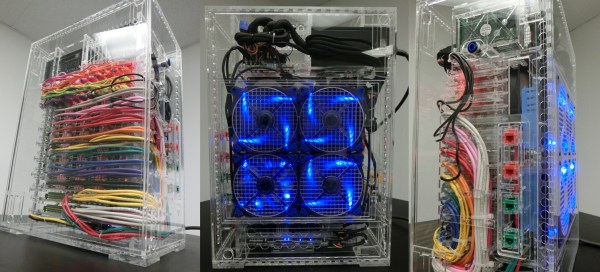
[George] has gone pro with his latest RGB LED panel. We’ve chronicled [George’s] journey toward the elusive land of LED nirvana for a couple of years now. He started with an 8×8 rainbow board of many ping-pong balls. When that wasn’t enough, he upped the ante to a 32×16 array of ping-pong balls. Still not satisfied, [George] has now increased the size to two 20×15 panels, for a total of 600 LEDs. While this is only a modest size increase from the previous incarnation, the major changes here have been in the design and construction of the array.

[George] found himself using his LED panels in some professional settings. The stresses of moving and rigging the panels revealed several design weaknesses. The point to point discrete LED design tended to short, leading to troubleshooting by poking at wires in a dark club. The control code was also a mixed bag of solderlab’s code, [George’s] code, and various scripts. Even the trademark ping-pong ball light diffusers were a problem, as they created a fire hazard. [George] took all the lessons from the first and second LED arrays and started a new design – the MX3. The panel frames were constructed by a professional metal shop. Starting with a square steel tube backbone, and aluminum panel shell was welded into place. The steel tube provides a hardpoint mount for any number of rigging options. The front panels are medium-density fibreboard, treated with a fire-retardant paint.

The electronics have also changed. Gone are the individual RGB LEDs. [George] has switched over to the common WS2812 LED strings. Panel mounted Raspberry Pis control the LED strings. Communication is via Art-Net, an Ethernet implementation of the common DMX512 protocol commonly used in stage lighting. The final result looks great.  We’re impressed with how much [George] has accomplished at such a young age (He was 16 last June).

Continue reading “An Even Larger Array Of Many LEDs And No Ping-Pong balls”

FPGAs For The Pi And ‘Bone


We’ve seen FPGA dev boards out the wazoo—even some following the current trend of putting an FPGA and an ARM processor on a single board. Take one good idea and mix it in with a few million Linux/ARM boards already piling up on workbenches the world over and you get LOGi: an FPGA designed to plug into the Raspberry Pi and BeagleBone.

Both the Raspberry Pi and BeagleBone versions of the LOGi feature a Spartan 6 FPGA with 9152 logic cells, 16 DSP Slices, 576KB of RAM, and 96 I/O Pins. There’s also 256 MB of SDRAM and a SATA connector. The Kickstarter has a few demos for this board, namely a machine vision, Bitcoin mining (though don’t expect this board to make return-on-investment with mining), and an autonomous vehicle control demo. The LOGi’s hardware is comparable to the Papilio Pro, so potential projects may include generating NTSC video, adding a VGA out, and a few retrocomputer emulations via OpenCores.

For what this Kickstarter asks for the Pi or ‘Bone version of the LOGi—$89 USD for either—you’ll get a surprisingly capable FPGA dev board that’s a bit cheaper than comparable offerings. Sure, you won’t save any money buying a Pi and a LOGi, but if you have a few Raspberries lying about, you could do much worse for a starter FPGA board.

Thanks [hamster] for sending this one in.

Raspberry Pi Wall Calendar

Do you let Google know every aspect of your personal and social life? Do you have a spare LCD monitor kicking around? Why not make your own Raspberry Pi Wall Calendar?

[Alex] recently bought his first home (congratulations!), which happened to have a TV wall mount in the kitchen. Personally, we don’t think TVs belong in the kitchen, and neither did [Alex]. Not wanting to tear the mount out of the wall (and thus require home renovations too soon), he devised a clever solution: why not make a digital calendar?

[Alex] connected a Raspberry Pi model B to the LCD monitor, which provides convenient access to his Google Calendar. His Instructable is both meticulous and approachable, so novice hackers should have no trouble replicating this build. The only improvement we can think to suggest is substituting a touchscreen LCD, which would allow him to interact with the schedule.

Whether you “let” Google know about your life— or it just knows—this is certainly a handy hack for the 21st century home!

Raspi Notifies You Of Space Station Passes

ISS

A few months years ago, [Liam] funded a Kickstarter for a small desk toy that would tell him when the International Space Station was overhead. [Liam] got a little tired of waiting, so he decided to build his own with a Raspberry Pi and an astronomical computation Python library.

The impressive part of this build is computing where an orbiting object is in the sky given the ISS’ orbital elements. For this, [Liam] is using PiEphem, a library that can compute the positions of the sun, moon, planets, asteroids, and Earth-orbiting satellites given a location and a time. Since the ISS orbital elements change every so often, his software is set up to download an update every week or so.

[Liam] developed a few versions of his space station detector, each with a different display. The simplest uses a few LEDs, either through a LedBorg, Blinkstick, or PiGlow to serve as a notification of when the ISS is overhead. Two more complicated versions use an LCD display or LED matrix to signal when the next ISS pass will occur.

Video demo below.

Continue reading “Raspi Notifies You Of Space Station Passes”

Putting A Mac Plus On The Internet

plus

[Jeff] has a Mac Plus, an 8 MHz computer with 4 MB of RAM and a 512×342 1-bit screen. It was his first ‘real’ computer, and like those guys that take Model A Fords out for a Sunday drive, [Jeff] decided to put this old box on the Internet.

A Plus has a few options to get on the Internet. The best, but most expensive, is a SCSI to Ethernet computer. For a somewhat slower connections, a PowerPC mac can be used as an Ethernet to Localtalk (the Macintosh serial port networking protocol) bridge. Lacking either of those pieces of hardware, [Jeff] decided to use a Raspberry Pi. The Pi does the heavy lifting, and a handful of serial adapters and voltage converters turns the Pi into something that can talk to the Plus’ serial port.

Even with the MacTCP stack and the MacWeb browser, there are still some things this ancient computer couldn’t do. HTTPS hadn’t been invented until 1994, cookies are just a pain, and CSS is right out. This means modern websites (except, of course, the Hackaday retro edition) simply won’t render properly. To fix this issue, [Jeff]’s friend [Tyler] came up with a Python script using Requests, Beautiful Soup, and Flask to strip out all the Web 2.0 cruft, handle the cookies, and to get rid of SSL.

The end result is a Mac Plus with 4 Megabytes of RAM on the Internet, able to pull up Wikipedia and Hacker News. It isn’t fast by any means – in the video below, it takes about five minutes to pull up the front page of Hacker News – but it is a 27-year-old computer on the Internet.

Continue reading “Putting A Mac Plus On The Internet”

Real Life Sonic Screwdriver For Home Automation

sonic

Any Doctor Who fans out there? [Pat] just sent us his project on home automation… using a Sonic Screwdriver!

Ever since he pre-ordered his Raspberry Pi at the beginning of February 2012, he knew he wanted to try his hand at home automation. The easy way was to use X10 outlets, but at $20+ an outlet, it’s not that affordable. Instead, he managed to find a rather cheap system on Amazon — RF controlled outlets. They only cost about $35 for a 5-pack!

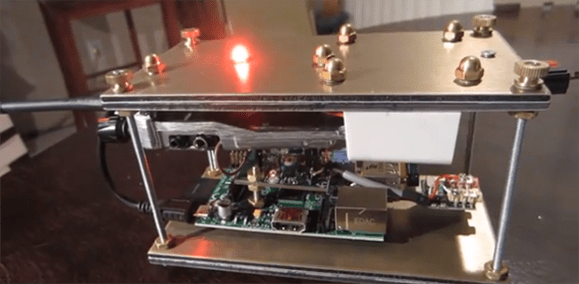
It’s a very basic system: five outlets with five buttons on the remote. All he had to do was wire up the Raspberry Pi to simulate the button presses by setting the GPIO pins high, and presto, a simple but effective home automation setup.

This is where it starts to get fun. Unfortunately, unlike a real Time Lord, [Pat] didn’t build his sonic from scratch. Instead, he found a universal remote control — styled after [Smith]’s sonic. Add another RF receiver to the Pi, a web-based interface to extend the range, and bam, you’ve got one geeky, but awesome, home automation setup.

Stick around after the break to see it in action!

Continue reading “Real Life Sonic Screwdriver For Home Automation”

Internet-Enabling A Lamp With The Raspberry Pi

lampcontrol

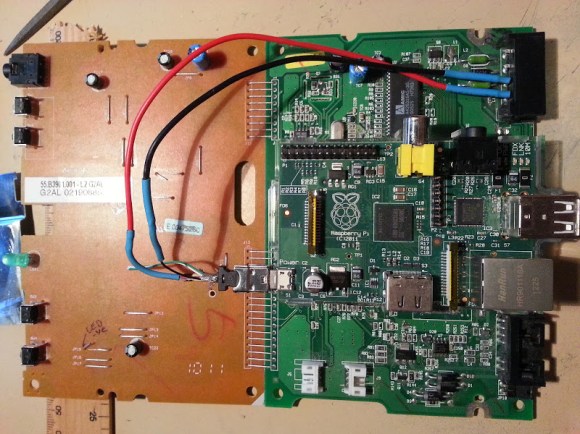
[Jack] sent in his writeup for internet enabling a home lamp. While we will certainly have some comments saying this is too simple, it does a great job of breaking things down to the basics. For those that aren’t confident in their electronic skills, this is an easy hack to a commercial device that greatly expands it’s capabilities. [Jack] started with a cheap wireless outlet controller. By opening the remote and wiring each switch to a 2N222A transistor, you can very easily control the remote from the GPIO pins on the Raspberry Pi. In [Jack’s] case, he set up a web page using Flask that allows quick on/off control.

Of course, this method can be used in any number of instances where you have a wireless controller, from small lamps to garage doors. Given it’s simplicity, anyone can do it with even basic skills. If you’re a beginner who’s been itching to do some home automation, follow [Jack’s] writeup and check an item off your todo list!