Adafruit’s Custom Rasp Pi Distro Eases Some Pain

Many of you have still not yet received your Raspberry Pi. When you do, you’ll find that there is work to be done in the operating system to get things working as you might want them to.  The wonderful folks over at Adafruit have tackled this by releasing their own distribution of Linux for the Raspberry Pi.

Based on the shipped distribution “Wheezy”, Adafruit’s distribution “Occidentalis v0.1. Rubus occidentalis” or “the Black Raspberry” now includes the following:


Checking Network Status With A Traffic Light

If you’ve ever dealt with a buggy Internet connection, you know how frustrating it can be. This project takes the guesswork out of mashing F5 over and over, or simply walking over to your router and ‘turning it on and off again.’

Necessity is the mother of invention, and when the folks at the Bitlair hackerspace in Amersfoort, Netherlands got tired of opening up a terminal to see if their network connection was down at this weekend’s Haxogreen camp they did what any self-respecting hackerspace would do: make a traffic light monitor the Internet.

The traffic light is controlled by a Raspberry Pi the Bitlair folks had lying around attached to a spare traffic light they somehow obtained with a relay. Green means the Raspi can reach 8.8.8.8, red means there is no connection, and flashing lights means there is packet loss.

Not bad for a project put together in a few hours. Now if we only knew how they obtained a traffic light, ‘just lying around.’

Video after the break.

Continue reading “Checking Network Status With A Traffic Light”

Reading Analog Sensors With The Raspberry Pi

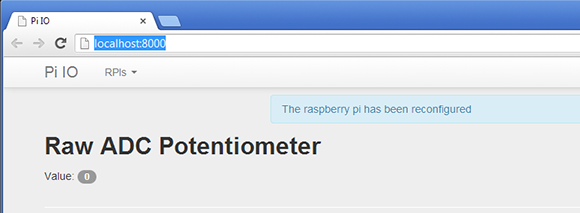
Adafruit just posted an awesome tutorial on reading analog sensors with the Raspberry Pi. It’s a great walkthrough that can be applied to your next Raspi project as well as any project where you just need one more analog input.

Earlier, the folks over at Adafruit posted a tutorial on using a MCP3008 ADC with the Raspi to directly read analog values using a Raspi. Sometimes, though, you don’t need eight analog inputs and a 12-bit ADC to get a project off the ground. Adafruit’s tutorial for reading analog values without an ADC relies on a single 1μF ceramic capacitor attached between a digital input and ground. By pulling the sensor line high for a millisecond or two, the capacitor charges at different rates depending on the value of the analog sensor.

Yes, it’s just an RC timing circuit but seeing as how the Raspi doesn’t have an analog input, we figure this tutorial could help out a few people.

Gaining Low-level SPI Access On The Raspberry Pi

Raspberry Pi - rpi

We’ve seen a ton of projects that interface hardware with the Raspberry Pi. But they usually depend on bit-banging. That means they toggle the pins in software to match a specific protocol. The thing is that the beefy Broadcom SoC that anchors the board has a lot of built-in peripherals that are just waiting to be used instead of bit banging. In this case, it’s the hardware SPI peripheral which can be accessed via the bcm2835 library for RPi.

One of the things that would have really complicated this process is the pin mapping between the Broadcom chip and the RPi GPIO header. Since not all pins are broken out, it was either luck or good design forethought that made all of the SPI0 pins from the chip available on the RPi breakout header. The library page (linked above) explains this well. But if you’re looking for more of a working example check out [EngineerByNight’s] project with adds an accelerometer using hardware SPI.

Raspberry Pi Keeps Tabs On Your Solar Power Setup

raspberrypi-solarlogger

[Brian Dorey] has been adding green power solutions to his home for some time now, and as things have progressed, he has experimented with several different iterations of data loggers. The latest system watching over his solar power setup is a Raspberry Pi armed with a custom-built I2C analog/digital converter.

The Rasp Pi is responsible for monitoring several different temperature sensors related to his solar water heating and storage system, but that’s just the beginning. It also keeps watch over his roof-mounted solar electric panels, his battery bank, and its charge controller. For good measure, he also monitors his home’s temperature and his water tank’s recirculation pump because, why the heck not?

All of the collected data is relayed to his web server where it is handsomely displayed for his perusal and analysis. [Brian] has made his code available here, so you can monitor your home in the same fashion with little fuss.

Raspberry Pi Case Roundup

raspberry-pi-case-roundup

If you haven’t heard of it yet, the [Raspberry Pi] is all the rage on [HAD] these days, so why not a round up of some of the excellent cases available?

[Nhslzt] wrote in to tell us about his laser cut Bramble Pi finger jointed case.  These are available for only 12 Euros, or roughly $14.95 in the US. Sure, the exchange rate may not be in America’s favor these days, but it’s cheaper than a trip to Dresden, Germany where some of the profits from this are to go towards setting up a makerspace there!

If you’re feeling more into the additive 3D printing DIY process, why not just download one and make it on your printer? [Thingiverse] has an excellent selection of cases many featuring, as you may have guessed, a picture of a Raspberry on the top!  (Here’s the printed case pictured).

Finally for something more colorful (see the pic after the break), you can’t get much better than the [Pibow]. If you’re looking for something colorful, and very solid (as described) this may be the case for you! You can order one here or use the unique design to inspire your own case (Thx Brian!).

As for stuff that we’ve already written about at HAD, this case looks quite slick made out of black acrylic, as does this one, combining the use of a laser cutter and 3D printer. Of course, if you’re going for the strictly utilitarian model, you can always go with one held together with rubber bands and tape!

Continue reading “Raspberry Pi Case Roundup”

Real Life Subtitle Glasses

[Will Powell] sent in his real-time subtitle glasses project. Inspired by the ever cool Google Project Glass, he decided he would experiment with his own version.

He used two Raspberry Pi’s running Debian squeeze, vuzix glasses, microphones, a tv, ipad, and iphone as the hardware components. The flow of data is kind of strange in this project. The audio first gets picked up by a bluetooth microphone and streamed through a smart device to a server on the network. Once it’s on the server it gets parsed through Microsoft’s translation API. After that the translated message is sent back to a Raspberry Pi where it’s displayed as subtitles on the glasses.

Of course this is far from a universal translation device as seen in Star Trek. The person being translated has to talk clearly into a microphone, and there is a huge layer of complexity. Though, as far as tech demos go it is pretty cool and you can see him playing a game of chess using the system after the break.

Continue reading “Real Life Subtitle Glasses”