Macetech Takes On Its Own Ambilight Clone Hack

[Garrett Mace] decided to beef up his 58 inches of plasma with 60 Watts of LED lighting. After seeing a ton of Ambilight clones using his LED modules, he’s built his own powerful system. Not surprisingly, it’s nothing short of professional-grade work.

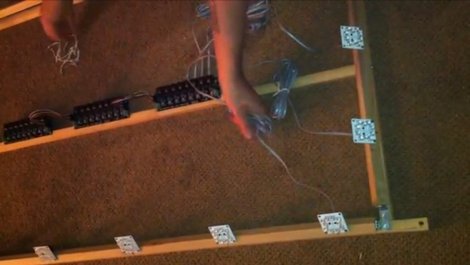
Kudos to [Garrett] for showing the entire process in the video after the break. We’re talking about his planning stages, which are so often left out of build logs. He first measures the back of the television, and does some testing for distance and angle of the Satellite LED modules to establish how many should be used and to estimate the optimal spacing. From there he modelled a framing system before getting down to the actual build.

The wood frame is made up of a box with a horizontal crossbar serving as a place to mount the drivers. Around the edges, tilting rails were added to make the angle of the LED modules adjustable. As with many other Ambilight clones, [Garrett] uses the boblight software to drive his system and we appreciate it that he included his configuration file for reference. Once up and running the effect is breathtaking (and possibly blinding).

Continue reading “Macetech Takes On Its Own Ambilight Clone Hack”

Huge Flexible LED Matrix Can Be Worn Almost Anywhere

lightbright_led_mesh

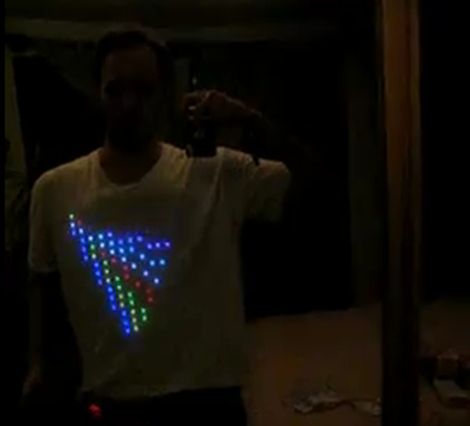
[Erik] has been keeping extremely busy with his latest project, a flexible RGB LED matrix that he calls “Project Light Bright”. The folks at BuildLounge tell us that this is the first entry they have received so far in their “Light Contest”, in which they are giving away a free laser cutter to the best entry.

[Erik] hand soldered ten 16×16 RGB LED panels together in order to build this display, and the results are awesome. The entire thing is controlled by a WiFi-enabled Beagleboard, which drives all of the panels and then some. The Beagleboard features embedded web and DNS servers, which allows it to act as a wireless AP, enabling him to control the display using any WiFi capable device. The Light Bright displays all sorts of predefined artwork, but [Erik] can also alter the display on the fly via his phone as well. The entire thing is powered by a reasonably sized LiPo battery pack that he keeps tucked away in his pocket, which allows the display to run continuously for about 20 hours.

Check out the video below to see a quick walkthrough of [Erik’s] Light Bright suit, then be sure to stop by his site for more videos, details and updates on the project.

Continue reading “Huge Flexible LED Matrix Can Be Worn Almost Anywhere”

Light Painting Nyan Cat With An Arduino

You too can paint your favorite meme in light with just a few tools. [Skywodd] brought together a couple of different projects to make this happen. He had already built a large POV display and now uses a DSLR with long exposure to create light paintings (translated).

The Arduino-powered display is built from a strip of 35 RGB LEDs. Now, that’s four pins per LED but one of is ground, leaving just 105 pins that need to be addressable. A couple of things make this manageable. First, he etched his own circuit boards for the LED strips. This breaks out the contacts to the edge of the boards and simplifies the soldering a bit by taking care of the ground bus. Secondly, he’s using M5450 LED display drivers for addressing. After the break you can see the video of the prototype hardware (in French but blinky action starts at about 2:30).

If you’re looking for an easier way to do this, check out the light painting that uses manufactured LED strips.

Continue reading “Light Painting Nyan Cat With An Arduino”

Hone Your Skills By Building Control Modules

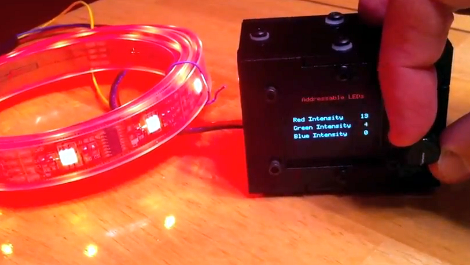
If you ask us, there’s no substitute for learning by doing. But often the hardest part of acquiring new skills is coming up with the idea for a project that utilizes them. [Mike Rankin] wanted to develop a project using laser cut acrylic, and settled on building a control box for an RGB LED strip. He got some practice modeling objects in SolidWorks and seeing the process through to the final build. But it also let him explore an area of microcontroller programming in which he had little experience.

The LED strip he’s using depends on the HL1606. This is an SPI addressable chip that we see popping up in a lot of projects these days. It’s pretty simple to send red, green, and blue values through the data bus, and it allowed [Mike] to try his hand at programming menus and sub-menus. The controller takes input from a clickable rotary encoder. The settings are displayed on an OLED screen, with all the hardware nestled comfortably in his custom-cut enclosure.

Don’t miss the demo video embedded after the break.

Continue reading “Hone Your Skills By Building Control Modules”

TSC230 Color Light-to-Frequency Module

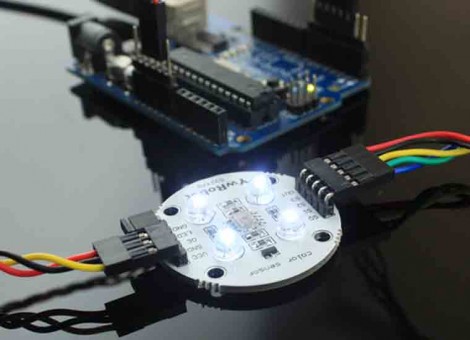
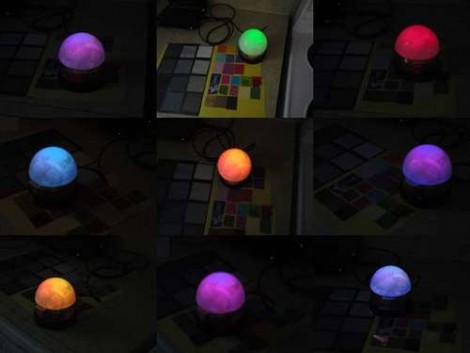
ElecFreaks is selling a new color sensing module based on the TSC230 sensor. They’ve posted a demonstration using an Arduino that shows off what this sensor is capable of. The module includes four white LEDs which give a baseline of light to help normalize readings when reflected off of differently colored surfaces. The white balance of the sensor needs to calibrated in software in order to ensure accurate readings, but once that’s done you’ll be cable to pull RGB values off of whatever you put in front of the sensor.

What a nice addition to sorting machines like this LEGO sorter. Of course you can do something like this yourself using an RGB LED as a detector, but the TSC230 is extremely sensitive and should be quite reliable in comparison. They’re selling the module for $15, a price point that’s hard to beat if you need precise color detection in your next project. A colored token reader for your MAME cabinet perhaps?

Building DIY BlinkM Clones

ghetto_pixels

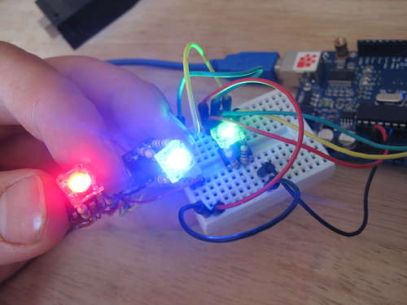
If you are planning on using more than a handful of BlinkMs in a project, you will likely find that their $15 price tag quickly adds up. Instructables user [jimthree] found himself in that position and opted to create his own homebrew version of a BlinkM instead. He calls his creations “Ghetto Pixels”, and while they might not look as professional as the real thing, they get the job done just the same.

He bought a batch of RGB LEDs online for under a dollar apiece, pairing them with ATTiny45s that he scored for about $1.50 each. [imthree] popped his uCs into a programmer, flashing them with an open-source BlinkM firmware clone called CYZ_RGB. He then prototyped his circuit on some breadboard, adding the appropriate resistors to the mix before testing out the LEDs. When he was confident everything was working correctly, he assembled Ghetto Pixels deadbug-style.

When everything was said and done, they came together in a pretty compact package comparable to that of the BlinkM. As you can see in the video below, they work great too!

Continue reading “Building DIY BlinkM Clones”

Warm Tube Clock, Take 2

warm_nixie_v2

[Mure] wrote in to let us know he has put the finishing touches on the second iteration of his Warm Tube Nixie clock. We featured his original creation here last year, and while many things remain the same, he has still found a few things that he was able to improve on.

The first notable feature is the new real time clock. Instead of using a discrete crystal to keep time and a temperature sensor for compensation, he has opted to use a DS3231 RTC IC. It is far more accurate than the crystal, and it features a built-in temperature sensor as well. The alarm functionality has been simplified too, moving the controls into firmware rather than having to use a sliding switch to do so.

With the mainboard redesign, it would have been easy to leave behind the nixie “shields” he created for his first clock, but with a focus on interoperability, he chose to make this clock fully compatible with version one’s shields and vice versa.

While the changes aren’t groundbreaking, it’s nice to see a project like this undergo continued refinements. If you want to build a clone of this clock, [Mure] has made sure that all of the schematics and source code are available on his site.

Continue reading to see a brief video demo of the clock in action.

Continue reading “Warm Tube Clock, Take 2”