Haiku Isn’t Just For X86 Anymore, Boots On ARM In QEMU

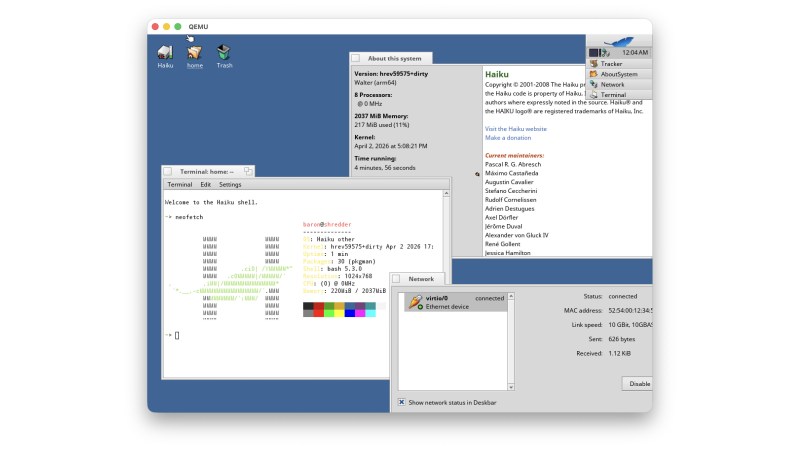
Ever since it was called OpenBeOS, Haiku has targeted the x86 platform. That makes good sense: it’s hard enough maintaining a niche system on ubiquitous hardware. But x86 isn’t the only game in town anymore. Apple’s doing very well on ARM, Linux runs on oodles of ARM SBCs, and even Windows uh, exists, on that architecture, so why not Haiku? That’s what [smrobtzz] figured, and thanks to his work you can now run Haiku on ARM, in QEMU.

There’s no image available as yet — you still need to bootstrap your own from a working system, and ironically that system cannot be Haiku. [smrobtzz] apparently used MacOS, which makes sense as his ultimate goal is apparently to go where only Aishi Linux has gone before and boot Haiku on his M1 MacBook. There had been previous efforts to get Haiku going on Raspberry Pi hardware, which seems logical considering how lightweight the operating system is, but they’re apparently nowhere near booting either. QEMU is a good start.

Interestingly, according to the ports page, Haiku is “functional” on both RISC V QEMU and the now-discontinued HiFive Unmatched SBC. We don’t seem to have covered it, but that milestone happened five year ago. Given how most RISC V boards currently available are a bit slow for modern desktop Linux, Haiku would likely be a breath of fresh air. The BeOS-descended system might be single user, but it’s snappy.

We reported a couple of years back that Haiku was daily-drivable on x86 ,it’s only gotten better since then, assuming you choose the right hardware. Hardware support is always the hard part about alternative OSes, but Haiku users are absolutely spoiled compared to fans of MorphOS, which still only runs on G4 or G5 PowerPC, and even then not only some hardware.

Intel GPUs On Raspberry Pi Is So Wrong It Feels Right

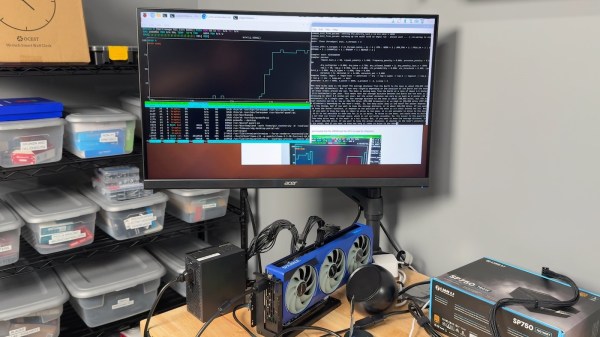
While you might not know it from their market share, Intel makes some fine GPUs. Putting one in a PC with an AMD processor already feels a bit naughty, but AMD’s x86 processors still ultimately trace their lineage all the way back to Intel’s original 4004. Putting that same Intel GPU into a system with an ARM processor, like a Raspberry Pi, or even better, a RISC V SBC? Why, that seems downright deviant, and absolutely hack-y. [Jeff Geerling] shares our love of the bizarre, and has been working tirelessly to get a solid how-to guide written so we can all flout the laws of god and man together.

According to [Jeff], all of Intel’s GPUs should work, though not yet flawlessly. In terms of 3D acceleration, OpenGL works well, but Vulkan renders are going to get texture artifacts if they get textures at all. The desktop has artifacts, and so do images; see for yourself in the video embedded below. Large language models are restricted to the not-so-large, due to memory addressing issues. ARM and RISC V both handle memory somewhat differently than x86 systems, and apparently the difference matters. Continue reading “Intel GPUs On Raspberry Pi Is So Wrong It Feels Right”

A Tiny RISC-V Emulator Runs Linux With No MMU. And Yes, It Runs DOOM!

It’s something of an article of faith, that to run Linux your computer must include a hardware memory management unit, or MMU. To an extent it’s true, in that for a Linux-based system to shine it must have that hardware, but in fact there has been support for MMU-less Linux for many years now. Prolific hacker [cnlohr] has created an emulated simple RISCV processor without an MMU, and not only does it run Linux, it also runs DOOM.

The videos below the break go into significant depth on writing and debugging an emulator not to mention the inner workings of DOOM, but fear not if it’s not your thing. Everything can be found in a GitHub repository, and there are straightforward instructions should you wish to try it yourself.

All this is entertaining stuff, but it becomes of much more interest when viewed as part of an ongoing chain of projects working on no-MMU Linux for low-end RISC-V microcontrollers. Imagine the prospect of running Linux on a CPU costing relative pennies, and you can see why that’s an interesting prospect. Even if it’s not the most unexpected way to run Linux without an MMU.

Continue reading “A Tiny RISC-V Emulator Runs Linux With No MMU. And Yes, It Runs DOOM!”

Pushing The FPGA Video Player Further

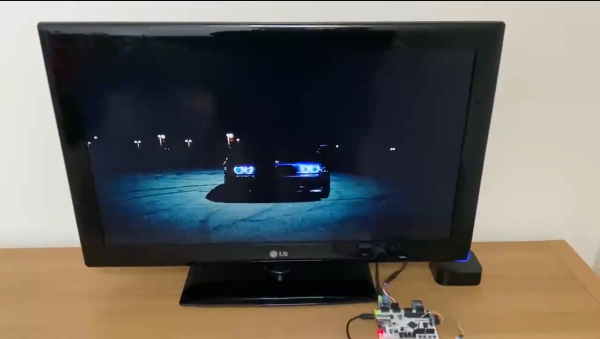
A fact universally known among the Hackaday community is that projects are never truly done. You can always spin another board release to fix a silkscreen mistake, get that extra little boost of performance, or finally spend the time to track down that weird transient bug. Or in [ultraembedded’s] case, take a custom FPGA player from 800 x 600 to 1280 x 720. The hardware used is a Digilent Arty A7 and PMOD boards for I2S2, VGA, and MicroSD. We previously covered this project back when it was first getting started.

Getting from 800 x 600 to 1280 x 720 — 31% more pixels — required implementing a higher performance JPEG decoder that can read in the MPJEG frames, pushing out a pixel every 2.1 clock cycles. The improvements also include a few convenience features such as an IR remote. The number of submodules inside the system is just incredible, with most of them being implemented or tweaked by [ultraembedded] himself.

For the FPGA Verilog, there’s the SD/MMC interface, the JPEG decoder, the audio controller, the DVI framebuffer, a peripheral core, and a custom RISC-V CPU. For the firmware loaded off the SD card, it uses a custom RTOS running an MP3 decoder, a FAT32 interface, an IR decoder, and a UI based on LVGL.

We think this project represents a wonderful culmination of all the different IP cores that [ultraembedded] has produced over the years. All the code for the FPGA media player is available on GitHub.

Continue reading “Pushing The FPGA Video Player Further”

A Scratch-built RISC-V CPU In An FPGA

“RISC architecture is going to change everything”, which is why [SHAOS] is building this cool RISC-V DIY retro-style computer.

The project took inspiration from another hacker’s work in building a RISC-V emulator; shared in the Hackaday FPGA chat. He took it a bit further and got it going on an UPDuino v2.0 board which features a iCE40 FPGA from Lattice.

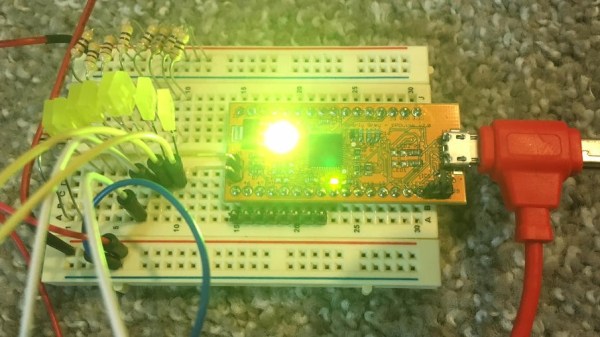
The board passes all the tests for the RISC-V subset he’s aiming for and even run some Zephry RTOS examples. He’s done a really good job of documenting how he got the code to run as well as many of the experiments he’s run so far. All the project files for ICEcube2 software are posted. It’s not the only RISC-V CPU we’ve seen in an FPGA, but the code is actually very clear and worth a read if you’re into such things.

We think anyone interested in duplicating his work could do so somewhat easily and start playing around with this increasingly popular architecture. Or at least get some LED’s blinking in an arcane but meaningful way. Video after the break.

Continue reading “A Scratch-built RISC-V CPU In An FPGA”

A Completely Open Microcontroller

mriscv
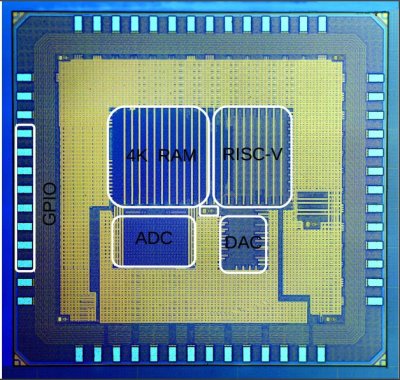
An annotated mRISCV die image

We don’t know about you, but the idea of an Arduino-class microprocessor board which uses completely open silicon is a pretty attractive prospect to us. That’s exactly [onchipUIS]’s stated goal. They’re part of a research group at the Universidad Industrial de Santander and have designed and taped out a RISCV implementation with Cortex M0-like characteristics.

The RISCV project has developed an open ISA (instruction set architecture) for modern 32-bit CPUs. More than 40 research groups and companies have now jumped on the project and are putting implementations together.

[onchipUIS] is one such project. And their twitter timeline shows the rapid progress they’ve been making recently.

mriscv_bonding
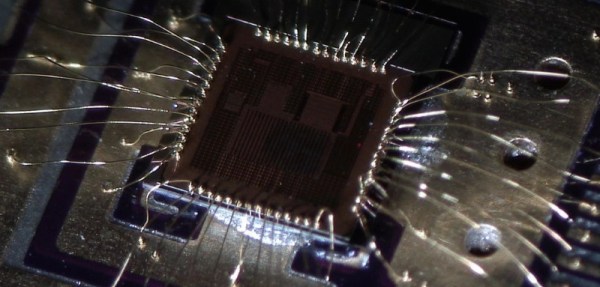
Die directly bonded to an OSHPark PCB

After tapeout, they started experimenting with their new wirebonding machine. Wirebonding, particularly manual bonding, on a novel platform is a process fraught with problems. Not only have [onchipUIS] successfully bonded their chip, but they’ve done so using a chip on board process where the die is directly bonded to a PCB. They used OSHPark boards and described the process on Twitter.

The board they’ve built breaks out all the chip’s peripherals, and is a convenient test setup to help them validate the platform. Check it, and some high resolution die images, out below. They’re also sending us a die to image using our electron microscope down at hackerfarm, and we look forward to the results!

Continue reading “A Completely Open Microcontroller”