Shoulder Surfing With OpenCV

shoulder_surfing_with_shoulder_pad

While it seems that many people are wise to shoulder surfing, keeping a lookout for anyone spying on their passwords, [Haroon] wrote in to remind us that the threat is just as real today as it ever was.

The subjects of his research are touch screen phones and tablets, which utilize on-screen keyboards for data entry. He says that while nearly all password entry boxes on these devices are obscured with the traditional line of asterisks, the keyboards themselves are quite an interesting vulnerability.

Since touch screen technology can be finicky at times, most vendors ship their devices with some sort of key press verification system. On the iPhone and iPad, for instance, each key is highlighted in blue following a button press. This functionality makes it quite easy for shoulder surfers to casually steal your password if you’re not paying attention.

But what if you are well aware of your surroundings? [Haroon] has developed a piece of software he calls shoulderPad, which is based on openCV that does the surfing for him. The application can monitor a video stream, live or recorded, extracting the user’s password from the highlighted button presses. His demonstrations show the recording taking place at a relatively close distance, but he says that it would be quite easy to use surveillance footage or zoom lenses to capture key presses from afar.

He does say that the button highlighting can be easily disabled in the iPhone’s options pane, which should negate this sort of attack for the most part.

Continue reading to see a quick video of shoulderPad in action.

Continue reading “Shoulder Surfing With OpenCV”

Tweeting Home Alarm System

tweeting_home_alarm_system

Instructables user [willnue] wanted to build a DIY Tweeting alarm system from the ground up, but reconsidered after taking a close look at the scope of such a project. He settled on using an off the shelf security system, taking care of the Twitter interface on his own. He bought a GE 45142 Wireless alarm and promptly disassembled it to see how he might retrieve status messages from the unit.

He figured that monitoring the alarm’s LEDs would make the most sense, so he used a bit of Ethernet cable and wired all of the system’s indicators to his Arduino board. He hooked up an Ethernet shield to the Arduino, then wrapped the pair up in a plastic project box that closely matched the look of the security system. Once that was done, he wrote some simple code for the Arduino that monitors each of the alarm system’s six status lights, sending updates to Twitter via the ThingTweet service.

With this system you might not get your status messages in time to foil whoever is carrying off your plasma TV, but at least you will know what to expect once you get home!

If you want to keep tabs on [Will’s] security system to find out the best time to rob him see how things are going, check out his Twitter feed here.

Teensy AVRs Used In Penetration Testing

netragard_penetration_testing_mouse

While some people know that you should be wary of USB drives with unknown origins, the same care is rarely, if ever exercised with USB peripherals. The security firm Netragard recently used this to their advantage when performing a penetration test at a client’s facility. When the client ruled out the use of many common attack vectors including social networks, telephones, social engineering, and unauthorized physical access from the test, the team at Netragard knew they would have to get creative.

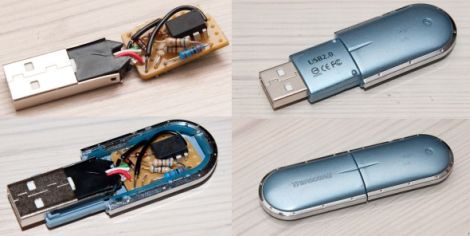
They purchased a Logitech USB mouse and disassembled it in order to add their clever payload. A Teensy uC was programmed to emulate keyboard input, entering commands via the mouse’s USB connection once it had been connected to a computer. Using an undocumented exploit in McAfee’s antivirus suite, they were able to evade detection while their system entered commands to install malware from the flash drive they hid along side the Teensy.

Once the mouse was reassembled, they repackaged it along with some marketing materials to make it look like part of a promotional event. They purchased a detailed list of employees and singled out an easy target, sending their malicious mouse on its way. Within three days, their malware was loaded onto the victim’s computer and their test was deemed a success.

[Thanks, Aaron]

Ubuntu Laika – An Android Phone Pen Testing Platform

laika_screenshot

Once [Ruan] over at AndroidClone heard that Android devices were capable of running a full Linux environment, he started contemplating all of the things he might be able to do with a full Linux OS in his pocket.

He decided that a portable penetration testing platform would be great to have on hand, so he got busy installing Ubuntu 10.10 on his Lenovo LePhone. Once he had it up and running, he stripped out all of the unnecessary fluff and added some common tools such as Wireshark, Nmap, and Kismet, among others. He says it easily runs side by side with Android, allowing you to switch between the Ubuntu install and your standard Android applications with ease.

While this all started out as a proof of concept, he has continued to refine the project, releasing several new versions along the way. If you are interested in giving it a try, he has installation instructions available in the AndroidClone forums.

[thanks Stephen]

reverse_engineering_firmware

Reverse Engineering Embedded Device Firmware

While not necessarily an easy thing to learn, the ability to reverse engineer embedded device firmware is an incredibly useful skill. Reverse engineering firmware allows you to analyze a device for bugs and vulnerabilities, as well as gives you the opportunity to add features if you happen to be so inclined. When it comes to things such as jailbroken iPhones, Android phones, and Nooks, you can guarantee that a close look at the firmware helped to move the process along.

[Craig] works with embedded systems quite frequently and put together a detailed walkthrough demonstrating how he reverse engineers device firmware. The subject of his hacking was a new firmware package he obtained for a Linksys WWAG120 Wireless-N router.

His tutorial walks through some of the most common reverse engineering methods and tools, which allow him to slowly unravel the firmware’s secrets. When finished, he had a working copy of the router’s boot loader, kernel, and file system – all ready to be further analyzed. His writeup includes tons of additional details, so be sure to swing by his site if reverse engineering is something you are interested in.

Uber Keyboard Hides Security Tools In Plain Sight

uber_keyboard

[EverestX] works in the Security industry and is often required to recover or penetrate various systems for a variety of reasons. He wanted to create an all-in-one tool that he could easily carry from job to job which would provide him with several essential functions. He required that the device house a bootable operating system through which he can perform his work, have an Internet connection capable of injection, and have enough storage capacity to back up passwords, images, etc.

He decided to build the system inside an old IBM M-type keyboard, which provides a solid typing experience and plenty of real estate for his various components. After converting the keyboard from PS/2 to USB, he installed a USB hub along with his flash drive and WiFi card.

Once he gets everything reassembled, it should prove to be a pretty stealthy and useful piece of equipment. A word to the wise – if you happen to see someone sneaking around your office with a 20-year old Type-M keyboard, be wary.

Modular Security System Is Portable Too

diy_security_system

Hackaday reader [Oneironaut] wrote in to share a modular, portable security system he built for himself.

He likes visiting the Caribbean, but his favorite vacation spot is apparently rife with cat burglars. He enjoys sleeping with the windows open and wanted to find a way to scare off ne’er do wells. At home, there are a few different buildings on the property he owns, and he was looking to keep curious trespassers away.

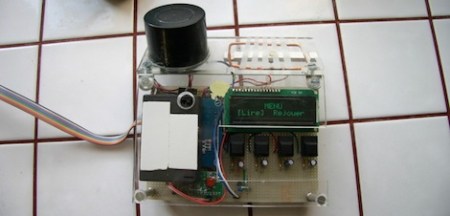
The alarm system was built using a matrix keypad that interfaces with an ATMega88 micro controller. The micro controller handles all the logic for the system, triggering an attached “pocket alarm” when ever the sensor is tripped. Like most household alarms, it is armed and disarmed via the keypad, giving the user 60 seconds to enter the disarm code if the alarm has been mistakenly tripped. A wide array of trigger methods can be used, from mercury switches to motion detectors, since his alarm uses a simple plug interface that accepts any two-wire sensor.

Now, no one is claiming that this is high security by any means – the alarm addresses a couple of specific scenarios that apply to [Oneironaut], which may also be applicable to others out there. At the end of the day, the alarm is more meant to scare an intruder into fleeing than anything else, and in that respect, it works perfectly.

Continue reading to see a quick video demonstration of his alarm system in action.

Continue reading “Modular Security System Is Portable Too”