Forgetfulino Puts Back Up Of Source Inside The Binary

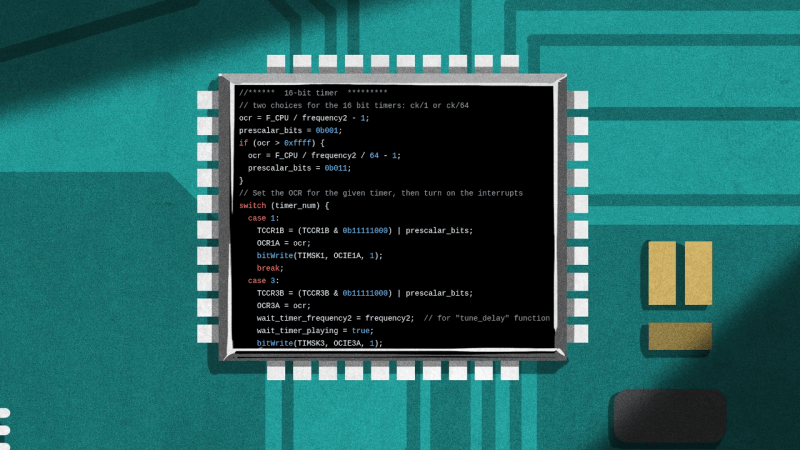
How often have you pulled out old MCU-based project that still works fine, but you have no idea where the original source code has gone? Having the binary image and the source code as separate things to keep track of usually isn’t a problem, but there’s something to be said for adding the source — and documentation — to this image if you have some flash to spare. This is basically what the Forgetfulino Arduino library by [Nader Al Khatib] does.

Essentially, the library compresses the source files and assigns it to be burned onto the flash alongside the binary. There is also a bit of code added to the firmware so that this code can be retrieved via the serial port at any time, negating the need for a firmware dump and manual disassembly. For ease of use, the library has an Arduino IDE extension that automates the process. The basic idea could also be adapted to different environments should anyone wish to take up the challenge.

You probably wouldn’t want debug builds to feature this additional payload as writing it to flash will eat up time and write cycles. But for a release build that will be put out in the (literal) field for a few years or even decades, it could be very convenient. After all, you never know when that Git repository that you relied on might go AWOL.

I Installed Gentoo So You Don’t Havtoo

A popular expression in the Linux forums nowadays is noting that someone “uses Arch btw”, signifying that they have the technical chops to install and use Arch Linux, a distribution designed to be cutting edge but that also has a reputation of being for advanced users only. Whether this meme was originally posted seriously or was started as a joke at the expense of some of the more socially unaware Linux users is up for debate. Either way, while it is true that Arch can be harder to install and configure than something like Debian or Fedora, thanks to excellent documentation and modern (but optional) install tools it’s no longer that much harder to run than either of these popular distributions.

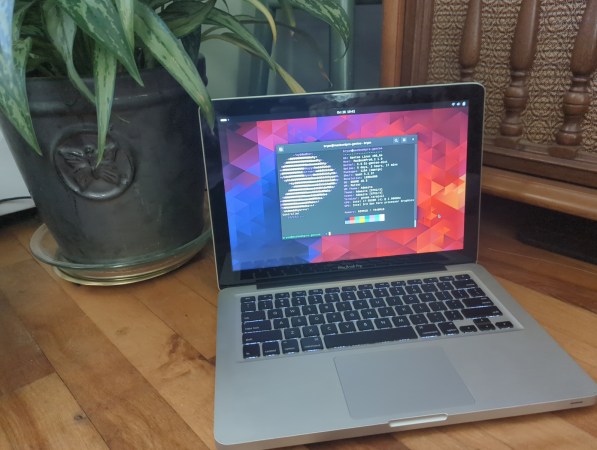
For my money, the true mark of a Linux power user is the ability to install and configure Gentoo Linux and use it as a daily driver or as a way to breathe life into aging hardware. Gentoo requires much more configuration than any mainline distribution outside of things like Linux From Scratch, and has been my own technical white whale for nearly two decades now. I was finally able to harpoon this beast recently and hope that my story inspires some to try Gentoo while, at the same time, saving others the hassle.

A Long Process, in More Ways Than One

My first experience with Gentoo was in college at Clemson University in the late ’00s. The computing department there offered an official dual-boot image for any university-supported laptop at the time thanks to major effort from the Clemson Linux User Group, although the image contained the much-more-user-friendly Ubuntu alongside Windows. CLUG was largely responsible for helping me realize that I had options outside of Windows, and eventually I moved completely away from it and began using my own Linux-only installation. Being involved in a Linux community for the first time had me excited to learn about Linux beyond the confines of Ubuntu, though, and I quickly became the type of person featured in this relevant XKCD. So I fired up an old Pentium 4 Dell desktop that I had and attempted my first Gentoo installation.

For the uninitiated, the main thing that separates Gentoo from most other distributions is that it is source-based, meaning that users generally must compile the source code for all the software they want to use on their own machines rather than installing pre-compiled binaries from a repository. So, for a Gentoo installation, everything from the bootloader to the kernel to the desktop to the browser needs to be compiled when it is installed. This can take an extraordinary amount of time especially for underpowered machines, although its ability to customize compile options means that the ability to optimize software for specific computers will allow users to claim that time back when the software is actually used. At least, that’s the theory. Continue reading “I Installed Gentoo So You Don’t Havtoo”

How A DOS Format Blunder Revealed Some Priceless Source Code

As those of us who worked in the consumer software world back when physical media was king can attest, when a master disc has been sent for duplication and distribution there is no turning back from whatever code is in the hands of thousands of users. Usually such worries were confined to bugs or inadvertently sending out pre-release software versions, but [Lance Ewing] is here with the story of how Sierra On-Line once inadvertently released most of the source code for their game engine.

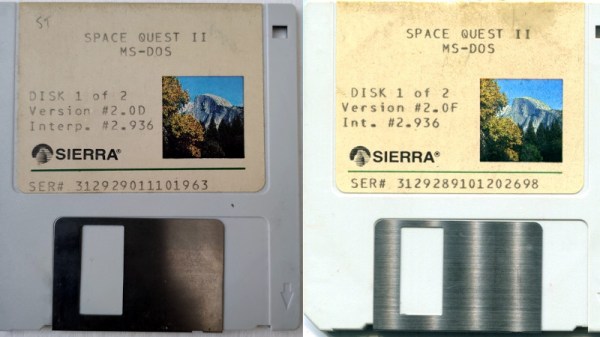
If you have some 720k floppy disk versions of the 1988 game Space Quest II, the first disk in the set appears to have nothing out of the ordinary, but a closer look reveals that the free space on the disk reported by DOS is greater than its used space. Diving in to the disk block contents with a hex editor reveals that many of the unused blocks in fact contain C code, and some further detective work allows the recovery of a not-quite complete set of source files for the company’s AGI, or adventure game interpreter. They had been left behind when the original master disk had been emptied by deleting them, rather than by formatting it afresh.

In commercial terms this would in 1988 have been something of a disaster for Sierra had it been discovered at the time, because it was the cornerstone of their success. As it was we’re told the code sat peacefully undetected until 2016, since when it has proved invaluable to those interested in computer game archaeology. Or did it? We’ll never know if a sharp-eyed competitor snagged it, and kept quiet.

Of course, these days, there are game engines that are open source. Some of them are very modern. Others… not so much.

Source Code To The 1999 FPS Game Descent 3 Released

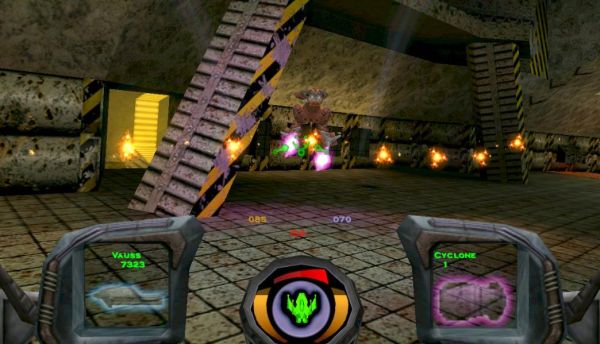
On April 16th of this year, [Kevin Bentley] released the source code to the Sci-Fi FPS game Descent 3. Originally released in 1999 for Windows, the game has you control a flying ship which you have to guide through both in- and outdoor environments, while shooting at robots that have been infected with an alien virus as you try to save the solar system. It was later also ported to Mac OS and Linux, but was considered a commercial flop due to low sales.

As one of the original developers, [Kevin] explains that one of the goals of this code release is to give the game a second life, by cleaning up the C++ code and using new APIs. Original proprietary audio and video libraries from Interplay were removed, which means that some work is required before one can build a fresh copy of the game from this code base. That said, the released code is the latest 1.5 patch level, with the Mac OS and Linux support. Even if the original Descent games weren’t your cup of tea, it’s still great to see games being preserved and updated like this.

Thanks to [Phil Ashby] for the tip.

Diff Tool Knows What You Mean

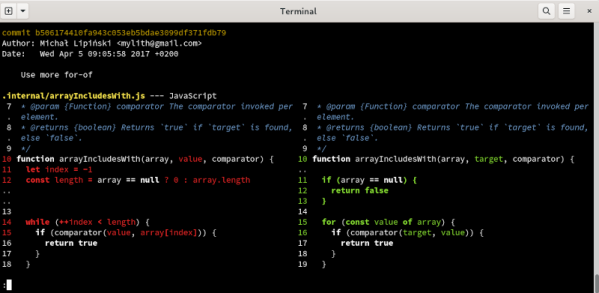
We will admit to not being particularly artistic, but we do remember an art teacher telling us that sometimes it is better to draw what isn’t there instead of what’s there — a concept known as negative space. [Wilfred] makes a similar point when explaining his “fantastic diff” tool called, appropriately, difftastic. He points out that when comparing two programs, the goal isn’t so much to determine what changed, but rather what stayed the same. The more you can identify as the same, the less you have to show as a change.

The tool compares source code in a smart way, assisted by tree-sitter which has many different languages already parsed, at least well enough for this purpose. According to [Wilfred’s] post the tool supports 44 different languages ranging from bash and YAML, Verilog to VHDL, and C++ to Rust, among others.

Continue reading “Diff Tool Knows What You Mean”

The Legend Of Zelda: Decompiled

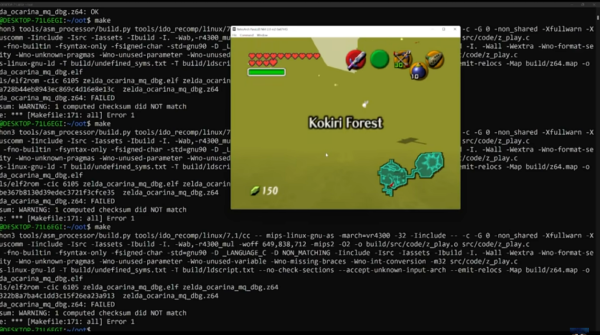
Keeping source code to programs closed is something that is generally frowned upon here for plenty of reasons. Closed source code is less secure and less customizable, but unfortunately we won’t be able to convince everyone of the merits of open source code any time soon. On the other hand, it is possible to decompile some of those programs whose source remains behind locked doors in an attempt to better understand that code, and one of the more impressive examples of that of late is this project which has fully decompiled Ocarina of Time.

To get started with the code for this project, one simply needs to clone the Git repository and then use a certain set of software tools (depending on the user’s operating system) to compile the ROM from the source code. From there, though, the world is your rupee-filled jar. Like we’ve seen from other decompiled games, any number of enhancements to the original game can be made including increasing the frame rate, improving the graphics, or otherwise adding flourishes that wouldn’t otherwise be there.

The creators of this project do point out that this is still a work-in-progress as only one of the 18 versions have been completed, but the fact that the source code they have been able to decompile builds a fully-working game when recompiled speaks to how far along it’s come. We’ve seen similar processes used for other games before that also help to illustrate how much improvement is possible when re-writing old games from their source code.

Continue reading “The Legend Of Zelda: Decompiled”

Spell Checking Your Programming From The Linux Command Line

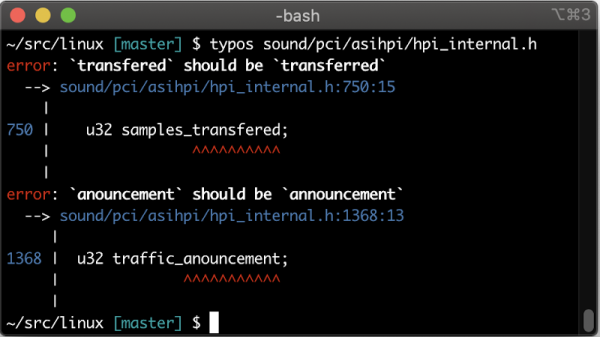
For most of us who didn’t do well in high school English class, spell checkers are a real game-changer. Sure, you can still swap a “to” and a “too,” but a spell checker will catch a lot of typos. But what about in your source code? You usually don’t spell check source code and even if you did, the rules are funny. After all, “my_proejct” is a perfectly fine variable name, but you probably meant “my_project.” That’s where a program called typos comes in. It aims to be a spell checker for source code that is fast enough and with a low enough false positive rate that you can run it against changed code and reject spelling problems.

Sure, if “my_proejct” is a one-time typo, the compiler or interpreter will probably catch it. But it won’t catch comments and it also won’t catch something you spell wrong consistently. For that you need something like typos.

Continue reading “Spell Checking Your Programming From The Linux Command Line”