Learning to use the V-USB (AVR USB firmware) library

posted Feb 9th 2012 9:58am by
filed under: Microcontrollers

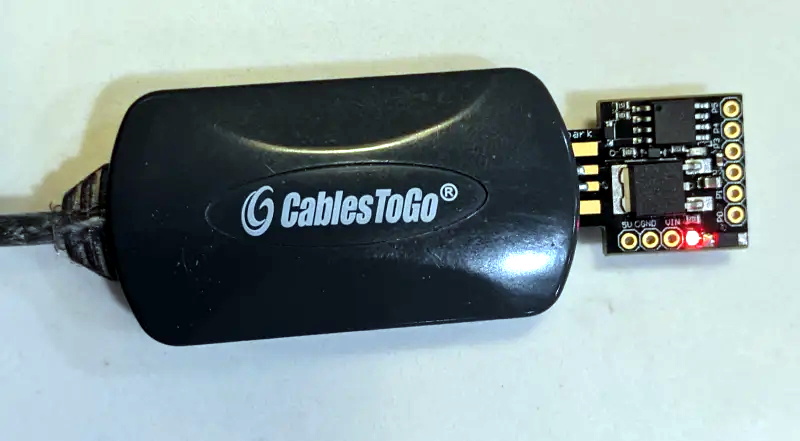
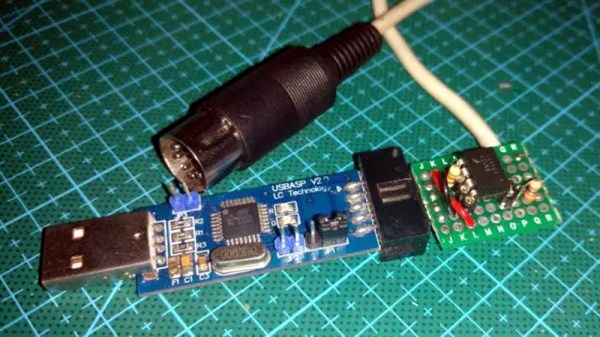
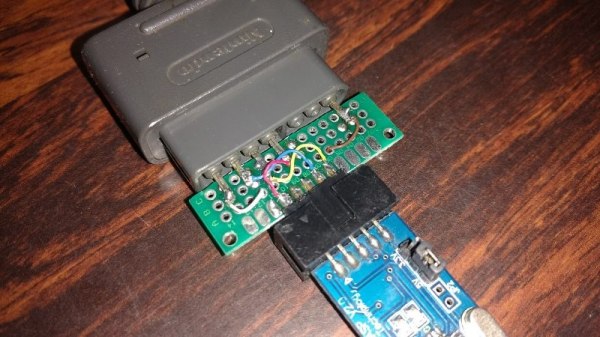
The V-USB library is a pretty handy piece of code that lets you add USB connectivity to ATtiny microcontrollers (it was previously named tinyUSB). But if you’ve ever looked into adding the library to your own projects you may have been stymied by the complexity of the code. There are many examples, but there’s a lack of a concise quick-start for the uninitiated. [Joonas Pihlajamaa] has been working to correct that shortfall with his four-part V-USB tutorial series. It’s not for the absolute newbie; you should already be comfortable working with AVR chips but that’s the only real prerequisite we can see.

He starts the series with a look into the hardware considerations. USB provides a 5V power rail but the data lines expect 3.3V logic so this must be accounted for. With the test rig built on a breadboard he moves on to pick apart the code, covering various user-defined variables that you’ll need to set based on your project’s needs. We’re going to keep this on the back burner and hopefully the Troll Sniffing Rat will get a makeover (although we must say comments have been a lot nicer as of late… keep it up!).

We’ve embedded links to all four tutorial parts after the break.

Read the rest of this entry »

Tiny USB business card

posted Oct 29th 2010 8:11am by
filed under: Microcontrollers

[Frank Zhao] put together a USB business card. It’s even got the instructions printed right on the silk screen of the PCB explaining how it should be used. He based the design around an AVR ATtiny85 microcontroller. It runs the V-USB package that handles USB identification and communication protocols. The rest of the hardware is pretty standard, the uC draws power from the 5V USB rail, with a couple of 3.6V Zener diodes to drop the two data lines down to the proper level.

Once plugged in it waits until it detects three caps lock keypresses in a row, then spews a string of its own keypresses that type out [Frank's] contact information in a text editor window (video after the break). It’s not as reusable as the mass storage business card because [Frank] didn’t breakout the pins on controller. But we still enjoy seeing business cards that make you stand out.

This is a great project to tackle with your newly acquired AVR programming skills.

Read the rest of this entry »


USB adapter options

posted Sep 16th 2010 12:01pm by
filed under: Microcontrollers

[Ladyada] takes some time out of her day to explain the common options available for connecting projects through USB. You may be thinking that you already do this with an Arduino. Well, yes and no. The Arduino uses one of these options, an FTDI chip that handles the USB on one side and spits out microcontroller-friendly voltage signals on the other. This chip can be used with your projects, a topic that [Phil Burgess] covered in great detail.

In the video after the break you’ll also hear about USB to serial converters which connect to the Universal Serial Bus and output the traditional 12-20V serial signals (with the exception of cheap knockoff cables like the one from last week). These need to be stepped down to 5 volts or less using a MAX232 chip to work with your project.

Finally there’s the option of using a microcontroller running the V-USB firmware package. This is how the USBtinyISP works and I’ve used it in my own projects to build a LIRC compatible IR receiver.

Read the rest of this entry »

Web controlled Dark Crystal

posted Sep 19th 2009 3:00pm by
filed under: led hacks

mood_rock_using_shiftbrights

[Reza] sent in his mood rock. Unlike other “mood” devices, instead of showing what mood you’re in, it shows what mood the internets are in. Two ShiftBrite modules are controlled by an AVR ATmega8 which then connects to a computer via USB. The assembly is placed inside of a piece of alabaster.

USB communications are controlled by the ATmega8 running V-USB (formerly AVR-USB) firmware. [Reza] wrote some code to control the colors from the web using Perl and AJAX. Head over to the web interface to set the colors yourself. We’d love it if a live webcam was added so we could see our mood on the rock itself. Read the rest of this entry »

DIY AVR USB RGB LED notifier

posted Jul 6th 2009 1:28pm by
filed under: led hacks, netbook hacks, peripherals hacks

LED_notifier_in_place

Giving us a chance to break out the TLAs, [Blair] sent in his latest hack where he embedded an RGB LED into his EeePC to display twitter, pidgin, and email notifications. It is based around the ATtiny45, and requires very few additional parts. He based the project on a foundation of work laid by [Dennis Schulze] on notifications and the work of [Dave Hillier] that used V-USB, a library for implementing USB on AVRs. The entire circuit was done freehand and crammed inside the netbook. He says that it is a lot easier to see notifications, even when the laptop is shut.

Related: Email notification via RGB LED


C64 USB keyboard

posted Jul 6th 2009 12:06pm by
filed under: home entertainment hacks, misc hacks, pcs hacks

breadboard

[Maarten] told us about a C64 USB keyboard that was modified to be used as a standard input device. An interesting aspect of the project is the use of V-USB (formerly known as AVR-USB). V-USB is a software only approach to slow speed USB HID. In essence this is a two fold mod, The C64 keyboard is patched to a PC, and an off the shelf AVR is software-hacked to bit bang the USB communications. The author notes an initial problem with multiple key presses that was later corrected in the application. For the other side of the spectrum, we had covered the C64 twittering client, and a commodore 64 laptop.

Hack a Day serves up fresh hacks each day, every day from around the web as well as hacking related news.

Send us your hacks


Hacks

Resources