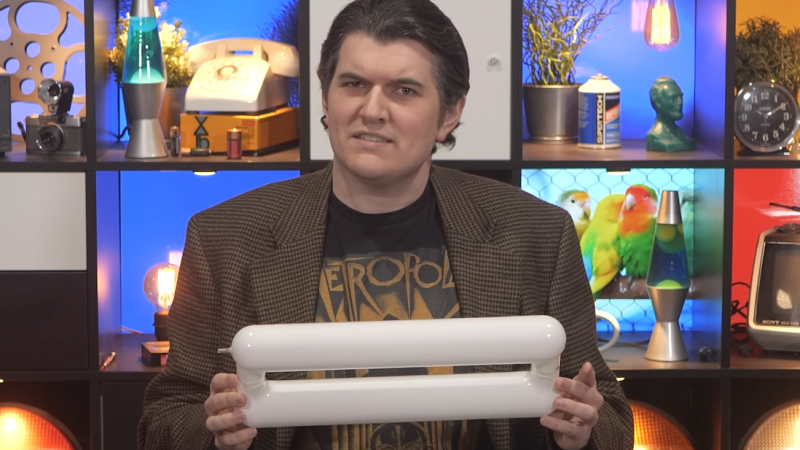
Presenter holds an induction lamp bulb

An Induction Lamp Made On The Same Principle As Ordinary Fluorescent Lamp

Over on YouTube, [Technology Connections] has a new video: Induction lamps: fluorescent lighting’s final form.

This video is about a wireless fluorescent light which uses induction to transfer power from the electrical system into the lamp. As this lamp doesn’t require wiring it is not prone to “sputtering” as typical fluorescent lights are, thus improving the working life by an order of magnitude. As explained in the video sputtering is the process where the electrodes in a typical fluorescent lamp lose their material over time until they lose their ability to emit electrons at all.

This particular lamp has a power rating of 200 W and light output of 16,000 lumens, which is quite good. But the truly remarkable thing about this type of lighting is its service life. As the lamp is simply a phosphor-coated tube filled with argon gas and a pellet of mercury amalgam it has a theoretically unlimited lifespan. Or let’s call it 23 years.

Given that the service life is so good, why don’t we see induction lamps everywhere? The answer is that the electronics to support them are very expensive, and these days LED lighting has trounced every lighting technology that we’ve ever made in terms of energy efficiency, quality of light, and so on. So induction lamps are obsolete before they ever had their day. Still pretty interesting technology though!

Continue reading “An Induction Lamp Made On The Same Principle As Ordinary Fluorescent Lamp”
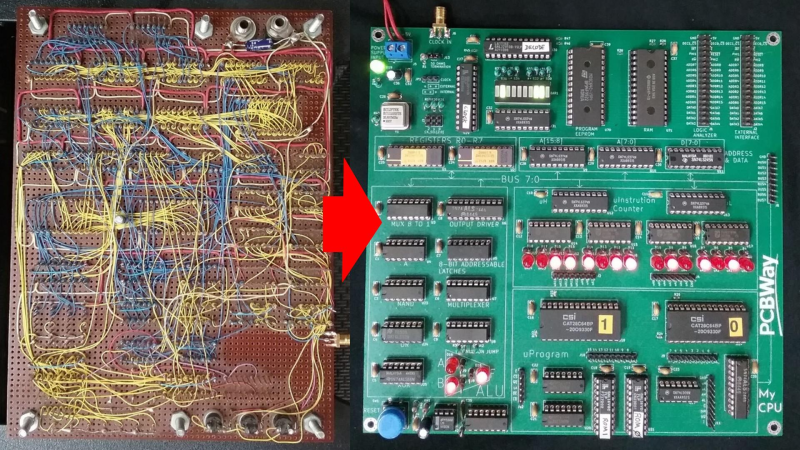
Photo showing the wire-wrapped version and PCB version of MyCPU side-by-side.

This Homebrew CPU Got Its Start In The 1990s

[Sylvain Fortin] recently wrote in to tell us about his Homebrew CPU Project, and the story behind this one is truly remarkable.

He began working on this toy CPU back in 1994, over thirty years ago. After learning about the 74LS181 ALU in college he decided to build his own CPU. He made considerable progress back in the 90s and then shelved the project until the pandemic hit when he picked it back up again and started adding some new features. A little later on, a board house approached him with an offer to cover the production cost if he’d like to redo the wire-wrapped project on a PCB. The resulting KiCad files are in the GitHub repository for anyone who wants to play along at home.

An early prototype on breadboard

The ALU on [Sylvain]’s CPU is a 1-bit ALU which he describes as essentially a selectable gate: OR, XOR, AND, NOT. It requires more clock steps to compute something like an addition, but, he tells us, it’s much more challenging and interesting to manage at the microcode level. On his project page you will find various support software written in C#, such as an op-code assembler and a microcode assembler, among other things.

For debugging [Sylvain] started out with das blinkin LEDs but found them too limiting in short order. He was able to upgrade to a 136 channel Agilent 1670G Benchtop Logic Analyzer which he was fortunate to score for cheap on eBay. You can tell this thing is old from the floppy drive on the front panel but it is rocking 136 channels which is seriously OP.

The PCB version is a great improvement but we were interested in the initial wire-wrapped version too. We asked [Sylvain] for photos of the wire-wrapping and he obliged. There’s just something awesome about a wire-wrapped project, don’t you think? If you’re interested in wire-wrapping check out Wire Wrap 101.

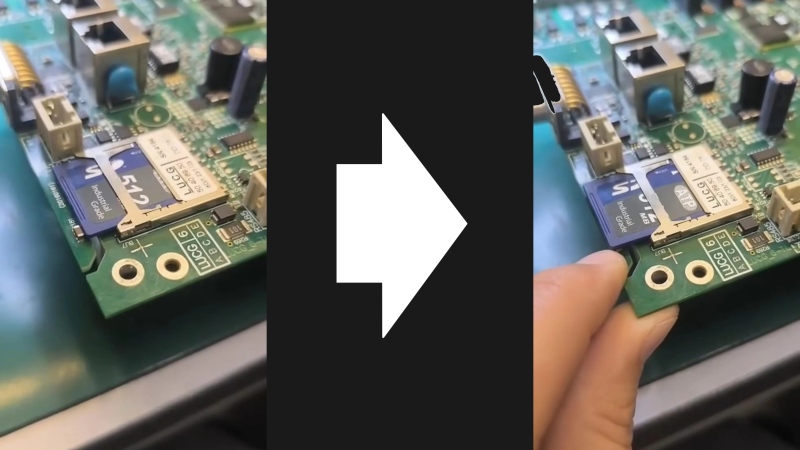
Using an SMD capacitor as a clip for flash media on a circuit board.

SMD Capacitor Doubles As Cheap SD Card Latch

Here’s a clever hack. Simple, elegant, and eminently cost-effective: using an SMD capacitor to hold your flash media in place!

This is a hack that can pretty much be summed up with just the image at the top of the page — a carefully placed SMD capacitor soldered to a routed tab makes for an extremely cost effective locking mechanism for the nearby SD card slot. There’s just enough flexibility to easily move the capacitor when its time to insert or eject your media.

It’s worth noting that the capacitor in this example doesn’t even appear to be electrically connected to anything. But there’s also no reason you couldn’t position one of the capacitors in your existing bill of materials (BOM). This form of mechanical support will be much cheaper than special purpose clips or mounts. Not a big deal for low-volume projects, but if you’re going high-volume this is definitely something to keep in mind.

If you’re just getting started with SMD capacitors then one of the first things to learn is how to solder them. Also, if you’re hoping to salvage them then try to look for newer equipment which is more likely to have SMD components than through-hole. If you’re planning to use your capacitors for… “capacitance” (how quaint), you can start by learning the basics. And if you want to know everything you can learn about the history of capacitors, too.

Thanks to [JohnU] for writing in to let us know about this one. Have your own natty hacks? Let us know on the tipsline!

Back To The Future, 40 Years Old, Looks Like The Past

Great Scott! If my calculations are correct, when this baby hits 88 miles per hour, you’re gonna see some serious shit. — Doc Brown

On this day, forty years ago, July 3rd, 1985 the movie Back to the Future was released. While not as fundamental as Hackers or realistic as Sneakers, this movie worked its way into our pantheon. We thought it would be appropriate to commemorate this element of hacker culture on this day, its forty year anniversary.

If you just never got around to watching it, or if it has been a few decades since you did, then you might not recall that the movie is set in two periods. It opens in 1985 and then goes back to 1955. Most of the movie is set in 1955 with Marty trying to get back to 1985 — “back to the future”. The movie celebrates the advanced technology and fashions of 1985 and is all about how silly the technology and fashions of 1955 are as compared with the advancements of 1985. But now it’s the far future, the year 2025, and we thought we might take a look at some of the technology that was enchanting in 1985 but that turned out to be obsolete in “the future”, forty years on. Continue reading “Back To The Future, 40 Years Old, Looks Like The Past”

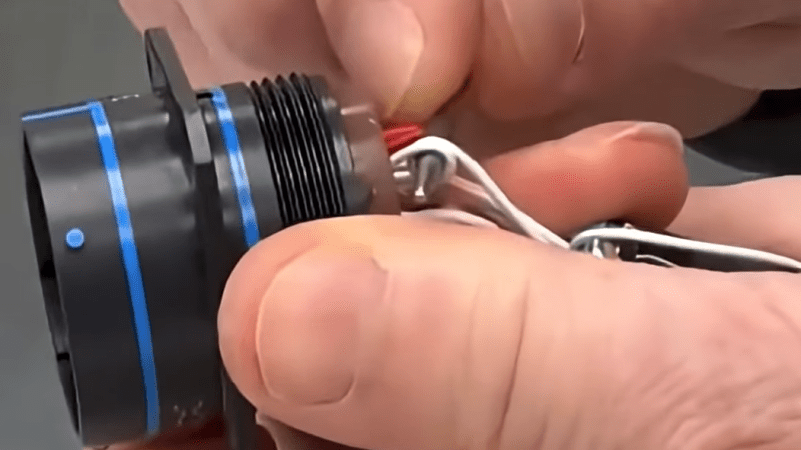
Fingers installing a service loop in a wire in a connector

Are Service Loops A Good Idea?

Well, here’s an interesting idea: the service loop. Ever heard of it? We haven’t!

In the video, the presenter explains the service loop serves two purposes: on the one hand it may provide strain relief, but chiefly these loops are installed so there will be extra available slack in the cable if you need to rewire it some day to change the configuration of your pinout.

One major problem with the service loop may be that the single turn is enough to create an inductor which will then induce noise and cross-talk all over the place. Our rule of thumb is always to completely unroll wires and cables before using them. Do you have a theory about the benefits or problems with service loops? If you do, we’d love to hear what you think in the comments!

If you’re interested in strain relief, we’ve covered that before, and you don’t need a service loop to do it! Check out Cheap Strain Relief By Casting Hot Glue In A 3D Print and Arduino Uno Strain Relief.

Continue reading “Are Service Loops A Good Idea?”

Marauder LowRacer banner

Building The Marauder LowRacer From Bike Parts

Thanks to [Radical Brad] for writing in to let us know about his recent project, building a street racing bike from square tubing and old bike parts.

In this 50 minute video [Radical Brad] takes us through the process of building the Marauder v2, a street racing LowRacer. The entire build was done over a few weekends using only an AC welder, angle grinder, and basic hand tools you probably have in the garage.

Continue reading “Building The Marauder LowRacer From Bike Parts”

Animal Crossing keyboard banner

Making GameCube Keyboard Controller Work With Animal Crossing

[Hunter Irving] is a talented hacker with a wicked sense of humor, and he has written in to let us know about his latest project which is to make a GameCube keyboard controller work with Animal Crossing.

This project began simply enough but got very complicated in short order. Initially the goal was to get the GameCube keyboard controller integrated with the game Animal Crossing. The GameCube keyboard controller is a genuine part manufactured and sold by Nintendo but the game Animal Crossing isn’t compatible with this controller. Rather, Animal Crossing has an on-screen keyboard which players can use with a standard controller. [Hunter] found this frustrating to use so he created an adapter which would intercept the keyboard controller protocol and replace it with equivalent “keypresses” from an emulated standard controller.

Continue reading “Making GameCube Keyboard Controller Work With Animal Crossing”