Since [Gene Roddenberry] traveled back in time from the 23rd century, the idea of a small, portable device has wound its way through the social consciousness, eventually turning into things like smartphones, PDAs, and all the other technological gadgetry of modern life. A few years ago, [Peter Jansen] started The Tricorder Project, the start of the ultimate expression of [Mr. Roddneberry]’s electronic swiss army knife. Now [Peter] is building a better, smaller version for The Hackaday Prize.
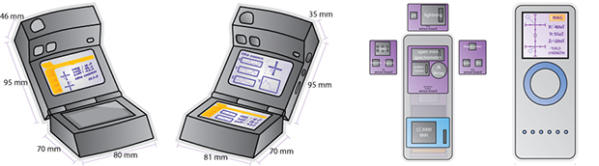
[Peter]’s first tricorders borrowed their design heavily from The Next Generation props with a fold-out section, two displays, and a bulky front packed to the gills with sensors and detectors. Accurate if you’re cosplaying, but not the most practical in terms of interface and human factors consideration. These constraints led [Peter] to completely redesign his tricorder, disregarding the painted wooden blocks found on Enterprise and putting all the electronics in a more usable form factor.
A muse of sorts was found in the Radiation Watch, a tiny, handheld Geiger counter meant as an add-on to smartphones. [Peter] envisions a small ~1.5″ OLED display on top, a capacitive sensing wheel in the middle, and a swipe bar at the bottom. Basically, it looks like a 1st gen iPod nano, but much, much more useful.
Plans for what to put in this improved tricorder include temperature, humidity, pressure, and gas sensors, a 3-axis magnetometer, x-ray and gamma ray detectors, a polarimeter, colorimeter, spectrometer, 9-axis IMU, a microphone, a lightning sensor, and WiFi courtesy of TI’s CC3000 module. Also included is something akin to a nuclear event detector; if it still exists, there has been no nuclear event.
It’s an astonishing array of technology packed into an extremely small enclosure – impressive for something that is essentially a homebrew device.Even if it doesn’t win the Hackaday Prize, it’s still an ambitious attempt at putting data collection and science in everyone’s pocket – just like in Star Trek.
 The project featured in this post is an entry in The Hackaday Prize. Build something awesome and win a trip to space or hundreds of other prizes.
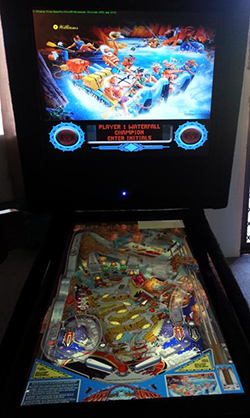 Hang around Hackaday long enough and you’ll hear about MAME, and all the other ways to emulate vintage arcade machines on a computer. The builds are usually fantastic, with real arcade buttons, MDF cabinets, and side graphics with just the right retro flair to make any connoisseur of ancient video games happy. MAME is only emulating old video games, though, and not physical systems like the
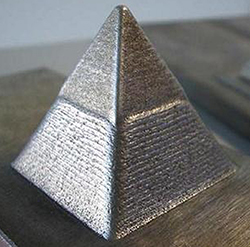 For years now, people have been trying to develop an affordable, RepRap-derived 3D printer that will create objects in metal. There has been a lot of work with crazy devices like high-powered lasers, and electron beams, but so far no one has yet developed a machine that can print metal objects easily, cheaply and safely. For The Hackaday Prize,