Panelizing PCBs In Eagle

final_panel

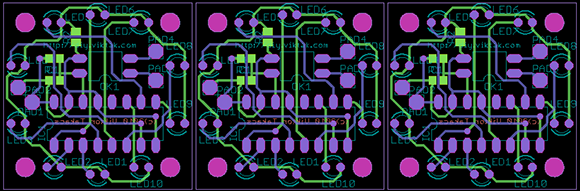
A lot of the board houses out there including Seeed and ITead studios have a fixed size for circuit boards before the price goes up. A one-inch square board costs the same as a much larger 5cm x 5cm board, making panelized PCBs a great way to get more boards for the same amount of money. Trying to panelize a board in Eagle with copy and paste is a chore without the right tools, though, so we’re happy to see a great panelization tutorial from [Victor].

To panelize one of his boards for a PCB order, [Victor] used one of Eagle’s User Language Programs to duplicate the part names on the additional boards. After that, it was a simple matter of running a CAM job to generate the necessary Gerber files.

Of course once the boards arrive, you’ll have to cut them apart from each other. This can be done with everything from a Dremel to a hack saw to a metal shear, but we’re wondering what other Hackaday readers are using to cut up PCBs. Leave a note in the comments with your preferred method of depanelization.
Hackaday Links: February 22, 2013

Playstation π

PS3

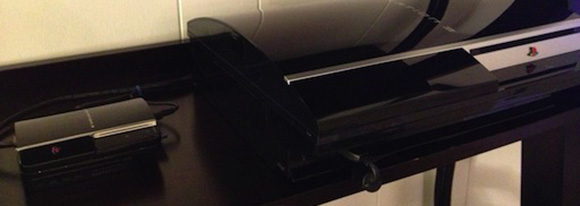
Yeah, it’s another home made Raspberry Pi case, but [Gabriel]’s Mini Playstation 3.14 is the bee’s knees. The enclosure was once a metal gift box originally intended for gift cards. With a few whacks of a Dremel, the world finally has a new PS3 that runs Linux.

Up there with The Secret Life of Machines

mechatronik

[Mattias] sent in a tip about a really cool TV show airing in Sweden. It’s called Mekatronik, and it’s basically the interesting parts of Mythbusters where [Jamie] and [Adam] build random cool stuff. It’s a Swedish language program, so if anyone would like to make some subs for the episodes, we’ll be more than happy to link to it again.

Web-based software defined radio

sdr

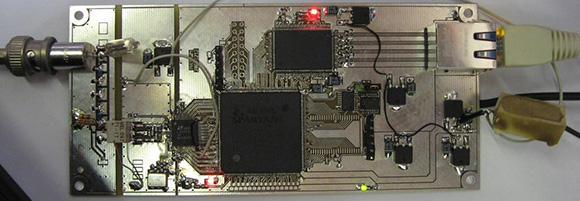
The amateur radio club at University of Twente in the Netherlands came up with something really cool: a web-based software defined radio.  So what, you ask? It’s just streaming audio or something over the Internet? Nope. You can actually control this SDR over the web.

We’re deeply sorry for turning the hardware turn to slag. Really, we are.

Junk box Tesla coil

tesla

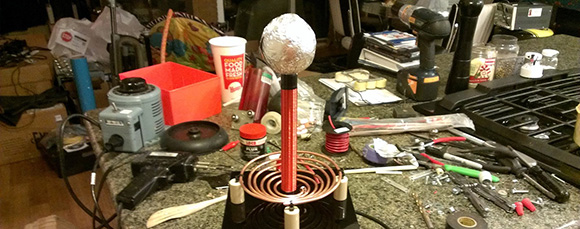
[JJ] whipped up a homemade Tesla coil out of junk he had lying around. Basically, it’s a piece of PVC pipe, a tennis ball, and aluminum foil. Even the transformer was pulled from a long-forgotten project. [JJ] is getting some really good arcs, so we’ll call this a win.

Time circuits active

time

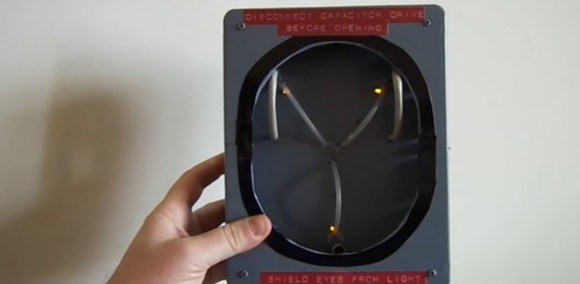
[Danilo] was invited to a costume party with a movie theme. He wanted something Back to the Future-is, so he whipped up a flux capacitor (translation). It’s based on a PIC12F675, with the microcontroller running a bit of code that flashes the LEDs just like the movie. Now on to the hoverboard project…

Making Eagle Work With Circuits.io

IO

Ever so slowly, we’re inching towards a world of Internet-based electronic design tools. The state of these tools, including Upverter and other cloud-based solutions, hasn’t been all that great until now; with any new piece of schematic capture and PCB layout software, the libraries will be woefully inadequate in the beginning. This is about to change, because circuits.io is now allowing Eagle libraries to be imported.

As you may well be aware, Eagle is the de facto standard for homebrew and hobbyist schematic capture and board layout software. Even though Eagle isn’t open source and is limited to rather small PCBs with the free version, somehow Eagle has retained its popularity, most likely due to the huge number of component libraries available.

By allowing users and designers to import Eagle libraries, the folks at circuits.io are capitalizing on a huge amount of work done by designers and engineers over the years in creating custom Eagle parts for just about every component imaginable. It’s a great accomplishment for the circuits.io team and a boon for anyone wanting to move their PCB design tools over to the cloud.

A Brick-sized Game Boy Advance SP

gameboy

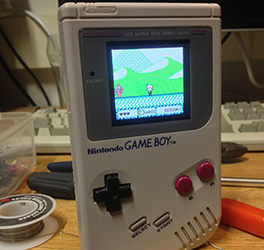
For a few years now, [Michael] has wanted to put the guts of a Game Boy Advance – the small clamshell version with a backlit LCD – into the classic and comfortable DMG-01 ‘brick’ Game Boy. He’s finally finished with his project, and we’ve got to say it’s looking pretty good.

The build began by excising the backlit LCD from an old clamshell Game Boy Advance and hot gluing it to the screen bezel of an old DMG-01. The cartridge slot from the original ‘brick’ Game Boy remained, but this design decision did require a fair bit of soldering and a length of ribbon cable.

Since [Michael] is using the original cartridge slot found in the original Game Boy, he can’t play any games in the smaller Game Boy Advance cartridge format. Still, it should be possible to build an adapter to fit those smaller cartridges inside the larger Game Boy, and he can always play Tetris and Little Sound DJ, so nothing of value is lost.

Video Phone Arduino Shield

video

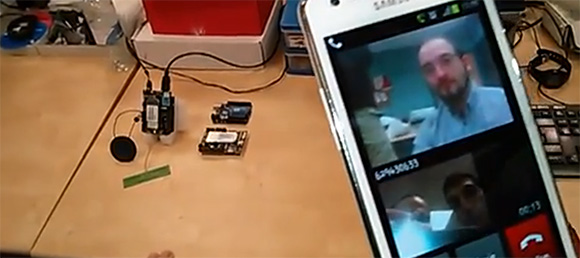
We’ve seen Arduino-powered Twitter machines, and even some that can send text messages, but how about one that’s a video phone? That’s what the guys over at Cooking Hacks put together with their very impressive 3G Arduino shield.

On board the shield is an internal GPS receiver, microphone, speaker, 3G module, and a camera sensor with VGA resolution. The 3G module is able to act as a 3G modem via a USB connection, allowing any computer to take advantage of wireless Internet with a SIM card.

While in their tutorial the guys use a terminal running on their computer to send AT commands to place a call, it’s possible to simply put all that info in a sketch making for a small, battery-powered video link straight to your cell phone. Seems like the perfect piece of hardware for a wireless, 3G-enabled video feed for a robot. You can check out the video from their tutorial after the break.

Continue reading “Video Phone Arduino Shield”

The Perils Of Buying A Stereo Microscope Without A Stand

scope

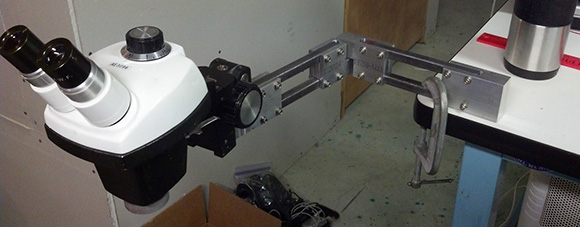
[Steve] has wanted a stereo microscope in his lab for years now. Since his eyesight is becoming progressively worse, he figured it was time to look around on ebay and see what he could dig up. He ended up buying a very cheap microscope without a stand, figuring he could build one rather easily. Well, the articulated stand was rather easy to put together, but it did take a whole lot of time to build.

The main goal of [Steve]’s project was to have his microscope at the end of an articulated arm. With this setup, he could easily tuck the ‘scope against the back of his workbench when not in use and easily bring it out when necessary. This meant building a custom arm, though, and in the building process [Steve] used just about every machine tool he had at his disposal.

The end result is a fully articulated arm that can be moved to just about any point on his workbench and adjusted up and down for those really weird project. [Steve] says this may be a great introduction to home powder coating, and he really should build a small LED light source, but we’re loving the project so far.

Continue reading “The Perils Of Buying A Stereo Microscope Without A Stand”

3Doodler, A 3D Drawing Pen

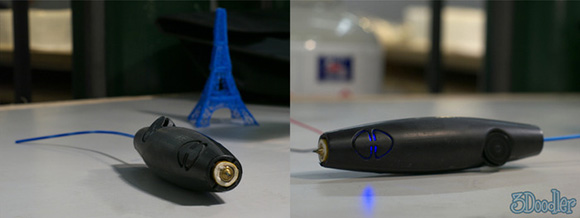
Here’s something that’s making its way to the top of our, “why didn’t we think of that” list. It’s called 3Doodler, a device based on the plastic extrusion technology found in 3D printers stuffed into a pen that fits in the palm of your hand.

If you’re familiar with 3D printers, the design of the 3Doodler should come as second nature to you. Inside this electronic plastic-melting pen is a small motor that forces 3mm ABS or PLA filament through a heated nozzle. With the 3Doodler, you can draw in three dimensions by simply lifting the tip of the 3Doodler into the air.

While 3Doodler is obviously aimed at creating plastic objects by hand, we’re wondering if this device could be successfully adapted to work with 3D printers. The 3Doodler team put a very, very small and inexpensive extruder and hot end inside the 3Doodler, and they’ve got something on their hands we’d love to tear apart just to see how it ticks.

You can see the 3Doodler introduction video after the break.

Continue reading “3Doodler, A 3D Drawing Pen”