[Jeri] Uses Light Bulbs In An Oscillator

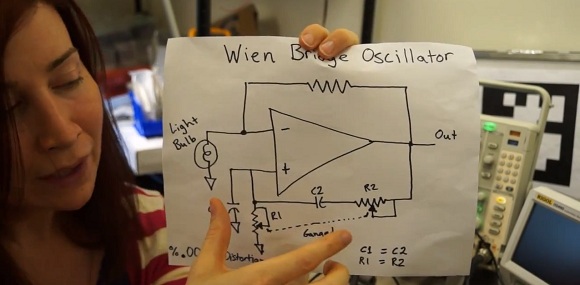
Way back when [Ms Ellsworth] was a kid, she kept seeing the same circuit over and over again in her various op-amp books. It was a Wien bridge oscillator, a small circuit that outputs a sine wave with the help of a light bulb. Now that [Jeri] is much wiser, she decided to play around with this strange oscillator and found it’s actually pretty impressive for, you know, a light bulb.

The interesting portion of the Wien bridge is the gain portion of the circuit. It’s just a simple resistor divider, with a light bulb thrown in on one of its legs. When the current increases, this causes the light bulb to warm up (not enough to glow, though). When the temperature increases, the resistance in the light bulb increases, making the oscillator reach an equilibrium.

It’s a clever setup, but what about swapping out a resistor in place of the light bulb? In the video, [Jeri] tries just that, and it’s a mess. Where the light bulb circuit is amazingly stable with very, very low distortion, the resistor circuit looks like a disaster on the scope with harmonics everywhere.

A very cool build that would be perfect for an audio synth, but as [Jeri] says in her YouTube comments, “This doesn’t have enough distortion for indie bands.”
Continue reading “[Jeri] Uses Light Bulbs In An Oscillator”

One Dimensional PONG, Take Two

Needing a Christmas present for his 4- and 5-year-old nieces, [John] built a one-dimensional PONG game, sure to be the delight of rosy-cheeked children on a Christmas morn.

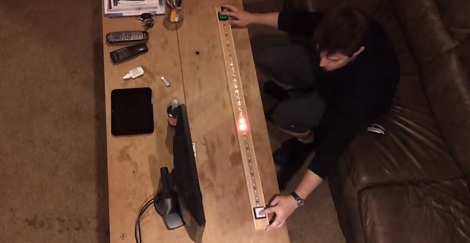
The new and improved 1D PONG game is built around a digital RGB LED strip with an LPD8806 LED controller. The speed of the ‘ball’ is controlled by a pot on one side of the game. With each player pressing their button at the right time, the ball bounces back to the other player. Missing the ball awards a point to the other team and most likely an increase in the player’s frustration, greatly increasing the risk of this game being thrown across the room.

While it’s not an obscenely long 1D PONG game like [Jason]’s previous 5 meter version, it’s more than enough to keep a pair of kids occupied for more than a few minutes, a remarkable achievement for just a microcontroller, buttons, and a piece of LED strip.

You can get [John]’s AVR code in this pastebin or just check out the video after the break.

Continue reading “One Dimensional PONG, Take Two”

Controlling A Quadcopter With A Leap Motion

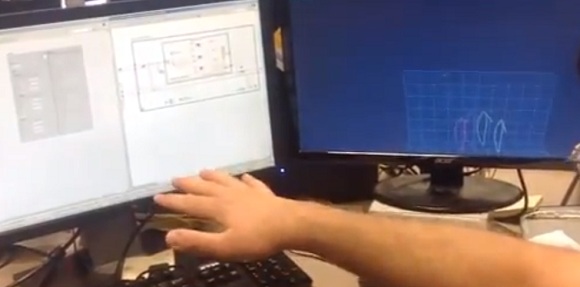
A few folks over at National Instruments going under the name LabVIEW Hacker have gotten their hands on a Leap Motion dev kit. The Leap is an interesting little input device designed to track fingertips in 3D space, much like a Kinect but at much higher resolution. Needing something to show off their LabVIEW prowess, these guys controlled their office AR Drone with the Leap, making a quadcopter controller that is completely touchless.

Building on their previous AR Drone hack, the LabVIEW team spent the better part of a day adding wrappers around the Leap SDK and adding in control for their RC quadcopter. Now, simply by moving their fingertips over the Leap sensor, they can control their office quadrotor using a very high-resolution 3D scanner.

Video after the break.

Continue reading “Controlling A Quadcopter With A Leap Motion”

Making An Overhead Camera Gantry, Take 2

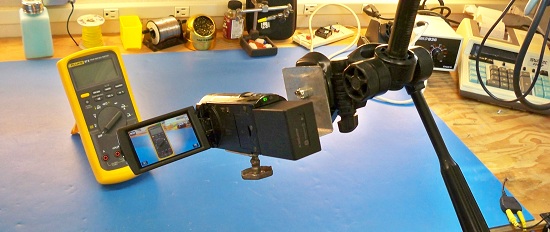
Last week we saw [Todd]’s solution to getting a tripod out-of-the-way when filming a few DIY videos. It’s an overhead camera gantry that allows him to move a camera around his garage workshop without a tripod getting in the way. This weekend, he’s back with a new and improved version. It’s a vast improvement over his Mk 1 gantry system, and it much simpler to build, to boot.

[Todd]’s new and improved overhead camera gantry builds is a vast improvement on his previous build. In the original build, [Todd] used only one cross piece between the overhead garage door tracks, and the carriage suspending the tripod overhead was extremely clunky.

Version 2 of [Todd]’s camera gantry again makes use of unused garage door tracks to suspend a tripod above his workshop. This time, though, he’s using two rails between these garage door tracks making pushing the tripod around his workshop much easier – even when not pushing it from the middle.

To move the camera across the workspace, [Todd] did away with the square tube between the garage door tracks and used another set of garage door tracks. It’s a beautiful system that moves very, very smoothly between his workbench and welding station, perfect for making a few high-quality DIY videos.

You can check out [Todd]’s build video after the break.

Continue reading “Making An Overhead Camera Gantry, Take 2”

EVE Radio Breakout Board For The Raspberry Pi

The Raspberry Pi is an excellent tool to build the ‘Internet of things’ we’ve been hearing about, but there’s still the issue of connecting the Raspi to other devices. The EVE Alpha – a breakout board for several wireless radio modules for the Raspberry Pi – hopes to change that with their Kickstarter campaign.

The idea behind the EVE is to provide a link between low-power radio modules found in a few of the microcontroller projects we’ve seen and the Raspberry Pi. It does this by simply serving as a breakout board, taking the GPIO pins on the Raspi and connecting them to solder pads for a few of the many radio modules currently available.

Already the EVE supports the RFM12B wireless tranciever, a Z-Wave module, 868-915Mhz SRF modules, and has a breakout for an XBee module, allowing the EVE to communicate using one of the many different XBee boards. There’s also a battery-backed real-time clock and temperature sensor thrown in for good measure making this board the perfect building block for an outdoor weather station or solar array.

It’s an awesome idea, and if you already have a few radio modules, incredibly cheap; just the PCB is only £6, and a board with all the SMD components is only £20.

Wii U To Be Released This Weekend, Wii U GamePad To Be Torn Apart On Workbenches Across The Land

In case you’ve been living under a rock for the past few months, Nintendo will be releasing their next-gen console this weekend. It’s called the Wii U, and one of the most interesting features is the Wii U GamePad – the first controller to feature a full-color video screen right between the analog sticks.

Needless to say, we’re not terribly interested in the Wii U. The GamePad, though, looks perfect for robot controllers, FPV aerial vehicles, and a whole slew of projects that require some remote control.

The hardware for the GamePad is fairly impressive; apart from D pads and analog sticks, the new Wii Controller features a front-facing camera, gyroscope, accelerometer, magnetometer, 6.2 inch 854×480 touchscreen display, and an extension port housing an I2C bus for all your old Wii peripherals.

Other than a stock feature list, we have no idea how the Wii U will be able to transmit video to the GamePad. It might be WiFi, allowing you to connect all your projects to a wireless network and control them without a whole lot of hardware.

We’ll keep you posted on the developments of hacking the Wii U GamePad. Hopefully we’ll all have an awesome remote control by next year.

Emulating A Student Clicker With An Arduino

When schools and universities have hundreds of students in a lecture course, they need a way to tell alumni and other potential benefactors that faculty/student relations are just as good as they were in the 1960s, when enrollment was just a fraction of current levels. Technology solves all problems, apparently, so administrators of these universities turn to ‘clickers’ – radio frequency remotes used to take attendance and administer quizzes.These clickers have absolutely no security, so it’s no surprise [Taylor Killian] was able to emulate one of these clickers with an Arduino allowing anyone with a laptop to cheat on a quiz, or have an entire class show up with only one student in the room.

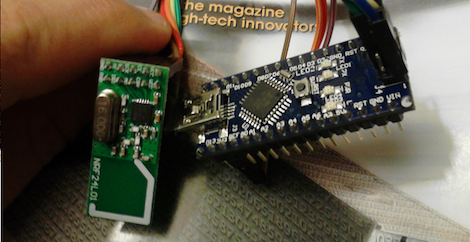
Previously [Travis Goodspeed] (thanks for sending this in, [Travis]) tore apart one of these clickers – a TurningPoint ResponseCard RF – and discovered it uses a Nordic nRF24L01 wireless transceiver, commonly available on eBay for about two dollars.

[Taylor] connected this wireless module to an Arduino and whipped up a bit of code that allows him to listen to the audience responses, respond to a question as either a single clicker or all clickers, automatically respond with the most popular answer, and even block all audience responses to each question.

Perhaps technology doesn’t solve every problem, but at least [Taylor] learned something from a glorified remote control sold at the bookstore at an insane markup.