When A CRT Isn’t Retro Enough: LEDs

When we think of an old-style computer terminal, it has a CRT screen: either one of the big 1970s VDUs with integrated keyboard, or maybe one from a later decade with more svelte styling. You would have found other displays in use in previous decades though, and one of them came our way that we think it worthy of sharing.

16 segments in action. (PD) Wikimedia Commons.

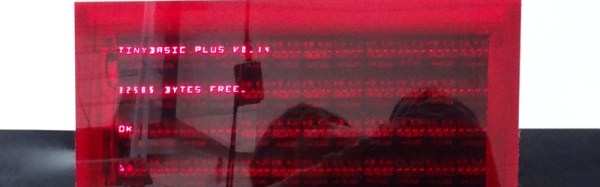
[Dan Julio] was given several tubes of Siemens DL1416B 4-digit 17-segment LED displays by a friend, and decided to use them as an unusual retro display for his terminal project. These devices are an alphanumeric display with a parallel interface that can show a subset of the ASCII character set as well as a cursor. He had 213 of them, so made plans for a 64 character by 16 line display, however on discovering a quantity of the parts were non-functional he had to scale back to 12 lines of 48 characters.
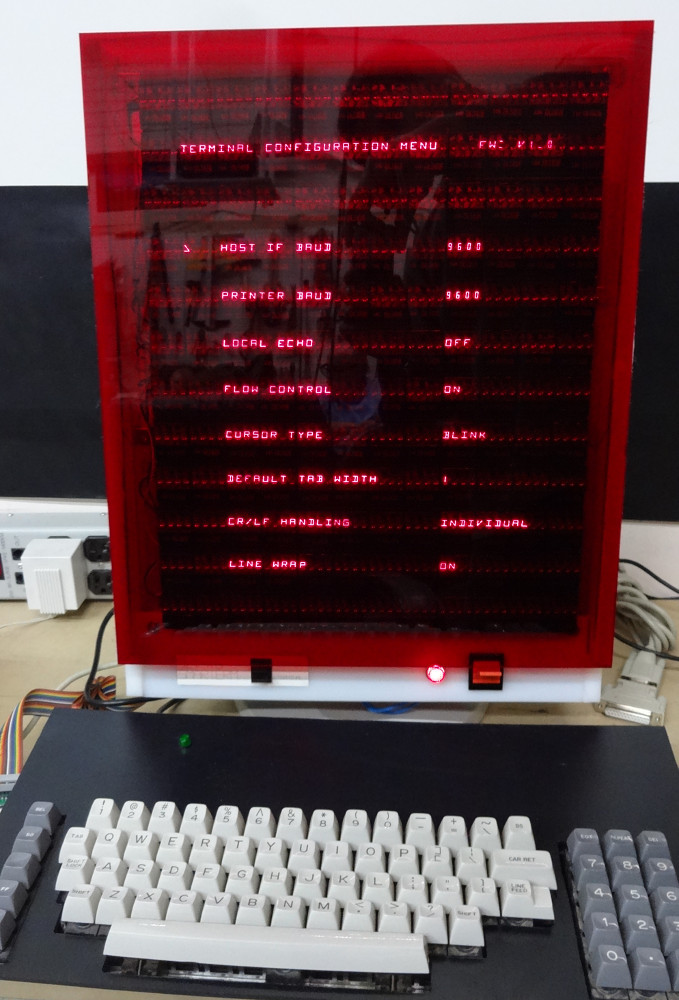
The terminal in action.

The displays are mounted on PCBs in groups of four, controlled by a PIC16F1459 and some shift registers. These boards are then daisy-chained via a TTL serial line. The whole display shares one of the three serial ports on a Teensy 3.1 with his retro keyboard that has its own PIC controller, the others serving a serial printer port and the terminal serial port. The Teensy software has two modes: serial terminal or a Tiny Basic interpreter, and the relevant repositories are linked from the project page.

Since each set of DL1416Bs takes 250 mA, the whole display consumes about 9 A at 5 volts. On top of that the keyboard uses another 500 mA, so a sufficiently powerful supply had to be incorporated. This is mounted along with the Teensy in a very well-made enclosure, and the whole is mounted on what looks like a surplus monitor stand for a very professional finish.

To take us through the terminal’s features he’s posted a YouTube video that we’ve placed below the break. It comes across as a surprisingly usable machine, as he logs into a Raspberry Pi and edits a file, and takes us through some features of the BASIC interpreter.
Continue reading “When A CRT Isn’t Retro Enough: LEDs”

A Vintage Interface For A Modern Radio

The arrival of affordable software defined radio technologies over the last couple of decades has completely changed the way that radio amateurs and other radio enthusiasts approach the airwaves. There’s a minor problem with most software defined receivers though, being by their nature software driven they will usually rely on a host computer for their interface. Thus the experience is one of clicking mouse buttons or using keyboard shortcuts rather than the mechanical analogue dial interfaces that provided easy control of older radios.

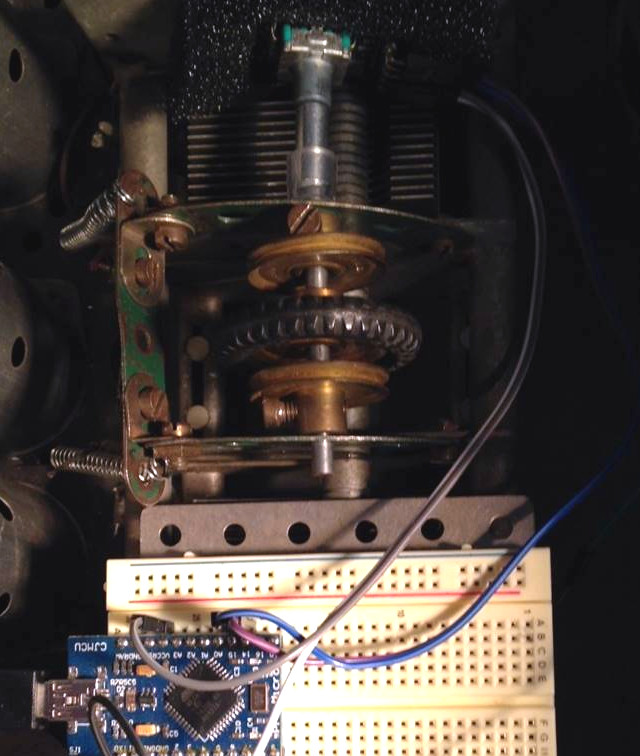
Meccano encoder mounts for the win!

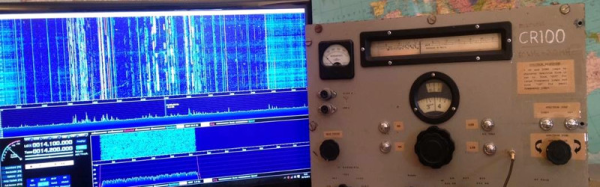
This is a problem that has been addressed by [Jon Hudson, G4ABQ], with one of his SDRplay receivers. He’s mounted it and its control PC in the chassis of a very aged and non-functional Marconi CR100 communication receiver, and given it a control interface that only uses the Marconi’s front panel controls (YouTube link). A rotary encoder has been grafted onto the Marconi tuning capacitor with what looks like some Meccano, and in turn that feeds an Arduino which behaves as a keyboard for the benefit of the PC. Some extra buttons have been added for mode selection, spectrum zoom and shift, and care appears to have been taken to give their labels a period feel. Arduino code came courtesy of [Mike Ladd, KD2KOG]. The result is a very controllable SDR receiver, albeit one in a rather large case.

If you are interested in the project then we are told that it will be on the RS stand at Electronica in Munich next week, meanwhile we’ve put the video below the break.

Continue reading “A Vintage Interface For A Modern Radio”

Turn That Old Tablet Into A Sub-$100 Linux Laptop

Tiny laptops have always been devices that promise so much, yet fail somehow to deliver. From the Atari Portfolio palmtops through to the recent crop of netbooks they have been either eye-wateringly expensive if they are any good, or so compromised by their size constraints as to be next-to-useless. We’ve seen DOS, EPOC, Windows, WinCE, Palm OS, Linux distros and more in tiny form factors over the years, yet few have made a significant mark.

The prospect of a “proper” computer in your hand isn’t something to abandon just yet though. We are now reaching the point at which the previous generation of higher-end Android tablets are both acceptably powerful and sufficiently numerous as to be available at a very reasonable price. Perhaps these can provide the tiny laptop seeker with a basis for something useful. [NODE] certainly thinks so, because he’s produced a nice little Ubuntu laptop using a second-hand Nexus 7 tablet and a Bluetooth keyboard case. Android is replaced with an Ubuntu image, and a cardboard cut-out display bezel is held in place with magnetic strips. A step-by-step guide has been put up to help others interested in following the same path.

This is not the most amazing of hardware hacks, in that it involves mostly off-the-shelf items and a piece of software. However it’s worth a look because it does provide a route to a very acceptable little Linux laptop for an extremely reasonable price. One concern is that the Ubuntu version seems not to be a recent one, however we’re sure readers will point at any newer distribution builds in the comments. If you fancy a look at the finished laptop he’s posted a video which we’ve included below the break.

Continue reading “Turn That Old Tablet Into A Sub-$100 Linux Laptop”

Brazing Aluminum

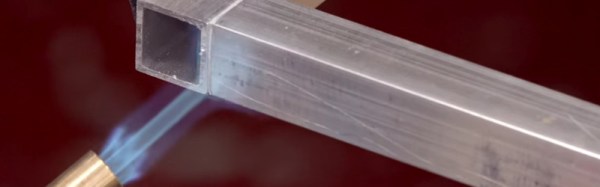
Where do you stand on one of the eternal questions of metalwork: brazing, or welding? As your Hackaday writer, and the daughter of a blacksmith, it’s very much on the welding side here. Brazed joints can come apart too easily, which is why in the territory this is being written in at least, they are not permitted for the yearly vehicle roadworthiness test. If you’ve ever had to remove a brazed-on patch with an angle grinder, you’ll know which one you’d trust in a crisis.

What if the metal in question is aluminum? [George Graves] sends us a link to a forum discussion on the subject from a few years ago, and to a YouTube video which we’ve embedded below the break. Miracle brazing rods claim astounding toughness, but the world divides into those who favour TIG’s strength versus those who point to brazing’s penetration far between the surfaces of the metal to be joined. Having experimented with them a while back, we’ll admit that it’s true that aluminum brazing rods join broken parts impressively well. But yet again you won’t see this Hackaday writer riding a bike that wasn’t welded with the trusty TIG torch.

Take a look at the video, and see what you think. Even if it’s not a joint you’d stake your life on it’s still a technique that’s a useful addition to your workshop arsenal.

Continue reading “Brazing Aluminum”

Probably The Simplest Electronic Temperature Controlled Soldering Iron

We’re all used to temperature controlled soldering irons, and most of us will have one in some form or other as our soldering tool of choice. In many cases our irons will be microprocessor controlled, with thermocouples, LCD displays, and other technological magic to make the perfect soldering tool.

All this technology is very impressive, but how simply can a temperature controlled iron be made? If you’re of an older generation you might point to irons with bimetallic or magnetic temperature regulation of course, so let’s rephrase the question. How simply can an electronic temperature controlled soldering iron be made? [Bestonic lab] might just have the answer, because he’s posted a YouTube video showing an extremely simple temperature controlled iron. It’s not the most elegant of solutions, but it does the job demanded of it, and all for a very low parts count.

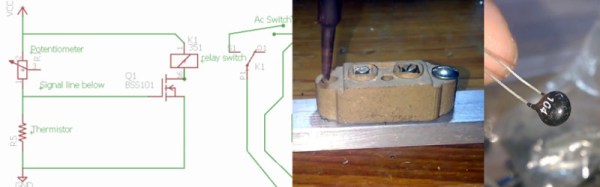
He’s taken a ceramic housing from a redundant fuse holder, and mounted it on a metal frame to make a basic soldering iron holder into which the tip of his unregulated iron fits. To the ceramic he’s fitted a thermistor, which sits in the gate bias circuit of a MOSFET. The MOSFET in turn operates a relay which supplies mains power to the iron.

Temperature regulation comes as the iron heats the ceramic to the point at which the thermistor changes the MOSFET and relay state, at which point (with the iron power cut) it cools until the MOSFET flips again and restarts the process. You may have spotted a flaw in that it requires the iron to be in the holder to work, though we suspect in practice the thermal inertia of the ceramic will be enough for regulation to be reasonably maintained so long as the iron is returned to its holder between joints. Nobody is claiming that this temperature controlled iron is on a par with its expensive commercial cousins, instead it represents a very neat hack to conjure a useful tool from very few components. And we like that. Take a look at the full video below the break.

Continue reading “Probably The Simplest Electronic Temperature Controlled Soldering Iron”

VR Feels More Real With Leap Motion And This Rotation Sensor

You could have said this at any time in the last couple of decades: the world of virtual reality peripherals does not yet feel as though it has fulfilled its potential. From the Amiga-powered Virtuality headsets and nausea-inducing Nintendo Virtual Boy of the 1990s to today’s crop of advanced headsets and peripherals, there has always been a sense that we’re not quite there yet. Moments at which the shortcomings of the hardware intrude into the virtual world may be less frequent with the latest products, but still the goal of virtual world immersion seems elusive at times.

One of the more interesting peripherals on the market today is the Leap Motion controller. This is a USB device containing infra-red illumination and cameras which provide enough resolution for its software to accurately calculate the position of a user’s hands and fingers in three-dimensional space. This ability to track finger movement gives it the function of a controller for really complex interactions with and manipulations of objects in virtual worlds.

Even the Leap Motion has its shortcomings though, moments at which it ceases to be able to track. Rotating your hand, as you might for instance when aiming a virtual in-game weapon, confuses it. This led [Florian Maurer] to seek his own solution, and he’s come up with a hand peripheral containing a rotation sensor.

Inspired by a movie prop from the film Ender’s Game, it is a 3D-printed device that clips onto the palm of his hand between thumb and index finger. It contains both an Arduino Pro Micro and a bno055 rotation sensor, plus a couple of buttons for in-game actions such as triggers. It solves the problem with the Leap Motion’s rotation detection, and does not impede hand movement so much that he can’t also use his keyboard and mouse while wearing it. Sadly he does not yet seem to have posted any code, but he does treat us to a video demonstration which we’ve posted below the break.

Continue reading “VR Feels More Real With Leap Motion And This Rotation Sensor”

The Comic Book World Of Capacitor Marketing

The Economist is an interesting publication, a British weekly newspaper that looks for all the world like a magazine, and contains pithy insights into world politics and economic movements. It’s one of those rare print news publications that manages to deliver fresh insights even to hardened web news junkies despite its weekly publication date.

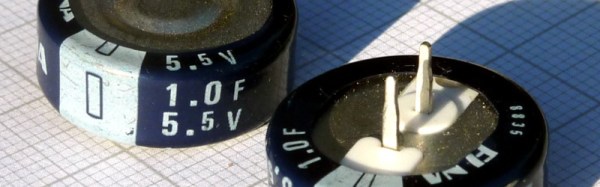
It was typical then of their wide-ranging coverage of world industries to publish a piece recently on the world of supercapacitors, with particular focus on Estonia’s Skeleton Technologies. This is an exciting field in which the products are inching their way towards energy density parity with conventional batteries, and news of new manufacturing facilities coming online should be of interest to many Hackaday readers.

Exciting though it may be it was not the news of a new capacitor plant in Germany that provided the impetus for this piece. Instead it was the language used by the Economist writer delicately skirting the distinction between the words “Supercapacitor” and “Ultracapacitor”. Images of flying crimefighters in brightly coloured capes spring instantly to mind, as Captain Ultra and Superman battle an arch-villain who is no doubt idly bouncing a piece of burning Kryptonite against the wall in readiness for the final denouement.

Continue reading “The Comic Book World Of Capacitor Marketing”