Cheap Voice-controlled Lighting

voice_controlled_home_automation_board

Voice-controlled home automation doesn’t have to be wildly expensive if you have a little bit of time and some know-how to do the job yourself. [jjshortcut] wanted to control the lighting in his room without using physical switches. On his blog, he describes how he did it without spending a ton of money.

He picked up a VRBot speech recognition module on eBay, which is an easy way to get your feet wet with voice control. The device has a bunch of built-in speaker independent commands, as well as the ability to record up to 32 custom triggers. Rather than mess with mains voltage and build his own light relays, he purchased a simple set of wireless light switches and began hacking.

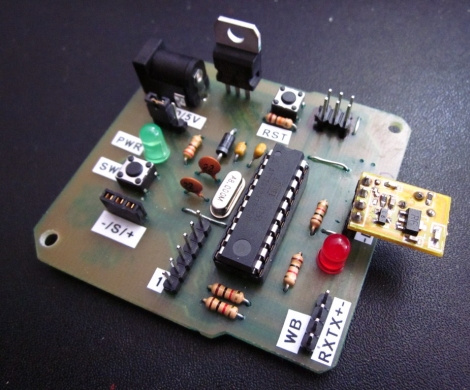
He spent some time sniffing the wireless communications protocol to figure out how the lights were triggered, then he replicated that functionality using an AVR and a cheap 433 MHz module.

The system seems to work quite well despite how cheaply he was able to put it together. Stick around to see a quick video of his voice recognition system in action.

Continue reading “Cheap Voice-controlled Lighting”

Surplus Bazooka Converted To Shoot Firework Artillery Shells

bazooka_fireworks_mortar_launche

[Mark] and his friends love fireworks, but got tired of the traditional ground-launched mortar rounds, so they decided to spice things up a bit.

A while back he purchased an Army-issue bazooka at a gun show but didn’t use it for much, so it sat unused for about 10 years. He dug it out of storage, then hit up his local hardware store for a few lengths of PVC piping. He cut the pipes to size and then used his 3D printer to build a couple of parts to securely mount the PVC pipe into the bazooka’s shell. With his standard tube, he can shoot 2” mortars from the bazooka, but says he can add a second nested length of PVC to allow for smaller rounds.

Obviously this sort of setup can be quite dangerous if it is mistaken for actual weaponry, or if your fireworks were purchased from some guy’s trunk at a highway rest stop. [Mark] and his friends have taken some precautions when they use the launcher, but this is still clearly a risky enterprise.

That said, we think its awesome, and if anyone has a spare bazooka sitting around, feel free to send it our way!

Continue reading to see the bazooka fireworks launcher in action.

[Correction]
Not a bazooka, it’s an AT-4. Thanks to those who pointed it out.

Continue reading “Surplus Bazooka Converted To Shoot Firework Artillery Shells”

ExtMEDIA: An XBMC Disc Changer Interface

extmedia_dvd_bluray_changer_integration

A while back, [Ben Gilstad] built his first HTPC, loading XBMC on it to manage all of his digital media. He loved XBMC’s features and flexibility, but he needed a way to enjoy his DVD and Blu Ray collection on the device without too much hassle. Far before [Ben Heck] considered fitting his Xbox 360 DVD drive into a CD carousel, this [Ben] was busy hacking a Blu Ray player into his.

He bought a broken disc changer at a garage sale, and tore apart a standard SATA Blu Ray player in preparation for the optical drive transplant. An ATMega168 controls the changer’s mechanics, monitoring the carousel’s position and triggering the proper motors when discs need to be swapped out. The AVR currently takes its direction from the HTPC over its serial port via a UDP proxy as XBMC did not support a serial interface at the time he was building the changer.

The second half of [Ben’s] project is an XBMC add-on that he uses to manage his huge collection of optical discs. In order to get XBMC to recognize each disc as a valid ‘file’, he created a clever workaround involving blank WMV clips. This enables him to view his DVDs as if they were digital files on his hard drive, complete with cover art.

It’s a fantastic project, and [Ben] says that his system should be able to support any number of physical disc changers simultaneously, without much issue. Unfortunately the project went on hiatus when he lost his job, so it’s packed away in storage for the time being. Once he gets back on his feet however, he has a whole list of planned changes and improvements to work on – we can’t wait to see it once complete!

Keep reading to check out a video demonstration of his XBMC add-on in action.

Continue reading “ExtMEDIA: An XBMC Disc Changer Interface”

Adding Extra Buttons To A Cintiq Drawing Pad

wacom_cintiq_game_pad_addon

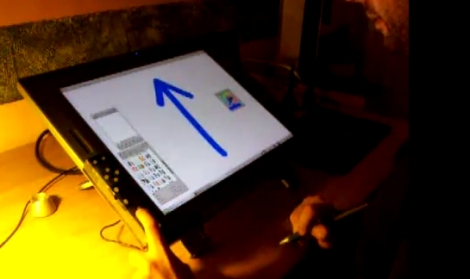
[David Revoy] recently picked up a brand new Cintiq 21UX, and while he liked the drawing pad overall, he was less than impressed with the tablet’s buttons. He says that most 2D linux apps require a good bit of keyboard interaction, and the built-in buttons just were not cutting it.

After seeing a fellow artist use a joypad to augment his tablet, [David] thought that he might be able to do something similar, but he wanted to add a lot more buttons. He dug out an old Logitech game pad that was collecting dust, and disassembled it, rearranging some buttons in the process. Once he was happy with the layout, he built a cardboard enclosure for the PCB and hooked it up to the Wacom via USB.

He spent a few minutes mapping buttons to key presses using Qjoypad, and was up and running with an additional 14 buttons in short order. He says that the extra buttons make his job a ton easier, and add a little bit of comfort to his long drawing sessions. We like the fact that it is a non-permanent fixture, and that he was able to repurpose an old game pad in the process.

Check out the video below for a quick demonstration of his drawing pad hack.

[via Adafruit blog]

Continue reading “Adding Extra Buttons To A Cintiq Drawing Pad”

Building A Single-button Combination Lock

single_button_arduino_combination_lock

[John Boxall] of Little Bird Electronics was thinking about combination locks, and how one might improve or at least change the way these locks work. Traditional combo locks can be implemented in a variety of ways, most of which we are all familiar with. Standard rotary padlock and keypad-based electronic safes work just fine, but he was interested to see how one might implement a single button combination lock.

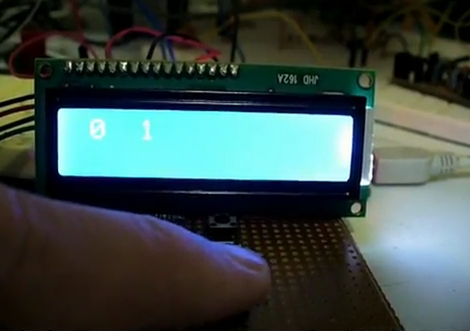
[John] determined that the best, if not only way, to build this sort of lock would require him to measure button press intervals. In his case he decided to monitor the intervals between his button presses instead, but the concept is the same. He first tested himself to see how accurately he could press and release the button, leaving a one-second space between presses. After looking at the results he determined that he would need to incorporate at least a 10% margin for error into his code in order to compensate for human error.

He then created an Arduino sketch to test his idea, defining a set of key press intervals that could be used to ‘unlock’ his imaginary vault. It worked quite well, as you can see in the video demo below.

Now we’re not suggesting that you lock up your mint condition My Little Pony collection or your illegal arms stash with this type of lock, but it could be useful as an extra failsafe for certain projects/gadgets that you want to keep all to yourself.

Continue reading “Building A Single-button Combination Lock”

Vodafone Femtocells Hacked, Root Password Revealed

vodafone_femtocell_network_diagram

As phone systems have evolved over time, the desire to break them and exploit their usage continues to flourish. Just recently, [The Hacker’s Choice (THC)] announced that they had accessed secure data from Vodafone’s mobile phone network last year, via their femtocell product.

The purpose of the femtocell is to extend mobiile network coverage to locations where reception might not be ideal, routing calls to Vodafone’s network via IPSec tunnels. [THC] knew that this meant the femtocells required a high-level of interaction with the carrier’s traditional mobile network, so they started poking around to see what could be exploited.

After gaining administrative access to the femtocell itself using the root password “newsys”, they found that they were able to allow unauthorized users to utilize the service – a simple ToS violation. However, they also had the ability to force any nearby Vodafone subscriber’s phone to use their femtocell. This enabled them to request secret keys from Vodafone, which they could then use to spoof calls and SMS messages from the victim’s phone without their knowledge.

They have been kind enough to release all of the pertinent information about the hack on their wiki for any interested parties to peruse. Now we’re just wondering how long it takes before stateside carriers’ femtocells are exploited in the same fashion.

[Thanks, kresp0]

A Beginner’s Guide To Magnetometers

magnetometers_for_beginners

The folks over at LoveElectronics recently published an article that explains some of the ins and outs of magnetometers for those who are interested in trying one out, but might not understand how to use them.

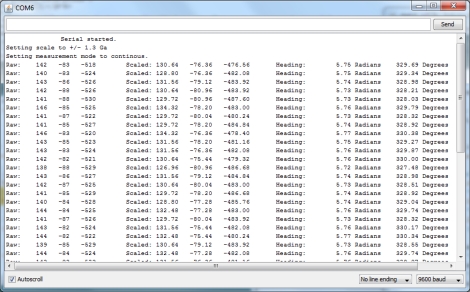
A good part of the article focuses specifically on how to manipulate the HMC5883L magnetometer from Honeywell, but a lot of the information can be applied to other makes/brands of compass sensors. They start out discussing in very basic terms how the compass works, then delve into some specifics on how to interface the chip with an Arduino, courtesy of a breakout board that they sell. The breakout board is actually quite simple, so any number of custom iterations could be built for your own testing purposes.

They walk through the use of an HMC5883L-specific Arduino sketch they produced, making it easy for beginners to start getting useful data from the compass units. While a pre-made sketch might seem like a bit of a cop out, it at least gives the curious/motivated beginner a chance to look at some completed code in order to see how things work.

If you are interested in cutting your teeth on some additional beginner concepts, check out these other how-to articles and tutorials.