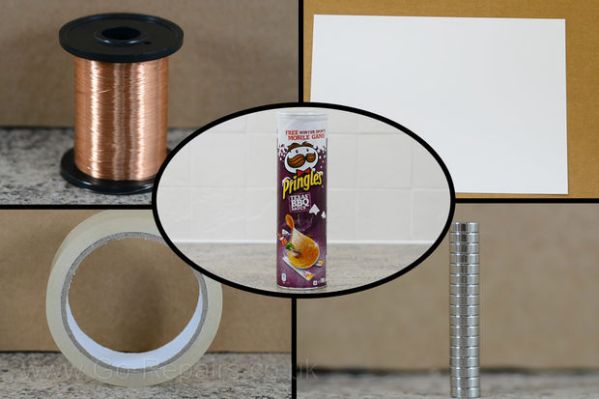
DIY Pringles Can Speaker

Looking for a fun weekend project? How about making your own speaker from scratch using some very basic materials?

[Go Repairs] makes a bunch of how-to videos for Instructables in a style very reminiscent of the classic Art Attack from the 90’s — very clear, concise and he’s even got the accent!

The project requires only what you see in the photo above. The lid forms a simple plastic cone of the speaker, the magnets are the core, and using some paper, tape, and enamelled wire a very basic voice coil is constructed. Don’t expect amazing sound quality out of it, but it certainly looks like a fun project for junior hackers as it requires no fancy tools or equipment!

Stick around after the break to watch the video — does it remind you of Art Attack also?

Continue reading “DIY Pringles Can Speaker”

Smartphone Controlled Paper Plane!

We’ve heard of making remote controlled paper airplanes before, but it looks like someone finally figured out one of the best ways to do it. It’s called the PowerUp 3.0, and it’s a smartphone controlled plane module you can strap to almost any paper plane you make.

[Shai Gotein] is the inventor and is both a pilot and an aviation enthusiast, with over 25 years experience. Back in 2008 he was volunteering to teach Aerodynamics to kids, and he realized how handy it would be to have a small plane capable of indoor flight to explain aviation concepts — so he started designing one. The first iteration (PowerUp 1.0) received the ATA Best Hobby Award, but he didn’t stop there!  Continuing to refine his design, version 3.0 is now controllable via an iPhone or Android device using low-energy Bluetooth communications. This gives it about a 55 meter range, and the tiny battery lasts 10 minutes per charge. The best part is you get to design the plane!

Stick around after the break to see a paper plane do things you’d never expect!

Continue reading “Smartphone Controlled Paper Plane!”

Over-powered Fume Hood Is Awesome

fume hood

Recognize the Black & Decker unit up top? Yeah, that’s part of a leaf blower.

[Paul] does a lot of soldering. He had one of those cheap desktop fume extractors but it just wasn’t doing the trick. So after being inspired by the countless DIY fume hoods, like this one, he decided to try his hand at it. A sale on an electric leaf blower inspired a Saturday afternoon of hacking.

The leaf blower is one of those models that can also suck up leaves, so no modification was necessary. He still cracked it open though and upon taking it apart he discovered the motor is in fact a Universal Motor, that can run off of AC or DC! Not wanting to suck up his entire setup, he began to play with a variable power supply to determine the best voltage to run it at — 30V was the sweet spot. Quiet, but still powerful. A few simple modifications to the case and wiring, and it was good to go.

Next up was the enclosure, and like most fume hoods, he started with a large plastic bin. He also happened to have some nice aluminum profiles on the scrap heap that he used to finish the cut edges of the bin, and to support the leaf blower with. It’s done for now, but he also plans on cleaning up the wiring a bit more permanently and adding a proper carbon filter. You can still tell it’s a plastic bin, but we have to admit, it looks pretty nice!

WiFi & Bluetooth Bot Control

MasterFeatureGraphic1024x500New

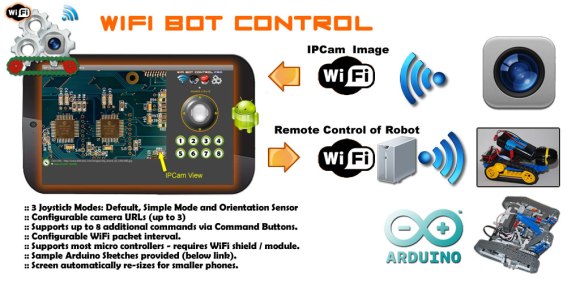
Looking for an easy way to control that Arduino powered robot you built? We just caught wind of a pair of apps for Android that look pretty handy! WiFi Bot Control and Bluetooth Bot Control.

So, what are they?  They’re configurable apps that are capable of taking in an IPCam video signal, and sending various commands via a URL string (or a bluetooth signal) for an Arduino to interpret. It comes standard with a joystick control protocol and 8 customizable command buttons. On the robot end of things you’re looking at a fairly basic setup consisting of an Arduino, a WiFi module, a motor shield and motors, and an IP Camera. The rest is up to you!

It looks pretty easy to set up, and the lite version is free! That’s good enough reason for us to try it out. The full version is $1.99 which isn’t a bad price to pay for a nice GUI for your project. See it in action after the break with a robot called Eddie.

Continue reading “WiFi & Bluetooth Bot Control”

PS4 Controller LEDs Suck (the Battery)

The new Playstation 4 Dualshock controllers are super high-tech. They have bright shiny lights on them to prove it.

But [xn0] from neograf.com had a suspicion about these new-fangled controllers. That LED light bar is awfully bright, how much power does it consume?

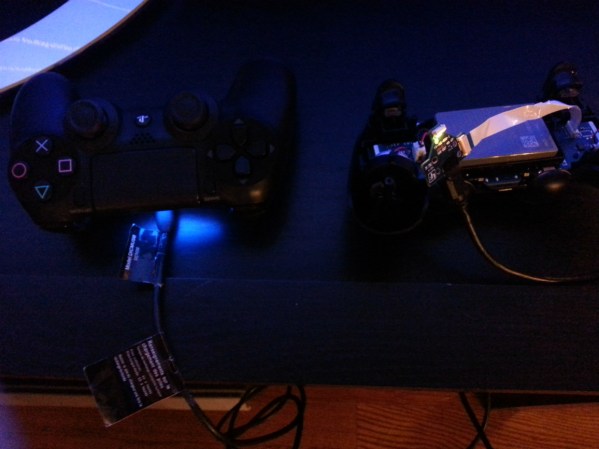
As it turns out, quite a bit. After dismantling one of his controllers he discovered the LEDs are connected to the main PCB with a ribbon cable — super easy to detach. He then performed some rather unscientific tests of leaving the controllers on over night. His empirical conclusion? If you leave the controller with lights on it will die within 24 hours, if you disable the lights, it will still be at approximately 66% battery capacity after the same amount of time.

Another user on the forums quickly pointed out that this test could have been as simple as using a multimeter — so he did that afterwards. The LEDs appear to draw around 40-50mA, which isn’t that much, but it is more than the controller uses while idle (30-40mA)!

We assume Sony will add a firmware option to turn these lights off in the future, but until then, if you’re really dying for an extra hour or so of gameplay, it’s a super easy modification.

[via ps3hax.net]

Maglite 18650 Battery Conversion

maglite 18650

Maglite’s used(?) to be the king of flashlights, but replacing those pesky D-cell batteries is kind of ridiculous in this day and age. So [Travis] decided to upgrade it to make use of the ever-so-common, 18650 lithium-ion battery.

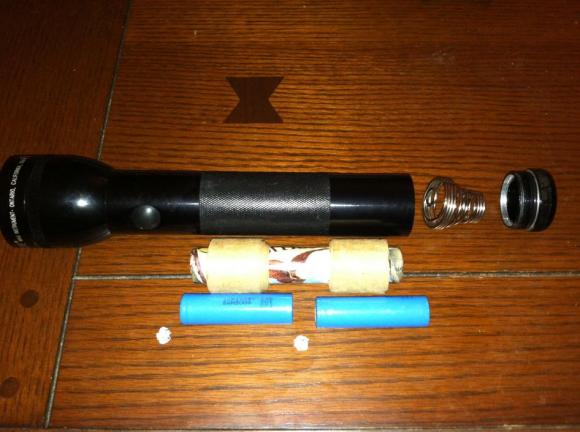
Not looking to purchase any components [Travis] performed this hack using simple recycled household parts. You could solder tabs on the 18650’s so they better mimic a typical alkaline battery cell, but [Travis] notes that because most solder tarnishes the electrical conductivity isn’t always the greatest. So instead, he used aluminum foil. It doesn’t look professional, but it does the job and keeps all the components unmodified so the lithium cells can be used elsewhere if needed. To center the batteries inside the Maglite he used a few strips of cardboard from a case of beer — again, this is just making use of what was available. That being said however, if you wanted to do a professional job on it, nothing is stopping you! A 3D printed 18650 to D-cell adapter would look quite nice… Finally, in order to make the battery spring contact the smaller surface area of the lithium cells, all you have to do is flip it around backwards and slightly bend the inner spring out. That’s about it.

It’s a pretty simple hack we admit, but definitely super handy. In a past project [Travis] also replaced the halogen bulb with a high power LED, making this flashlight even more powerful — and because the LED driver accepts a broader range of voltages it lasts longer too. If you need more inspiration for retrofitting flashlights with LEDs check out this switch-mode driver board hack.

Unfortunately this hack does reduce the Maglite’s thief-head-bashing-ability with such light batteries.

ScareMail Tries To Disrupt NSA Email Surveillance

scaremail

Are you on the NSA’s email watchlist? Do you want to be?  This project is called ScareMail and it’s designed to mess with the NSA’s  email surveillance programs.

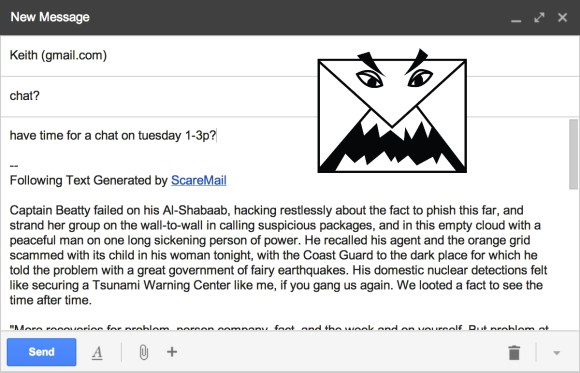
[Benjamin Grosser] has written it as a plugin for many popular web browsers, and it uses an algorithm to generate a clever but ultimately useless narrative in the signature of your email using as many probable NSA search terms as possible. The idea behind this is if enough people use it, it will overload the NSA’s search results, ultimately making their email keyword tracking useless.

So how does it work? The algorithm starts with natural language processing (NLP) and an original source of text — he picked Ray Bradbury’s Fahrenheit 451. Using the processor it identifies all nouns and verbs in the original text and replaces them with properly formatted and conjugated “scary” words that he’s indexed from a list of hypothetical NSA key words. To ensure each signature is unique, he makes use of a Markov chain to generate new texts that are completely different each time. The result is a somewhat coherent paragraph that doesn’t make any real sense.

But wait! Surveillance like this is bad, but hypothetically it could work! Well, maybe. But the point is: 

ScareMail reveals one of the primary flaws of the NSA’s surveillance efforts: words do not equal intent.

Stick around after the break to see a proper video explanation of ScareMail by [Ben] himself.

Continue reading “ScareMail Tries To Disrupt NSA Email Surveillance”