Inside An Oscillator With [Ken Shirriff]

We are always glad to see [Ken Shirriff] tear into something new and this month he’s looking inside a quartz oscillator module. Offhand, you’d think there’s not much to these. A slab of quartz and some sort of inverter, right? But as [Ken] mentions, “There’s more happening in the module than I expected…”

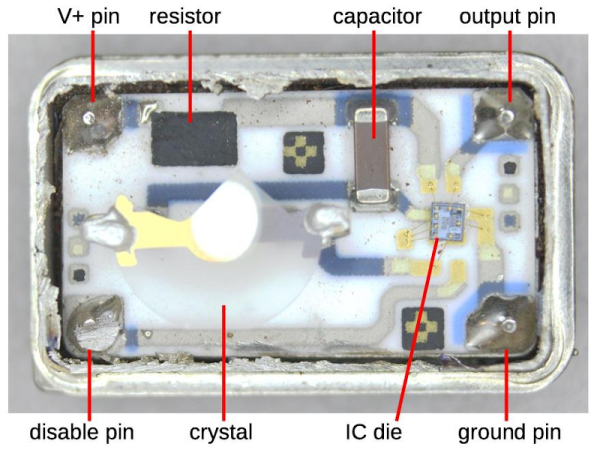
If you’ve ever wanted to decap devices, big hybrid modules like these are a good way to get started since you don’t need exotic chemicals to get at the insides. [Ken] managed to break the fragile crystal wafer on the way in. Inside was also a small CMOS IC die. Time to get out the microscope.

If you follow [Ken’s] blog, you know he’s no stranger to analyzing IC dice. The oscillator IC is a pretty standard Colpitts oscillator but it also provides a programmable divider and output drive.

The circuit uses some unusually configured capacitors. [Ken] takes the time to point out CMOS logic structures throughout. If you haven’t seen one of [Ken’s] deep dives before, before, it’s a great introduction.

You can learn more about crystal oscillator theory. We used some test equipment to characterize a crystal a few years ago.
It’s Noodles All The Way Down: Ramen Comes To 3D Printer Support

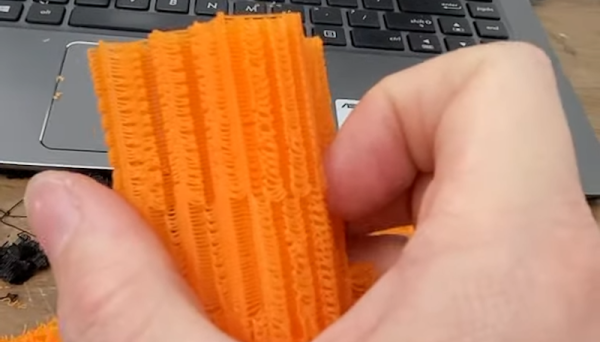
While ramen support might sound like a help desk for soup, it is actually a technique [GeoDroidJohn] uses to get easy-to-remove support structures on 3D prints. We saw the video below and we have to admit that it did remind us of a brick of uncooked ramen noodles.

We had to dig a little further to find out how he did it. We finally found a Reddit post that gives the recipe for Simplify 3D:

  • Nozzle diameter/2= layer height
  • Support material every other layer, 15% crossing at -45, and 45
  • 5 dense layers at 90% 0 gap layers top or bottom.

We have to admit, we try to avoid support where we can, and where we can’t we just pick one of the stock Cura settings. It wasn’t entirely clear how — or even if — you could replicate this in slicers other than Simplify 3D. The layer height, of course, is a given. We think 15% support density with [-45, 45] in the “line directions” box might get partially there. Maybe someone who is an expert in Simplify and some other slicers can help translate.

In any event, it did make us think about experimenting with different support structures. We’ve played with Cura’s tree supports before this and liked them. So maybe the defaults aren’t always the best.

We’d like to have time to try more of what we read about supports. You can also fit your printer with a marker if you want to try that.

Continue reading “It’s Noodles All The Way Down: Ramen Comes To 3D Printer Support”

3D Print Your Next Antenna

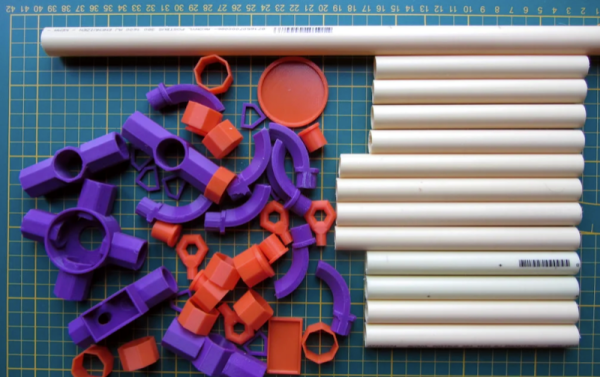
Building antennas is a time-honored ham radio tradition. Shortwave antennas tend to be bulky but at VHF frequencies the antenna sizes are pretty manageable. [Fjkaan’s] 2 meter quadrifilar helicoidal antenna is a good example and the structure for it can be created with 3D printing combined with electrical conduit.

Many people, including [G4ILO] use PVC pipe for the structure, and that design inspired [Fjkaan]. Despite being a bit less substantial, the conduit seems to work well and it is easy to cut. The helical design is common for satellite work owing to its circular polarization and omnidirectional pattern.

Continue reading “3D Print Your Next Antenna”

Plotter Uses Dual Disks

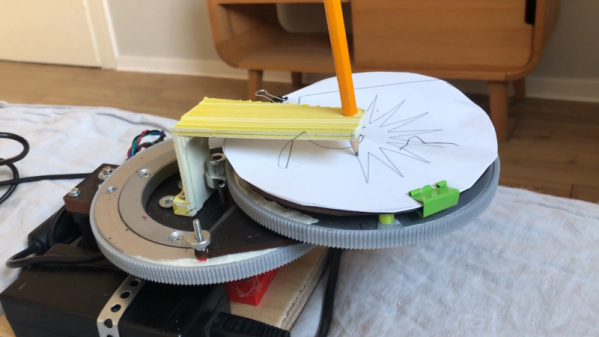
If you want to move a pen (or a CNC tool, or a 3D printing hot end) in the X and Y plane, your choices are typically pretty simple. Many machines use a simple cartesian XY motion using two motors and some sort of linear drive. There’s also the core-XY arrangement where two motors move belts that cause the head to travel in two directions. Delta printers use yet another arrangement, but one of the stranger methods we’ve seen is the dual disk polar printer which — as its name implies — uses two rotating disks.

The unique mechanism uses one motor to rotate a disk and another motor to rotate the entire assembly. The print head — in this case a pencil — stays stationary. as you can see in the video below.

Continue reading “Plotter Uses Dual Disks”

Practical Sensors: The Many Ways We Measure Heat Electronically

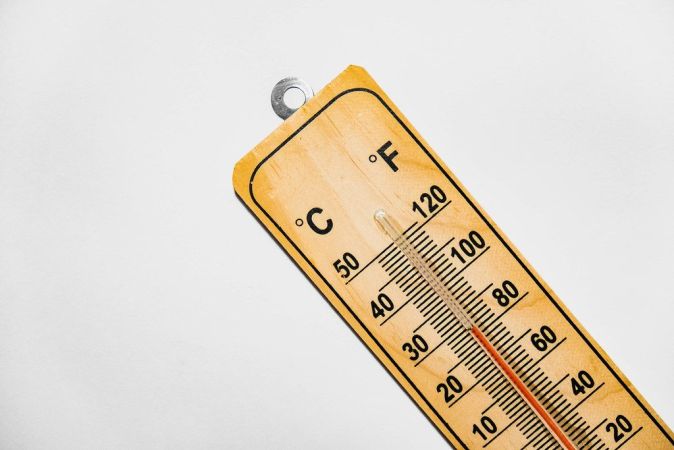
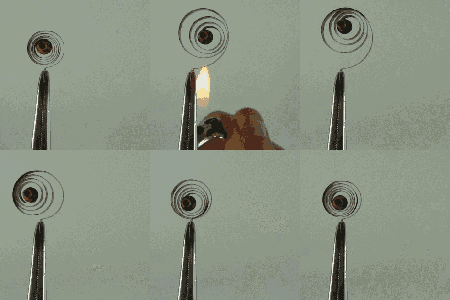
Measuring temperature turns out to be a fundamental function for a huge number of devices. You furnace’s programmable thermostat and digital clocks are obvious examples. If you just needed to know if a certain temperature is exceeded, you could use a bimetalic coil and a microswitch (or a mercury switch as was the method with old thermostats). But these days we want precision over a range of readings, so there are thermocouples that generate a small voltage, RTDs that change resistance with temperature, thermistors that also change resistance with temperature, infrared sensors, and vibrating wire sensors. The bandgap voltage of a semiconductor junction varies with temperature and that’s predictable and measurable, too. There are probably other methods too, some of which are probably pretty creative.

Bimetalic coil by [Hustvede], CC-BY-SA 3.0.
You can often think of creative ways to do any measurement. There’s an old joke about the smart-alec student in physics class. The question was how do you find the height of a building using a barometer. One answer was to drop the barometer from the top of the building and time how long it takes to hit the ground. Another answer — doubtlessly an engineering student — wanted to find the building engineer and offer to give them the barometer in exchange for the height of the building. By the same token, you could find the temperature by monitoring a standard thermometer with a camera or even a level sensor which is a topic for another post.

The point is, there are plenty of ways to measure anything, but in every case, you are converting what you want to know (temperature) into something you know how to measure like voltage, current, or physical position. Let’s take a look at how some of the most interesting temperature sensors accomplish this.

Continue reading “Practical Sensors: The Many Ways We Measure Heat Electronically”

Truck Bed Liners Improve 3D Prints

There are at least two kinds of 3D printer operators: those who work hard to make their prints look better after they come off the bed and those who settle for whatever comes off the printer. If you are in the latter camp, you probably envy people who have smooth prints with no visible layer lines. But the sanding and priming and multiple coats of paint can put you off.

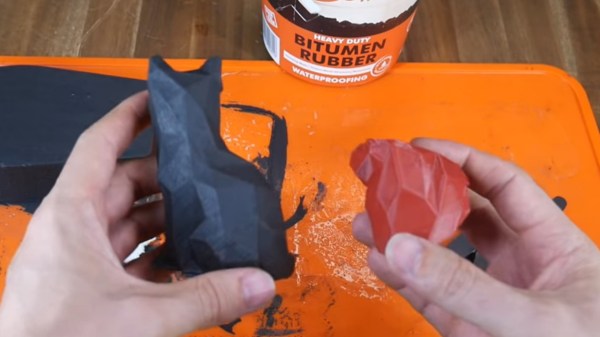
[Teaching Tech] has a few tricks that might change your mind. He shares his technique for using different coatings for 3D prints that provide good quality with a lot less effort. The coatings in question are polyurethane used for coating pickup truck beds and bitumen rubber used for waterproofing. In the United States, bitumen is known as asphalt, and both materials are relatively cheap, available, and safe to use.

According to the video you can see below, there’s no need to sand or prime the print. In addition to covering imperfections and sealing gaps, it produces watertight prints that have UV resistance and some measure of protection against heating.

Continue reading “Truck Bed Liners Improve 3D Prints”

Everything Old Is New Again: Another 6502 Board Is Born

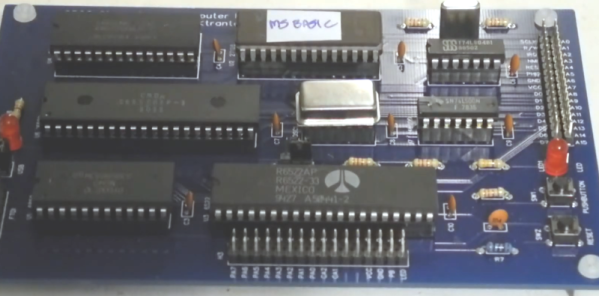
[Jeff] says that designing your own 6502 computer is a rite of passage, and he wanted the experience. His board can accept a real 6502 or the newer CMOS variant that is still available. There are a few modern conveniences such as USB power and provisions for using a USB serial port.

We are spoiled today with microcontrollers having everything in one package, but with this class of CPU you need your own memory, I/O devices, and other support chips. [Jeff] took a traditional approach, but picked components that are still easy to obtain. Some designs now push all the support functions to a more modern processor like an Arduino, which is very simple to do, but doesn’t feel as authentic, somehow.

Continue reading “Everything Old Is New Again: Another 6502 Board Is Born”