Add Sensors To Everything!

“You can’t control what you can’t measure” goes the old chestnut. But that’s a little bit negative, in my opinion. Instead, think of the benefits of sprinkling sensors around everywhere: you gain insight where you simply didn’t have it beforehand.

We were thinking about this in the context of the recent video on pressure advance in 3D printers. Essentially, the unmelted filament acts as a springy piston, and that springiness means that the pressure built up in the melted plastic lags the feedrate of new filament. We usually calibrate this out with a guesstimate constant, but it can be different for every different filament. Measuring that pressure directly with a strain gauge in the hot end makes more sense.

But then there are knock-on benefits of having a sensor in the hot end. You can use the strain gauge as Prusa does to run the nozzle gently into the bed and set the z-axis height. Or you can use over-pressure as a sign that the nozzle is clogged. It’s quite possible that you can use it to signal other things that can go wrong as well, but you can’t tell until you put the sensor on in the first place.

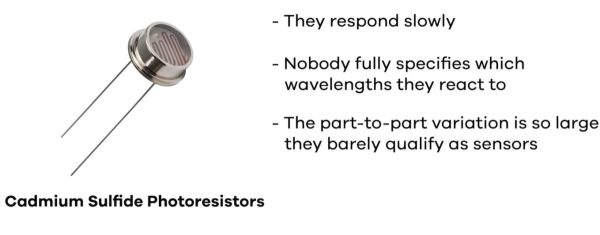
Of course, you don’t want to put a pressure sensor where you want to know the temperature, or vice-versa. But as a general rule, the more you can measure, the more you can discover about the way your system is running. How many strain gauges are too many?

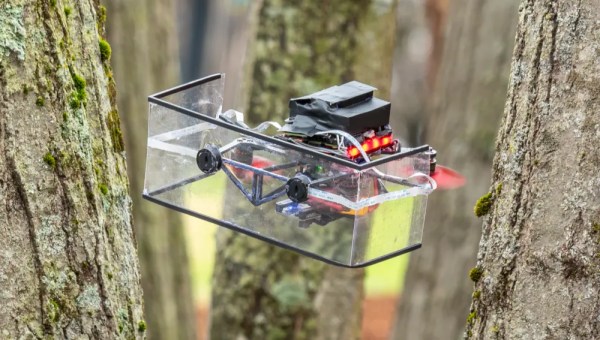
A quadcopter with a clear, U-shaped shield up front and red propellers navigates between a close stand of moss-covered trees.

Echolocation For Drones

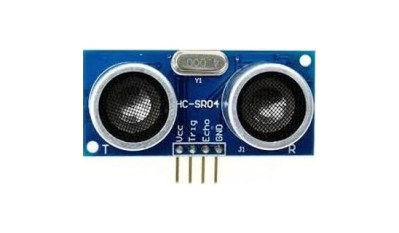
Bats are remarkable creatures, able to fly at night or inside the confines of caves without light to guide their way. A team of researchers at Worcester Polytechnic Institute (WPI) has determined how to use low power ultrasonic sensors to guide drones in obscured environments.

While radar, lidar, and GPS are all great for navigation and sensing, they can run into issues when light is obscured or can take too much power to be practical for the limited battery life of a drone. The researchers found that a dual sonar array could be used to implement a much lower power sensing system for a drone that performs well in environments that would stymie a computer vision system.

A shield placed behind the array cuts down on the sound of the propellers that would otherwise drown out the signal, and further signal analysis via a neural net separates the echoes of objects in front of the drone from the background. The prototype could navigate in various simulated environments like forests, smoke, and snow. It looks like it even got a chance to go for a flight in the actual woods. All the code and hardware designs are Open Source, so have at it!

We’ve covered mosquito-inspired drone sensors before, and if you want to get into echolocation yourself, apparently humans can learn to do it too.

Continue reading “Echolocation For Drones”

Environmental Monitoring On The Cheap

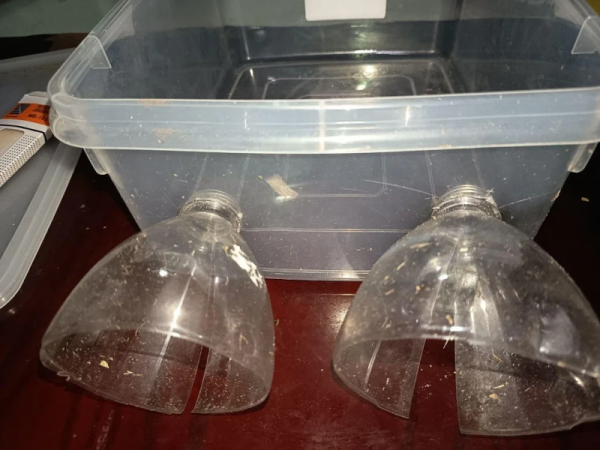
If there is one thing we took from [azwankhairul345’s] environmental monitor project, it is this: sensors and computing power for such a project are a solved problem. What’s left is how to package it. The solution, in this case, was using recycled plastic containers, and it looks surprisingly effective.

A Raspberry Pi Pico W has the processing capability and connectivity for a project like this. A large power bank battery provides the power. Off-the-shelf sensors for magnetic field (to measure anemometer spins), air quality, temperature, and humidity are easy to acquire. The plastic tub that protects everything also has PVC pipe and plastic covers for the sensors. Those covers look suspiciously like the tops of drink bottles.

We noted that the battery bank inside the instrument doesn’t have a provision for recharging. That means the device will go about two days before needing some sort of maintenance. Depending on your needs, this could be workable, or you might have to come up with an alternative power supply.

This probably won’t perform as well as a Hoffman box-style container, and we’ve seen those crop up, too. There are a number of ways of sealing things against the elements.

Ride On With FOSS And GoldenCheetah

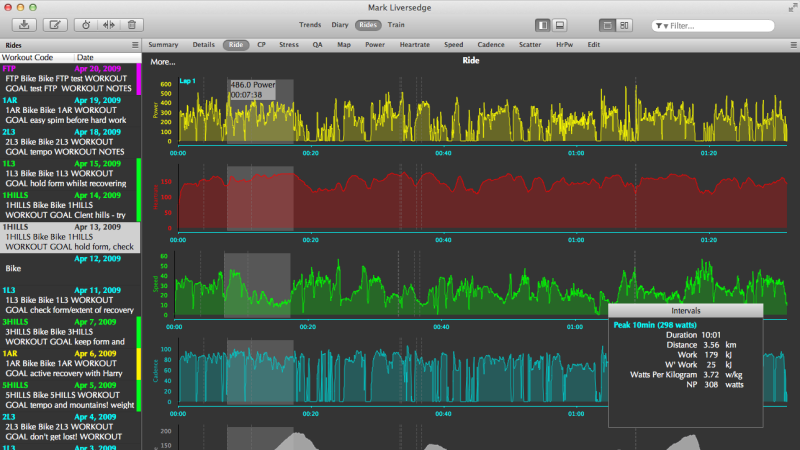
If you exclude certain companies like Peloton, the world of cycling technology is surprisingly open. It’s not perfect by any means, but there are enough open or open-ish standards for many different pieces of technology from different brands to interoperate with each other, from sensors and bike computers and even indoor trainers to some extent. This has also made it possible for open source software to exist in this realm as well, and the GoldenCheetah project has jumped in for all of us who value FOSS and also like to ride various bicycles from time to time.

GoldenCheetah focuses on gathering data from power meters, allowing cyclists to record their rides and save them in order to keep track of their training performance over time. It works well with sensors that use the ANT+ protocol, and once it has that data it can provide advanced analytics such as power curves, critical power modeling, and detailed charts for power, heart rate, and cadence. It can display and record live indoor-training data, and in some situations it can even run interval workouts, although not every indoor trainer is supported. There are no social features, subscriptions, or cloud requirements which can be refreshing in the modern world, but is a bit of a downside if you’re used to riding with your friends in something like Zwift.

All in all, though, it’s an impressive bit of software that encourages at least one realm of consumer electronics to stay more open, especially if those using bike sensors, computers, and trainers pick ones that are more open and avoid those that are proprietary, even if they don’t plan to use GoldenCheetah exclusively. And if you were wondering about the ANT+ protocol mentioned earlier, it’s actually used for many more things that just intra-bike wireless communications.

phyphox

Smartphone Sensors Unlocked: Turn Your Phone Into A Physics Lab

These days, most of us have a smartphone. They are so commonplace that we rarely stop to consider how amazing they truly are. The open-source project Phyphox has provided easy access to your phone’s sensors for over a decade. We featured it years ago, and the Phyphox team continues to update this versatile application.

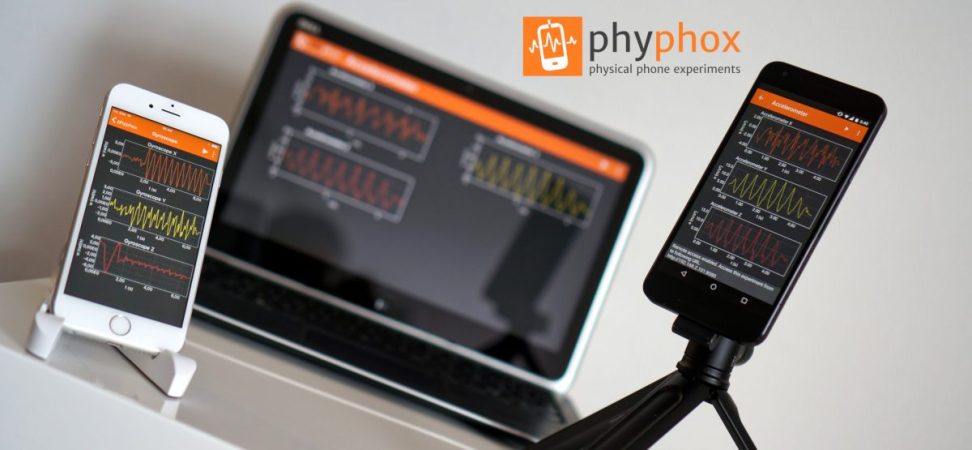
Phyphox is designed to use your phone as a sensor for physics experiments, offering a list of prebuilt experiments created by others that you can try yourself. But that’s not all—this app provides access to the many sensors built into your phone. Unlike many applications that access these sensors, Phyphox is open-source, with all its code available on its GitHub page.

The available sensors depend on your smartphone, but you can typically access readings from accelerometers, GPS, gyroscopes, magnetometers, barometers, microphones, cameras, and more. The app includes clever prebuilt experiments, like measuring an elevator’s speed using your phone’s barometer or determining a color’s HSV value with the camera. Beyond phone sensors, the Phyphox team has added support for Arduino BLE devices, enabling you to collect and graph telemetry from your Arduino projects in a centralized hub.

Thanks [Alfius] for sharing this versatile application that unlocks a myriad of uses for your phone’s sensors. You can use a phone for so many things. Really.

Continue reading “Smartphone Sensors Unlocked: Turn Your Phone Into A Physics Lab”

A Tiny Chemistry Lab

While advances in modern technology have allowed average people access to tremendous computing power as well as novel tools like 3D printers and laser cutters for a bare minimum cost, around here we tend to overlook some of the areas that have taken advantage of these trends as well. Specifically in the area of chemistry, the accessibility of these things have opened up a wide range of possibilities for those immersed in this world, and [Marb’s Lab] shows us how to build a glucose-detection lab in an incredibly small form factor.

The key to the build is a set of three laser-cut acrylic sheets, which when sandwiched together provide a path for the fluid to flow as well as a chamber that will be monitored by electronic optical sensors. The fluid is pumped through the circuit by a custom-built syringe pump driven by a linear actuator, and when the chamber is filled the reaction can begin. In this case, if the fluid contains glucose it will turn blue, which is detected by the microcontroller’s sensors. The color value is then displayed on a small screen mounted to the PCB, allowing the experimenter to take quick readings.

Chemistry labs like this aren’t limited to one specific reaction, though. The acrylic plates are straightforward to laser cut, so other forms can be made quickly. [Marb’s Lab] also made the syringe pump a standalone system, so it can be quickly moved or duplicated for use in other experiments as well. If you want to take your chemistry lab to the extreme, you can even build your own mass spectrometer.

Continue reading “A Tiny Chemistry Lab”

Upgrading PC Cooling With Software

As computing power increases with each new iteration of processors, actual power consumption tends to increase as well. All that waste heat has to go somewhere, and while plenty of us are content to add fans and heat sinks for a passable air-cooled system there are others who prefer a liquid cooling solution of some sort. [Cal] uses a liquid cooler on his system, but when he upgraded his AMD chip to one with double the number of cores he noticed the cooling fans on the radiator were ramping quickly and often. To solve this problem he turned to Python instead of building a new cooling system.

The reason for the rapid and frequent fan cycling was that the only trigger for the cooling fans available on his particular motherboard is CPU temperature. For an air cooled system this might be fine, but a water cooled system with much more thermal mass should be better able to absorb these quick changes in CPU temperature without constantly adjusting fan speed. Using a python script set up to run as a systemd service, the control loop monitors not only the CPU temperature but also the case temperature and the temperature of the coolant, and then preferentially tries to dump heat from the CPU into the thermal mass of the water cooler before much ramping of cooling fans happens.

An additional improvement here is that the fans can run at a much lower speed, reducing dust in the computer case and also reducing noise compared to before the optimizations. The computer now reportedly runs almost silently unless it has been under load for several minutes. The script is specific to this setup but easily could be modified for other computers using liquid cooling, and using Grafana to monitor the changes can easily be done as [Cal] also demonstrates when calibrating and testing the system. On the other hand, if you prefer a more flashy cooling system as a living room centerpiece, we have you covered there as well.