Sorry US; Europeans Listen To Space With GRAVES

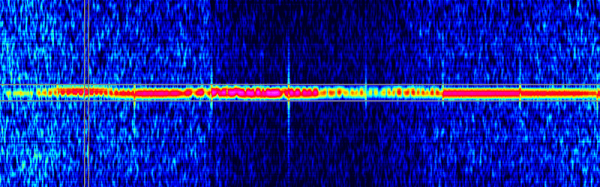
In Europe, the GRAVES radar station beams a signal on 143.050 MHz almost straight up to detect and track satellites and space junk. That means you will generally not hear any signal from the station. However, [DK8OK] shows how you can–if you are in Europe–listen for reflections from the powerful radar. The reflections can come from airplanes, meteors, or spacecraft. You can see a video from [way1888] showing the result of the recent Perseid meteor shower.

Using a software-defined radio receiver, [DK8OK] tunes slightly off frequency and waits for reflections to appear in the waterfall. In addition to observing the signal, it is possible to process the audio to create more details.

Why is there a giant vertical radar transmitter in the middle of France? The transmitter uses a phased array to send a signal over a 45-degree swath of the sky at a time. It makes six total steps every 19.2 seconds. A receiver several hundred miles away listens for reflections.

Even the moon reflects the signal when it is in the radar’s path. If you are interested in a moon bounce, you may be able to build a station to hear the reflections without being in Europe.

Of course, if you can transmit yourself, you might want to bounce your own signal off airplanes. If you want to do it old school, you could emulate [Zoltán Bay].

Continue reading “Sorry US; Europeans Listen To Space With GRAVES”
DSLogic Plus Teardown And Review

The DSLogic open source logic analyzer is on its second release (the plus version) and [OpenTechLab] has a comprehensive review of the new model, which, unlike the original model, includes a different method of connecting probes and provides a separate ground for each input pin.

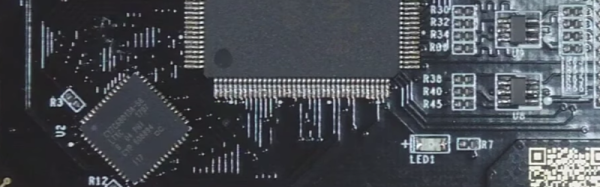
The device is pretty simple inside with an FPGA, a RAM, and a USB microcontroller. There’s also a configuration EEPROM and a switching power supply. The device stores up to 256 megabits internally and can sample 400 million samples per second on 4 of its 16 channels. [OpenTechLab] even puts the board under a microscope and maps out the input circuit.

Continue reading “DSLogic Plus Teardown And Review”

Forget Troy. Try HelenOS

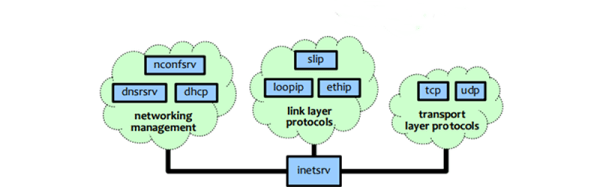
Even though it seems like there are a lot of operating system choices, the number narrows if you start counting kernels, instead of distributions. Sure, Windows is clearly an operating system family, and on the Unix-like side, there is Linux and BSD. But many other operating systems–Ubuntu, Fedora, Raspian–they all derive from some stock operating system. There are some outliers, though, and one of those is HelenOS. The open source OS runs on many platforms, including PCs, Raspberry PIs, Beaglebones, and many others.

Although the OS isn’t new, it is gaining more features and is now at version 0.7. You can see a video about some of the new features, below.

According to the project’s web site:

HelenOS is a portable microkernel-based multiserver operating system designed and implemented from scratch. It decomposes key operating system functionality such as file systems, networking, device drivers and graphical user interface into a collection of fine-grained user space components that interact with each other via message passing. A failure or crash of one component does not directly harm others. HelenOS is therefore flexible, modular, extensible, fault tolerant and easy to understand.

Continue reading “Forget Troy. Try HelenOS”

DPS5005 Makes Digital Power Supply A Snap

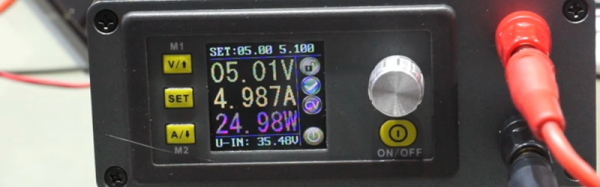
Few pieces of gear are more basic to electronics than some kind of power supply. It might be a box of batteries, or it might be a high-end lab supply. [Andreas] took a DPS5005 power supply module that has USB and Bluetooth and used it to build a very capable switching power supply which he then used to build a source measuring unit.

The user interface on the diminutive module is simplistic, so [Andreas] appreciated the PC-based software that can control the supply remotely. The module can output up to 50V, but you should plan accordingly as it does need 1.1 times the maximum voltage output on the input. It will work with lower input voltages, but it just won’t be able to output as high a voltage.

Continue reading “DPS5005 Makes Digital Power Supply A Snap”

Logic Gates Under (Air) Pressure

We’ve always been fascinated at the number of ways logic gates can spring into being. Sure, we think of logic gates carrying electrons, but there are so many other mechanical means to do the same thing. Another method that sometimes has a practical use is fluidic or pneumatic logic. We guess [dAcid] has a similar interest since he’s written two posts on how to construct the gates. One post covers making them with ordinary tools. The other requires an SLA printer.

According to [dAcid], the design is effectively the same either way, but the SLA printing is more precise. Silicone is an important component, either way. Fluidic logic has applications in some mechanical systems, although digital logic has made it less important than it once was. However, it is very possible that nanotechnology systems will implement logic mechanically, so this is still an interesting technique to understand. You can see videos of how a D latch looks using both methods, below.

Continue reading “Logic Gates Under (Air) Pressure”

PiCorder: Raspberry Pi Stands In For Stone Knives And Bearskins

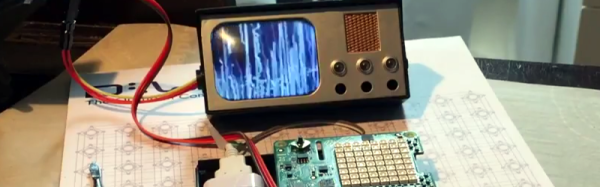
In a classic episode of Star Trek, Spock attempts to get data from a tricorder while stuck in the 1930s using what he described as “stone knives and bearskins.” In reality, he used vacuum tubes, several large coils, and a Jacob’s ladder. Too bad they weren’t in the year 2017. Then Spock could have done like [Directive0] and used a Raspberry Pi instead. You can see the result in the video below.

The build starts with a Diamond Select Toys model tricorder. The Raspberry Pi, a battery, a TFT screen, and a Pi Sense Hat make up the bulk of the build.

Continue reading “PiCorder: Raspberry Pi Stands In For Stone Knives And Bearskins”

Secret Serial Port For Arduino/ESP32

If you use the Arduino IDE to program the ESP32, you might be interested in [Andreas Spiess’] latest video (see below). In it, he shows an example of using all three ESP32 UARTs from an Arduino program. He calls the third port “secret” although that’s really a misnomer. However, it does require a quick patch to the Arduino library to make it work.

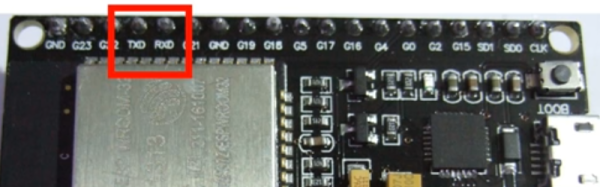
Just gaining access to the additional UARTs isn’t hard. You simply use one of the additional serial port objects available. However, enabling UART 1 causes the ESP32 to crash! The reason is that by default, UART 1 uses the same pins as the ESP32 flash memory.

Luckily, the chip has a matrix switch that can put nearly any logical I/O pin on any physical I/O pin. [Andreas] shows how to modify the code, so that UART 1 maps to unused pins, which makes everything work. it is a simple change, replacing two parameters to a call that — among other things — maps the I/O pins. You could use the technique to relocate the UARTs to other places if you choose.

If you want to learn more about the ESP32, we covered a good set of tutorials for you to check out. Or if you just want a quick overview, you can start here.