Optical Rectenna Converts Light To DC

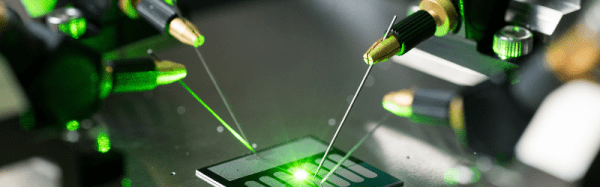
Using multiwall carbon nanotubes, researchers at Georgia Institute of Technology have created what they say are the first optical rectennas–antennas with rectifiers that produce DC current. The work could lead to new technology for advanced photodetectors, new ways to convert waste heat to electricity and, possibly, more efficient ways to capture solar energy.

A paper in Nature Nanotechnology describes how light striking the nanotube antennas create a charge that moves through attached rectifiers. Challenges included making the antennas small enough for optical wavelengths, and creating  diodes small enough and fast enough to work at the extremely short wavelengths. The rectifiers switch on and off at petahertz speeds (something the Institute says is a record).  Continue reading “Optical Rectenna Converts Light To DC”

ARMing A Breadboard — Everyone Should Program An ARM

I’m always a little surprised that we don’t see more ARM-based projects. Of course, we do see some, but the volume isn’t what I’d expect given that low-level ARM chips are cheap, capable, low power, and readily available. Having a 32-bit processor with lots of memory running at 40 or 50 MIPS is a game changer compared to, say, a traditional Arduino (and, yes, the Arduino Due and Zero are ARM-based, so you can still stay with Arduino, if that’s what you want).

A few things might inhibit an Arduino, AVR, or PIC user from making the leap. For one thing, most ARM chips use 3.3V I/O instead of the traditional 5V levels (there are exceptions, like the Kinetis E). There was a time when the toolchain was difficult to set up, although this is largely not a problem anymore. But perhaps the largest hurdle is that most of the chips are surface mount devices.

Of course, builders today are getting pretty used to surface mount devices and you can also get evaluation boards pretty cheaply, too. But in some situations–for example, in classrooms–it is very attractive to have a chip that is directly mountable on a common breadboard. Even if you don’t mind using a development board, you may want to use the IC directly in a final version of a project and some people still prefer working with through hole components.

The 28 Pin Solution

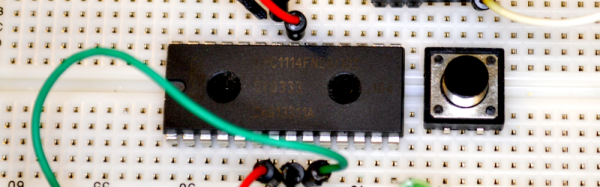
One solution that addresses most, if not all, of these concerns is the LPC1114FN28 processor. Unlike most other ARM processors, this one comes in a 28 pin DIP package and works great on a breadboard. It does require 3.3V, but it is 5V tolerant on digital inputs (and, of course, a 3.3V output is usually fine for driving a 5V input). The chip will work with mbed or other ARM tools and after prototyping, you can always move to a surface mount device for production, if you like. Even if you are buying just one, you should be able to find the device for under $6.

Continue reading “ARMing A Breadboard — Everyone Should Program An ARM”

Latest Raspberry Pi Images Have Improved Scratch

Not everyone likes Scratch — the block-oriented programming language that MIT developed to help kids program. While dyed-in-the-wool programmers probably find it limiting, it can be an effective way to teach basic programming to newcomers and there are some people who enjoy the graphical style of programming.

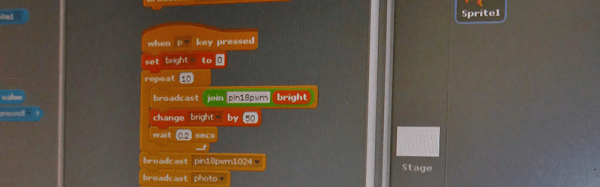
The latest Raspbian release (the operating system image for Raspberry Pi) has a new and improved version of Scratch for those who want to use it on the Pi. According to the Raspberry Pi blog, the new version is up to ten times faster than previous versions and also includes an improved method for Scratch programs to access the board’s general purpose I/O and other I/O devices.

Continue reading “Latest Raspberry Pi Images Have Improved Scratch”

Camera Dolly Uses Makeblock

We’d call it a robot, but [Eric Buijs] calls it a dolly. [Eric] bought a Makeblock starter robot kit last year, but never did anything with it. He recently wanted a camera dolly to help shoot project videos and the Makeblock hardware fit the bill.

[Eric] found that one of Makeblock’s example videos showed off a camera dolly but had no construction details. He cracked open the kit and got to work replicating what he had seen. Two 6V motors combined with a reduction gear, a belt, and some wheels, and the dolly now moves under computer control!

Continue reading “Camera Dolly Uses Makeblock”

Bootstrapping Motion Input With Cheap Components

Motion control is a Holy Grail of input technology. Who doesn’t want an interface that they can control with simple and natural movements? But making this feel intuitive to the user, and making it work robustly are huge hills to climb. Leap Motion has done an excellent job creating just such a sensor, but what about bootstrapping your own? It’s a fun hack, and it will give you much greater appreciation for the currently available hardware.

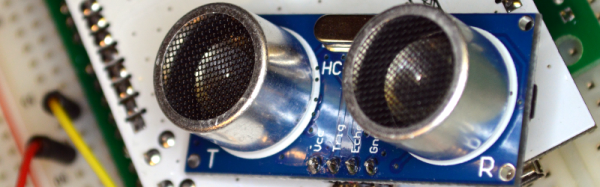
Let’s get one thing straight: This device isn’t going to perform like a Leap controller. Sure the idea is the same. Wave your hands and control your PC. However, the Leap is a pretty sophisticated device and we are going to use a SONAR (or is it really SODAR?) device that costs a couple of bucks. On the plus side, it is very customizable, requires absolutely no software on the computer side, and is a good example of using SONAR and sending keyboard commands from an Arduino Leonardo to a PC. Along the way, I had to deal with the low quality of the sensor data and figure out how to extend the Arduino to send keys it doesn’t know about by default.

The Plan

The plan is to take an inexpensive SONAR module (the HC-SR04) and an Arduino Leonardo and use it to perform some simple tasks by mimicking keyboard input from the user. The Leonardo is a key element because it is one of the Arduinos that can impersonate a USB keyboard (or mouse) easily. The Due, Zero, and Micro can also do the trick using the Arduino library.

I wanted to determine how many gestures I could really determine from the HC-SR04 and then do different things depending on the gesture. My first attempt was just to have the Arduino detect a few fingers or a hand over the sensor and adjust the volume based on moving your hand up or down. What I didn’t know is that the default Arduino library doesn’t send multimedia keys! More on that later.

Continue reading “Bootstrapping Motion Input With Cheap Components”

The Arduino Birthday Cake Is No Lie

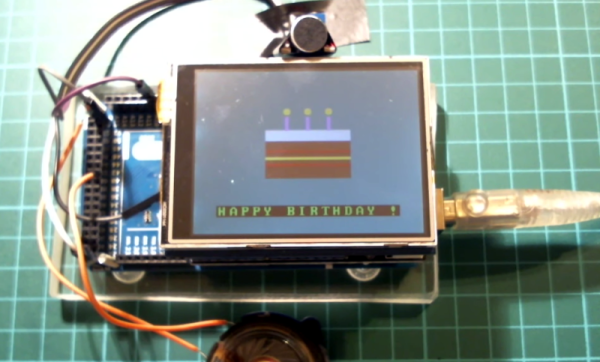
Making someone a birthday cake is very thoughtful, but not if they are watching their weight. [MrFox] found a way around that: an Arduino-powered birthday cake. Even if you don’t mind the calories, an Arduino cake is a novelty and sure to be a hit with a hacker who’s another year older.

The cake uses a UTFT LCD shield which eats up a lot of pins and memory, so the project uses an Arduino Mega. A speaker plays the happy birthday song (which may even be legal now) while a microphone detects the birthday boy or girl blowing out the virtual candles.

Continue reading “The Arduino Birthday Cake Is No Lie”

Robot Cheats At Rock Paper Scissors

It is hard enough to beat computers at games like chess. Now robotics engineers at the Ishikawa Watanabe Laboratory in Japan have created a janken robot that wins every time (if you didn’t know, janken is the Japanese name for rock-paper-scissors). How can it win every time? Easy. It cheats.

The janken robot evolved through three different versions. In the first version, the robotic hand would note the human player’s hand with a high-speed camera and then move the hand to a winning counter play with about a 20 millisecond delay. In the second version, the delay was greatly reduced.

However, in the third version, the robot uses a scanning technique to capture an entire field of view and determines what play the human is making. Again, a winning counter play is instantly produced by the robotic hand.

Continue reading “Robot Cheats At Rock Paper Scissors”