Metal 3D Printing With Your Printer

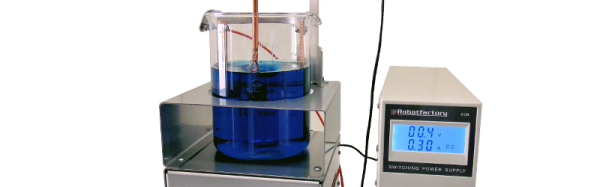
Over in Italy, [Robotfactory] has a new setup called CopperFace that they claim allows you to essentially electroplate 3D printed objects with a metal coating using copper, nickel, silver, or gold.

We’ve talked about electroplating on plastic before, but that technique required mixing graphite and acetone. The CopperFace kit uses a conductive graphite spray and claims it deposits about 1 micron of plating on the object every two minutes.

We couldn’t help but wonder if the graphite spray is just the normal stuff used for lubricant. While the CopperFace’s electroplating tech seems pretty standard (copper sulfate and copper/phosphorus electrodes), we also wondered if some of the simpler copper acetate process we’ve covered before might be workable.
Continue reading “Metal 3D Printing With Your Printer”

MIT’s Glass 3D Printer

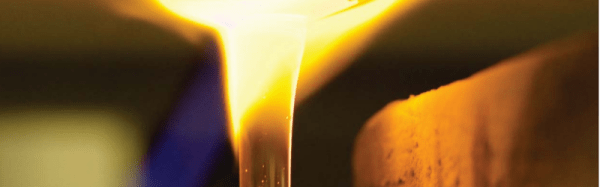
How hot does your 3D printer’s hot end get? Most low cost printers heat up to 240°C (464°F) at the most because they contain PEEK which starts to get soft if you go much higher. Even a metal hot end with active cooling usually won’t go much higher than 400°C (752°F). Pretty hot, right? [MIT’s] new G3DP printer goes to 1900°F (over 1000°C) and prints optically clear glass.

By changing design and print parameters, G3DP can limit or control light transmission, reflection and refraction. The printer uses a dual heated chamber. The upper chamber acts as a 1900°F kiln while the lower chamber serves to anneal the structures. The print head is an alumina-zircon-silica nozzle.

Continue reading “MIT’s Glass 3D Printer”

Follow Me: Making Servos Track Hand Motion With Leap

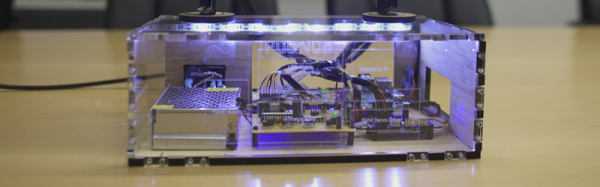
The Leap controller is one of those gadgets that is probably better for its cool factor rather than its practicality. The time of flight optical sensor reads gestures, but it is hardly a substitute for a mouse in many cases. It seems like the best uses for it we’ve seen are dedicated systems that need to know where your hands are. [Justin Platz] and [Kurt Clothier], for example, have an interesting demo that uses a Leap to control a Raspberry Pi. The Pi commands servo motors that move LED blocks to track your hand motion. Their code is available on GitHub.

Continue reading “Follow Me: Making Servos Track Hand Motion With Leap”

Easy To Read Bicycle Computer

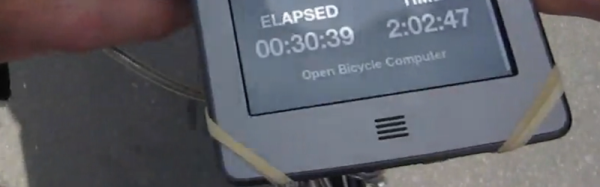
[David Schneider] had trouble seeing his bike computer in the sunlight and wanted a navigation solution that would be both readable and not require a smart phone. In good hacker fashion, [David] married a Raspberry Pi and a Kindle Touch (the kind with the E-ink display). The Kindle provides a large and easy-to-read display.

[David] was worried about violating the DCMA by modifying the Kindle. Turns out, he didn’t have to. He simply used the book reader’s Web browser and set the Pi up as a wireless access point. One clever wrinkle: Apparently, the Kindle tries to phone home to Amazon when it connects to a wireless network. If it can’t find Amazon, it assumes there’s no valid network and treats the network as invalid. To solve this issue, [David] causes the Pi to spoof the Kindle into thinking it gets a valid response from Amazon.

The other work around was to change how the Python application on the Pi updates the screen. [David] found that without that optimization, the constant redrawing on the E-ink display was annoying. The Pi-related hardware includes a GPS, some reed switches, and a WiFi dongle.

Continue reading “Easy To Read Bicycle Computer”

Monsieur Adaptateur: Jacques Of All Connector Trades

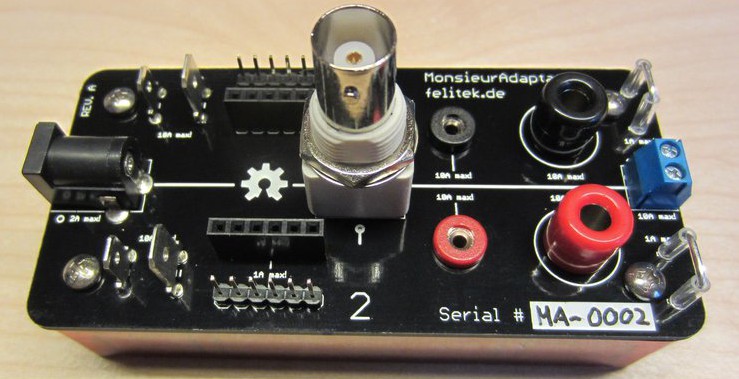
It seems that any time you have a circuit on the bench, there’s wires. Lots of wires. If you are working on something new, it is a good bet that some of those wires are clipped to other wires using some field expedient, especially the power wires. We often have an alligator clip awkwardly grabbing the shell of a BNC. [Felicitus] got tired of this, so he created Monsieur Adaptateur, a breakout board that has common connectors you’ll need when working on a prototype.

What kind of connectors?mafull

  • DC Jack 2.1mm
  • 2mm Jacks
  • 4mm Jacks
  • BNC Connector
  • Terminal Block
  • Scope probe connector
  • Standard 6 pin 0.1″ female header
  • Standard 6 pin 0.1″ male header
  • 4.75 and 6.3mm blade connectors

The dual conductor items (like the 2.1mm jack and the BNC) connect to both sides of the board. The other connectors are in pairs. The idea is you can connect, for example, a BNC cable from a signal generator to some jumper wires on the male header, connect the scope to the scope probe connector, and still have the banana jacks to hook up, say, a digital meter.

No one would say this is going to change the world, but this is one of those things that is simple, but very useful. The plans are all on Github, and obviously you could adapt it with connectors that make sense for your specific situation.

Continue reading “Monsieur Adaptateur: Jacques Of All Connector Trades”

A Tale Of Two Browser PCB Tools

We live in a golden age of free Electronic Design Automation (EDA) tools. It wasn’t that long ago that an engineering workstation was an expensive piece of hardware running very expensive software that typically had annual fees. Now, you can go to your local electronics store and buy a PC that would shame that old workstation and download plenty of software to design schematics, simulate circuits, program devices, and lay out PCBs.

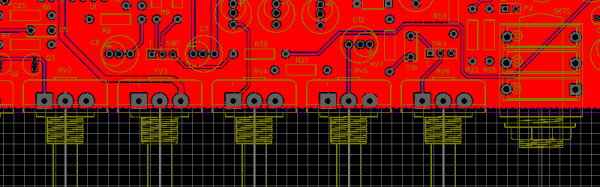
The only problem with a lot of this free software is it runs on Windows. I do sometimes run Windows, but I most often use Linux, so there is a certain attractiveness to a new breed of tools that run in the Web browser. In particular, I wanted to look briefly at two Web-based EDA tools: EasyEDA and MeowCAD. Both offer similar features: draw a schematic, populate a PCB, and download manufacturing files (that is, Gerber files). EasyEDA also offers SPICE simulation.

Continue reading “A Tale Of Two Browser PCB Tools”

Hack Your Own Analog Camera

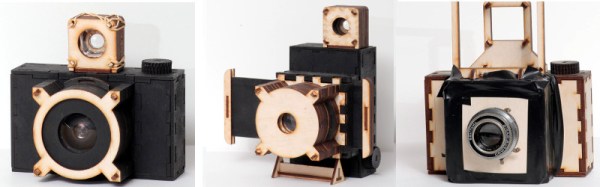
We remember making pinhole cameras as kids out of cigar boxes. The Focal Camera website wants to enable you to make sophisticated cameras from a selection of building blocks. We’re talking cameras with film, not digital cameras (although we wondered if you could mount an image sensor… but that’s another hack).

The modules do require access to a laser cutter, and you’ll need to scrounge or otherwise acquire things like mirrors and lenses. The site has advice on how to hack things like first surface mirrors out of cheap items like acrylic mirrors.

The intent is to be able to build up your own cameras from the modules. They do have a pinhole camera, in case you are nostalgic, but you could also build SLRs, large format cameras, or even stereo cameras. Not all the modules are ready yet, but there are several example cameras and pictures taken with them on the site. Like most building blocks, the real treat will be when users begin to combine them in unexpected ways.

Continue reading “Hack Your Own Analog Camera”