Supercon 2024: Photonics/Optical Stack For Smart-Glasses

Smart glasses are a complicated technology to work with. The smart part is usually straightforward enough—microprocessors and software are perfectly well understood and easy to integrate into even very compact packages. It’s the glasses part that often proves challenging—figuring out the right optics to create a workable visual interface that sits mere millimeters from the eye.

Dev Kennedy is no stranger to this world. He came to the 2024 Hackaday Supercon to give a talk and educate us all on photonics, optical stacks, and the technology at play in the world of smart glasses.

Continue reading “Supercon 2024: Photonics/Optical Stack For Smart-Glasses” →

Supercon 2024: Sketching With Machines

When it comes to our machines, we generally have very prescribed and ordered ways of working with them. We know how to tune our CNC mill for the minimum chatter when its chewing through aluminium. We know how to get our FDM printer to lay perfect, neat layers to minimize the defects in our 3D prints.

That’s not what Blair Subbaraman came down to talk about at the 2024 Hackaday Supercon, though. Instead, Blair’s talk covered the magic that happens when you work outside the built-in assumptions and get creative. It’s all about sketching with machines.

Continue reading “Supercon 2024: Sketching With Machines” →

VESC Mods Made Via Vibe Coding

[David Bloomfield] wanted to make some tweaks to an embedded system, but didn’t quite have the requisite skills. He decided to see if vibe coding could help.

[David]’s goal was simple. To take the VESC Telemetry Display created by [Lukas Janky] and add some tweaks of his own. He wanted to add more colors to the display, while changing the format of the displayed data and tweaking how it gets saved to EEPROM. The only problem was that [David] wasn’t experienced in coding at all, let alone for embedded systems like the Arduino Nano. His solution? Hand over the reins to a large language model. [David] used Gemini 2.5 Pro to make the changes, and by and large, got the tweaks made that he was looking for.

There are risks here, of course. If you’re working on an embedded system, whatever you’re doing could have real world consequences. Meanwhile, if you’re relying on the AI to generate the code and you don’t fully understand it yourself… well, the possibilities are obvious. It pays to know what you’re doing at the end of the day. In this case, it’s hard to imagine much going wrong with a simple telemetry display, but it bears considering the risks whatever you’re doing.

We’ve talked about the advent of vibe coding before, too, with [Jenny List] exploring this nascent phenomenon. Expect it to remain a topic of controversy in coding circles for some time.

Continue reading “VESC Mods Made Via Vibe Coding” →

Creating An Electronic Board For Catan-Compatible Shenanigans

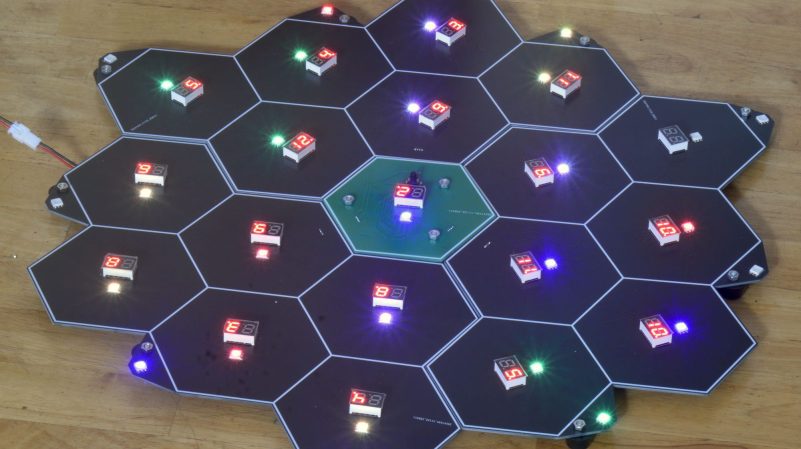
[Sean Boyce] has been busy building board games. Specifically, an electronic strategy boardgame that is miraculously also compatible with Settlers of Catan.

[Sean’s] game is called Calculus. It’s about mining asteroids and bartering. You’re playing as a corporation attempting to mine the asteroid against up to three others doing the same. Do a good job of exploiting the space-based resource, and you’ll win the game.

Calculus is played on a board made out of PCBs. A Xiao RP2040 microcontroller board on the small PCB in the center of the playfield is responsible for running the show. It controls a whole ton of seven-segment displays and RGB LEDs across multiple PCBs that make up the gameboard. The lights and displays help players track the game state as they vie for asteroid mining supremacy. Amusingly, by virtue of its geometry and some smart design choices, you can also use [Sean]’s board to play Settlers of Catan. He’s even designed a smaller, cheaper travel version, too.

We do see some interesting board games around these parts, because hackers and makers are just that creative. If you’ve got your own board game hacks or builds in the works, don’t hesitate to let us know!

Quantum Random Number Generator Squirts Out Numbers Via MQTT

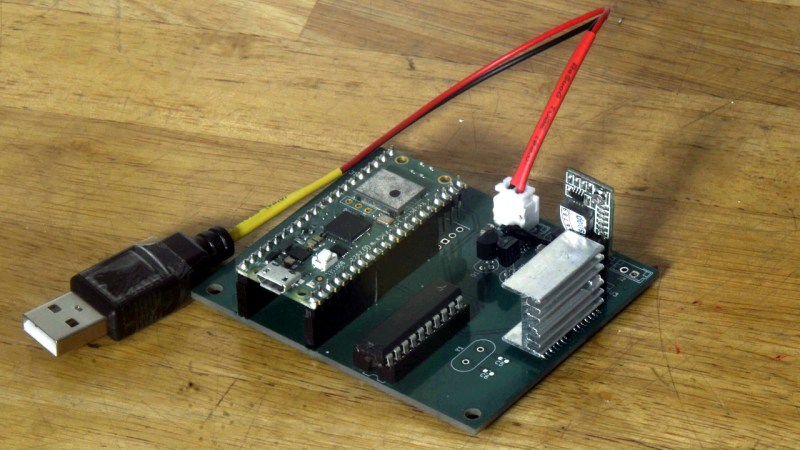
Sometimes you need random numbers — and properly random ones, at that. Hackaday Alum [Sean Boyce] whipped up a rig that serves up just that, tasty random bytes delivered fresh over MQTT.

[Sean] tells us he’s been “designing various quantum TRNGs for nearly 15 years as part of an elaborate practical joke” without further explanation. We won’t query as to why, and just examine the project itself. The main source of randomness — entropy, if you will — is a pair of transistors hooked up to create a bunch of avalanche noise that is apparently truly random, much like the zener diode method.

In any case, the noise from the transistors is then passed through a bunch of hex inverters and other supporting parts to shape the noise into a nicely random square wave. This is sampled by an ATtiny261A acting as a Von Neumann extractor, which converts the wave into individual bits of lovely random entropy. These are read by a Pi Pico W, which then assembles random bytes and pushes them out over MQTT.

Did that sound like a lot? If you’re not in the habit of building random number generators, it probably did. Nevertheless, we’ve heard from [Sean] on this topic before. Feel free to share your theories on the best random number generator designs below, or send your best builds straight to the tipsline. Randomly, of course!

Amazing Oscilloscope Demo Scores The Win At Revision 2025

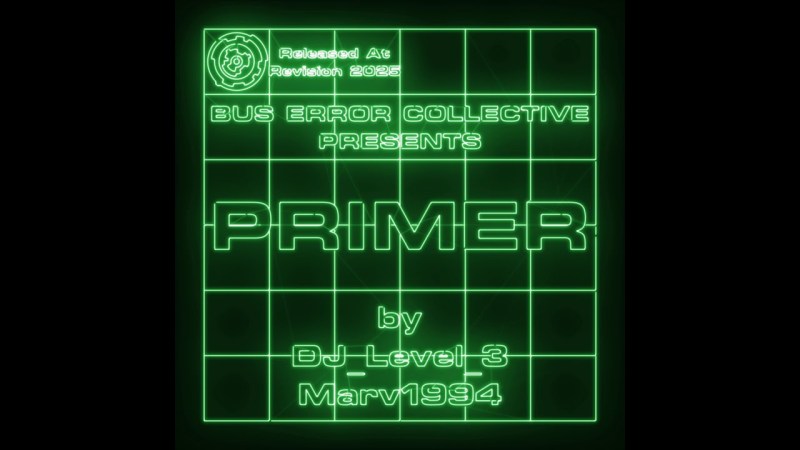
Classic demos from the demoscene are all about showing off one’s technical prowess, with a common side order of a slick banging soundtrack. That’s precisely what [BUS ERROR Collective] members [DJ_Level_3] and [Marv1994] delivered with their prize-winning Primer demo this week.

This demo is a grand example of so-called “oscilloscope music”—where two channels of audio are used to control an oscilloscope in X-Y mode. The sounds played determine the graphics on the screen, as we’ve explored previously.

The real magic is when you create very cool sounds that also draw very cool graphics on the oscilloscope. The Primer demo achieves this goal perfectly. Indeed, it’s intended as a “primer” on the very artform itself, starting out with some simple waveforms and quickly spiraling into a graphical wonderland of spinning shapes and morphing patterns, all to a sweet electronic soundtrack. It was created with a range of tools, including Osci-Render and apparently Ableton 11, and the recording performed on a gorgeous BK Precision Model 2120 oscilloscope in a nice shade of green.

If you think this demo is fully sick, you’re not alone. It took out first place in the Wild category at the Revision 2025 demo party, as well as the Crowd Favorite award. High praise indeed.

We love a good bit of demoscene magic around these parts.

Continue reading “Amazing Oscilloscope Demo Scores The Win At Revision 2025” →

Robot Gets A DIY Pneumatic Gripper Upgrade

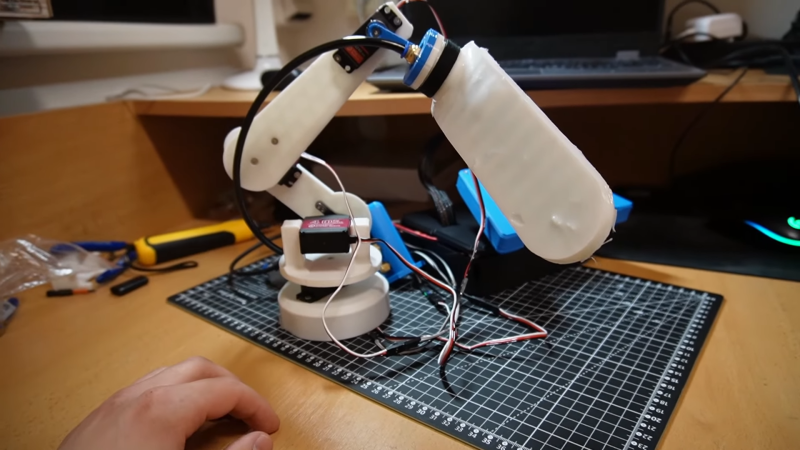
[Tazer] built a small desktop-sized robotic arm, and it was more or less functional. However, he wanted to improve its ability to pick things up, and attaching a pneumatic gripper seemed like the perfect way to achieve that. Thus began the build!

The concept of [Tazer]’s pneumatic gripper is simple enough. When the pliable silicone gripper is filled with air, the back half is free to expand, while the inner section is limited in its expansion thanks to fabric included in the structure. This causes the gripper to deform in such a way that it folds around as it fills with air, which lets it pick up objects. [Tazer] designed the gripper so that that could be cast in silicone using 3D printed molds. It’s paired with a 3D printed manifold which delivers air to open and close the gripper as needed. Mounted on the end of [Tazer]’s robotic arm, it’s capable of lifting small objects quite well.

It’s a fun build, particularly for the lovely sounds of silicone parts being ripped out of their 3D printed molds. Proper ASMR grade stuff, here. We’ve also seen some other great work on pneumatic robot grippers over the years.

Continue reading “Robot Gets A DIY Pneumatic Gripper Upgrade” →