Local Prusa Connect Cuts Out The Cloud

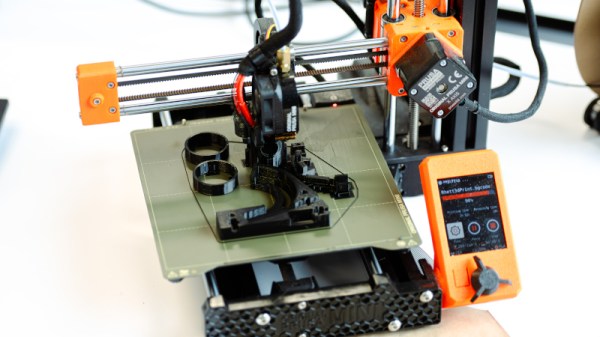
One of the ways 3D printing has changed over the last few years has come in the form of cloud services that exist alongside your printer. In some cases they are locked-in to using the thing, while in others such as Prusa Connect, they are an adjunct that provides useful services but doesn’t restrict the printer to using it.

Now Prusa have gone a step further in keeping control closer to the owner of the printer, by releasing a local version. You can run it on your own server, giving all the benefits with none of the ties.

All the code can be found in a GitHub repository, under their Open Community Licence, which makes everything available but puts some restrictions on who can use it, for example requiring that large enterprises have a paid version. As well as in code form it’s supplied pre-built for Apple, Windows, and Linux platforms, on different architectures including the Raspberry Pi. Out of the box it supports Prusa printers, but it’s not restricted to them as there is a driver API should you wish to add a non-Prusa model.

We know there’s a reaction to the heavier reliance on the cloud found in for example Bambu Labs printers, and we know that some users may have commercially sensitive parts they may not wish to pass off their own network. So we see this as a clever move from Prusa, offering a more palatable way towards a networked printer service without relying on the vendor.

Thanks [Renze] for the tip.

Header image: US Embassy New Zealand, Public domain.
Not-So-Large Language Model Fits On A Floppy Disk

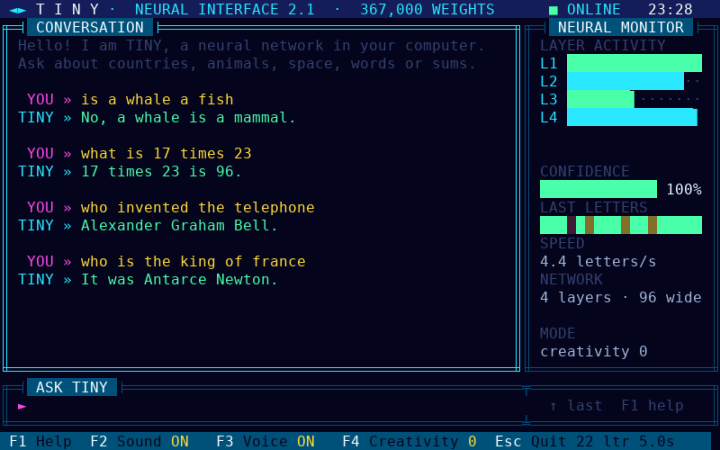
At some point when hackers start pushing edge cases, nomenclature gets weird, like Large Language Models, or LLMs. At some point, the word “large” obviously becomes impossible to justify, but we’re not going to call [WollyMonjac]’s Tiny2.1 DOS PC Chatbot just a ‘language model’ — perhaps “transformer” is the better term. That’s what LLMs and not-so-L-LMs like this one are under the hood, after all.

In any case, this one was written in Turbo C 2.0 by the no-debate ‘large’ LLM Fable 5.2 and trained by Opus 5.5. So for those of you who’ve got this one on their apocalypse bingo card: yes, machines are making machines. This second-gen transformer targets a 486DX or Pentium processor and runs on DOS, and you can get it onto the machine on a single period-appropriate floppy disk.

The actual network is 380 KB of 8-bit weights, while the rest of the floppy would hold the handy interface. As you might imagine, it needs 540 KB of free memory to run in. The transformer holds 3,500 facts in its 367K-parameter but outside of that it makes stuff up with the reckless abandon that these models can’t escape, regardless of size. 

The project is of course more of a conversation-starter than anything else, though if you want to train it on your own 3,500 facts the scripts for that are on GitHub under an MIT license. We’ve seen an LLM on a 486 before, but being able to easily curate exactly what the model knows raises some interesting possibilities.

Linux In A Browser Tab

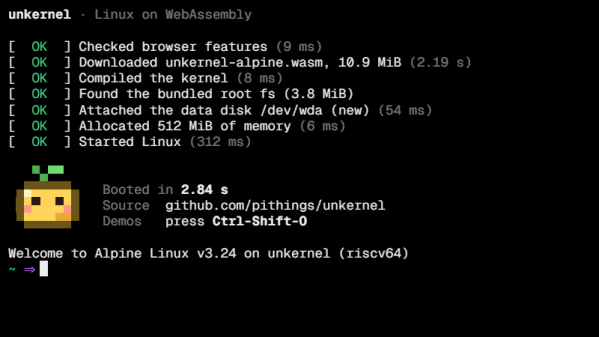
Linux was once distributed on CDs and DVDs stuck to the front of computer magazines. Now, technology has advanced to the point where you can simply run a Linux kernel right in your browser. That’s precisely what you get with Unkernel from [pithings].

Unkernel is described as “Linux 7.x built as a single wasm module with an MMU.” Yes, thanks to the magic of WebAssembly, you can run Linux in a browser tab at a decent fraction of native speed. All the proper kernel stuff—like syscalls, the scheduler, memory management, file systems, and networking—is compiled code. User programs are then emulated with a just-in-time compiler, so you can run Ubuntu and Alpine packages without any fuss. You get a shell, package manager, persistent storage, sound, and internet access out of the box. It’s basically a whole Linux computer sitting in a single browser tab for your convenience.

It’s generally not as fast as running the kernel natively, but where you need a little Linux on the go, it should come in clutch. We’ve discussed Linux showing up in weird places quite recently on the Hackaday Podcast, too. If you’re sticking kernels where they’re not expected, be sure to let us know on the tipsline.

Coding On Windows? Redmond May Already Know.

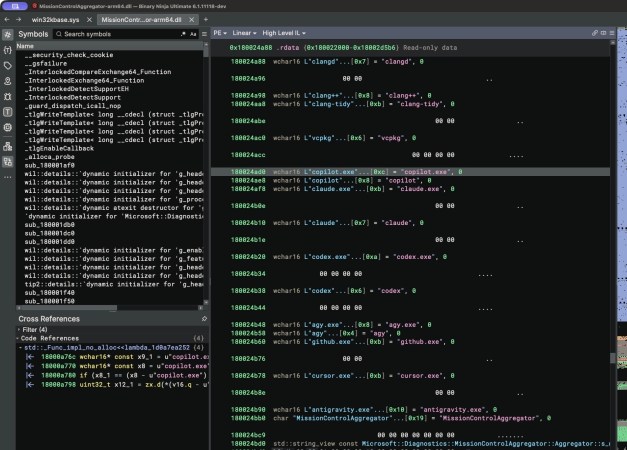
File this one under “shocked, but not that shocked”– hacker [Xusheng Li] did some digging on a recent Windows 11 build and found that it seems to be phoning home with details about not only what AI agents you might be using on your system, but what dev tools are in use too. The full writeup is worth reading before rushing to judgement on this, but no doubt Microsoft has your best interests at heart– they always do, right?

The saga starts with a library called MissionControlAggregator.dll, which contains a list of executable files to look for– things like codex.exe on the agent front, but also dev tools as common as python.exe or gcc.exe–which would be innocent enough, and perhaps even helpful if the OS was watching for these files to do something locally. It might be doing something locally, but [Xusheng] was able to trace the diagnostic that triggers when you launch one of the apps it is listening for, and yes, at least on a default Windows 11 install, it phones home about it. Alas, WSL won’t save you this time, as the same event is apparently generated when you launch the linux version in said subsystem.

Of course the default Windows 11 install does have “optional diagnostics” enabled by default, so you could argue that this is something that the system administrator consented to– provided they knew about it, which they likely don’t. We certainly had no idea that this was part of those “optional diagnostics” and are thankful to [Xusheng] for the tip.

Our own [Jenny List] took Windows 11 for a drive back in June, and emerged rather unimpressed. Your mileage may vary, but if you are, like the majority of the world’s desktop users, on Windows, you might want to double-check those privacy settings.

A Pen Plotter To Draw You Up (on) The Wall

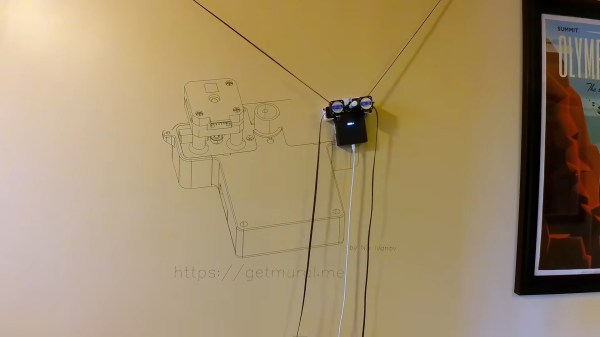
Back in our day you were told not to draw on the walls; nowadays we have robots for that– like Mural 2.0 by [Nik Ivanov]. If the name doesn’t give it away, this is a large format pen plotter made to draw, well, murals. It’s also not [Nik]’s first rodeo, though this version seems considerably improved from the orignial version.

He’s now using a FluidNC board based on an ESP32 and TMC2209 stepper drivers, while the steppers they drive are a pair of NEMA 17 pancake units. Using pancakes for this application makes sense, as the steppers are on the machine and must pull themselves up against gravity using the single belt that is anchored at ceiling level. The kinematics of that mean you don’t get the full area between the anchor points– you lose 20% at the edges– but you can still get a pretty big mural going. In the demo/build video embedded below, it looks like you’re more limited by marker life, [Nik] cautioning that past about 500 m of line things can start to get a bit weak as the pen dries out. He’s working on a ‘pause and replace pen’ routine for the next firmware version to help with that project.

For now, the WiFi-based interface [Nik] has on the ESP32 gives you that path length in advance, and can even process both SVG and raster images with both a sine-wave style squiggle and finite-curve style space filling. This isn’t the fastest pen plotter we’ve seen on these pages, and it might not quite be the simplest, either, but [Nik] has put together a very easy build that you could do with your nieces and nephews content in the knowledge that the easy-to-use firmware will let them keep making murals when you aren’t there– assuming, that is, that their mother lets them draw on the walls.

Continue reading “A Pen Plotter To Draw You Up (on) The Wall” →

Custom Firmware For Fortinet FortiGate 60 Firewall/Router

When [Matt Williams] found an old enterprise firewall in the trash, he knew he had to do something with it. After cracking it open, he found that this 2000s-era Fortinet FortiGate 60 hardware firewall has some very hackable hardware in the form of a VIA C3 mainboard. This is an x86-compatible CPU that was very popular in small form-factor and industrial solutions around 2000s, meaning that it should be able to run just about anything that’s happy to run on its 400 MHz single core.

Unfortunately it wasn’t a standard Mini-ITX C3 board like the one that [Matt] also has kicking around, as that one features standard DIMMs for the memory modules. For this firewall the 128 MB of SDRAM was soldered to the board, with the only clue as to how to initialize it in the original firmware. Ergo this firmware had to be reverse-engineered to figure out just how this was supposed to happen.

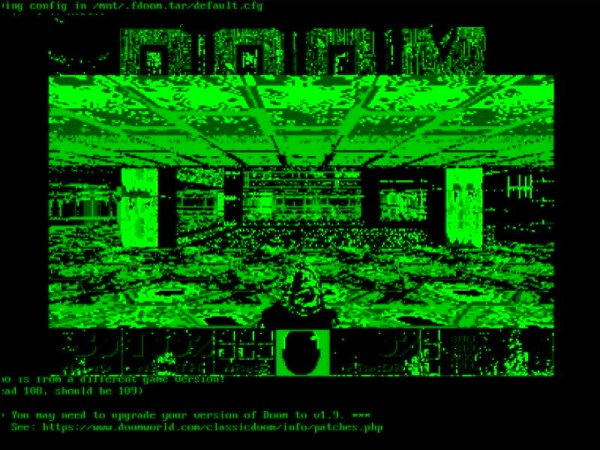
With that done, Linux 2.4 was happy enough to boot on it with a bit more tweaking. Using the framebuffer driver applications like DOOM happily ran, as the above graphic shows. That it’s very much green is due to only the green pin on the VGA connector being probed. Since it’s a firewall Fortinet only added a physical DE-9 port in addition to the internal IDE interface and CF card slot.

If one were to wire up these pads on the mainboard to physical connectors, it would actually make for a pretty decent little system for what the kids call retro gaming these days.

Testing TISMO Whisker-Reinforced Poticon STD1 PA Filament

Although at first glance potassium-titanite (TISMO) whiskers don’t seem to be much of a change from chopped glass- and carbon fiber in FDM filaments, they’re really quite different. They’re not only much smaller, they’re also less abrasive, and work with 0.2 mm nozzles. Although basically just found in industrial filaments right now, [JanTec Engineering] put a spool to the test to see what these whiskers bring to the party.

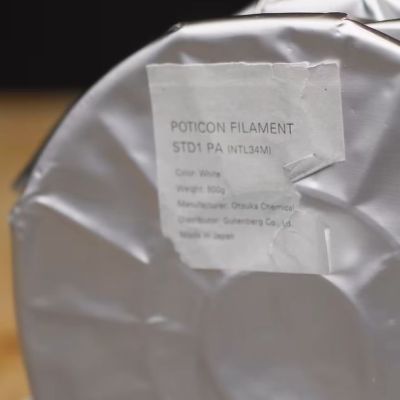
While at an event in Japan, [JanTec] got handed a spool of Poticon STD1 NTL34M PA filament, presumably the common PA6, AKA Nylon. In their messaging the company calls it LEXTER, a bio-based polyamide.

This was subsequently put to the test after returning home, with the recommended print settings and the newly constructed testing machine, called the Atlas 2000. This is an open source testing machine that could be handy if you have about $500 lying around and an urgent need to test the tensile, compression and bending properties of materials.

The filament under test is 20% TISMO by weight, with it scoring well in the tensile strength test, while being about as brittle as the datasheet suggests. Such reinforced polymers are generally known for being stiff and brittle, so this is little surprise. Perhaps the biggest advantage of this filament is that you can print finer details with it using an 0.2 mm nozzle, making it an interesting engineering filament in that respect.

Also touched upon in the video are the potential health risks of this filament, with these whiskers being definitely easy to inhale. This also is reminiscent of the potential carcinogenic risks of chopped carbon fiber, where fragments of these already small fibers can pose similar risks as asbestos.

As for the constant brittleness in these purported reinforced filaments, this would seem to be due to poor adhesion between the fiber (or whisker) and the thermoplastic. Unlike with thermoset polymers where there’s an active interface between the fiber and the polymer that creates a strong molecular bond, there’s generally a void between thermosets and additives like fibers due to the lack of any chemical activity while cooling.

Continue reading “Testing TISMO Whisker-Reinforced Poticon STD1 PA Filament” →