Wires Vs Words — PCB Routing In Python

Preferring to spend hours typing code instead of graphically pushing traces around in a PCB layout tool, [James Bowman] over at ExCamera Labs has developed CuFlow, a method for routing PCBs in Python. Whether or not you’re on-board with the concept, you have to admit the results look pretty good.
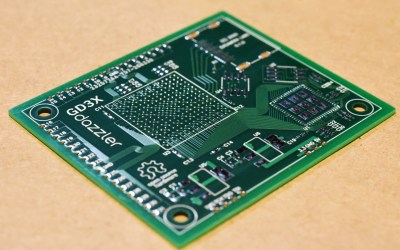
GD3X Dazzler PCB routed using CuFlow

Key to this project is a concept [James] calls rivers — the Dazzler board shown above contains only eight of them. Connections get to their destination by taking one or more of these rivers which can be split, joined, and merged along the way as needed in a very Pythonic manner. River navigation is performed using Turtle graphics-like commands such as left(90) and the appropriately named shimmy(d)that aligns two displaced rivers. He also makes extensive use of pin / gate swapping to make the routing smoother, and there’s a nifty shuffler feature which arbitrarily reorders signals in a crossbar manner. Routing to complex packages, like the BGA shown, is made easier by embedding signal escapes for each part’s library definition.

We completely agree with [James]’s frustration with so many schematics these days being nothing more than a visual net lists, not representing the logical flow and function of the design at all. However, CuFlow further obfuscates the interconnections by burying them deep inside the wire connection details. Perhaps, if CuFlow were melded with something like the SKiDL Python schematic description language, the concept would gain more traction?

That said, we like the concept and routing methodologies he has implemented in CuFlow. Check it out yourself by visiting the GitHub repository, where he writes in more detail about his motivation and various techniques. You may remember [James] two of his embedded systems development tools that we covered back in 2018 — the SPI Driver and the I2C driver.
New Tool Makes 3D Printed PCBs, Fast

Getting PCBs made is often the key step in taking a dodgy lab experiment and turning it into a functional piece of equipment. However, it can be tedious to wait for PCBs to ship, and that can really slow down the iterative development process. If you’ve got a 3D printer, though, there’s a neat way to make your own custom PCBs. Enter PCB Forge from [castpixel].

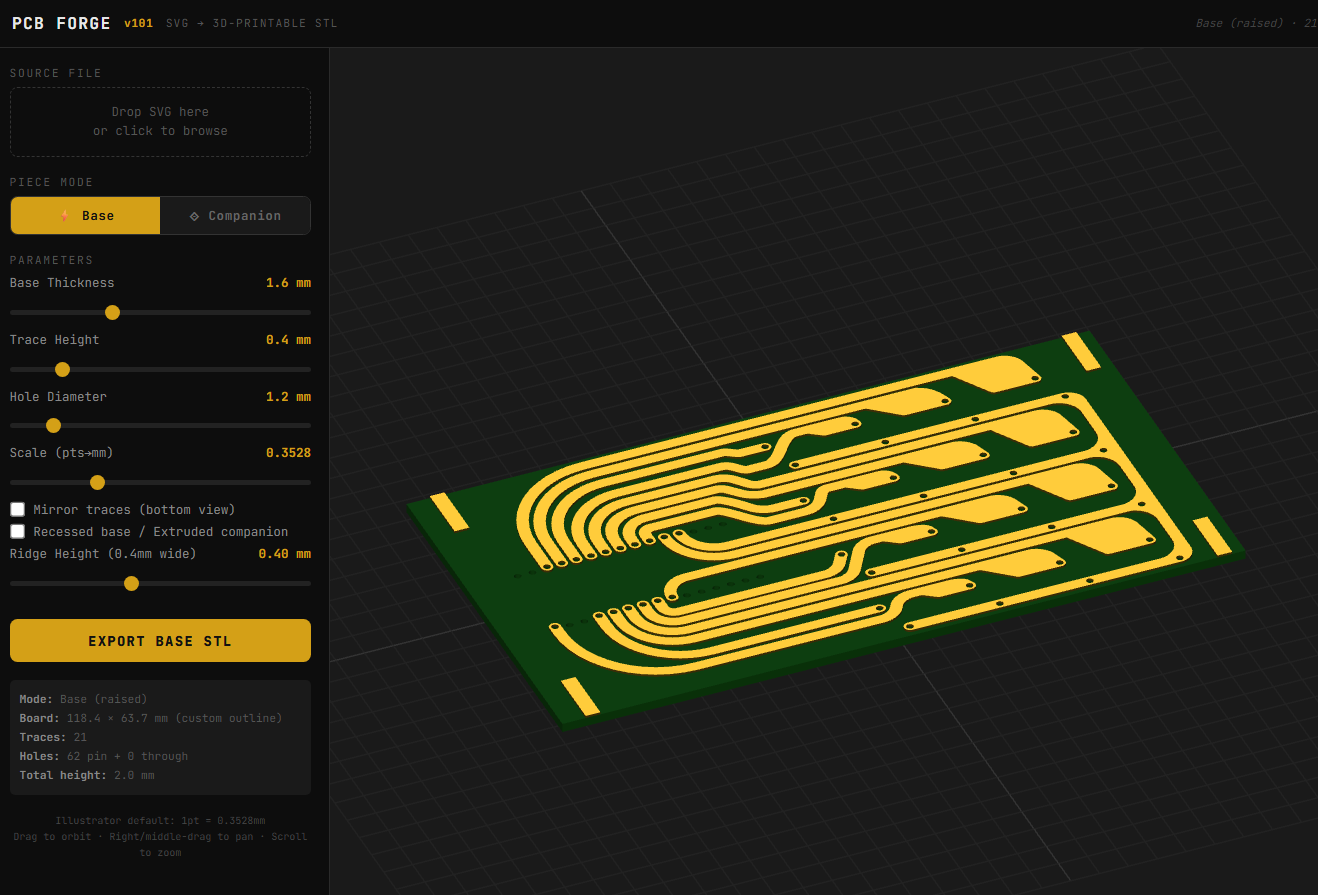
The online tool.

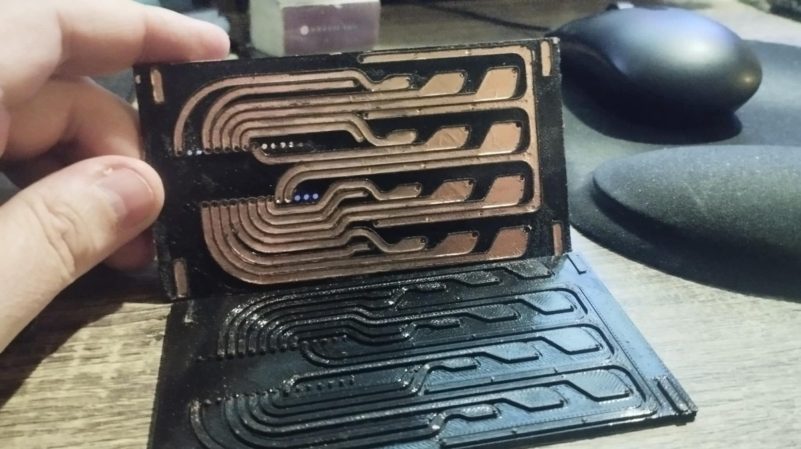
The concept involves producing a base and a companion mold on your 3D printer. You then stick copper tape all over the base part, using the type that comes with conductive adhesive. This allows the construction of a fully conductive copper surface across the whole base. The companion mold is then pressed on top, pushing copper tape into all the recessed traces on the base part. You can then remove the companion mold, quickly sand off any exposed copper, and you’re left with a base with conductive traces that are ready for you to start soldering on parts. No etching, no chemicals, no routing—just 3D printed parts and a bit of copper tape. It rarely gets easier than this.

You can design your PCB traces in any vector editor, and then export a SVG. Upload that into the tool, and it will generate the 3D printable PCB for you, automatically including the right clearances and alignment features to make it a simple press-together job to pump out a basic PCB. It bears noting that you’re probably not going to produce a four-layer FPGA board doing advanced high-speed signal processing using this technique. However, for quickly prototyping something or lacing together a few modules and other components, this could really come in handy.

The work was inspired by a recent technique demonstrated by [QZW Labs], which we featured earlier this year. If you’ve got your own hacks to speed up PCB production time, or simply work around it, we’d love to know on the tipsline! Video after the break.

Continue reading “New Tool Makes 3D Printed PCBs, Fast”

Using 3D Printing And Copper Tape To Make PCBs

In a recent video [QWZ Labs] demonstrates an interesting technique to use 3D printing to make creating custom PCBs rather straightforward even if all you have is a 3D printer and a roll of copper tape.

The PCB itself is designed as usual in KiCad or equivalent EDA program, after which it is exported as a 3D model. This model is then loaded into a CAD program – here Autodesk Fusion – which is used to extrude the traces by 0.6 mm before passing the resulting model to the 3D printer’s slicer.

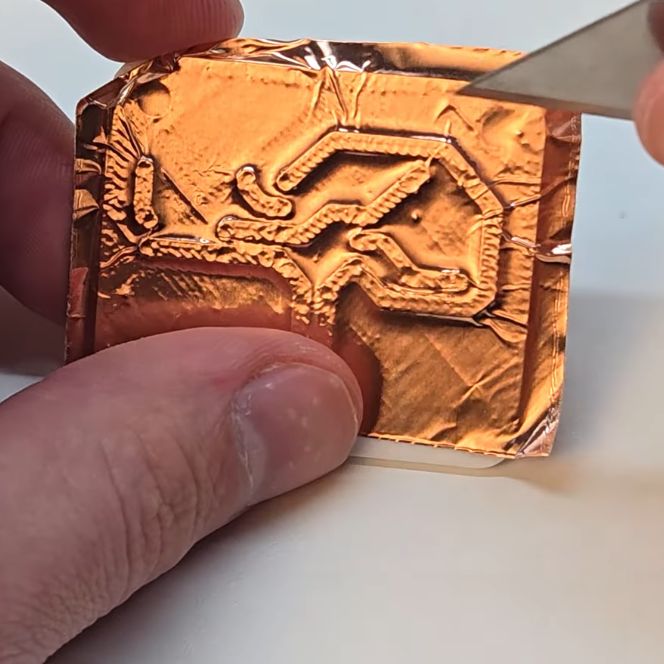
By extruding the traces, you can subsequently put copper tape onto the printed PCB and use a cutting tool of your choice to trace these raised lines. After removing the rest of the copper foil, you are left with copper traces that you can poke holes in for the components and subsequently solder onto.

Continue reading “Using 3D Printing And Copper Tape To Make PCBs”

PCB Design Review: TinySparrow, A Module For CAN Hacking, V2

A year ago, I’ve design reviewed an MCU module for CAN hacking, called TinySparrow. Modules are plenty cool, and even more so when they’re intended for remaking car ECUs. For a while now, every car has heavily depended on a computer to control the operation of everything inside it – the engine and its infrastructure, the lights, and  Sadly, ECUs are quite non-hackable, so building your own ECUs only makes sense – which is why it’s heartwarming to see modules intended to make this easier on the budding ECU designer!

Last time we saw this module, it was quite a bit simpler. We talked about fixing a number of things – the linear regulator, the unprotected CAN transceiver, and the pinout; we also made the board cheaper to produce by reducing the layer count and instead pushing the clearance/track width limits. This time, we’re seeing TinySparrow v2 , redesigned accounting for the feedback and upgraded with a new MCU – it’s quite a bit more powerful!

For a start, it’s got ESD diodes, a switching-linear regulator chain for clean but efficient power supply, and most importantly, an upgraded MCU, now with USB and one more CAN channel for a total of two! There’s a lot more GPIOs to go around, too, so the PCB now uses all four of its sides for breakout out power, programming, and GPIO pads. Only a tiny bit bigger than its v1, this module packs a fair bit of punch.

Let’s revisit the design, and try to find anything still left to improve – there’s a few noteworthy things I found.

Continue reading “PCB Design Review: TinySparrow, A Module For CAN Hacking, V2”

PCB Design Review: M.2 SSD Splitter

Today’s PCB design review is a board is from [Wificable]. iI’s a novel dual-SSD laptop adapter board! See, CPUs and chipsets often let you split wide PCIe links into multiple smaller width links. This board relies on a specific laptop with a specific CPU series, and a BIOS mod, to put two M.2 NVMe SSDs into a single SSD slot of a specific series’ laptop.

This board has two crucial factors – mechanical compatibility, and electrical function. Looking into mechanics, it’s a 0.8 mm thick PCB that plugs into a M.2 socket, and it has sockets for two SSDs on it – plenty of bending going on. For electronics, it has a PCIe REFCLK clock buffer, that [Wificable] found on Mouser – a must have for PCIe bifurcation, and a must-work for this board’s core! Apart from that, this is a 4-layer board, it basically has to be for diffpairs to work first-try.

Of course, the clock buffer chip is the main active component and the focus of the board, most likely mistakes will happen there – let’s look at the chip first.

Continue reading “PCB Design Review: M.2 SSD Splitter”

PCB Design Review: HAB Tracker With ATMega328P

Welcome to the Design Review Central! [VE3SVF] sends us their board, and it’s a HAB (High Altitude Balloon) tracker board. It’s got the venerable ATMega28P on it, a LoRa modem and a GPS module, and it can be powered from a LiIon battery. Stick this board with its battery onto a high-altitude balloon, have it wake up and transmit your coordinates every once in a while, and eventually you’ll find it in a field – if you’re lucky. Oherwise, it will get stuck hanging on a tree branch, and you will have to use a quadcopter to try and get it down, and then, in all likelihood, a second quadcopter so that you can free the first one. Or go get a long ladder.

The ATMega328P is tried and true, and while it’s been rising in price, it’s still available – with even an updated version that sports a few more peripherals; most importantly, you’re sure to find a 328P in your drawer, if not multiple. Apart from that, the board uses two modules from a Chinese manufacturer, G-Nice, for both GPS and Lora. Both of these modules are cheap, making this tracker all that more accessible; I could easily see this project being sold as a “build your own beacon” kit!

Let’s make it maybe a little nicer, maybe a little cheaper, and maybe decrease the power consumption a tad along the way. We’ll use some of the old tricks, a few new ones, and talk about project-specific aspects that might be easy to miss.

Continue reading “PCB Design Review: HAB Tracker With ATMega328P”

PCB Design Review: A 5V UPS With LTC4040

Do you have a 5 V device you want to run 24/7, no matter whether you have electricity? Not to worry – Linear Technology has made a perfect IC for you, the LTC4040; with the perfect assortment of features, except perhaps for the hefty price tag.

[Lukilukeskywalker] has shared a PCB for us to review – a LTC4040-based stamp you can drop onto your PCB whenever you want a LTC4040 design. It’s a really nice module to see designed – things like LiFePO4 support make this IC a perfect solution for many hacker usecases. For instance, are you designing a custom Pi HAT? Drop this module to give your HAT the UPS capability for barely any PCB effort. if your Pi or any other single-board computer needs just a little bit of custom sauce, this module spices it up alright!

Continue reading “PCB Design Review: A 5V UPS With LTC4040”