King Tut, with less resolution than he's had since Deluxe Paint

Volumetric Display With Lasers And Bubbly Glass

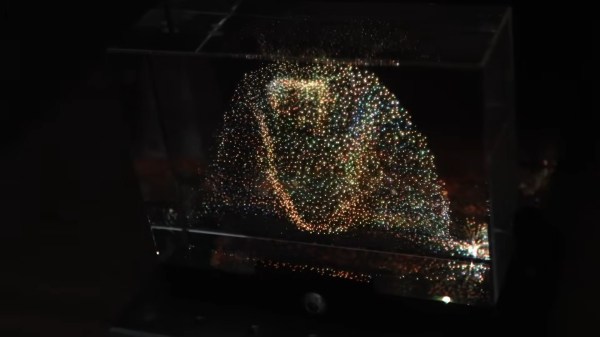
There’s a type of dust-collector that’s been popular since the 1990s, where a cube of acrylic or glass is laser-etched in a three-dimensional pattern. Some people call them bubblegrams. While it could be argued that bubblegrams are a sort of 3D display, they’re more like a photograph than a TV. [Ancient] had the brainwave that since these objects work by scattering light, he could use them as a proper 3D video display by controlling the light scattered from an appropriately-designed bubblegram.

Appropriately designed, in this case, means a point cloud, which is not exactly exciting to look at on its own. It’s when [Ancient] adds the colour laser scanning projector that things get exciting. Well, after some very careful alignment. We imagine if this was to go on to become more than a demonstrator some sort of machine-vision auto-aligning would be desirable, but [Ancient] is able to conquer three-dimensional keystoning manually for this demonstration. Considering he is, in effect, projection-mapping onto the tiny bubbles in the crystal, that’s impressive work. Check out the video embedded below.

With only around 38,000 points, the resolution isn’t exactly high-def, but it is enough for a very impressive proof-of-concept. It’s also not nearly as creepy as the Selectric-inspired mouth-ball that was the last [Ancient] project we featured. It’s also a lot less likely to take your fingers off than the POV-based volumetric display [Ancient] was playing DOOM on a while back.

For the record, this one runs the same DOOM port, too– it’s using the same basic code as [Ancient]’s other displays, which you can find on GitHub under an MIT license.

Thanks to [Hari Wiguna] for the tip.

Continue reading “Volumetric Display With Lasers And Bubbly Glass”
Production KiCad Template Covers All Your Bases

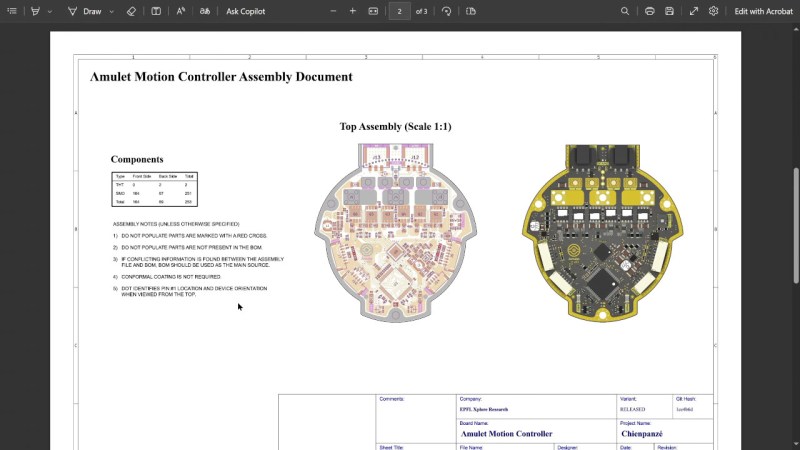
Ever think about all the moving parts involving a big KiCad project going into production? You need to provide manufacturer documentation, assembly instructions and renders for them to reference, every output file they could want, and all of it has to always stay up to date. [Vincent Nguyen] has a software pipeline to create all the files and documentation you could ever want upon release – with an extensive installation and usage guide, helping you turn your KiCad projects truly production-grade.

This KiBot-based project template has no shortage of features. It generates assembly documents with custom processing for a number of production scenarios like DNPs, stackup and drill tables, fab notes, it adds features like table of contents and 3D renders into KiCad-produced documents as compared to KiCad’s spartan defaults, and it autogenerates all the outputs you could want – from Gerbers, .step and BOM files, to ERC/DRC reports and visual diffs.

This pipeline is Github-tailored, but it can also be run locally, and it works wonderfully for those moments when you need to release a PCB into the wild, while making sure that the least amount of things possible can go wrong during production. With all the features, it might take a bit to get used to. Don’t need fully-featured, just some GitHub page images? Use this simple plugin to auto-add render images in your KiCad repositories, then.

Continue reading “Production KiCad Template Covers All Your Bases”

FLOSS Weekly Episode 858: YottaDB: Sometimes The Solution Is Bigger Servers

This week Jonathan chats with K. S. Bhaskar about YottaDB. This very high performance database has some unique tricks! How does YottaDB run across multiple processes without a daemon? Why is it licensed AGPL, and how does that work with commercial deployments? Watch to find out!

Continue reading “FLOSS Weekly Episode 858: YottaDB: Sometimes The Solution Is Bigger Servers”

A Musically-Reactive LED Christmas Tree

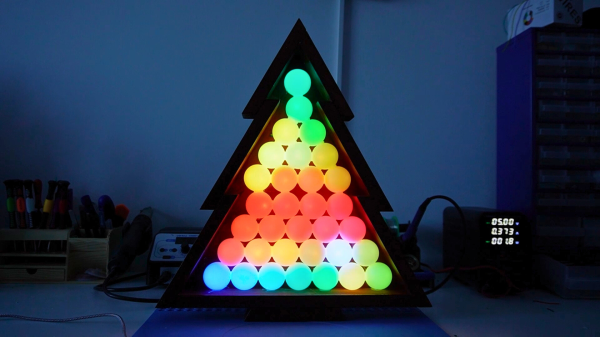
Regular Christmas trees don’t emit light, nor do they react to music. If you want both things in a holiday decoration, consider this build from [dbmaking]. 

An ESP32-D1 mini runs the show here. It’s hooked up to a strip of WS2812B addressable LEDs. The LED strip is placed on a wooden frame resembling the shape of a traditional Christmas tree. Ping-pong balls are then stacked inside the wooden frame such that they act as a light diffuser for the LEDs behind. The microcontroller is also hooked up to an INMP441 omnidirectional MEMS microphone module. This allows the ESP32 to detect sound and flash the LEDs in time, creating a colorful display that reacts to music. This is achieved by using the WLED web installer to set the display up in a sound reactive mode.

It’s a fun build, and we’d love to tinker around with coding more advanced visualizer effects for a build like this. We’ve seen builds that go the other way, too, by toning down excessive blinkiness in Christmas decorations.

Continue reading “A Musically-Reactive LED Christmas Tree”

Making Glasses That Detect Smartglasses

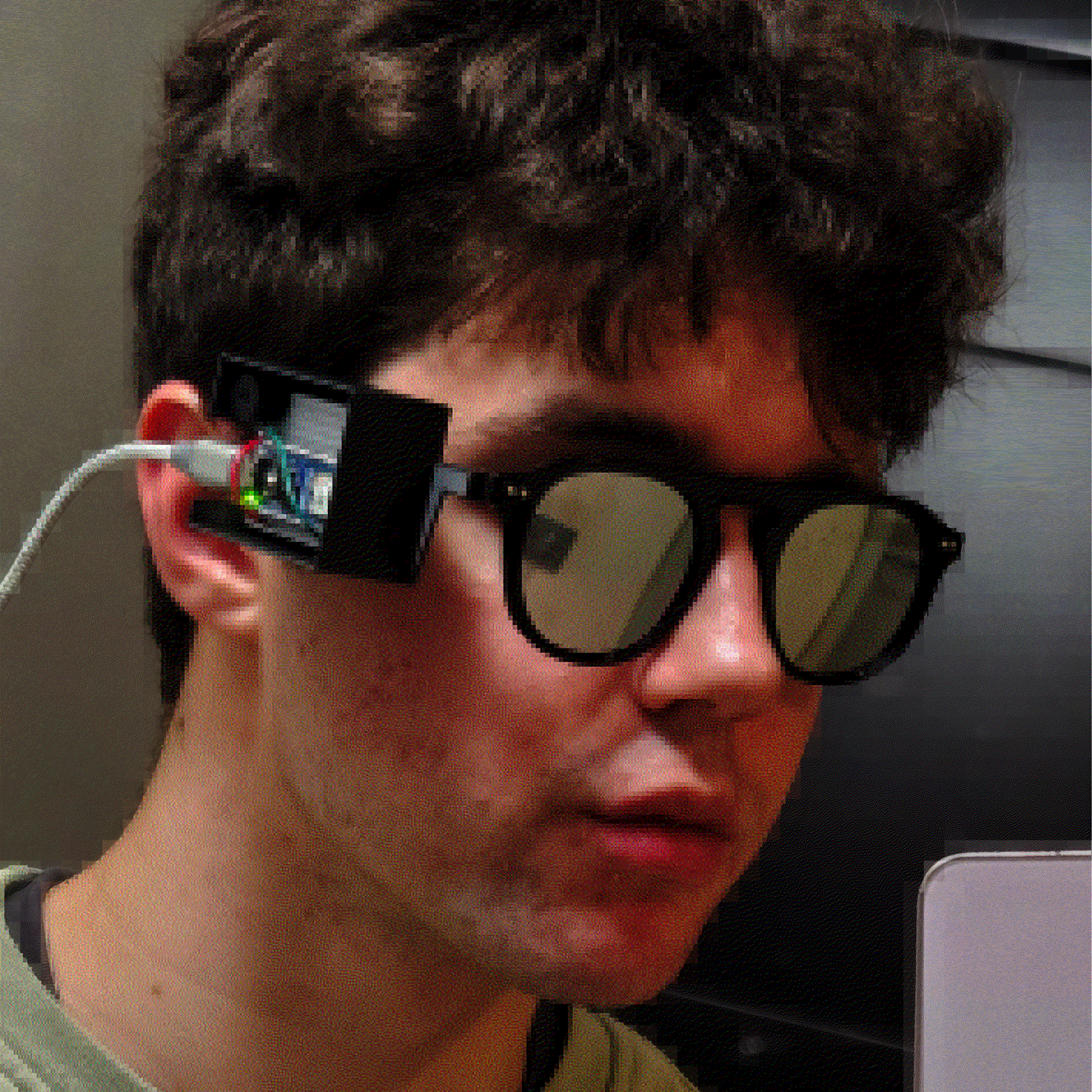
[NullPxl]’s Ban-Rays concept is a wearable that detects when one is in the presence of camera-bearing smartglasses, such as Meta’s line of Ray-Bans. A project in progress, it’s currently focused on how to reliably perform detection without resorting to using a camera itself. Right now, it plays a well-known audio cue whenever it gets a hit.

Once software is nailed down, the device aims to be small enough to fit into glasses.

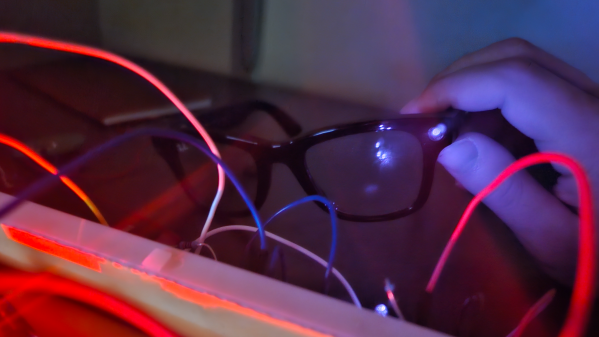
Currently, [NullPxl] is exploring two main methods of detection. The first takes advantage of the fact that image sensors in cameras act as tiny reflectors for IR. That means camera-toting smartglasses have an identifying feature, which can be sensed and measured. You can see a sample such reflection in the header image, up above.

As mentioned, Ban-Rays eschews the idea of using a camera to perform this. [NullPxl] understandably feels that putting a camera on glasses in order to detect glasses with cameras doesn’t hold much water, conceptually.

The alternate approach is to project IR in a variety of wavelengths while sensing reflections with a photodiode. Initial tests show that scanning a pair of Meta smartglasses in this way does indeed look different from regular eyeglasses, but probably not enough to be conclusive on its own at the moment. That brings us to the second method being used: wireless activity.

Characterizing a device by its wireless activity turned out to be trickier than expected. At first, [NullPxl] aimed to simply watch for BLE (Bluetooth Low-Energy) advertisements coming from smartglasses, but these only seem to happen during pairing and power-up, and sometimes when the glasses are removed from the storage case. Clearly a bit more is going to be needed, but since these devices rely heavily on wireless communications there might yet be some way to actively query or otherwise characterize their activity.

This kind of project is something that is getting some interest. Here’s another smartglasses detector that seems to depend entirely on sniffing OUIs (Organizationally Unique Identifiers); an approach [NullPxl] suspects isn’t scalable due to address randomization in BLE. Clearly, a reliable approach is still in the works.

The increasing numbers of smartglasses raises questions about the impact of normalizing tech companies turning people into always-on recording devices. Of course, the average person is already being subtly recorded by a staggering number of hidden cameras. But at least it’s fairly obvious when an individual is recording you with a personal device like their phone. That may not be the case for much longer.

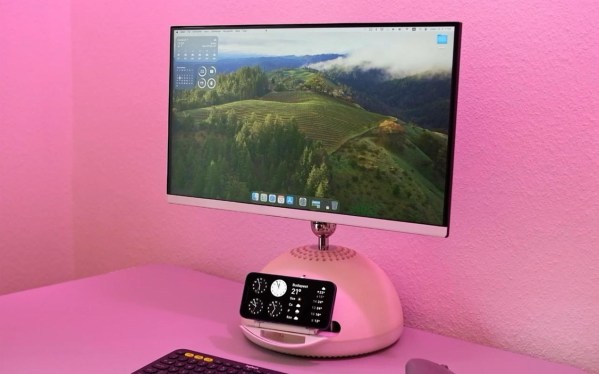
A computer monitor which was formerly an iMac G4 with a hemispherical white base sits on a table. The table and wall are likely white, but pink light is washing the scene making them and the monitor base appear pink. An iPhone sits above a piece of rounded plastic jutting out from the monitor base.

G4 IMac Becomes A Monitor With A MagSafe Secret

The G4 iMac is one of the more popular computers in the restomodding scene given its charm and unparalleled ergonomics. Most modern machines that people squeeze in don’t have a disc drive anymore though, so [EasternBloc Engineering] has fitted a retractable MagSafe charger into the drive bay of the machine.

In this example, the iMac has become simply a monitor, instead of an entire all-in-one computer, and the original 15″ display has been replaced with a lightweight 22″ monitor on a 3D printed VESA mount. The narrow confines of the iMac neck meant [EasternBloc Engineering] had to sever the connectors from the HDMI and power cable before reconnecting them once they were fed through.

The really novel part of this restomod is the engineering of the retractable MagSafe charger mount that pops out of the drive bay. [EasternBloc Engineering] started by looking at repurposing an original disc drive, but quickly turned to a bespoke 3D printed solution. Using a LEGO motor and gears for the drive, the system can stick its tongue out at you in a more modern way. A straight in-and-out mechanism like on an original disc drive would’ve been easier to implement, but we appreciate the extra time for angling the phone that respects the ergonomics of the machine. We hope the files will become available soon for this part of the mod since electromechanical components are more interesting than the VESA mount.

We’ve taken a look at how to implement MagSafe (or Qi2) into your own projects and also a few different G4 iMac restomods whether you prefer Apple Silicon or a PC-based approach.

Continue reading “G4 IMac Becomes A Monitor With A MagSafe Secret”

A Deep Drive Deep Dive Into A Twin-Rotor Motor

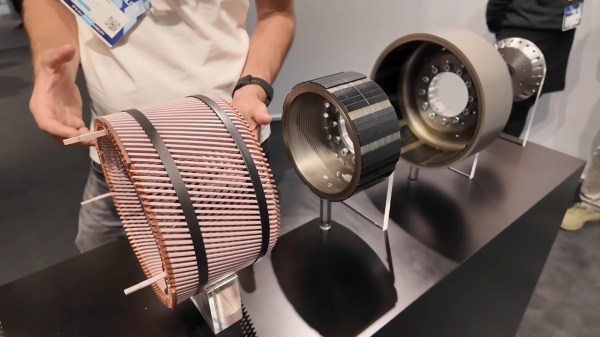
Compromise is key to keeping a team humming along. Say one person wants an inrunner electric motor, and the other prefers outrunner. What to do? Well, if you work at [Deep Drive], the compromise position is a dual-rotor setup that they claim can be up to 20% more efficient than standard designs. In a recent video, [Ziroth] provides a deep dive into Deep Drive’s Twin-Rotor Motor. 

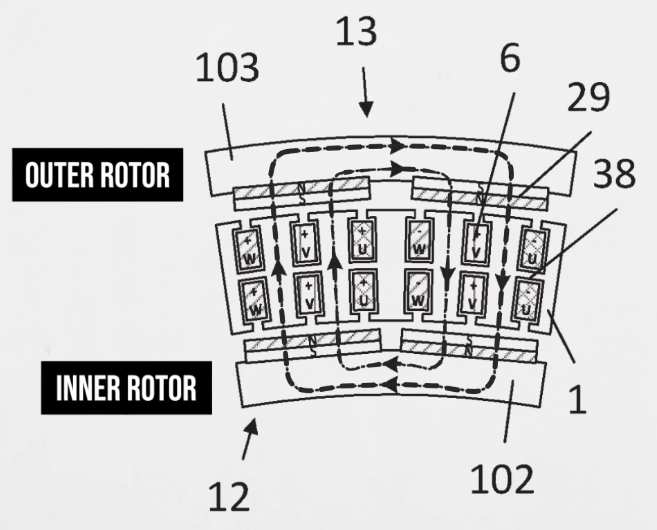
This is specifically a radial flux permanent magnet motor, like most used in electric vehicles today — and don’t let talk of inrunners and outrunners fool you, that’s the size of motor we’re talking about here. This has been done before with axial flux motors, but it’s a new concept for team radial. As the names imply, the difference is the direction the magnetic field is orientated: axial flux motors have all the magnetism oriented along the axis, which leads to the short wide profile that inspired the nickname “pancake motors”. For various reasons, you’re more likely to see those on a PCB than in an electric car.

In a radial flux motor, the flux goes out the radius, so the coils and magnets are aligned around the shaft of the motor.  Usually, the coils are held by an iron armature that directs their magnetic flux inwards (or outwards) at the permanent magnets in the rotor, but not here. By deleting the metal armature from their design and putting magnets on both sides of the stator coil, Deep Drive claims to have built a motor that is lighter and provides more torque, while also being more energy-efficient.

Of course you can’t use magnet wire if your coil is self-supporting, so instead they’re using hefty chunks of copper that could moonlight as busbars. In spite of needing magnets on both inner and outer rotors, the company says they require no more rare-earths than their competitors. We’re not sure if that is true for the copper content, though. To make the torque, those windings are beefy.

Still, its inspiring to see engineers continue to innovate in a space that many would have written off as fully-optimized. We look forward to seeing these motors in upcoming electric cars, but more than that, hope they sell a smaller unit for an air compressor so after going on a Deep Drive deep dive we can inflate our rubber raft with their twin rotor motor boater bloater. If it works as well as advertised, we might have to become twin-rotor motor boater bloater gloaters!

Continue reading “A Deep Drive Deep Dive Into A Twin-Rotor Motor”