When Clever Hardware Hacks Bite Back: A Password Keeper Device Autopsy

Sometimes you have this project idea in your mind that seems so simple and straightforward, and which feels just so right that you have to roll with it. Then, years later you stumble across the sad remnants of the tearful saga and the dismal failure that it portrays. Do you put it away again, like an unpleasant memory, or write it up in an article, as a tearful confession of past sins? After some coaxing by a friend, [Alessandro] worked up the courage to detail how he set about making a hardware-only password keeper, and why it failed.

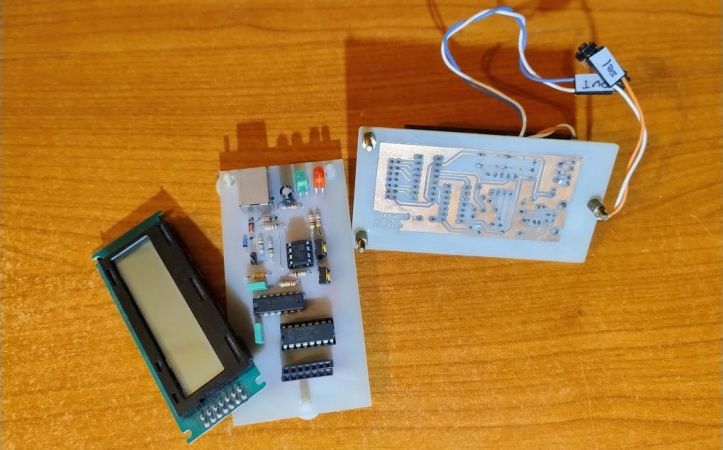
The idea was so simple: the device would pretend to be a keyboard and type the passwords for you. This is not that unusual, as hardware devices like the Mooltipass do something similar. Even better, it’d be constructed only out of parts lying around, including an ATtiny85 and an HD44780 display, with bit-banged USB connectivity.
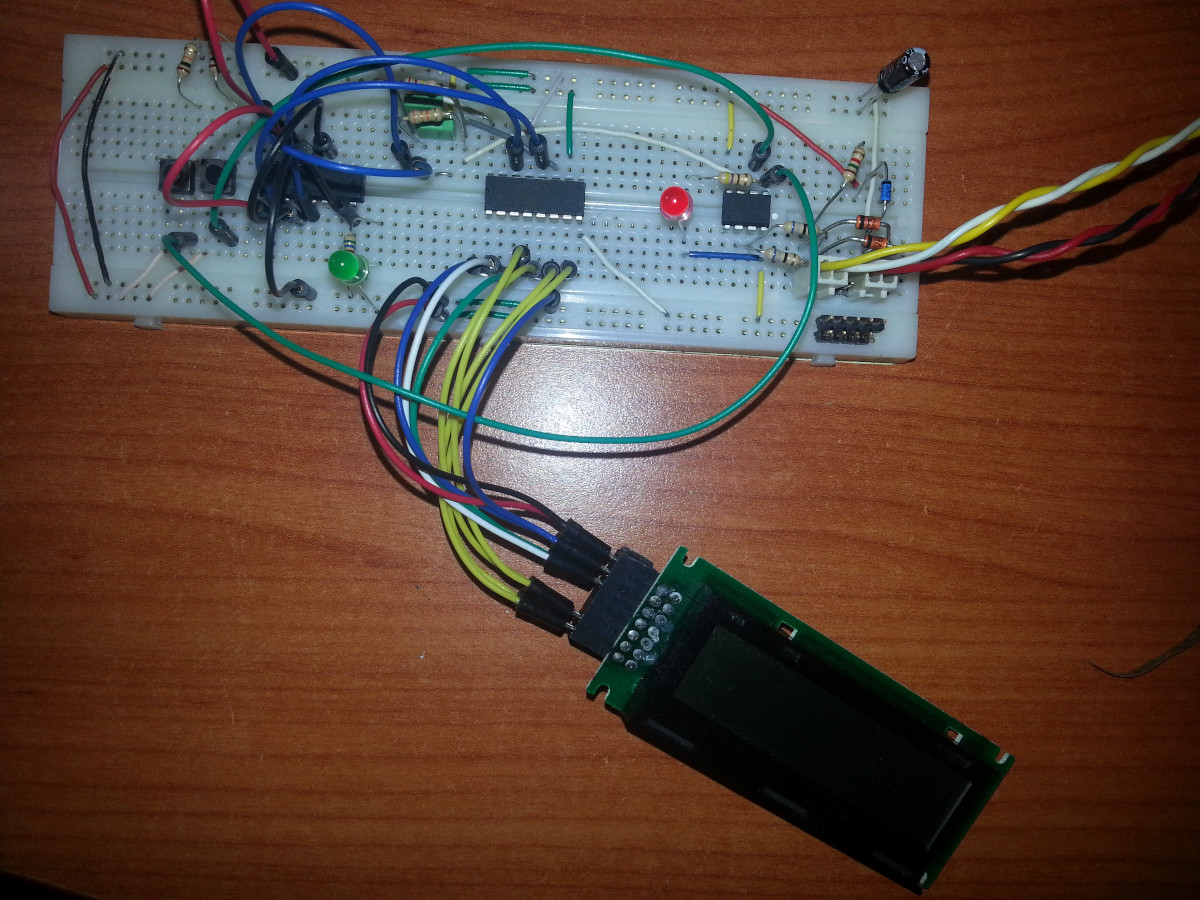
Prototyping the hardware on a breadboard.

Overcoming the challenge of driving the LC display with one pin on the MCU required adding a 74HC595 demultiplexer and careful timing, which sort of worked when the stars aligned just right. Good enough, but what about adding new passwords?

This is where things quickly skidded off the tracks in the most slapstick way possible, as [Alessandro] solved the problem of USB keyboard HID devices being technically ‘output-only’, by abusing the indicator statuses for Caps Lock, Num Lock, and Scroll Lock. By driving these from the host PC in just the right way you can use them as a sort of serial protocol. This incidentally turned out to be the most reliable part of the project.

Where the project finally tripped and fell down the proverbial flight of stairs was when it came to making the bit-banged USB work reliably. As it turns out, USB is very unforgiving with its timing unlike PS/2, making for an infuriating user experience. After tossing the prototype hardware into a box, this is where the project gathered dust for the past years.

If you want to give it a try yourself, maybe using an MCU that has more GPIO and perhaps even a USB hardware peripheral like the STM32F103, ESP32-S3 or something fruit-flavored, you can take a gander at the project files in the GitHub repository.

We’re always happy to see projects that (ab)use the Lock status indicators, it’s always been one of our favorite keyboard hacks.
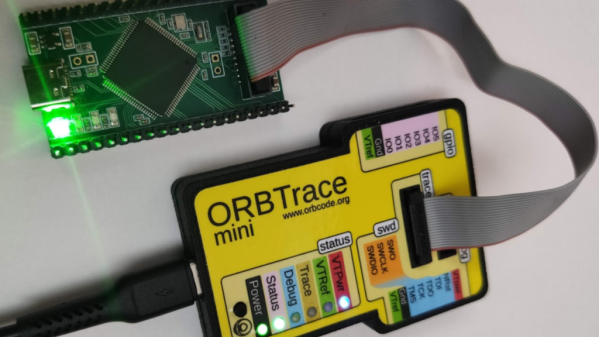
The Orbtrace debugger hardware connected to a development board t hrough a 20-pin ribbon cable. The development board has a green LED shining.

ORBTrace Effort: Open Tool For Professional Debugging

There are some fairly powerful debugging facilities available on today’s microcontrollers — if your code crashes mysteriously, chances are, there’s a debugging interface that could let you track down the exact crash circumstances in no time. Sadly, debugging tools for these powerful interfaces tend to be prohibitively expensive and highly proprietary, thus, not friendly for hobbyists. Now, there’s a community-driven high-capability debugging platform called ORBTrace, brought to us by [mubes] and [zyp].

With parallel trace, you get a constant stream of consciousness, every exact instruction executed by your CPU. [mubes] and [zyp] set out to tap into the power of parallel trace debugging for Cortex-M processors. and the ORBTrace project was born. Relying on the Orbuculum project’s software capabilities, this FPGA-based debugger platform can do parallel trace and the more popular high-speed SWO trace – and way more. ORBTrace has the potential to grow into a powerful debug helper tool, with enough capabilities for anyone to benefit. And of course, it’s fully open-source.

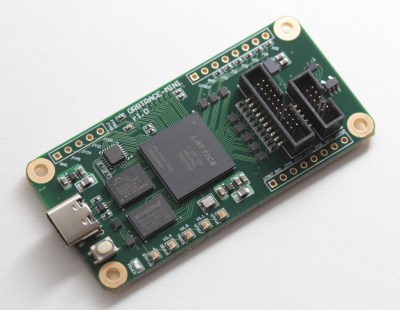
The ORBTrace board, with a FPGA in the center of it, a USB-C connector on the left, and two IDC debug connectors on the right (one ten-pin and one twenty-pin)The ORBTrace platform has plenty of untapped potential. There’s the battle-tested JTAG and SWD that you can already use with all the open tools you could expect. However, there’s also plenty of available resources on the FPGA, including even a currently unutilized RISC-V softcore. If you wanted to add support for any other family of devices to this debugger, sky’s the limit! And, of course, there’s cool software to go with it – for example, orbmortem, which keeps a ring buffer of instructions in memory and shows you the last code executed before your CPU stops, or orbstat, a tool for profiling your embedded code.

If you’re looking to purchase effortless feature parity with Segger or Lauterbach devices, the ORBTrace doesn’t promise that. Instead, it’s an open debugging toolkit project, with hardware available for purchase, and software just waiting for you take control of it. This project’s community hangs out in the 1BitSquared discord’s #orbuculum channel, and gateware’s advancing at a rapid pace – welcoming you to join in on the fun.

ORBTrace is a powerful tool for when your goals become large and your problems become complex. And, being a community-driven experimental effort, we’ll undoubtedly see great things come out of it – like the Mooltipass project, originally developed by Hackaday community members, and still going strong.

Better Security, Harry Potter Style

We all know we shouldn’t use 1234 as our password. But we often don’t do the absolute best practice when it comes to passwords. After all, you should have some obscure strange password that is unique for every site. But we all have lots of passwords, so most of us use $pock2020 or something like that. If you know I’m a Star Trek fan, that wouldn’t be super hard to guess. [Phani] writes about a technique called Horcruxing — a term taken from the literary realm of Harry Potter that allowed Voldemort to preserve life by splitting it into multiple parts, all of which were required to bring an end to his villany. [Phani’s] process promises to offer better security than using a single password, without the problems associated with having hundreds of random passwords.

Most people these days use some form of password manager. That’s great because the manager can create 48 character passwords of random words or symbols and even you don’t know the password. Of course, you do know the master password or, at least, you better. So if anyone ever compromised that password, they’d have all your passwords at their fingers. Horcruxing makes sure that the password manager doesn’t know the entire password, just the hard parts of it.

Continue reading “Better Security, Harry Potter Style” →

Tiny Ethernet Switch Gets Even Smaller

As a project gets more complicated, some kind of internal communication network is often used to that all of the various modules and sensors can talk with each other. For hardware hackers like us, that usually means SPI, I2C, or maybe even good old fashioned UART. But if you’re pushing a lot of data around, like live video feeds from multiple cameras, you’ll need something a bit faster than that.

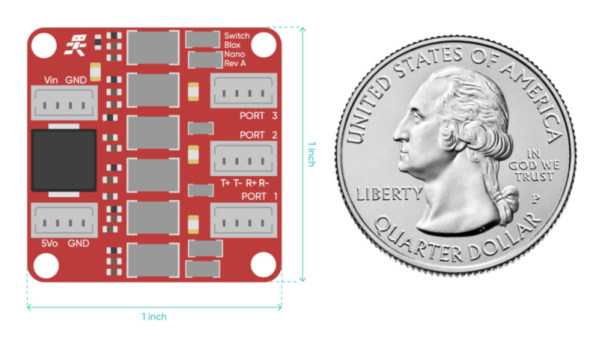
Which is why [Josh Elijah] has created the SwitchBlox Nano, a three port 10/100 Ethernet switch that fits on a one inch square PCB. All you need to do is provide it with power, with a generous input range of 5 to 50 volts, connect your devices to the Molex Picoblade connectors on the board, and away you go. There’s even a 5 V 1 A regulated output you can use to run your downstream devices.

If you’ve got a feeling that you’ve seen something very similar on these pages earlier in the year, you’re not imagining things. Back in April we covered the original five port SwitchBlox in a post that garnered quite a bit of attention. In fact, [Josh] tells us that the design of this new switch was driven largely by the feedback he got from Hackaday readers. The Nano is not only smaller and cheaper than the original, but now maintains full electrical isolation between each port.

The average Hackaday reader is as knowledgeable as they are opinionated, and we’re glad [Josh] was able to put the feedback he received to practical use. We’re proud that our community has had a hand in refining successful commercial products like the Arduboy handheld game system and the Mooltipass hardware password keeper. Now it looks like we can add a tiny Ethernet switch to the list of gadgets we’ve helped push up the hill. Maybe we should get a stamp or something…

Raspberry Pi Becomes The Encrypted Password Keeper You Need

Unless you’re one of the cool people who uses the same password everywhere, you might be in need of a hardware device that keeps your usernames and passwords handy. The Passkeeper is a hardware password storage system built on a Raspberry Pi. It encrypts your passwords, and only through the magic of a special key fob will you ever get your passwords out of this device.

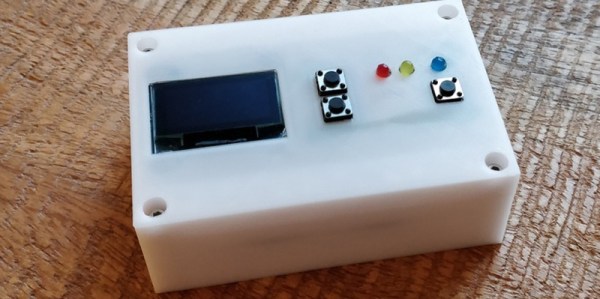
The hardware for this device is built around the Raspberry Pi Zero. You might be questioning the use of a Pi Zero, but given that it’s an entire Linux system for just a few bucks, it only makes sense. The rest of the hardware is a tiny OLED SPI display, an RFID card reader, a few LEDs, some wire, and some solder. A 3D printed case keeps everything together.

Of course, this build is all about the software, and for that, the Passkeeper device is built in Go, with a system that builds a web interface, builds the firmware, and writes everything to an SD card. Usage is simply plugging the Passkeeper into the USB port of your computer where it presents itself as a network interface. Everything is available by pinging an IP address, and after that the web UI will log your usernames and passwords. All this data is encrypted, and can only be unlocked if an RFID key fob is present. It’s an interesting idea and certinaly inexpensive. It’s not quite as polished as something like the Mooltipass, but if you have a Pi around and don’t have a password keeper, this is something to build this weekend.

Bill Gross On Why Your Startup Will Succeed

Bill Gross is one of the great heros when it comes to technology incubators. Twenty years ago, he founded Idealab, a business whose business plan is to create more businesses. This started out with just a handful of companies in 1996, and has since gone on to found 150 companies, that have collectively raised three and a half billion dollars. Out of these companies, more than half have either gone through successful IPOs and acquisitions, or are currently operating. That investment has generated a 13.5x return, and created more than 10,000 jobs.

Obviously, when you want to talk about what goes into a successful startup, Bill Gross is the person you want to talk to. We were happy to have him Keynote the Hackaday Superconference this year, and the lessons he shared might surprise you, especially if you’re interested in starting your own business.

Continue reading “Bill Gross On Why Your Startup Will Succeed” →

Mathieu Stephan : The Making Of A Secure Open Source Hardware Password Keeper

Mathieu Stephan is an open source hardware developer, a Tindie seller who always has inventory, a former Hackaday writer, and an awesome all-around guy. One of his biggest projects for the last few years has been the Mooltipass, an offline password keeper built around smart cards and a USB interface. It’s the solution to Post-It notes stuck to your monitor and using the same password for all your accounts around the Internet.

The Mooltipass is an extremely successful product, and last year Mathieu launched the Mooltipass Mini. No, it doesn’t have the sweet illuminated touch-sensitive buttons, but it is a bit cheaper than its big brother and a bit more resistant to physical attacks — something you want in a device that keeps all your passwords secure.

Mathieu didn’t build the Mooltipass alone, though. This is an Open Source project that has developers and testers from around the globe. It may have started off as a Hackaday Post, but now the Mooltipass has grown into a worldwide development team with contributors across the globe. How did Mathieu manage to pull this off? You can check out his talk at the 2017 Hackaday Superconference below.

Continue reading “Mathieu Stephan : The Making Of A Secure Open Source Hardware Password Keeper” →