M8SBC-86 Is An FPGA-Based “Kinda PC Compatible” 486 SBC

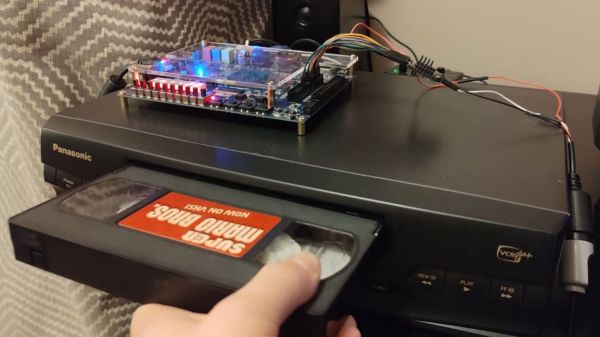
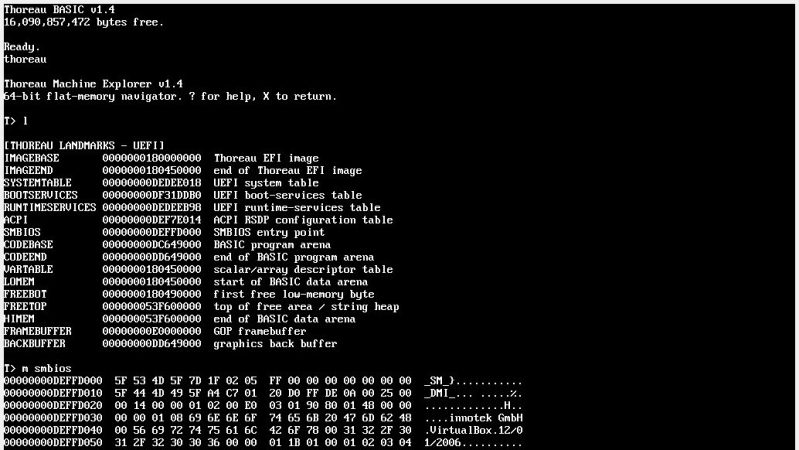
Given the technical specs of the FPGAs available to hobbyists these days, it really shouldn’t be a shock that you can implement a relatively-modern chipset on one, like one for a 486 system. In spite of knowing that in the technical sense, we were still caught off guard by [maniek-86]’s M8SBC project that does just that– the proas both CPU and BIOSducing a 486 FPGA chipset with a motherboard to boot.

Boot what? Linux 2.2.6, MS-DOS 6.22 or FreeDOS all work. It can run DOOM, of course, along with Wolfenstien 3D, Prince of Persia, and even the famous Second Reality demo– though that last without sound. [maniek-86]’s implementation is lacking direct memory access, so sound card support is right out. There are a few other bugs that are slowly being squished, too, according to the latest Reddit thread. Continue reading “M8SBC-86 Is An FPGA-Based “Kinda PC Compatible” 486 SBC”

The blower and a smaller motor than what's actually driving it.

Electric Snowblower Clears The Way With Hobby Parts

If you live in snow country and own a home, you either have a snowblower or wish you did. The alternatives are either an expensive and potentially unreliable plow service, or back-breaking (and heart-attack inducing) shoveling. [RCLifeOn] was one of those people in the second category, until he decided to do something about it: electrifying a scrap snowblower with a blown engine. 

The usual brushless DC motors and electronic speed controllers [RCLifeOn] has on hand to get his R/C life on with don’t quite have enough oomph to handle both functions of a snowblower. For those of you cursed to live in warmer climes, the modern snowblower is both self-propelled via its twin wheels, and generally has a two-stage powered snow-removal “blower” consisting of an auger to break up the snow and an impeller to blast it out of the machine and many meters off the driveway. On the traditional gas-powered models, these are both powered via belts off the same motor, but that wasn’t going to work.

He kept the belts, and simply used a pair of motors, each with their own ESCs that are controlled via oversized thumb wheels on the handles. The belts couple to the motors with 3D printed pulleys. Belt tension is achieved in the case of the wheels through a simple and sensible shimming arrangement. In the case of the blower motor, he uses a 3D printed adjustable mount to get the appropriate tension. To help it hold long-term (given the issues with creep in 3D prints) he’s got a bearing on a second mount opposite the motor.  It holds up for his demo, which consists of clearing a driveway of 10cm of snow and then plowing through a pile larger than the mouth of the machine. In other words: it works.

The build, as unfortunately common on YouTube, is shy on specific details– but in this case that’s fine. Even if he’d open-sourced everything and posted STEP or STL files, it wouldn’t save much time since you’d pretty well have to re-engineer the build to fit your own snowblower, if you were so inclined. As with many hacks of this nature, the point of sharing it is to show how easy it is and provide the inspiration. As the cartoons used to say, “knowing is half the battle.”

If one was to re-implement this hack, we could not encourage you strongly enough to put in the standard dead-man’s switch, a feature commercial snowblowers share with things like lawnmowers. As annoying as it is to hang onto with frozen fingers, that safety feature is there for a reason.

If your driveway is short, you can save on gas and fuel costs with an extension cord. Or you could just stay inside and do the job by remote control, but that comes with its own pitfalls.

Continue reading “Electric Snowblower Clears The Way With Hobby Parts”

The Full-Sized 32-Wheeled, Articulated Bus Built For A 1976 Movie

Regardless of what your opinion is on cult-classic movies that got mixed-to-negative box office reviews when they were released, you have to admire the ones that went all out on practical effects and full-size constructions rather than CGI and scale models. Case in point the 1976 satirical comedy film The Big Bus that featured an absolutely massive articulated double-decker bus. With 32 wheels and multiple levels you’d think that a scale model would be used since most interior shots were done in the studio, but instead they built a real bus.

In this video by [Timeworn lengends] the genesis and details of the vehicle are covered. At the core of this road-worthy bus are two cabover International trucks, which were temporarily attached with a quick-release mechanism and required a second driver for the rear section who followed radio instructions for steering. In 1976 dollars, the entire bus prop cost between $250,000 and $500,000 USD to construct — making it one of the most expensive props ever made, especially considering the relatively low budget.

A fiberglass shell gave the bus its characteristic design, with the over the top ‘nuclear reactor’ propulsion befitting the comedy satire. Although the bowling alley and swimming pool were not really inside the bus, there was a functional bar installed along with the functional cockpit at the front.

Despite the movie flopping at the box office and critics being very mixed on its merits, it’s hard to deny that this bus prop is very unique and probably has a big part in why the movie has become a cult classic. As for the closest real-life equivalent, there is the articulated, double-decker Neoplan Jumbocruiser, which had its own troubled history.

Continue reading “The Full-Sized 32-Wheeled, Articulated Bus Built For A 1976 Movie”

It’s Not A Leica, It’s A Lumix

There’s an old adage in photography that the best camera in the world is the one in your hand when the shot presents itself, but there’s no doubt that a better camera makes a difference to the quality of the final image. Among decent quality cameras the Leica rangefinder models have near cult-like status, but the problem is for would-be Leica owners that they carry eye-watering prices. [Cristian Băluță] approached this problem in s special way, by crafting a Leica-style body for a Panasonic Lumix camera. Given the technology relationship between the Japanese and German companies, we can see the appeal.

While the aesthetics of a Leica are an important consideration, the ergonomics such as the position of the lens on the body dictated the design choices. He was fortunate that the internal design of the Lumix gave plenty of scope for re-arrangement of parts, given that cameras are often extremely packed internally. Some rather bold surgery to the Lumix mainboard and a set of redesigned flex PCBs result in all the parts fitting in the CNC machined case, and the resulting camera certainly looks the part.

The write-up is in part a journey through discovering the process of getting parts manufactured, but it contains a lot of impressive work. Does the performance of the final result match up to its looks? We’ll leave you to be the judge of that. Meanwhile, take a look at another Leica clone.

The Time Clock Has Stood The Test Of Time

No matter the item on my list of childhood occupational dreams, one constant ran throughout: I saw myself using an old-fashioned punch clock with the longish time cards and everything. I now realize that I have some trouble with the daily transitions of life. In my childish wisdom, I somehow knew that doing this one thing would be enough to signify the beginning and end of work for the day, effectively putting me in the mood, and then pulling me back out of it.

But that day never came. Well, it sort of did this year. I realized a slightly newer dream of working at a thrift store, and they use something that I feel like I see everywhere now that I’ve left the place — a system called UKG that uses mag-stripe cards to handle punches. No it was not the same as a real punch clock, not that I have experience with a one. And now I just want to use one even more, to track my Hackaday work and other projects. At the moment, I’m torn between wanting to make one that uses mag-stripe cards or something, and just buying an old punch clock from eBay.

I keep calling it a ‘punch clock’, but it has a proper name, and that is the Bundy clock. I soon began to wonder how these things could both keep exact time mechanically, but also create a literal inked stamp of said time and date. I pictured a giant date stamper, not giant in all proportions, but generally larger than your average handheld one because of all the mechanisms that surely must be inside the Bundy clock. So, how do these things work? Let’s find out.

Continue reading “The Time Clock Has Stood The Test Of Time”

The clock demo on display

Drive 1024×600 Pixels Via I2C With An ATtiny85

If you need to drive a big screen for a project, it’s fair to say your first thought isn’t going to be to use the ATtiny85. With just 512 bytes of RAM and 8 kilobytes of flash memory, the 8-bit micro seems a little cramped to drive, say, a 10″ screen. Yet that’s exactly what [ToSStudio] is doing with TinyTFT_LT7683: 1024 x 600 pixels of TFT goodness, over I2C no less.

With the right TFT controller, this little micro-controller can do magic.

The name kind of gives away the secret: it won’t work on just any TFT display. It’s using properties of the LT7683 display driver, though if you don’t have one of those, the RA8875 is also compatible. Those drivers can take more than just a pixel stream– a good thing, since you’d be hard pressed to get that many pixels streaming from an ATtiny. These are character/graphic display drivers, which means you can get them to draw both characters and graphics on the screen if you speak the lingo.

It’s still not blazing fast; the documentation suggests “static or moderately dynamic UIs” as the suggested use case, and a clock is of the pre-programmed examples. From that, we can surmise that you can get 1 FPS or better with this code. You’re limited both by the simple micro-controller and the bandwidth of the I2C bus, but within those limits this seems like a very powerful technique.

This isn’t the first ATtiny graphics library to blow our minds, but if you really want an impressive graphics demo from the little micro that could, you really need to race the beam.

Thanks to [Thomas Scherer] for the tip!

The Issue With Wii U Gamepads And How To Clone Them

The Wii U running Mario Kart with the Gamepad duplicating the main screen. (Credit: MattKC, YouTube)

How hard would it be to clone the Wii U gamepad, the quirky controller with its unique embedded screen? This is the question that [MattKC] faced as he noticed the complete lack of Wii U gamepad replacements from either Nintendo or third-parties, leading him down the rabbit hole of answering said question.

Although unloved and even despised in compared to the Nintendo Wii, the Wii U was a solid system in its own right. One of its interesting additions was the gamepad controller, whose screen games used for features like a private screen during multiplayer and 3DS-like map screens. Its main weakness is however that the Wii U gamepad was considered an irreplaceable part of the console, which is obviously not fun if your gamepad breaks and your console along with it.

The Wii U console and gamepad communicate via 5 GHz 802.11n WiFi, but in order to deter other parties from simply hopping onto the access point, Nintendo slightly obfuscated this WiFi standard. Specifically the WPA authentication was modified by a byte swap in the PTK, rendering every existing WiFi stack incompatible with the Wii U.

Continue reading “The Issue With Wii U Gamepads And How To Clone Them”