Another week in football, another VAR controversy to fill the column inches and rile up the fans. If you missed it, Coventry scored a last-minute winner in extra time in a crucial match—an FA Cup semi-final. Only, oh wait—computer says no. VAR ruled Haji Wright was offside, and the goal was disallowed. Coventry fans screamed that the system got it wrong, but no matter. Man United went on to win and dreams were forever dashed.
Systems like the Video Assistant Referee were brought in to make sport fairer, with the aim that they would improve the product and leave fans and competitors better off. And yet, years later, with all this technology, we find ourselves up in arms more than ever.
“There goes the neighborhood” isn’t a phrase to be thrown about lightly, but when they build a police station next door to your house, you know things are about to get noisy. Just how bad it’ll be is perhaps a bit subjective, with pleas for relief likely to fall on deaf ears unless you’ve got firm documentation like that provided by this automated noise detection system.
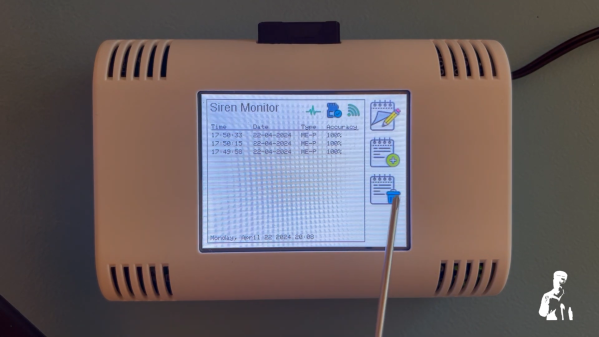
OK, let’s face it — even with objective proof there’s likely nothing that [Christopher Cooper] is going to do about the new crop of sirens going off in his neighborhood. Emergencies require a speedy response, after all, and sirens are perhaps just the price that we pay to live close to each other. That doesn’t mean there’s no reason to monitor the neighborhood noise, though, so [Christopher] got to work. The system uses an Arduino BLE Sense module to detect neighborhood noises and Edge Impulse to classify the sounds. An ESP32 does most of the heavy lifting, including running the UI on a nice little TFT touchscreen.
When a siren-like sound is detected, the sensor records the event and tries to classify the type of siren — fire, police, or ambulance. You can also manually classify sounds the system fails to understand, and export a summary of events to an SD card. If your neighborhood noise problems tend more to barking dogs or early-morning leaf blowers, no problem — you can easily train different models.
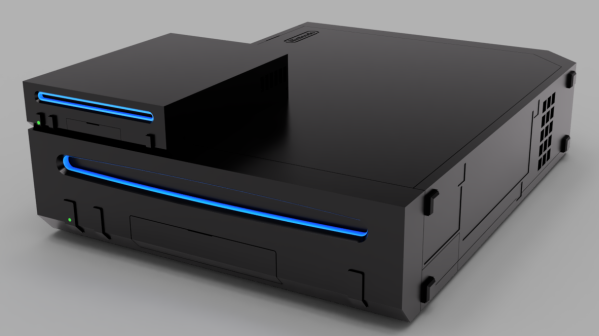
The Nintendo Wii was never a large console. Indeed, it was smaller than both the Xbox 360, PlayStation 3, and most consoles of previous generations, too. That’s not to say it couldn’t be smaller, though. [loopj] has built what is perhaps the smallest Wii yet, which measures roughly the same size as a deck of cards. The best bit? The housing is even to scale!
There’s no emulation jiggery-pokery here. This build uses an original Wii motherboard that’s been cut down to the bare basics. Measuring just 62 mm by 62 mm, it features the CPU, GPU, RAM, and flash memory, while most of the extraneous hardware has been eliminated. Power and data is provided to the board from a special Wii Power Strip PCB, while the Periphlex flex PCB handles breaking out controller interfaces. Indeed, the build is nicknamed Short Stack as it’s built from a number of specialist PCBs for builds like this one. It also uses two boards designed by [YveltalGriffin] — the fujiflex for HDMI video output and the nandFlex to handle the Wii’s NAND memory chip.
[loopj] also had to design two further PCBs specifically for this build. One handles power, the micro SD card, HDMI connector, and controller ports. Meanwhile, the second handles the power, reset, and sync buttons along with status LEDs. Another neat hack of [loopj]’s own devising is using TRRS connectors in place of the original bulky GameCube controller ports.
Ultimately, it’s volume is just 7.4% that of an original Nintendo Wii. It’s probably possible to go smaller, too, says [loopj], so don’t expect things to end here. We’ve seen some other great Wii mods before, too, like this excellent handheld design.
We often think of synesthetes as those people who associate say, colors with numbers. But the phenomenon can occur with any of the senses. Simply put, when one sense is activated, synesthesia causes one to experience an unrelated, activated sense. Sounds trippy, no?
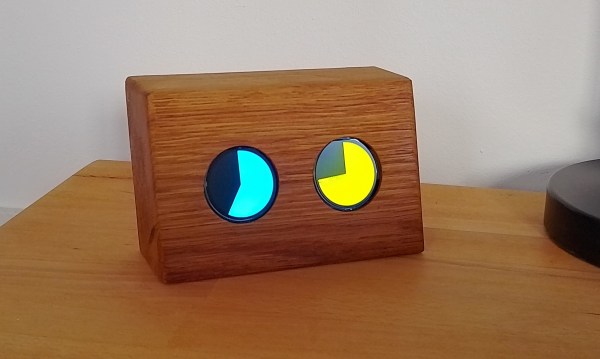
Thankfully, [Markus Opitz]’s synesthetic clock doesn’t require one to have synesthesia. It’s actually quite easy to read, we think. Can you tell what time it is in the image above? The only real requirement seems to be knowing the AM color from the PM color. The minute display cycles through blue, green, yellow, and red as the hour progresses.
Behind that pair of GC9a01 round displays lies an ESP32 and a real-time clock module. [Markus] couldn’t find a fillArc function, so instead he is drawing triangles whose ends lie outside the visible area. To calculate the size of the triangle, [Markus] is using the angle function tangent, so each minute has an angle of 6°.
[Markus] created a simple but attractive oak housing for the clock, but suggests anything from cardboard and plastic to a book. What’s the most interesting thing you’ve ever used for an enclosure? Let us know in the comments.
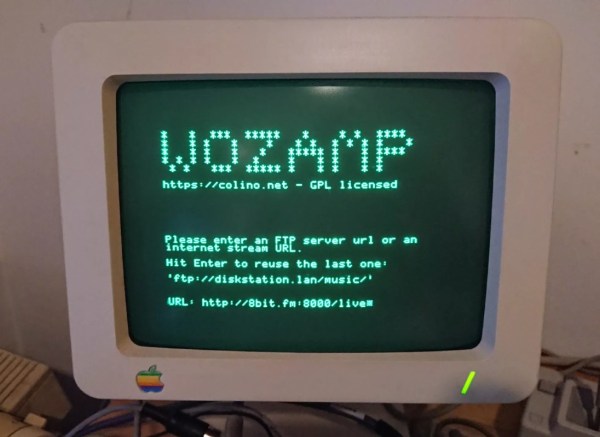
Besides obvious technological advancements, early computers built by Apple differed in a major way from their modern analogs. Rather than relying on planned obsolescence as a business model, computers like the Apple II were designed to be upgradable and long-term devices users would own for a substantially longer time than an iPhone or Macbook. With the right hardware they can even be used in the modern era as this project demonstrates by turning one into a music player.
The requirements for this build are fairly short; an Apple II with a serial card and a piece of software called surl-server which is a proxy that allows older computers to communicate over modern networks. In this case it handles transcoding and resampling with the help of a Raspberry Pi 3. With that all set up, the media player can play audio files in an FTP network share or an online web radio station. It can also display album art on the Apple II monitor and includes a VU meter that is active during playback.
Although the 11.52 kHz sampling rate and 5-bit DAC may not meet the stringent requirements of audiophile critics, it’s an impressive build for a machine of this era. In fact, the Apple II has a vibrant community still active in the retrocomputing world, with plenty of projects built for it including others related to its unique audio capabilities. And if you don’t have an original Apple II you can always get by with an FPGA instead.
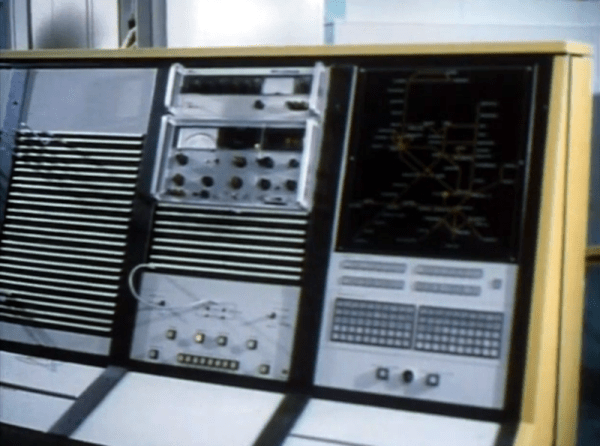
How do you make the trains run on time? British Rail adopted TOPS, a computer system born of IBM’s SAGE defense project, along with work from Standford and Southern Pacific Railroad. Before TOPS, running the railroad took paper. Lots of paper, ranging from a train’s history, assignments, and all the other bits of data required to keep the trains moving. TOPS kept this data in real-time on computer screens all across the system. While British Rail wasn’t the only company to deploy TOPS, they were certainly proud of it and produced the video you can see below about how the system worked.
There are a lot of pictures of old big iron and the narrator says it has an “immense storage capacity.” The actual computers in question were a pair of IBM System/370 mainframes that each had 4 MB of RAM. There were also banks of 3330 disk drives that used removable disk packs of — gasp — between 100 and 200 MB per pack.
As primitive and large as those disk drives were, they pioneered many familiar-sounding technologies. For example, they used voice coils, servo tracking, MFM encoding, and error-correcting encoding.
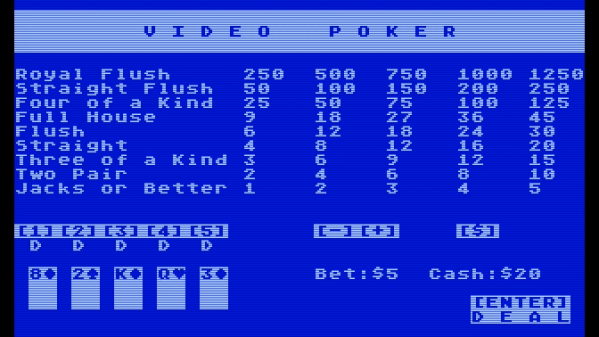
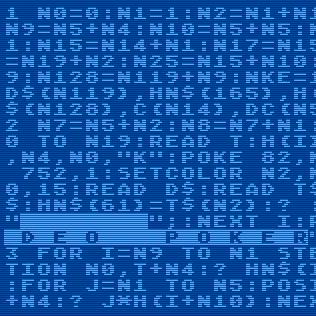
It wasn’t easy, but [D. Scott Williamson] succeeded in implementing Jacks or Better Video Poker in 10 lines of BASIC, complete with flashing light and sound! Each round, one places a bet then plays a hand of 5-card draw, hoping to end up with Jacks or better.
This program is [Scott]’s entry into the 2024 BASIC 10 Liner Contest, which at this writing has concluded submissions and expects to announce results on April 6th 2024. Contestants may choose any 8-bit computer system BASIC, and must implement their program within ten lines of code (classically limited to 80 characters per line, but there are different categories with different constraints on line width.)
10 lines of BASIC is truly an exercise in information density.
We’ve seen impressive 10-line BASIC programs before, like this re-implementation of the E.T. video game. (Fun fact: while considered one of the worst video games of all time, there’s a compelling case to be made that while it was a flop, it was ahead of its time and mostly just misunderstood.)
These programs don’t look much like the typical BASIC programs many of us remember. They are exercises in information density, where every character counts. So we’re delighted to see [Scott] also provides a version of his code formatted and commented for better readability, and a logical overview that steps through each line.
He spends a little time talking about the various challenges, as well. For example, hand ranking required a clever solution. IF…THEN conditionals would rapidly consume the limited lines of code, so hands are ranked programmatically. The 52-card deck is also simulated, rather than simply generating random cards on the fly.
The result looks great, and you can watch it in action in the video, just under the page break. If this sort of challenge tweaks your interest, there’s plenty of time to get started on next year’s BASIC 10 Liner Contest. Fire up those emulators!