Breadboard Tetris Is Wire Artwork

RGB-module-breadboard-tetris

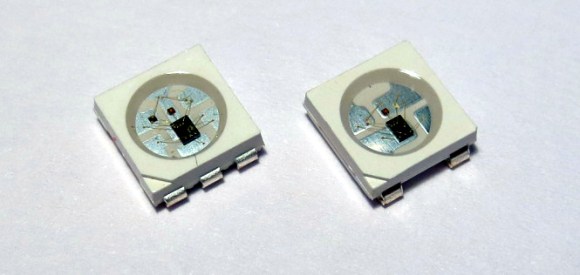
Look closely at the colored pixels on this pair of 8×8 RGB LED modules and you’ll be able to pick out some of the familiar shapes of Tetris pieces. It’s impressive that [Jianan Li] built his own color Tetris including the theme music, but look at this breadboard! The layout of his circuit is as equally impressive as the code he wrote to get the game up and running. It takes a fair amount of planning to get a circuit of this complexity to fit in the space he used, right?

There are two microcontrollers at work, each running the Arduino bootloader. The main chip is an ATmega328 which is responsible for monitoring the buttons and controlling game play. The other is an ATmega85. The eight pin chip listens to it’s bigger brother, playing the theme song when the game starts, and pausing or resuming to match the user input So is the next stop for this project playing Tetris on the side of a building?

Don’t miss the demo video after the break. We’ve also rolled in a video of his Arduino-based piano. It’s built on a breadboard that’s nearly as impressive as this. But what delights us is his skill at playing Pokemon themes on the two-octave tactile switch keyboard. Obviously those piano lessons his parents shelled out for really paid off!

Continue reading “Breadboard Tetris Is Wire Artwork”

Custom E-Cruiser Has Features For Disabled Rider

e-crusier

As [AussieJester] noted in the first page of his build log, most people’s idea of a “custom-made” electric bicycle involves strapping some electronics and a hub motor onto any off-the-shelf bike. He needed a bigger challenge, so he fabricated his own frame to build a stylish electric cruiser. This bike has a 2-speed transmission and a massive Turnigy 80-100 brushless outrunner motor, which pushes out a top speed of 45mph.

You may have noticed what look like training wheels in the picture above, and you’d be half-correct. [AussieJester] is a paraplegic, and needed to guarantee some stability both when transferring from his wheelchair and when coming to a stop. The best feature of this bike, however, is that these small wheels are retractable. A linear actuator lowers them for slower speeds and for mounting/dismounting, but picks them back off the ground once you are up to speed, maintaining a true 2-wheeled experience.

Stick around for a couple of videos after the break: a first-person POV showing just how quick this bike can move, and a demonstration of the actuators. Then check out another EV pioneer in the world of skateboarding.

Continue reading “Custom E-Cruiser Has Features For Disabled Rider”

CD-ROM POV Clock

clock

[Kyle] wanted to try something new. A Persistence of Vision Clock using a CD-ROM drive.

We have covered lots of POV Clocks that make use of hard drives, but we think this is the first time we have seen a CD-ROM drive used instead. [Kyle] points out that CD-ROM drives are typically much quieter than hard drives, which is the main reason he chose the CD-ROM route.

At the heart of this project is a good old ATMEGA168 and an RGB LED strip for the lights. To measure and maintain the rotational speed of the clock [Kyle] used an IR photodiode that detects a reference mark on the disc. An elegant build of a classic POV Clock, with a new twist!

The cool thing about this project is he did not actually use the CD-ROM drive like you think he would — he chucked the spindle motor and instead is spinning the disk using the tray ejection motor! He did this so he could control the motor by PWM straight off the microcontroller, whereas the spindle motor would require an IC and a varying control signal with specific voltage amplitudes.

He also experimented with different backgrounds and background lighting, which you can see in the video after the break!

Continue reading “CD-ROM POV Clock”

DIY Metal Detector

Looking for a light project to teach young hackers some very basic electronics? Here’s a quick and easy weekend project, a simple metal detector!

We all know 555 timers are very useful and pop up in a wide range of projects, but did you know a metal detector is one of them? [vonPongrac] stumbled upon this handy guide, a free eBook on 50 555 Circuits, which contains many cool project ideas, including a simple metal detector circuit. It’s a very basic concept that uses a coil of copper wire as a home-made choke — when metal or a magnet comes near the coil, it varies the output frequency, and the 555 timer in turn, varies the output sound, alerting you of the presence of something metal nearby.

After the break there’s a video of it during its testing phases. If you don’t have a 555 on hand (tisk tisk) but still want to have some treasure hunting fun you can also build one based on an Arduino.

Continue reading “DIY Metal Detector”

Making QR Codes In Google Docs

screen-shot-2013-09-18-at-1-48-20-am

[Jordi] sent us this great tip on how to generate QR codes inside Google Docs. This can be super handy if you ever need to make a lot of them at one time, plus they update on the fly!

In his example he set up the code to create vCards so he could transfer contacts to his phone quickly and easily. The code pulls in a Google API QR generator and provides you with a QR code as an image! The following is his code, which can be easily modified to suit your needs:

=image("https://chart.googleapis.com/chart?chs=200x200&cht=qr&chl=BEGIN:VCARD%0AN:" & A2 & "%20" & B2 & "%0ATEL;CELL:" & C2 & "%0AEMAIL:" & D2 & "%0AEND:VCARD")

Or if you just want the bare bones:

=image("https://chart.googleapis.com/chart?chs=200x200&cht=qr&chl=<strong>YOUR CELL</strong>")

And if you need a full walkthrough, there is a video after the break. Those wanting to tinker around with more QR code hijinks will enjoy forming images from QR codes and milling QR codes into your copper layers.

Continue reading “Making QR Codes In Google Docs”

Mechanical Typewriter Types Your Tweets!

ScreenShot027

While we weren’t able to visit the Toronto Maker Faire this past weekend, a friend let us know about this great hack. A mechanized typewriter that types out tweets directed at the maker, @mschwanzer!

[Michael Schwanzer] has a few blog posts outlining the build, but the first part of this news article and accompanying video explain it quite nicely. The printer-typewriter features an array of solenoids that are controlled by an Arduino using shift registers. A Raspberry Pi collects the information from Twitter and then parses the data to the Arduino for typing. A simple concept, but a complex and relatively expensive build.

During the fair, people could have their own tweets printed and streamed on this site. You can still see it in action though, just check out the video after the break! Continue reading “Mechanical Typewriter Types Your Tweets!”

An Oscilloscope On Your Wrist

osc-watch2

Calculator watches were the Geek cred of the 80’s. Today everyone is getting smart watches. How can the hip Geek stay ahead? [Gabriel Anzziani] to the rescue with his Oscilloscope Watch! [Gabriel] has made a cottage industry with his micro test tools. We’ve featured his Xprotolab and Xminilab on here on Hack a Day more than once. The Oscilloscope Watch basically takes all the features of the Xprotolab and squeezes them down into a wrist watch.

The Oscilloscope Watch includes an oscilloscope, a logic analyzer, an arbitrary waveform generator, and of course it tells time.  The Oscilloscope Watch’s processor is the AVR XMega128.  [Gabriel] has even included a link to the schematics (PDF) on his Kickstarter page. We really like that 3D printed case, and hope [Gabriel] opens up his CAD designs for us to work with.

Like its predecessors, the Oscilloscope watch won’t be replacing your Tektronix scope, or even your Rigol. Much like a Swiss army knife or Leatherman tool, the Oscilloscope Watch packs a bunch of tools into a small package. None of them are as good as a full-sized tool, but in a pinch they will get the job done. If you are wondering where the probes connect. [Gabriel] states on the Kickstarter page that he will design a custom 9 pin .100 connector to BNC adapter to allow the use of standard probes.

The screen is the same series of Sharp Memory LCD’s used in the Pebble watch. [Gabriel] chose to go with the FPC version of the Sharp LCD rather than the zebra connector.  We’ve learned the hard way that those flex circuits snap at the LCD glass after only a few flexes. Hopefully this won’t impact the hackability of the watch.