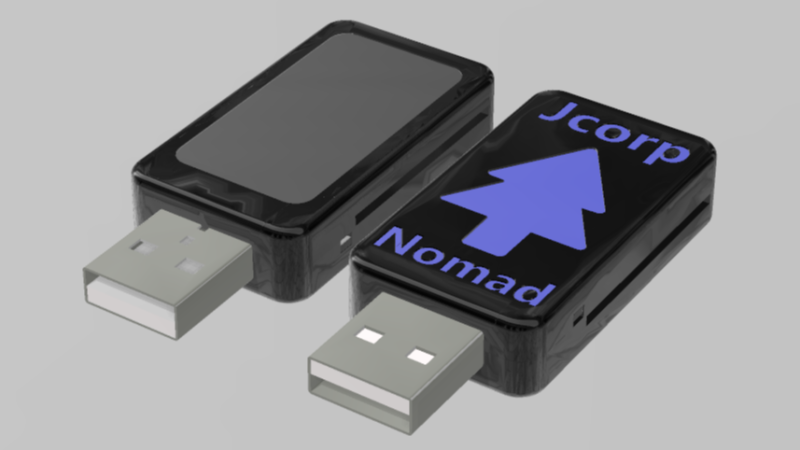
Picture of front and back of thumb drive enclosure

Jcorp Nomad: ESP32-S3 Offline Media Server In A Thumbdrive

[Jackson Studner] wrote in to let us know about his ESP32-based media server: Jcorp Nomad.

This project uses a ESP32-S3 to create a WiFi hotspot you can connect to from your devices. The hotspot is a captive portal which directs the user to a web-interface comprised of static HTML assets which are in situ with the various media on an attached SD card formatted with a FAT32 file system. The static HTML assets are generated by the media.py Python 3 script when the ESP32 boots.

This project exists because the typical Raspberry Pi media server costs more than an ESP32 does. The ESP32 is smaller too, and demands less power.

According to [Jackson] this ESP32-based solution can support at least four concurrent viewers. The captive portal is implemented with DNS and HTTP services from the ESP32. The firmware is an Arduino project that integrates a bunch of libraries to provide the necessary services. The Jcorp Nomad media template supports Books (in pdf files), Music (in mp3 files), and Movies and Shows (in mp4 files). Also there is a convention for including JPEG files which can represent media in the user-interface.

And the icing on the cake? The project files include STL files so you can 3D print an enclosure. All in all, a very nice hack.
How To Train A New Voice For Piper With Only A Single Phrase

[Cal Bryant] hacked together a home automation system years ago, which more recently utilizes Piper TTS (text-to-speech) voices for various undisclosed purposes. Not satisfied with the robotic-sounding standard voices available, [Cal] set about an experiment to fine-tune the Piper TTS AI voice model using a clone of a single phrase created by a commercial TTS voice as a starting point.

Before the release of Piper TTS in 2023, existing free-to-use TTS systems such as espeak and Festival sounded robotic and flat. Piper delivered much more natural-sounding output, without requiring massive resources to run. To change the voice style, the Piper AI model can be either retrained from scratch or fine-tuned with less effort. In the latter case, the problem to be solved first was how to generate the necessary volume of training phrases to run the fine-tuning of Piper’s AI model. This was solved using a heavyweight AI model, ChatterBox, which is capable of so-called zero-shot training. Check out the Chatterbox demo here.

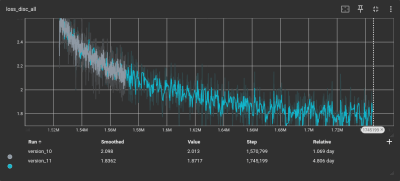
As the loss function gets smaller, the model’s accuracy gets better

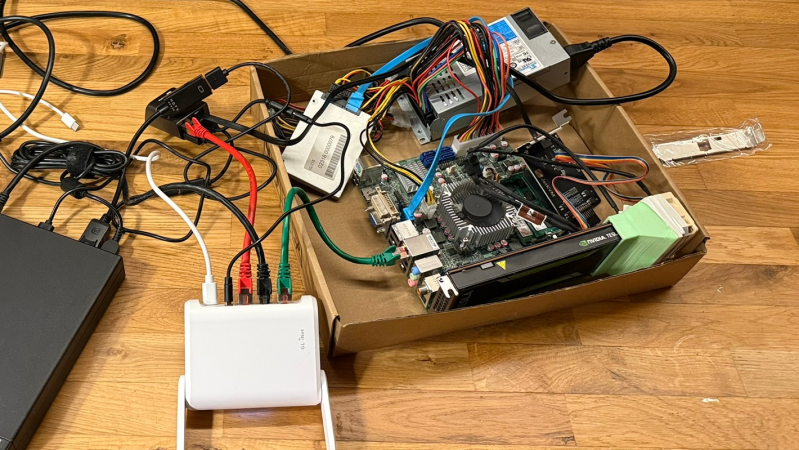
Training began with a corpus of test phrases in text format to ensure decent coverage of everyday English. [Cal] used ChatterBox to clone audio from a single test phrase generated by a ‘mystery TTS system’ and created 1,300 test phrases from this new voice. This audio set served as training data to fine-tune the Piper AI model on the lashed-up GPU rig.

To verify accuracy, [Cal] used OpenAI’s Whisper software to transcribe the audio back to text, in order to compare with the original text corpus. To overcome issues with punctuation and differences between US and UK English, the text was converted into phonemes using espeak-ng, resulting in a 98% phrase matching accuracy.

After down-sampling the training set using SoX, it was ready for the Piper TTS training system. Despite all the preparation, running the software felt anticlimactic. A few inconsistencies in the dataset necessitated the removal of some data points. After five days of training parked outside in the shade due to concerns about heat, TensorBoard indicated that the model’s loss function was converging. That’s AI-speak for: the model was tuned and ready for action! We think it sounds pretty slick.

If all this new-fangled AI speech synthesis is too complex and, well, a bit creepy for you, may we offer a more 1980s solution to making stuff talk? Finally, most people take the ability to speak for granted, until they can no longer do so. Here’s a team using cutting-edge AI to give people back that ability.

Convert Any Book To A DIY Audiobook?

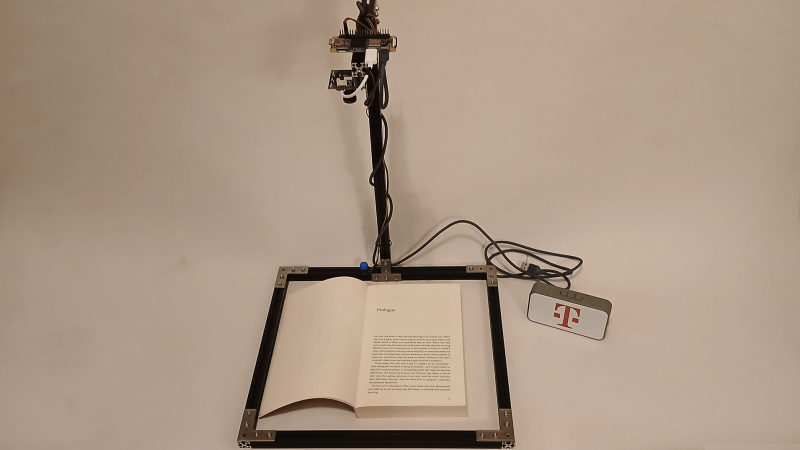
If the idea of reading a physical book sounds like hard work, [Nick Bild’s] latest project, the PageParrot, might be for you. While AI gets a lot of flak these days, one thing modern multimodal models do exceptionally well is image interpretation, and PageParrot demonstrates just how accessible that’s become.

[Nick] demonstrates quite clearly how little code is needed to get from those cryptic black and white glyphs to sounds the average human can understand, specifically a paltry 80 lines of Python. Admittedly, many of those lines are pulling in libraries, and some are just blank, so functionally speaking, it’s even shorter than that. Of course, the whole application is mostly glue code, stitching together other people’s hard work, but it’s still instructive and fun to play with.

The hardware required is a Raspberry Pi Zero 2 W, a camera (in this case, a USB webcam), and something to hold it above the book. Any Pi with the ability to connect to a camera should also work, however, with just a little configuration.

On the software side, [Nick] pulls in the CV2 library (which is the interface to OpenCV) to handle the camera interfacing, programming it to full HD resolution. Google’s GenAI is used to interface the Gemini 2.5 Flash LLM via an API endpoint. This takes a captured image and a trivial prompt, and returns the whole page of text, quick as a flash.

Finally, the script hands that text over to Piper, which turns that into a speech file in WAV format. This can then be played to an audio device with a call out to the console aplay tool. It’s all very simple at this level of abstraction.

Continue reading “Convert Any Book To A DIY Audiobook?”

Back To The Future, 40 Years Old, Looks Like The Past

Great Scott! If my calculations are correct, when this baby hits 88 miles per hour, you’re gonna see some serious shit. — Doc Brown

On this day, forty years ago, July 3rd, 1985 the movie Back to the Future was released. While not as fundamental as Hackers or realistic as Sneakers, this movie worked its way into our pantheon. We thought it would be appropriate to commemorate this element of hacker culture on this day, its forty year anniversary.

If you just never got around to watching it, or if it has been a few decades since you did, then you might not recall that the movie is set in two periods. It opens in 1985 and then goes back to 1955. Most of the movie is set in 1955 with Marty trying to get back to 1985 — “back to the future”. The movie celebrates the advanced technology and fashions of 1985 and is all about how silly the technology and fashions of 1955 are as compared with the advancements of 1985. But now it’s the far future, the year 2025, and we thought we might take a look at some of the technology that was enchanting in 1985 but that turned out to be obsolete in “the future”, forty years on. Continue reading “Back To The Future, 40 Years Old, Looks Like The Past”

Reliving VHS Memories With NFC And ESPHome

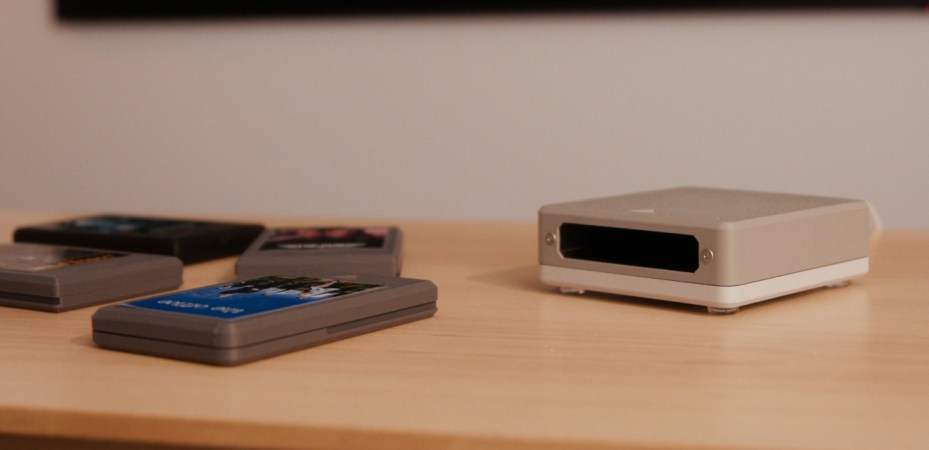
Like many of us of a certain vintage, [Dillan Stock] at The Stock Pot is nostalgic for VHS tapes. It’s not so much the fuzzy picture or the tracking issues we miss, but the physical experience the physical medium brought to movie night. To recreate that magic, [Dillan] made a Modern VHS with NFC and ESPHome.

NFC tags are contained in handsomely designed 3D printed cartridges. You can tell [Dillan] put quite a bit of thought into the industrial design of these: there’s something delightfully Atari-like about them, but they have the correct aspect ratio to hold a miniaturized movie poster as a label. They’re designed to print in two pieces (no plastic wasted on supports) and snap together without glue. The printed reader is equally well thought out, with print-in-place springs for that all important analog clunk.

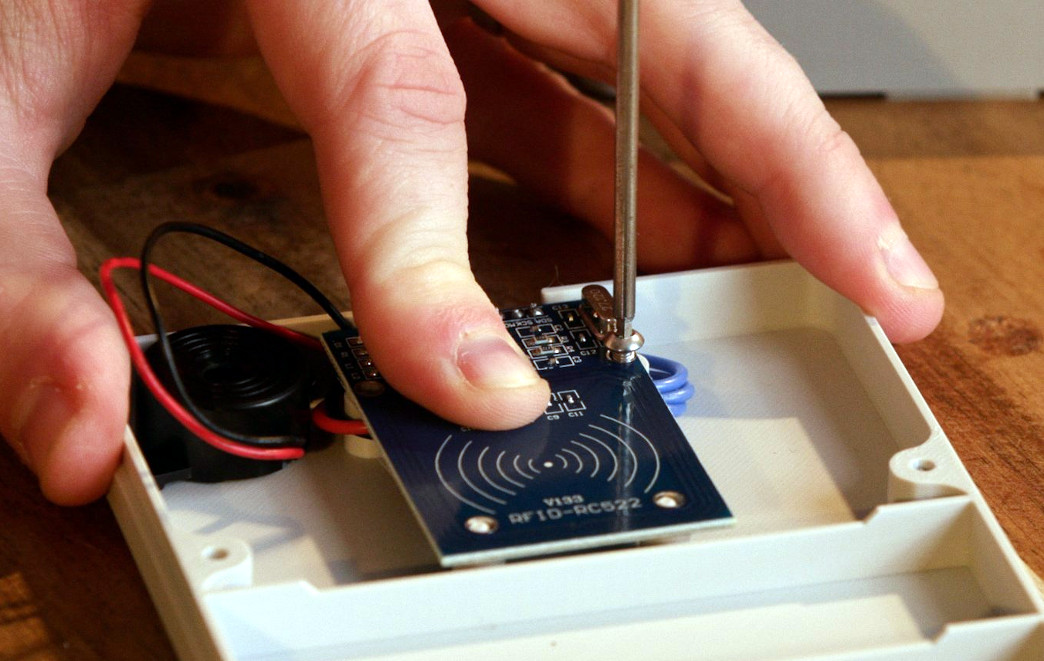
Electronically, the reader is almost as simple as the cartridge: it holds the NFC reader board and an ESP32. This is very similar to NFC-based audio players we’ve featured before, but it differs in the programming. Here, the ESP32 does nothing related directly to playing media: it is simply programmed to forward the NFC tag id to ESPHome. Based on that tag ID, ESPHome can turn on the TV, cue the appropriate media from a Plex server (or elsewhere), or do… well, literally anything. It’s ESPHome; if you wanted to make this and have a cartridge to start your coffee maker, you could.

If this tickles your nostalgia bone, [Dillan] has links to all the code, 3D files and even the label templates on his site. If you’re not sold yet, check out the video below and you might just change your mind. We’ve seen hacks from The Stock Pot before, everything from a rebuilt lamp to an elegant downspout and a universal remote.

Continue reading “Reliving VHS Memories With NFC And ESPHome”

Whack-A-Disk

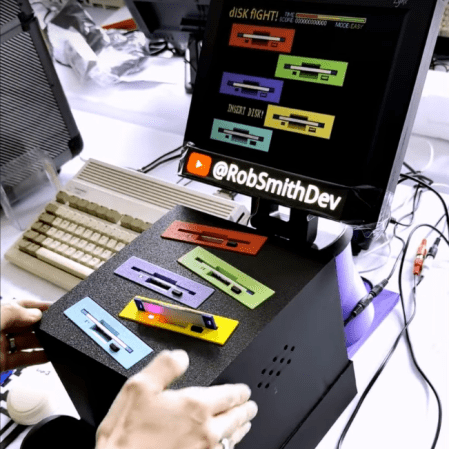
By now most floppy disks have been relegated to the dustbin of history, with a few exceptions for obscure industrial applications using legacy hardware and, of course, much of the world’s nuclear weapons arsenals. In fact, they’re so rare to see in the world anymore that many below a certain age don’t recognize the “save” symbol commonly used in application user interfaces. Without a use case, and with plenty of old floppies still laying around, [Rob] took a pile of them and built this Whack-a-Mole-style game.

The game has a number of floppy-disk-specific features compared to the arcade classic, though. First, there’s no mallet, so the player must push the floppy disks into the drive manually. Second, [Rob] went to somewhat exceptional lengths to customize the drives to that sometimes the disks jump out of the drive, forcing the player to grab them and put them back in to score points in the game. He did this without needing to install high-powered solenoids in the drives too. As for the game software itself, it all runs on an Amiga 600 and even includes a custom-made soundtrack for the 30-second game.

Getting the drives just right did take a number of prototypes, but after a few versions [Rob] has a working game that looks fun to play and is a clever use of aging hardware, not to mention the fact that it runs on a retro computer as well. Of course, for the true retro feel, you’ll want to make sure you find a CRT for the display somewhere, even though they’re getting harder to find now than old floppy disk drives.

Continue reading “Whack-A-Disk”

GEEKDeck Is A SteamDeck For Your Living Room

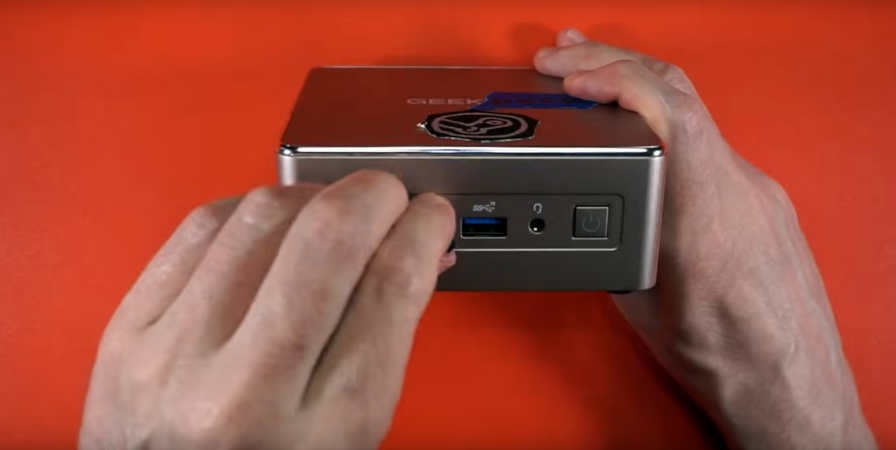
You know what the worst thing about the Steam Deck is? Being able to play your games on the go. Wouldn’t it be better if it was a screenless brick that lived under your TV? Well, maybe not, but at least one person thought so, because [Interfacing Linux] has created the GeekDeck, a Steam OS console of sorts in this video embedded below.

The hack is as simple as can be: he took a GEEKOM A5, a minicomputer with very similar specs to the Steam Deck, and managed to load SteamOS onto it. We were expecting that to be a trial that took most of the video’s runtime, but no! Everything just… sorta worked. It booted to a live environment and installed like any other Linux. Which was unexpected, but Steam has released SteamOS for PC. 

In case you weren’t aware, SteamOS is an immutable distribution based on Arch Linux. Arch of course has all the drivers to run on… well, any modern PC, but it’s the immutable part that we were expecting to cause problems. Immutable distributions are locked down in a similar manner to Mac OS (everything but /home/ is typically read-only, even to the superuser) and SteamOS doesn’t ship with package manager that can get around this, like rpm-ostree in Fedora’s Silverblue ecosystem. Actually, if you don’t have a hardware package that matches the SteamDeck to the same degree this GEEKOM does, Bazzite might be a good bet– it’s based on Siverblue and was made to be SteamOS for PC, before Steam let you download their OS to try on your PC.

Anyway, you can do it. Should you? Well, based on the performance shown in the video, not if you want to run triple-A games locally. This little box is no more powerful than the SteamDeck, after all. It’s not a full gaming rig. Still, it was neat to see SteamOS off of the ‘deck and in the wild.

Usually we see hacks that use the guts of the SteamDeck guts with other operating systems, not the other way around. Like the Bento Box AR machine we liked so much it was actually  featured twice.  The SteamDeck makes for a respectable SBC, if you can find a broken one. If not, apparently a Chinese MiniPC will work just as well.

Continue reading “GEEKDeck Is A SteamDeck For Your Living Room”