Resin keycap made from dried flowers

How To Make A Beautiful Floral Keycap Using Resin

Here’s a fun build. Over on their YouTube channel our hacker [Atasoy] shows us how to make a custom floral keyboard keycap using resin.

We begin by using an existing keycap as a pattern to make a mold. We plug the keycap with all-purpose adhesive paste so that we can attach it to a small sheet of Plexiglas, which ensures the floor of our mold is flat. Then a side frame is fashioned from 100 micron thick acetate which is held together by sticky tape. Hot glue is used to secure the acetate side frame to the Plexiglas floor, keeping the keycap centered. RTV2 molding silicone is used to make the keycap mold. After 24 hours the silicone mold is ready.

Then we go through a similar process to make the mold for the back of the keycap. Modeling clay is pushed into the back of the keycap. Then silicone is carefully pushed into the keycap, and 24 hours later the back silicone mold is also ready.

Continue reading “How To Make A Beautiful Floral Keycap Using Resin”

Video Game Preservation Through Decompilation

Unlike computer games, which smoothly and continuously evolved along with the hardware that powered them, console games have up until very recently been constrained by a generational style of development. Sure there were games that appeared on multiple platforms, and eventually newer consoles would feature backwards compatibility that allowed them to play select titles from previous generations of hardware. But in many cases, some of the best games ever made were stuck on the console they were designed for.

Now, for those following along as this happened, it wasn’t such a big deal. For gamers, it was simply a given that their favorite games from the Super Nintendo Entertainment System (SNES) wouldn’t play on the Nintendo 64, any more than their Genesis games could run on their Sony PlayStation. As such, it wasn’t uncommon to see several game consoles clustered under the family TV. If you wanted to go back and play those older titles, all you had to do was switch video inputs.

But gaming, and indeed the entertainment world in general, has changed vastly over the last couple of decades. Telling somebody today that the only way they can experience The Legend of Zelda: A Link to the Past is by dragging out some yellowed thirty-odd year old console from the attic is like telling them the only way they can see a movie is by going to the theater.

These days, the expectation is that entertainment comes to you, not the other way around — and it’s an assumption that’s unlikely to change as technology marches on. Just like our TV shows and movies now appear on whatever device is convenient to us at the time, modern gamers don’t want to be limited to their consoles, they also want to play games on their phones and VR headsets.

But that leaves us with a bit of a problem. There are some games which are too significant, either technically or culturally, to just leave in the digital dust. Like any other form of art, there are pieces that deserve to be preserved for future generations to see and experience.

For the select few games that are deemed worth the effort, decompilation promises to offer a sort of digital immortality. As several recent projects have shown, breaking a game down to its original source code can allow it to adapt to new systems and technologies for as long as the community wishes to keep them updated.

Continue reading “Video Game Preservation Through Decompilation”

Eulogy For The Satellite Phone

We take it for granted that we almost always have cell service, no matter where you go around town. But there are places — the desert, the forest, or the ocean — where you might not have cell service. In addition, there are certain jobs where you must be able to make a call even if the cell towers are down, for example, after a hurricane. Recently, a combination of technological advancements has made it possible for your ordinary cell phone to connect to a satellite for at least some kind of service. But before that, you needed a satellite phone.

On TV and in movies, these are simple. You pull out your cell phone that has a bulkier-than-usual antenna, and you make a call. But the real-life version is quite different. While some satellite phones were connected to something like a ship, I’m going to consider a satellite phone, for the purpose of this post, to be a handheld device that can make calls.

Continue reading “Eulogy For The Satellite Phone”

Tektronix TDS8000 banner

Repairing An Old Tektronix TDS8000 Scope

Over on his YouTube channel our hacker [CircuitValley] repairs an old TDS8000 scope.

The TDS8000 was manufactured by Tektronix circa 2001 and was also marketed as the CSA8000 Communications Signal Analyzer as well as the TDS8000 Digital Sampling Oscilloscope. Tektronix is no longer manufacturing and selling these scopes but the documentation is still available from their website, including the User Manual (268 page PDF), the Service Manual (198 page PDF), and some basic specs (in HTML).

You can do a lot of things with a TDS8000 scope but particularly its use case was Time-Domain Reflectometry (TDR). A TDR scope is the time-domain equivalent of a Vector Network Analyzer (VNA) which operates in the frequency-domain.

Continue reading “Repairing An Old Tektronix TDS8000 Scope”

Hacker Tactic: ESD Diodes

A hacker’s view on ESD protection can tell you a lot about them. I’ve seen a good few categories of hackers neglecting ESD protection – there’s the yet-inexperienced ones, ones with a devil-may-care attitude, or simply those of us lucky to live in a reasonably humid climate. But until we’re able to control the global weather, your best bet is to befriend some ESD diodes before you get stuck having to replace a microcontroller board firmly soldered into your PCB with help of 40 through-hole pin headers.

Humans are pretty good at generating electric shocks, and oftentimes, you’ll shock your hardware without even feeling the shock yourself. Your GPIOs will feel it, though, and it can propagate beyond just the input/output pins inside your chip. ESD events can be a cause of “weird malfunctions”, sudden hardware latchups, chips dying out of nowhere mid-work – nothing to wish for.

Worry not, though. Want to build hardware that survives? Take a look at ESD diodes, where and how to add them, where to avoid them, and the parameters you want to keep in mind. Oh and, I’ll also talk about all the fancy ways you can mis-use ESD diodes, for good and bad alike!

Continue reading “Hacker Tactic: ESD Diodes”

A Number Of Microphones… Er, Inductors, Rather

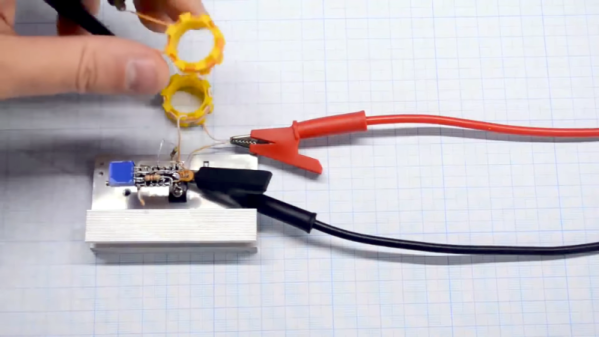
There’s a famous old story about [Charles Steinmetz] fixing a generator for [Henry Ford]. He charged a lot of money for putting a chalk X in the spot that needed repair. When [Ford] asked for an itemization, the bill read $1 for the chalk, and the balance for knowing where to draw the X. With today’s PCB layout tools, it seems easy to put components down on a board. But, as [Kasyan TV] points out in the video below, you still have to know where to put them.

The subject components are inductors, which are particularly picky about placement, especially if you have multiple inductors. After all, inductors affect one another — that’s how transformers work. So there are definite rules about good and bad ways to put a few inductors on a board.

Continue reading “A Number Of Microphones… Er, Inductors, Rather”

ZPUI Could Be Your Tiny Embedded GUI

One of the most frustrating things to me is looking at a freshly-flashed and just powered up single board computer. My goal with them is always getting to a shell – installing packages, driving GPIOs, testing my proof of concept code, adjusting the device tree to load peripheral drivers. Before I can do any of that, I need shell access, and getting there can be a real hassle.

Time after time, I’ve struggled trying to get to a shell on an SBC. For best results, you’d want to get yourself a keyboard, monitor, and an Ethernet cable. Don’t have those, or there’s no space to place them? Maybe a UART connection will work for you – unless it’s broken or misconfigured. Check your pinouts twice. Sure, nowadays you can put WiFi credentials into a text file in /boot/ – but good luck figuring out the IP address, or debugging any mistakes you might make formatting the file. Nowadays, Pi 4 and 5 expose a USB gadget connection on the USB-C port, and that helps… unless you’re already powering the Pi from that port. There’s really no shortage of failure modes here.

If you put a Pi on your network and it goes offline, you generally just don’t know what happened unless you reboot it, which can make debugging into a living hell. I’ve dealt with single-board computers mounted above fiberglass lifted ceilings, fleets of Pi boards at workshops I organized, pocket-carried Pi boards, and at some point, I got tired of it all. A hacker-aimed computer is meant to be accessible, not painful.

Continue reading “ZPUI Could Be Your Tiny Embedded GUI”