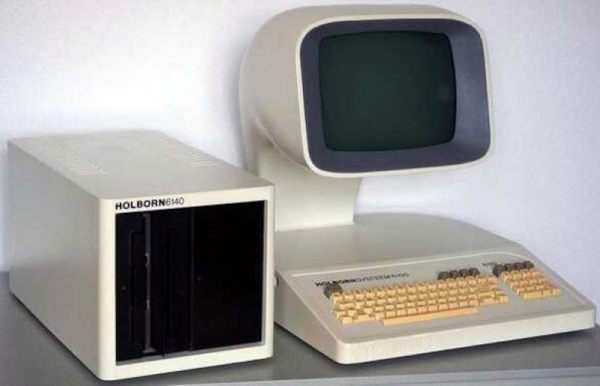
Z80s From The ’80s Had Futuristic Design

Ever heard of a Dutch company called Holborn (literally, born in Holland)? We hadn’t either, but [Bryan Lunduke] showed us these computers from the early 1980s, and we wondered if they might have appeared in some science fiction movies. They definitely look like something from a 1970s movie space station.

The company started out tiny and only lasted a few years. The Holborn 9100 looked like a minicomputer and, honestly, other than the terminal, looks more like an air conditioner or refrigerator. While it was a Z-80 system, it was clearly aimed at business. The processor ran at 3.5 MHz, there was 72K of RAM that could expand to 220 K — a whopping amount for the early ’80s. They also could accept loads of 8-inch floppies. It even had a light pen, which seems exotic today but was actually fairly common back then.
Continue reading “Z80s From The ’80s Had Futuristic Design”

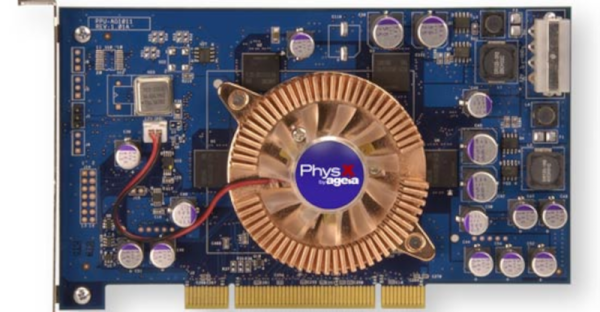
Retrogadgets: The Ageia PhysX Card

Old computers meant for big jobs often had an external unit to crunch data in specific ways. A computer doing weather prediction, for example, might have an SIMD (single instruction multiple data) vector unit that could multiply a bunch of numbers by a constant in one swoop. These days, there are many computers crunching physics equations so you can play your favorite high-end computer game. Instead of vector processors, we have video cards. These cards have many processing units that can execute “kernels” or small programs on large groups of data at once.

Awkward Years

However, there was that awkward in-between stage when personal computers needed fast physics simulation, but it wasn’t feasible to put array processing and video graphics on the same board. Around 2006, a company called Ageia produced the PhysX card, which promised to give PCs the ability to do sophisticated physics simulations without relying on a video card.

Keep in mind that when this was built, multi-core CPUs were an expensive oddity and games were struggling to manage everything they needed to with limited memory and compute resources. The PhysX card was a “PPU” or Physics Processor Unit and used the PCI bus. Like many companies, Ageia made the chips and expected other companies — notably Asus — to make the actual board you’d plug into your computer.

Continue reading “Retrogadgets: The Ageia PhysX Card”

RISC OS Gets An Update

There should be rejoicing among fans of the original ARM operating system this week, as the venerable RISC OS received its version 5.30 update. It contains up-to-date versions of the bundled software as well as for the first time, out-of-the-box WiFi support, and best of all, it can run on all Raspberry Pi models except the Pi 5. If you’ve not encountered RISC OS before, it’s the continuing development of the OS supplied with the first ARM product, the Acorn Archimedes. As such it’s a up-to-date OS but with an interface that feels like those of the early 1990s.

We like RISC OS here, indeed we reviewed the previous version this year, so naturally out came the Hackaday Pi 3 and an SD card to run it on. It’s as smooth and quick as it ever was, but sadly try as we might, we couldn’t get the Pi’s wireless interface to appear in the list of available network cards. This almost certainly has more to do with us than it does the OS, but it would have been nice to break free from the tether of the network cable. The included Netsurf 3.11 browser is nippy but a little limited, and just as it was during our review, sadly not capable of editing a Hackaday piece or we’d be using it to write this.

It’s great to see this operating system still under active development, and we can see that it so nearly fulfills our requirement here for a lightweight OS on the road. For those of us who used the original version, then called Arthur, it’s a glimpse of how desktop computing could, or perhaps even should, have been.

You Can Use Visual Studio Code To Write Commodore 64 Assembly

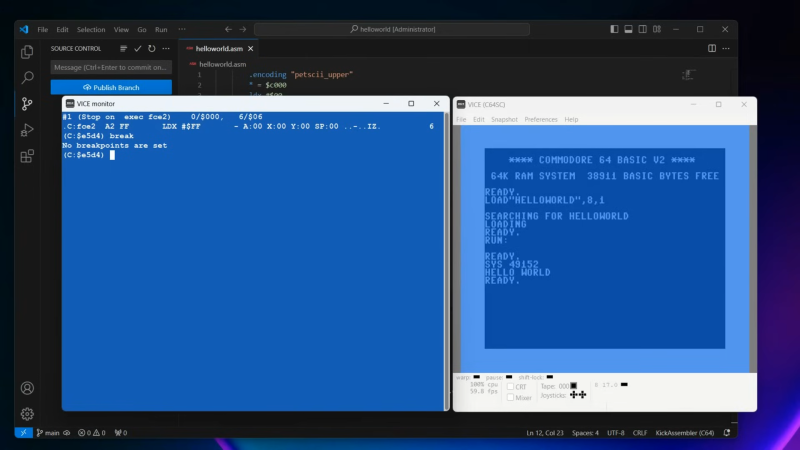
Once upon a time, you might have developed for the Commodore 64 using the very machine itself. You’d use the chunky old keyboard, a tape drive, or the 1541 disk drive if you wanted to work faster. These days, though, we have more modern tools that provide a much more comfortable working environment. [My Developer Thoughts] has shared a guide on how to develop for the Commodore 64 using Visual Studio Code on Windows 11.

The video starts right at the beginning from a fresh Windows install, assuming you’ve got no dev tools to start with. It steps through installing git, Java, Kick Assembler, and Visual Studio Code. Beyond that, it even explains how to use these tools in partnership with VICE – the Versatile Commodore Emulator. That’s a key part of the whole shebang—using an emulator on the same machine is a far quicker way to develop than using real Commodore hardware. You can always truck your builds over to an actual C64 when you’ve worked the bugs out!

It’s a great primer for anyone who is new to C64 development and doesn’t know where to start. Plus, we love the idea of bringing modern version control and programming techniques to this ancient platform. Video after the break.

Continue reading “You Can Use Visual Studio Code To Write Commodore 64 Assembly”

You Can Run BASIC On An Old HP 4592 Protocol Analyzer

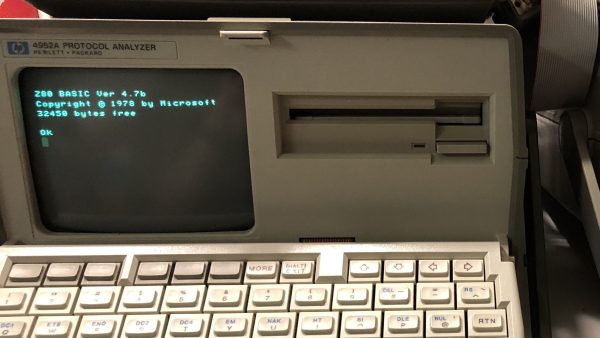
What do you do when you find an ancient piece of test gear and want to have fun? Well, you can always try getting BASIC running on it, and that’s precisely what [David Kuder] did.

The HP4952A Protocol Analyzer actually looks a lot like an old computer, even if it was never meant for general-purpose use. The heart of the machine is a Zilog Z80 CPU, though, so it shares a lot in common with microcomputers of its era.

Among other hacks, [David] worked to get Microsoft Basic-80 running on the machine. Initially, he was only able to get it up and running on the display, with no way to read the keyboard, disk, or access the serial port. Eventually, by diving into the nitty-gritty of the machine, he was able to at least get the keyboard working along with some basic BASIC programs. Usable memory is just 8KB, but you can do a fair bit with that when you’ve only got a 32×16 display for output anyway!

It’s a neat hack and one that was extendable to the HP4957A as well. We’ve seen similar machines on these pages before, too! If you’ve got your own neat retro hacks on the boil, don’t hesitate to drop us a line!

[Thanks to Christopher Zell for the tip!]

Pi Pico Gets A ZX Spectrum Emulator

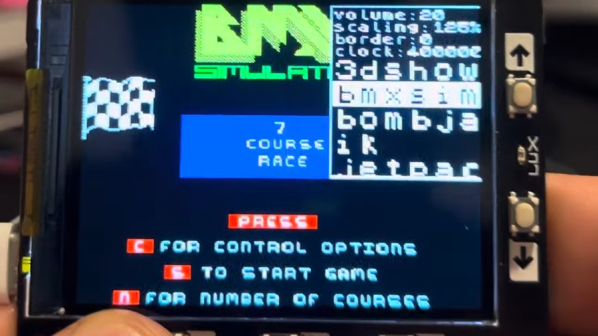
The Pi Pico is a capable microcontroller that can do all kinds of fun and/or useful things. In the former vein, [antirez] has ported a ZX Spectrum emulator to the Pi Pico.

ZX2040, as it is known, is a port of [Andre Weissflog’s] existing ZX spectrum emulator. It’s designed for use on the compact embedded Pi Pico platform, using ST77xx TFT displays. To that end, it has a UI optimized for small, low resolution screens and minimal buttons. After all, very few Pi Picos come with a full QWERTY keyboard attached.

Certain hacks are necessary to make it all work; the chip is overclocked to get things humming fast enough. The emulator also runs upscaling or downscaling in realtime as needed. This allows the emulator to run with a variety of displays, almost none of which are a direct match for the ZX Spectrum’s original resolution of 256×192 pixels.

Code is on Github for the curious, including a great run down from [antirez] on everything that makes it tick. If you want to play ZX Spectrum games on a keychain, you’d do well to start here. There are other projects to emulate it on the Pico, too! Video after the break.

Continue reading “Pi Pico Gets A ZX Spectrum Emulator”

Nearly-Destroyed Commodore Gets New Life

We all have our shiny, modern computers for interacting with the modern world, but at times they can seem a little monochromatic. Even the differences between something like macOS and Windows for the average user often boil down to which operating system loads an Internet browser. There are obviously more differences than that, but back in the 80s it was much more extreme with interoperability a pipe dream in most cases. What keeps drawing people to maintaining and using computers from that chaotic era is more tangible compared to modern machines, and that is meant quite literally; computers from this era can be saved from an extreme amount of degradation like this Commodore that was nearly completely destroyed before it was re-discovered.

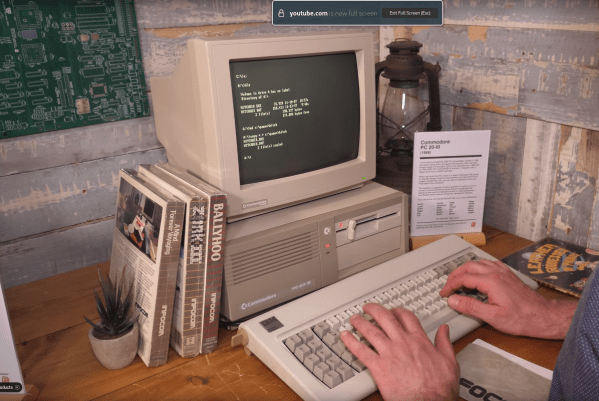
The first step was to restore the case of this Commodore PC20-III, but the restoration of the computer’s internals took a bit more time. First, the entire board was de-soldered, with any rare chips being set aside for future use. Unfortunately the board itself was too corroded and otherwise damaged to be used, but since these were just two-layer boards it could be photographed and then re-created in CAD software to make a near-perfect duplicate of the original. The team at [The Cave] took the opportunity to add patch wires which would have been present in the original machine into the PCB, and made some other upgrades as well like adding sockets to various chips that would have been originally soldered to the board.

The passive components, especially capacitors, were brand new as well and some period-correct components such as a monitor and keyboard finish out the build. The computer boots on the first try, and is quickly put through its paces testing the hard disk drive, using the old floppy drive, and even playing a few video games from the era. The fact that retrocomputers like these are easy (by modern standards) to reverse engineer and restore surely leads to their continued popularity, and we’ve seen everything from C64s to this 128DCR get a similar full restoration.

Continue reading “Nearly-Destroyed Commodore Gets New Life”