Mmm… Obfuscated Shell Donuts

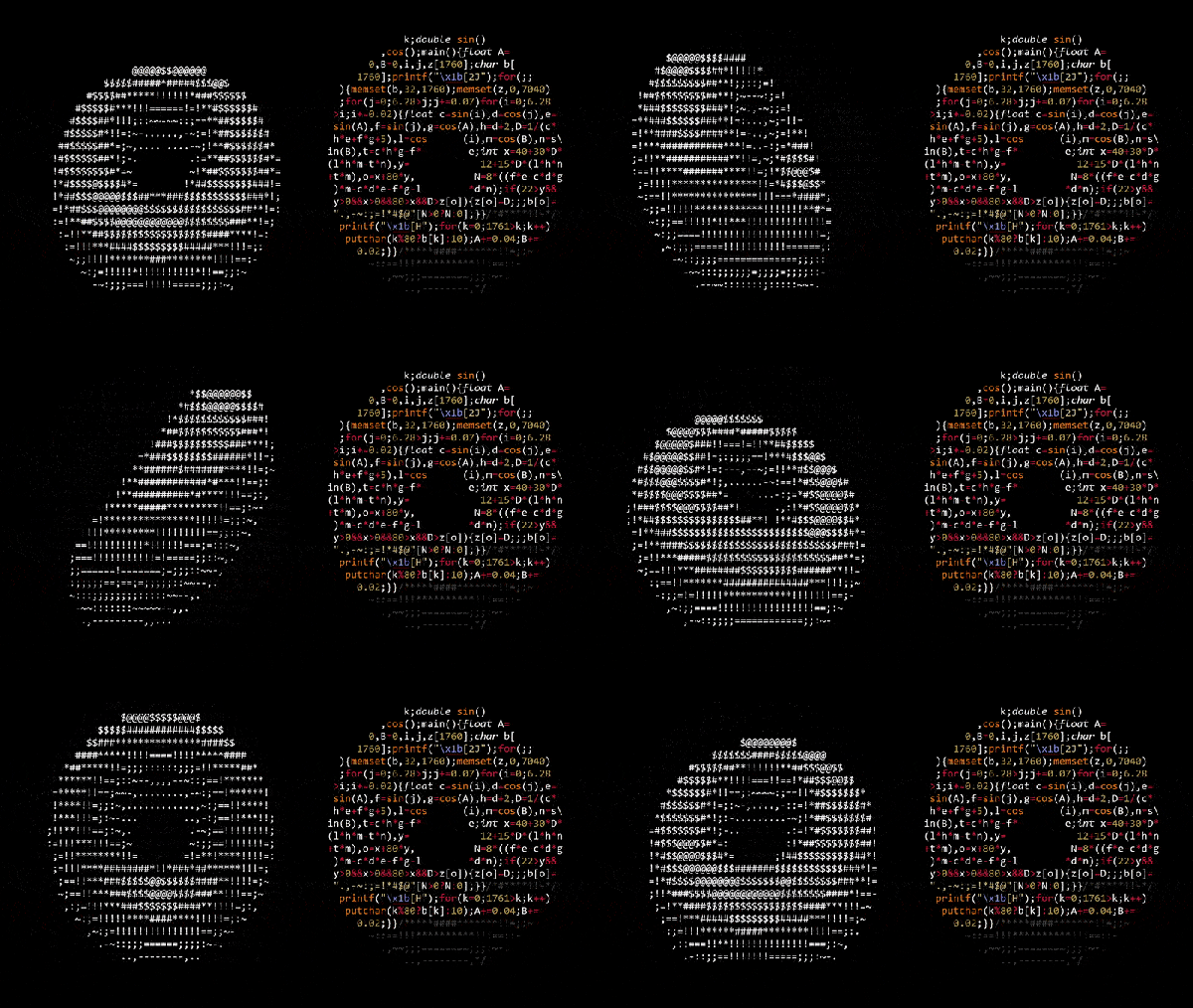
In case you grow tired of clear-written, understandable code, obfuscation contests provide a nice change of scenery, and trying to make sense of their entries can be a fun-time activity and an interesting alternative to the usual brainteasers. If we ever happen to see a Simpsons episode on the subject, [Andy Sloane] has the obvious candidate for a [Hackerman Homer] entry: a rotating ASCII art donut, formatted as donut-shaped C code.

The code itself actually dates back to 2006, but has recently resurfaced on Reddit after [Lex Fridman] posted a video about it on YouTube, so we figured we take that chance to give some further attention to this nifty piece of art. [Andy]’s blog article goes in all the details of the rotation math, and how he simply uses ASCII characters with different pixel amounts to emulate the illumination. For those who prefer C over mathematical notation, we added a reformatted version after the break.

Sure, the code’s donut shape is mainly owed to the added filler comments, but let’s face it, the donut shape is just a neat little addition, and the code wouldn’t be any less impressive squeezed all in one line — or multiple lines of appropriate lengths. However, for the actual 2006 IOCCC, [Andy] took it a serious step further with his entry, and you should definitely give that one a try. For some more obfuscated shell animations, check out the fluid dynamics simulator from a few years back, and for a more recent entry, have a look at the printf Tic Tac Toe we covered last month.

Continue reading “Mmm… Obfuscated Shell Donuts”

EasyOCR Makes OCR, Well, Easy

Working on embedded systems used to be easier. You had a microcontroller and maybe a few pieces of analog or digital I/O, and perhaps communications might be a serial port. Today, you have systems with networks and cameras and a host of I/O. Cameras are strange because sometimes you just want an image and sometimes you want to understand the image in some way. If understanding the image involves reading text in the picture, you will want to check out EasyOCR.

The Python library leverages other open source libraries and supports 42 different languages. As the name implies, using it is pretty easy. Here’s the setup:


import easyocr
reader = easyocr.Reader(['th','en'])
reader.readtext('test.jpg')

The results include four points that define the bounding box of each piece of text, the text, and a confidence level. The code takes advantage of the GPU, but you can run it in a CPU-only mode if you prefer. There are a few other options, including setting the algorithm’s scanning behavior, how it handles multiple processors, and how it converts the image to grayscale. The results look impressive.

According to the project’s repository, they incorporated several existing neural network algorithms and conventional algorithms, so if you want to dig into details, there are links provided to both code and white papers. If you need some inspiration for what to do with OCR, maybe this past project will give you some ideas. Or you could cheat at games.

Your Microcontroller Is Your IDE

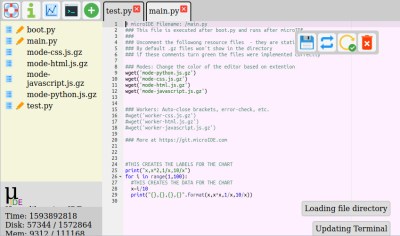
What if your microcontroller IDE was running on the microcontroller itself and not hosted on the computer you use to do the programming? The greatest legacy of Arduino in all its forms has arguably been a software one, in that it replaced annoying proprietary development environments with one that installed easily on a range of operating systems, was easy to use, and above all, worked. The next level of portability is to get rid of any specialize computer-side software. [Ronny Neufeld] wrote MicroIDE for ESP32 as an IDE accessible through a web browser, which interestingly is hosted on the target device itself.

Using the IDE is easy enough, install a binary, connect to the ESP with a web browser, start writing MicroPython code. There is a choice of connecting directly to the chip as a hotspot, or connecting via another WiFi network. The interface is looking pretty slick but he’s at pains to remind us that it’s a work in progress. Sadly there is no source code yet as it’s a binary distribution that is free for non-commercial use, we’d hope that an open-source release might one day happen. It’s not for everyone, but the convenience of accessing the same interface from almost any modern device should help attract a healthy community.
This appears to be the first web-based on-chip ESP IDE we’ve shown you. But it’s not the first on-chip coding example, as this BASIC interpreter shows.

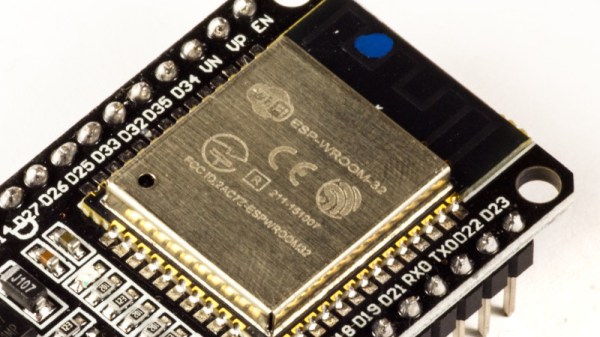
[Main image source: Ubahnverleih / CC0]

Implementing The Exponential Function

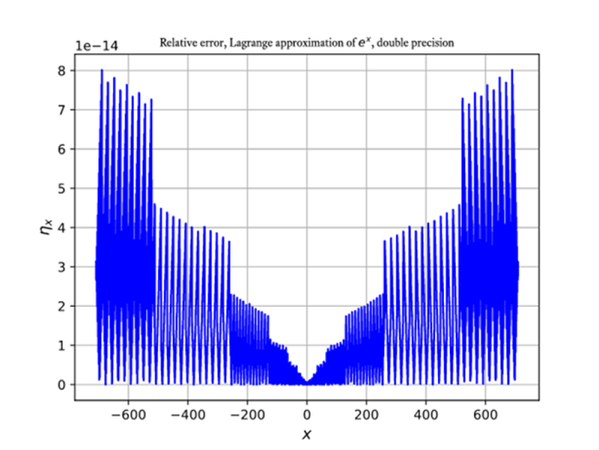
Ask ordinary software developers how to code an exponential function (that is, ex) and most will tell you to simply write an expression in their favorite high level language. But a significant slice of Hackaday readers will program tiny machines down to the bare metal or need more speed or precision than available with a customary implementation. [Pseduorandom] knows quite a few ways to do the calculation, and while it isn’t light reading for the math-phobic, it is an interesting tour.

The paper covers a variety of ways to calculate the function ranging from various Taylor series approximations, Lagrange interpolation, and Chebyshev interpolation. The paper is somewhat abstract, but there are Python and C++ examples to help make it concrete.

Continue reading “Implementing The Exponential Function”

An Open Source Tool To Document Your Wiring

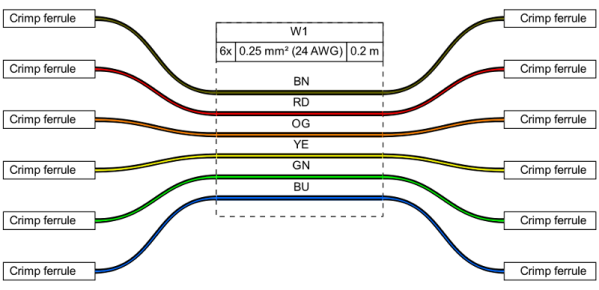
Most of us are familiar with the tools available to create circuit diagrams, as generally that’s the first step towards producing a custom PCB. But that about the cables and wiring harnesses that don’t live on your board? How do you easily document the rat’s nest perfectly logical wiring of your latest and greatest creation?

That’s precisely the question that led [Daniel Rojas] to create WireViz. This open source Python tool takes human readable input files and turns them into attractive and functional visualizations of where all the wires in your project are going. It can even be used to generate a Bill of Materials that documents the lengths of wire required and types of connectors needed to hook everything up.

If you’re still using pre-made cables to connect all of your components together, than you might not immediately see the benefit of a tool like this. But as we’ve talked about in the past, the creation of custom wiring harnesses is something that serious hardware hackers should become familiar with. Yes it takes more effort, but the end result is worth it. With a tool like WireViz, the creation of a bespoke harness for your next project just got a little bit easier.

[Daniel] has done a fantastic job documenting this project, providing not only a tutorial on how to feed and care for your WireViz, but a gallery of examples that shows off the kind of complex wiring the tool can help make sense of. But there’s plenty more to be done, and he’s happy to get feedback or code contributions from anyone who wants to get involved.

Simulate Your World With Hash.ai

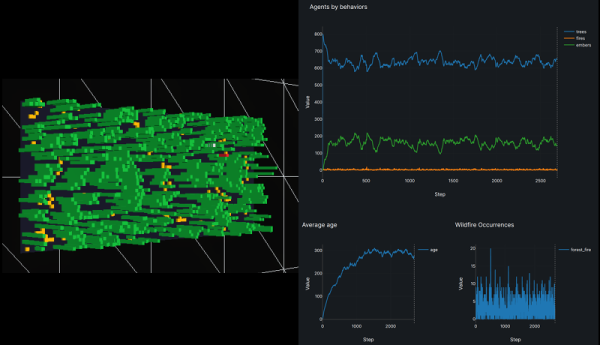
We will admit that we often throw together software simulations of real-world things, but we’ll also admit they are usually quick and dirty and just dump out text that we might graph in a spreadsheet or using GNUPlot. But with Hash.ai, you can quickly generate simulations of just about anything quickly and easily. The simulations will have beautiful visualizations and graphs, too. The tool works with JavaScript or Python and you don’t have to waste your time writing the parts that don’t change.

The web-based tool works on the idea of agents. Each agent has one or more behaviors that run each time step. In the example simulation, which models wildfires in forests, the agent is named forest, although it really models one virtual tree. There’s also a behavior called forest which controls the tree’s rate of growth and chance of burning based on nearby trees and lightning. Other behaviors simulate a burning tree and what happens to a tree after burning — an ember — which may or may not grow back.

Continue reading “Simulate Your World With Hash.ai”

Binary Math Tricks: Shifting To Divide By Ten Ain’t Easy

On small CPUs, you often don’t have a multiply or divide instruction. Of course, good programmers know that shifting right and left will multiply or divide by a power of two. But there are always cases where you need to use something that isn’t a power of two. Sometimes you can work it out for multiplication.

For example, multiplying by 10 is common when dealing with conversion between binary and decimal. But since 10n is equal to 8n+2n, you can express that as a bunch of left shift three times to multiply by eight, adding that value to your original value shifted left once to multiply by two.

But division is a different problem. n/10 does not equal n/8-n/2 or anything else simple like that. The other day a friend showed me a very convoluted snippet of code on Stack Overflow by user [realtime] that divides a number by 10 and wanted to know how it worked. It is pretty straightforward if you just stick with the math and I’ll show you what I mean in this post. Turns out the post referenced the venerable Hacker’s Delight book, which has a wealth of little tricks like this.

Continue reading “Binary Math Tricks: Shifting To Divide By Ten Ain’t Easy”