Camera Slider: Build Instead Of Buy Goes Awry

[TheHyperFix] had a problem. He’d spied a brilliant camera slider, but didn’t want to lay out big money to acquire it. The natural solution? Build one! Only, life is seldom so straightforward.

The plan was straightforward – take an old broken 3D printer, and repurpose its parts to make a camera slider instead. The build started with a aluminium extrusion, some V-slot wheels, and a 3D printed platform to hold the camera. Moving the platform was done via a belt drive, using the stepper motors and some software to tell the original printer controller what to do.

Unfortunately, the early experiments failed when the controller blew up under load. An Arduino was subbed in with a CNC shield, which got things back on track, and [TheHyperFix] had a somewhat functional slider with relatively jerky movement. A tough iterative design process ensued to work out problems with bearings and the Arduino’s pulse limit, among others.

As it stands, the slider is semi-functional, but it’s not quite well behaved enough to use for professional shooting. Still, for a first attempt at electronics prototyping, we think [TheHyperFix] did a pretty solid job. It might not be all there yet, but it’s well on the way, and a great deal was learned in the process.

If you’re trying to build a camera slider in a hurry, you might like to try recreating one of the builds we’ve featured before. Video after the break.

Continue reading “Camera Slider: Build Instead Of Buy Goes Awry”

The Arduino UNO, Basically

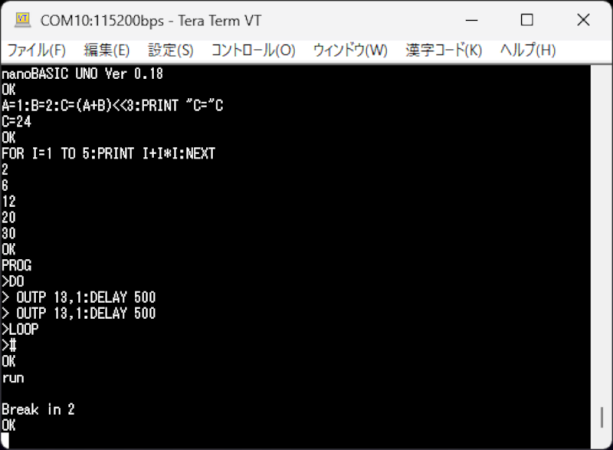
If you miss the days when you used Basic on your classic computer or wrote embedded software with a Basic Stamp, then maybe dust off your Arduino UNO or any similar AVR board and try nanoBASIC_UNO from [shachi-lab].

Apparently, the original code was meant for the STM8S, but this port targets the ATmega328P. It is Basic more or less as you remember it. There are enough extensions to deal with GPIO, the analog systems, and so forth. At build time, you can decide if you want 16-bit or 32-bit integers.

Continue reading “The Arduino UNO, Basically”

KernelUNO, An OS For The Arduino Uno

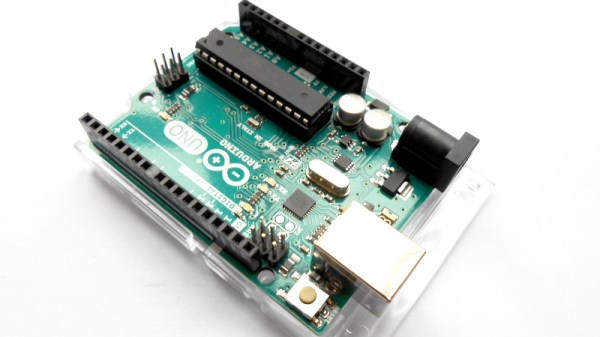
If you were to point to a single device responsible for much of Hackaday’s early success, it might be the Arduino Uno. The little board from an Italian university with its easy to use dev environment changed microcontroller hacking forever, and while it’s now very much old hat, its shadow lies long across single board computing.

Just in case you thought there wasn’t much more life in that old AVR in 2026, along comes [Arc1011], with KernelUNO, describing itself a “A lightweight RAM-based shell for Arduino UNO with filesystem simulation, hardware control, and interactive shell“. It’s an OS for your Arduino, of sorts.

For flashing it to your Uno, you get a shell with some familiar looking filesystem and system commands, the ability to write to files though no editor, and a set of commands to control pins. It’s extremely basic, but you can see the potential.

If we were to speculate as to how this might become more useful then perhaps it might involve a more permanent filesystem perhaps on a flash chip. If possible, the ability to run script files containing a list of commands would also be very nice. Though we are guessing that maybe the reason these features are not in place lies in the meager specifications of an ATmega328, for which we can’t blame the developer at all. Even if it can’t be extended in this way though, it’s still a cool project.

We have to go back quite a while, but this isn’t the first time something like this has appeared on these pages.

Python Comes To The Arduino Uno Q

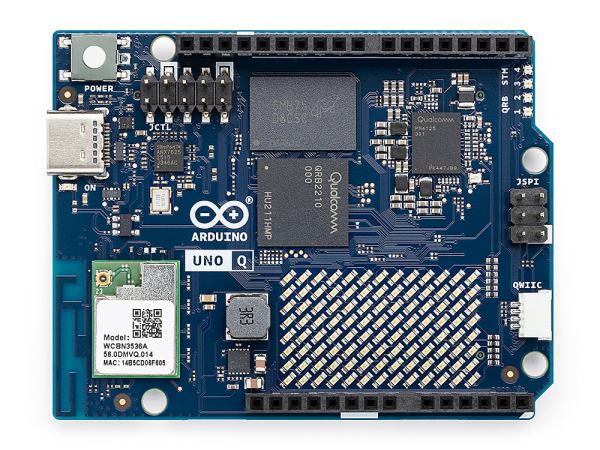
MicroPython is a well-known and easy-to-use way to program microcontrollers in Python. If you’re using an Arduino Uno Q, though, you’re stuck without it. [Natasha] saves the day by bringing us a a subset reimplementation of machine for the Arduino Uno Q.

In the past, microcontrollers were primarily programmed in C, but since MicroPython’s popularity increased over the years, it has become more and more common for introductory microcontroller programming to be in Python. Python, of course, is generally considered more beginner-friendly than C. [Natasha] presumably wanted to teach this way using an Uno Q, but the usual MicroPython APIs weren’t available. And so, in true hacker fashion, they simply made their own library to implement the most important bits of the familiar API. It currently implements a subset of the machine module: Pin, PWM, ADC, I2C, SPI and UART. While not complete, this certainly has potential to make the Uno Q easier to use for those familir with MicroPython.

A laptop communicating with the drone via an Arduino

Reverse-Engineering The Holy Stone H120D Drone

There are plenty of drones (and other gadgets) you can buy online that use proprietary control protocols. Of course, reverse-engineering one of these protocols is a hacker community classic. Today, [Zac Turner] shows us how this GPS drone can be autonomously controlled by a simple Arduino program or Python script.

What started as [Zac] sniffing some UDP packets quickly evolved into him decompiling the Android app to figure out what’s going on inside. He talks about how the launch command needs accurate GPS, how there’s several hidden features not used by the Android app, et cetera. And it’s not like it’s just another Linux SoC in there, either. No, there’s a proper Real-Time Operating System (RTOS) running, with a shell and a telnet interface. The list of small curiosities goes on.

After he finished reverse-engineering the protocol, he built some Python scripts, through which you can see the camera feed and control the drone remotely. He also went on to make an Arduino program that can do the latter using an Arduino Nano 33 IoT.

Forgetfulino Puts Back Up Of Source Inside The Binary

How often have you pulled out old MCU-based project that still works fine, but you have no idea where the original source code has gone? Having the binary image and the source code as separate things to keep track of usually isn’t a problem, but there’s something to be said for adding the source — and documentation — to this image if you have some flash to spare. This is basically what the Forgetfulino Arduino library by [Nader Al Khatib] does.

Essentially, the library compresses the source files and assigns it to be burned onto the flash alongside the binary. There is also a bit of code added to the firmware so that this code can be retrieved via the serial port at any time, negating the need for a firmware dump and manual disassembly. For ease of use, the library has an Arduino IDE extension that automates the process. The basic idea could also be adapted to different environments should anyone wish to take up the challenge.

You probably wouldn’t want debug builds to feature this additional payload as writing it to flash will eat up time and write cycles. But for a release build that will be put out in the (literal) field for a few years or even decades, it could be very convenient. After all, you never know when that Git repository that you relied on might go AWOL.

Arduino’s New AI-Centric Board Is The VENTUNO Q

There have been many questions about what direction Arduino would take after being bought by Qualcomm. Now it would seem that we’re getting a clearer picture. Perhaps unsurprisingly the answer appears to be ‘AI’, with the new Arduino VENTUNO Q SBC being advertised as ‘democratizing AI’ in the Qualcomm press release, although it also references robotics.

This new board is based around the Dragonwing IQ-8275 SoC along with an STM32H5F5 MCU, making it somewhat of a beefier brother of the previously covered Arduino Uno Q, which also offers an SoC/MCU hybrid solution. On the product page we can see the overall specifications for this new board, where the release date is specified as ‘soon’.

Its IQ-8275 SoC is part of Qualcomm’s IQ8 series, with eight 2.35 GHz ARM cores and an Adreno 623 GPU, paired with 16 GB of LPDDR5. The Cortex M33-based STM32H5F5 MCU comes with its own 4 MB of Flash and 1.5 MB of RAM, all on a board that’s significantly larger than the Uno Q and isn’t crippled by a single USB-C port as SoC I/O.

Although clearly more aimed at industrial and automation applications than the solution-in-search-of-a-problem Uno Q board, it remains to be seen whether this board will catch on with Arduino fans, or whether Qualcomm’s goal is more to break into whole new markets under the Arduino brand.