Anything Can Be A Router, If You Try Hard Enough

If you’re an American and you use the Internet at home, it seems probable that routers are going to be in short supply. The US government recently mandated all such devices be home grown for security reasons, which would be fine were it not that the US has next-to-no consumer-grade router manufacturing industry.

So if you’re in the US and you need a router, what can you do? [Noah Bailey] is here from Canada to point out that almost anything (within reason) in computer terms can be made to perform as a router.

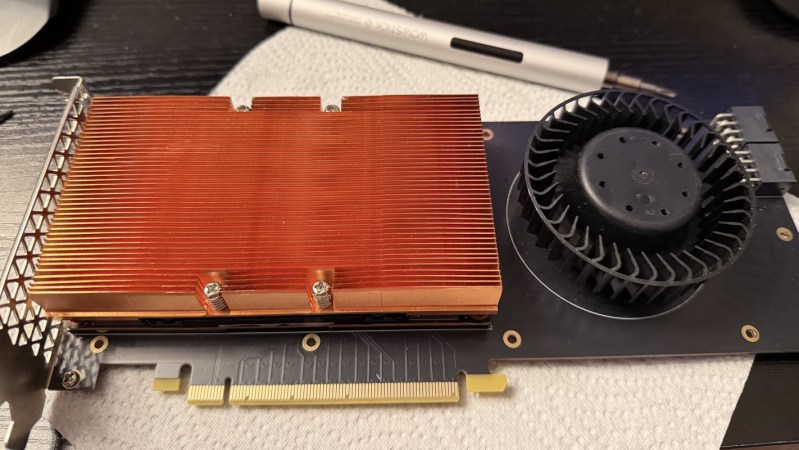
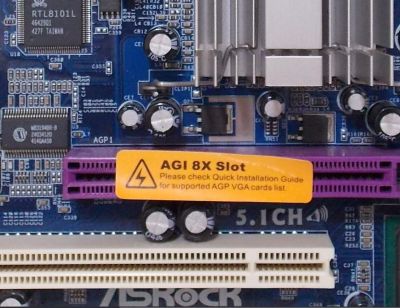
The piece is really a guide to setting up a Linux router, which he does on a small form factor PC and a hacked-together assembly of old laptop, PCI-express extender, and scrap network kit. In its most basic form a router doesn’t need the latest and greatest hardware, so there exists we’re guessing almost two decades of old PCs just waiting to be pressed into service. Perhaps it won’t help the non-technical Man In The Street much, but maybe it’ll inspire a few people to save themselves a hefty bill when they need to connect.

You can read our coverage of the ban here.

Ask Hackaday: How Much Compute Is Enough?

Over the history of this business, a lot of people have foreseen limits that look rather silly in hindsight– in 1943, IBM President Thomas Watson declared that “I think there is a world market for maybe five computers.” That was more than a little wrong. Depending on the definition of computers– particularly if you include microcontrollers, there’s probably trillions of the things.

We might as well include microcontrollers, considering how often we see projects replicating retrocomputers on them. The RP2350 can do a Mac 128k, and the ESP32-P4 gets you into the Quadra era. Which, honestly, covers the majority of daily tasks most people use computers for.

The RP2350 and ESP32-P4 both have more than 640kB of RAM, so that famous Bill Gates quote obviously didn’t age any better than Thomas Watson’s prediction. As Yogi Berra once said: predictions are hard, especially about the future. Continue reading “Ask Hackaday: How Much Compute Is Enough?”

WheatForce: Learning From CPU Architecture Mistakes

Nothing ever made is truly perfect and indeed, CPU architectures like x86, RISC-V, ARM, and PowerPC all have their own upsides and downsides. Today, I aim to make an architecture that learns from all these mistakes and improves architecture design for everyone.

I’ve consulted with many people opinionated on the matter, both from a software perspective, and from a hardware perspective. I have taken all their feedback in mind while creating this initial draft of the WheatForce architecture (PDF). It is inspired by pieces from many architectures: segmentation inspired by x86, hash table-like paging from PowerPC, dynamic endianness control from RISC-V and PowerPC, and more. Let’s look into each feature in a little bit more detail. Continue reading “WheatForce: Learning From CPU Architecture Mistakes”

Running A Game On A PC With No System RAM

As a clear sign of how desperate these RAMpocalypse times are becoming, we have [PortalRunner] over on YouTube contemplating how to run modern-day software on a PC that has no sticks of that most precious PC-related commodity that is not printer ink. What fallbacks do we have when purchasing some sticks of DDR5 is inconceivable due to budgetary limitations or chronic sticker shock symptoms? As it turns out, quite a few.

Of course, it should be noted up front that none of these options are particularly good or desirable. The video starts with simply trying to push Linux to see how little RAM it really needs using boot arguments. This unfortunately soft-bricks the system if not enough RAM is allocated for boot. Next is the idea of leaning heavily into swap, as today’s SSDs ought to be a lot faster than memory page swapping from a HDD. Only this turns out to be also too slow to be usable due to the sheer overhead that this adds.

Even more desperate is to try and use the video RAM on GPUs as a kind of system RAM, which sort-off works, but also with enormous overhead and an if possible worse experience than running a system off basically a pure swap file. Ultimately the most viable method is to lean into the CPU’s many megabytes of cache and modify a CoreBoot BIOS image to simply not initialize system RAM.

As long as you can squeeze your software into the BIOS image and available CPU cache memory, you can run amazing software like the Snake clone in the video. Of course this concept could be expanded upon, and maybe even made to work with UEFI BIOSes, but there will probably not be anyone running Linux from a 32 MB L3 cache any time soon.

Continue reading “Running A Game On A PC With No System RAM”

Water Cooling The MacBook Neo Laptop To Double Gaming Performance

Recently [ETA Prime] felt a bit underwhelmed by the raw performance of his MacBook Neo when it came to running for extended periods under full load, such as when gaming. Thus the obvious solution is to mildly over-engineer a cooling solution that takes care of issues like thermal throttling.

The Apple MacBook Neo with its repurposed iPhone 16 SoC seems to have leaned hard into answering the question whether a smartphone can be a good general purpose personal computer. Ignoring the lack of I/O, it’s overall not a bad SoC for a laptop, but like when you try to push the CPU and GPU on a smartphone, they do get pretty toasty. Due to the minimalistic cooling solution in the MacBook Neo it’ll easily hit the 105°C thermal throttle limit.

Technically the ‘heatsink’ for this laptop is the aluminium case, as the SoC is coupled via a thermal pad to the case. This doesn’t leave a lot of space and the case will heat soak pretty fast, while also making retrofitting a cooling solution a challenge.

Continue reading “Water Cooling The MacBook Neo Laptop To Double Gaming Performance”

Modern Smartphone Vs. 80s Supercomputer

One of the most common ways of comparing the processing power of some microcontroller or older smartphone in a fantastical way was to say that they had more processing power than the Apollo Guidance Computer. While this sounds impressive on the surface, the AGC was the first integrated circuit computer ever built and is predictably under-powered by almost all modern standards. A more apt comparison would be to compare a smartphone to a supercomputer from some bygone era, and someone has recently done just that.

Cray 2

The linked article looks at a modern iPhone 17 compared to the Cray 2 supercomputer. When the Cray 2 was first built in the mid 80s, it was the fastest computer in the world at 1.9 GFLOPS using four vector processors. A modern iPhone is estimated to have slightly more than that, so in some ways the iPhone comes out on top.

However, the Cray 2 was built with vector processors, a specialized type of processor meant to perform rapid calculations on specific types of data sets. So the Cray 2 may have been faster at these types of tasks than the more general-purpose A19 processor, and the A19 may have the edge in other tasks.

The other major difference the article doesn’t discuss is what software runs on these computers. The Cray 2 supercomputer ran a modified version of UNIX System V, which at the time was owned by AT&T (and which ran on plenty of other computers as well). Although proprietary in some sense, it was much more open than Apple’s iOS operating system, allowing users to run whatever software they wanted to run on the supercomputers that they bought and paid for, and to modify many parts of the operating system itself. In that sense, the Cray will always maintain the edge over Apple and their walled garden.

Retro Weather Display Acts Like It’s Windows 95

Sometimes you really need to know what the weather is doing, but you don’t want to look at your phone. For times like those, this neat weather display from [Jordan] might come in handy with its throwback retro vibe.

The build is based around the ESP32-2432S028—also known as the CYD, or Cheap Yellow Display, for the integrated 320 x 240 LCD screen. [Jordan] took this all-in-one device and wrapped it in an attractive 3D-printed housing in the shape of an old-school CRT monitor, just… teenier. A special lever mechanism was built in to the enclosure to allow front panel controls to activate the tactile buttons on the CYD board. The ESP32 is programmed to check Open-Meteo feeds for forecasts and current weather data, while also querying a webcam feed and satellite and radar JPEGs from available weather services. These are then displayed on screen in a way that largely resembles the Windows 95 UI design language, with pages for current conditions, future forecasts, wind speeds, and the like.

We’ve seen some fun weather displays over the years, from graphing types to the purely beautiful. If you’ve found a fun way to display the weather (or change it) don’t hesitate to notify the tipsline. Particularly in the latter case.