A Windows Control Panel Retrospective Amidst A Concerning UX Shift

Once the nerve center of Windows operating systems, the Control Panel and its multitude of applets has its roots in the earliest versions of Windows. From here users could use these configuration applets to control and adjust just about anything in a friendly graphical environment. Despite the lack of any significant criticism from users and with many generations having grown up with its familiar dialogs, it has over the past years been gradually phased out by the monolithic Universal Windows Platform (UWP) based Settings app.

Whereas the Windows control panel features an overview of the various applets – each of which uses Win32 GUI elements like tabs to organize settings – the Settings app is more Web-like, with lots of touch-friendly whitespace, a single navigable menu, kilometers of settings to scroll through and absolutely no way to keep more than one view open at the same time.

Unsurprisingly, this change has not been met with a lot of enthusiasm by the average Windows user, and with Microsoft now officially recommending users migrate over to the Settings app, it seems that before long we may have to say farewell to what used to be an intrinsic part of the Windows operating system since its first iterations. Yet bizarrely, much of the Control Panel functionality doesn’t exist yet in the Settings app, and it remain an open question how much of it can be translated into the Settings app user experience (UX) paradigm at all.

Considering how unusual this kind of control panel used to be beyond quaint touch-centric platforms like Android and iOS, what is Microsoft’s goal here? Have discovered a UX secret that has eluded every other OS developer?

Continue reading “A Windows Control Panel Retrospective Amidst A Concerning UX Shift”
Is That Antenna Allowed? The Real Deal On The FCCs OTARD Rule

The Hackaday comments section is generally a lively place. At its best, it’s an endless wellspring of the combined engineering wisdom of millions of readers which serves to advance the state of the art in hardware hacking for all. At its worst — well, let’s just say that at least it’s not the YouTube comments section.

Unfortunately, there’s also a space between the best and the worst where things can be a bit confusing. A case in point is [Bryan Cockfield]’s recent article on a stealth antenna designed to skirt restrictions placed upon an amateur radio operator by the homeowners’ association (HOA) governing his neighborhood.

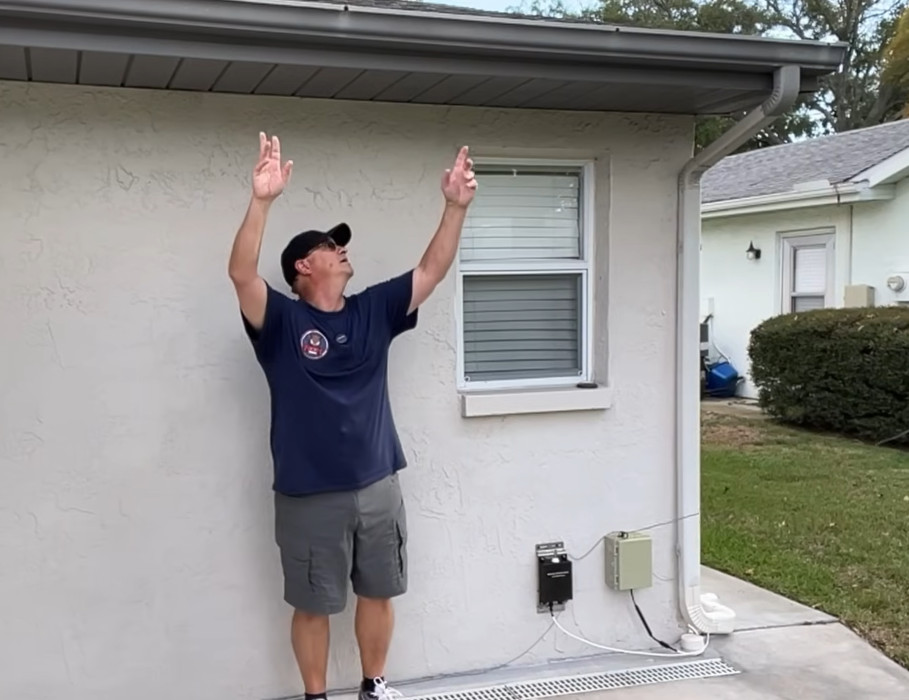
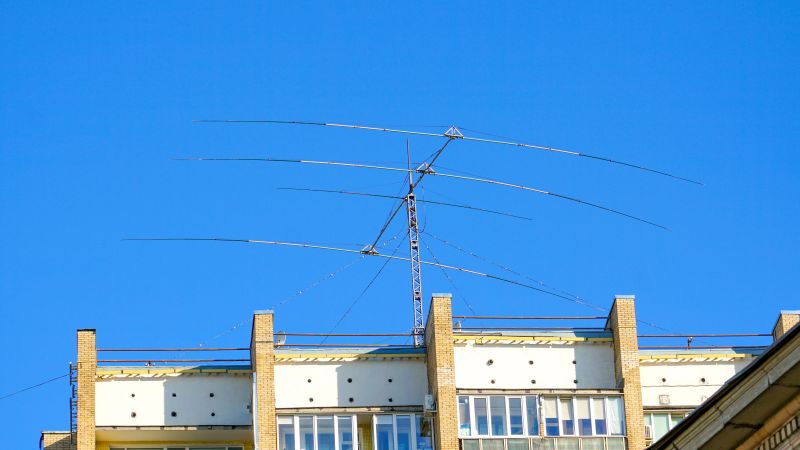
Hiding an antenna in plain sight.

Putting aside the general griping about the legal and moral hazards of living under an HOA, as well as the weirdly irrelevant side-quest into the relative combustibility of EVs and ICE cars, there appeared to be a persistent misapprehension about the reality of the US Federal Communications Commission’s “Over-the-Air Reception Devices” rules. Reader [Gamma Raymond] beseeched us to clarify the rules, lest misinformation lead any of our readers into the unforgiving clutches of the “golf cart people” who seem to run many HOAs.

According to the FCC’s own OTARD explainer, the rules of 47 CFR § 1.400 are intended only to prevent “governmental and nongovernmental restrictions on viewers’ ability to receive video programming signals” (emphasis added) from three distinct classes of service: direct satellite broadcasters, broadband radio service providers, and television broadcast services.

Specifically, OTARD prevents restrictions on the installation, maintenance, or use of antennas for these services within limits, such as dish antennas having to be less than a meter in diameter (except in Alaska, where dishes can be any size, because it’s Alaska) and restrictions on where antennas can be placed, for example common areas (such as condominium roofs) versus patios and balconies which are designated as for the exclusive use of a tenant or owner. But importantly, that’s it. There are no carve-outs, either explicit or implied, for any other kind of antennas — amateur radio, scanners, CB, WiFi, Meshtastic, whatever. If it’s not about getting TV into your house in some way, shape, or form, it’s not covered by OTARD.

It goes without saying that we are not lawyers, and this is not to be construed as legal advice. If you want to put a 40′ tower with a giant beam antenna on your condo balcony and take on your HOA by stretching the rules and claiming that slow-scan TV is a “video service,” you’re on your own. But a plain reading of OTARD makes it clear to us what is and is not allowed, and we’re sorry to say there’s no quarter for radio hobbyists in the rules. This just means you’re going to need to be clever about your antennas. Or, you know — move.

Boss Byproducts: Fordites Are Pieces Of American History

Some of the neatest products are made from the byproducts of other industries. Take petroleum jelly, for example. Its inventor, Robert Chesebrough, a chemist from New York, came upon his idea while visiting the oil fields of Titusville, Pennsylvania in 1859. It took him ten years to perfect his formula, but the product has been a household staple ever since. Chesebrough so believed in Vaseline that he ingested a spoonful of it every day, and attributed his 96-year longevity to doing so.

Well, some byproducts can simply be beautiful, or at least interesting. On that note, welcome to a new series called Boss Byproducts. We recently ran an article about a laser-engraved painting technique that is similar to the production of Fordite. I had never heard of Fordite, but as soon as I found out what it was, I had to have some. So, here we go!

Continue reading “Boss Byproducts: Fordites Are Pieces Of American History”

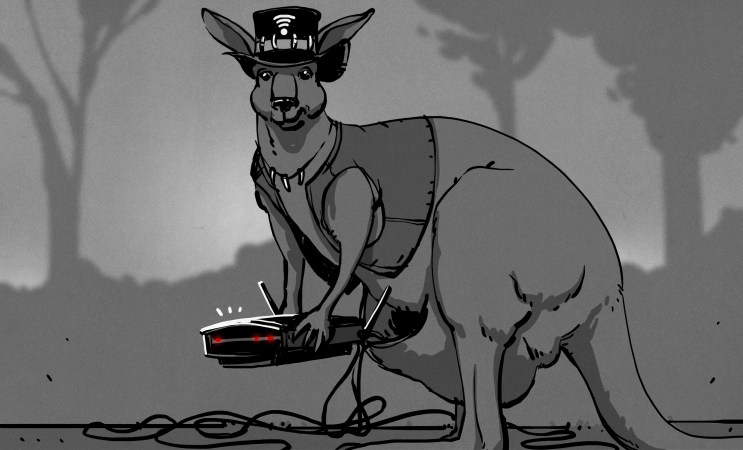
Australia Didn’t Invent WiFi, Despite What You’ve Heard

Wireless networking is all-pervasive in our modern lives. Wi-Fi technology lives in our smartphones, our laptops, and even our watches. Internet is available to be plucked out of the air in virtually every home across the country. Wi-Fi has been one of the grand computing revolutions of the past few decades.

It might surprise you to know that Australia proudly claims the invention of Wi-Fi as its own. It had good reason to, as well— given the money that would surely be due to the creators of the technology. However, dig deeper, and you’ll find things are altogether more complex.

Continue reading “Australia Didn’t Invent WiFi, Despite What You’ve Heard”

This Is Not A Laptop, It’s A KVM Combo

A spare monitor and keyboard are handy things to have around, but they’re a bit of a hassle. They are useful for hardware development, plugging in to headless servers, or firing up a Raspberry Pi or similar single-board computer (SBC). If that’s something you do and portability and storage space are important to you, then you may be interested in the CrowView Note.

I got an opportunity to test and provide feedback on an early version of this unusual device, which is functionally a portable spare monitor plus keyboard (and touchpad) without the bulk and extra cables. Heck, it’s even giving me ideas as the guts of a Cyberdeck build. Let’s take a look.

What It Is

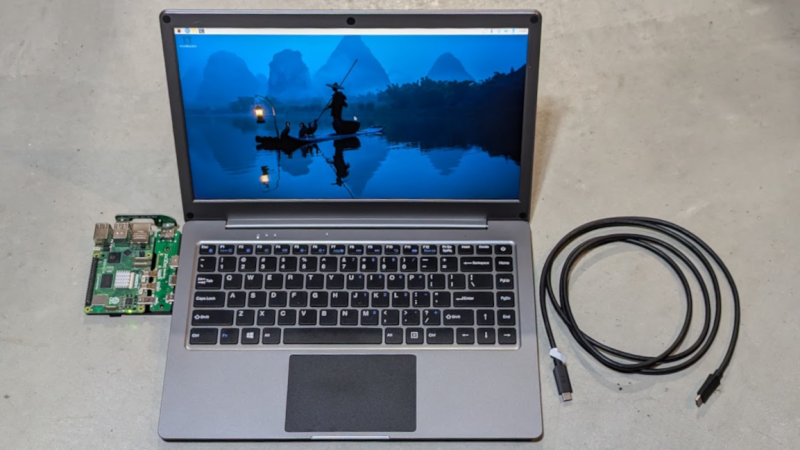
It really looks like a laptop, but it’s actually a 14″ 1920 x 1280 monitor and USB keyboard in a laptop form factor.

There is also an integrated trackpad, speakers and mic, and a rechargeable battery. That makes it capable of providing its own power, and it can even function as a power bank in a pinch. There’s an HDMI input on one side, and on the other is a full-featured USB-C port that accepts video input via the DisplayPort altmode.

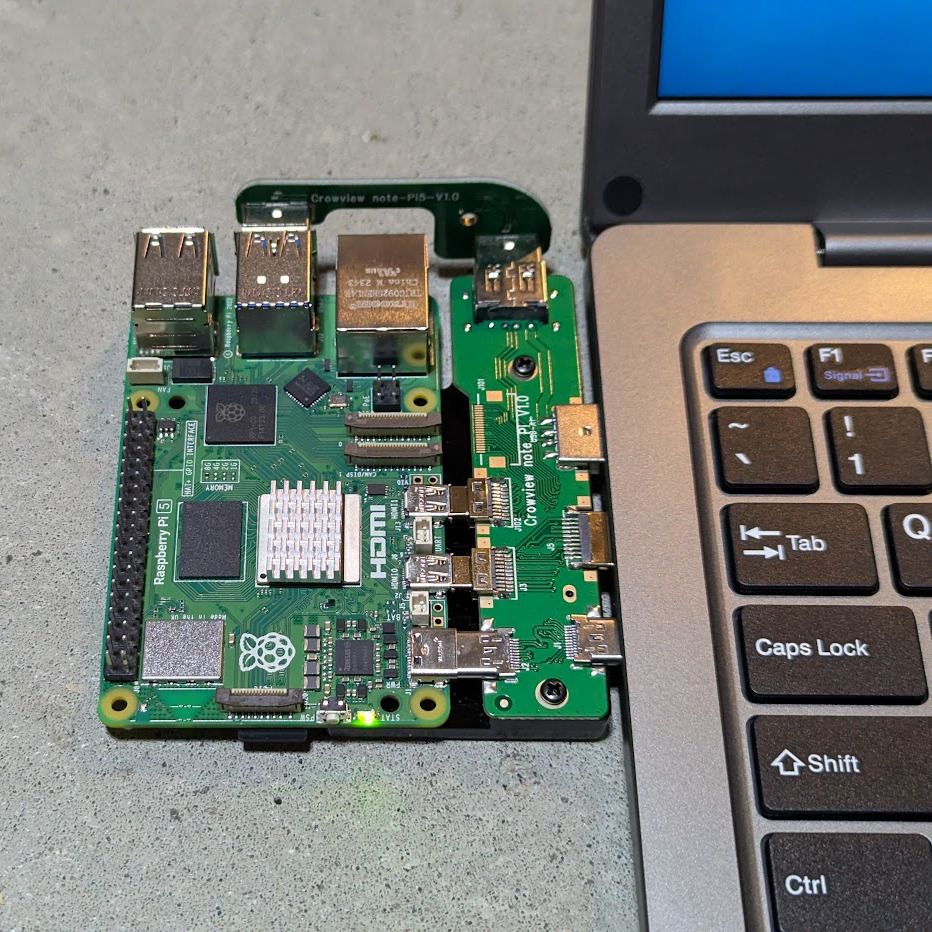
Pictured here is a Raspberry Pi 5 with optional PCB adapter to eliminate cables. The three ports (HDMI in, USB-C 5 V out, and USB-A for peripherals) provide all the board needs.

The CrowView Note is a pretty useful device for a workbench where one is often plugging hardware in for development or testing, because there’s no need to manage a separate monitor, keyboard, and mouse.

It is not a laptop, but attaching an SBC like a Raspberry Pi makes it act like one. The three ports conveniently located on the left-hand side (HDMI in, USB-C out for power to the SBC, and USB-A in for peripherals like keyboard and trackpad) are all that are needed in this case. Elecrow offers a “cable eliminator” PCB adapters to make the process of connecting a Raspberry Pi 5 or a Jetson Nano as simple as possible. The result is something that looks and works just like a laptop.

Well, almost. The SBC will still be a separate piece of hardware, whether connected by cables or by one of Elecrow’s PCB adapters. The result is OK for bench work, but especially in the case of the PCB adapter, not particularly rugged. Still, it’s a nice option and makes working on such boards convenient and cable-free.

Continue reading “This Is Not A Laptop, It’s A KVM Combo”

A Modern Take On An Old Language

Some old computer languages are destined to never die. They do, however, evolve. For example, Fortran, among the oldest of computer languages, still has adherents, not to mention a ton of legacy code to maintain. But it doesn’t force you to pretend you are using punched cards anymore. In the 1970s, if you wanted to crunch numbers, Fortran was a good choice. But there was another very peculiar language: APL. Turns out, APL is alive and well and has a thriving community that still uses it.

APL has a lot going for it if you are crunching serious numbers. The main data type is a multidimensional array. In fact, you could argue that a lot of “modern” ideas like a REPL, list types, and even functional programming entered the mainstream through APL. But it did have one strange thing that made it difficult to use and learn.

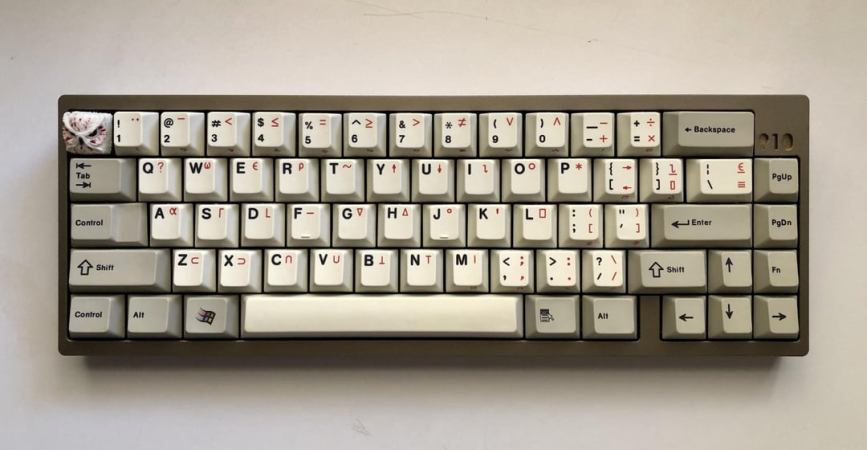
[Kenneth E. Iverson] was at Harvard in 1957 and started working out a mathematical notation for dealing with arrays. By 1960, he’d moved to IBM and a few years later wrote a book entitled “A Programming Language.” That’s where the name comes from — it is actually an acronym for the book’s title. Being a mathematician, [Iverson] used symbols instead of words. For example, to create an array with the numbers 1 to 5 in it and then print it, you’d write:

⎕←⍳5

Since modern APL has a REPL (read-eval-print loop), you could remove the box and the arrow today.

What Key Was That?

Wait. Where are all those keys on your keyboard? Ah, you’ve discovered the one strange thing. In 1963, CRTs were not very common. While punched cards were king, IBM also had a number of Selectric terminals. These were essentially computer-controlled typewriters that had type balls instead of bars that were easy to replace.

Continue reading “A Modern Take On An Old Language”

Australia’s Controlled Loads Are In Hot Water

Australian grids have long run a two-tiered pricing scheme for electricity. In many jurisdictions, regular electricity was charged at a certain rate. Meanwhile, you could get cheaper electricity for certain applications if your home was set up with a “controlled load.” Typically, this involved high energy equipment like pool heaters or hot water heaters.

This scheme has long allowed Australians to save money while keeping their water piping-hot at the same time. However, the electrical grid has changed significantly in the last decade. These controlled loads are starting to look increasingly out of step with what the grid and the consumer needs. What is to be done?

Continue reading “Australia’s Controlled Loads Are In Hot Water”