Time Vs Money, 3D Printer Style

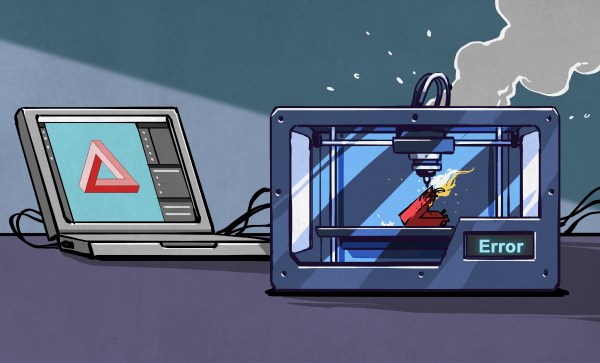
A few months ago, Hackaday’s own Al Williams convinced me to buy a couple of untested, returned-to-manufacturer 3D printers. Or rather, he convinced me to buy one, and the incredible success of the first printer spurred me on to the second. TL;DR: Lightning didn’t strike twice, but I’d still rate it as worth my time. This probably isn’t a good choice for your first printer, but if you’ve done the regular maintenance on your first printer already, I’d recommend it for your second or twelfth.

As background, Al has been volunteering with local schools to teach a 3D printing summer class, and this means outfitting them with a 3DP lab on the dirt cheap. His secret is to buy last year’s model which has all of the features he needs – most importantly for the kids, automatic bed height probing – but to buy it from the scratch-and-dent shelf at Creality. Why? Because they are mid-grade printers, relatively new, but on deep discount.

How deep? I found an essentially endless supply of printers that retail for $300 on discount for $90 each. The catch? It might work, it might not. I bought my son one, because I thought that it would at least make a good project for us to work on together. Those plans were spoiled – it worked absolutely flawlessly from the moment we bolted it together, and he runs 24-hour jobs on the thing without fear. From the look of the build plate, it had been used exactly once and returned for whatever reason. Maybe the owner just didn’t want a 3D printer?

The siren song of straightforward success was too much for me to resist, and I picked another up to replace my aging A8 which was basically a kit for a 3D printer, and not a particularly good one at that, but could be made to work. My scratch-and-dent Creality came with a defective bed-touch sensor, which manifest itself as a random absolute refusal to print.

I took it apart, but the flaw is in the design of the V1 touch sensors – the solenoid requires more current to push down than the 3DP motherboard can reliably deliver. It works 100% of the time on my bench power supply, but in situ it fails about 30% of the time, even after hitting it with graphite and making sure everything is mechanically sound. Creality knows this and offers a free trade-in, just not for me. The new version of the Creality probe costs $50 new, but you can get cheap knock-off BL Touch models for $14. Guess what I did?

And guess what bit me? The cheapo touch probe descends a bit slower than the Creality version should, and the firmware is coded to time-out in an extra-short timeframe. Thankfully, Creality’s modifications to Marlin are all open source, and I managed to tweak and flash a new firmware that made it work 100% of the time, but this was at a cost of probably eight hours of bug-hunting, part-ordering, and firmware-compiling. That said, I got some nice extra features along the way, which is the advantage of a printer running open-source firmware.

So my $300 printer cost me $105, plus eight hours of labor. I only charge one coffee per hour for fun hardware debugging tasks, but you may have a different valuation. Taken together with my son’s printer, we have $600 worth of printer for under $200 plus labor, though, which starts to sound a little better.

Is gambling on an untested return 3D printer worth it? For us, I would say it was, and I’d do it again in a few years. For now, though, we’ve got three printers running and that’s all we need. Have you gone down this perilous path?


Hackaday Podcast Episode 306: Bambu Hacks, AI Strikes Back, John Deere Gets Sued, And All About Capacitors

It was Dan and Elliot behind the microphones today for a transatlantic look at the week in hacks. There was a bucket of news about AI, kicked off by Deepseek suddenly coming into the zeitgeist and scaring the pants off investors for… reasons? No matter, we’re more interested in the tech anyway, such as a deep dive into deep space communications from a backyard antenna farm that’s carefully calibrated to give the HOA fits. We got down and dirty with capacitors, twice even, and looked at a clever way to stuff two websites into one QR code. It’s all Taylor, all the time on every channel of the FM band, which we don’t recommend you do (for multiple reasons) but it’s nice to know you can. Plus, great kinetic art project, but that tooling deserves a chef’s kiss. Finally, we wrap up with our Can’t Miss articles where Jenny roots for the right to repair, and Al gives us the finger(1).

Download the zero-calorie MP3.

Continue reading “Hackaday Podcast Episode 306: Bambu Hacks, AI Strikes Back, John Deere Gets Sued, And All About Capacitors”

This Week In Security: DeepSeek’s Oopsie, AI Tarpits, And Apple’s Leaks

DeepSeek has captured the world’s attention this week, with an unexpected release of the more-open AI model from China, for a reported mere $5 million training cost. While there’s lots of buzz about DeepSeek, here we’re interested in security. And DeepSeek has made waves there, in the form of a ClickHouse database unintentionally opened to the world, discovered by the folks from Wiz research. That database contained chat history and log streams, and API keys and other secrets by extension.

Finding this database wasn’t exactly rocket science — it reminds me of my biggest bug bounty win, which was little more than running a traceroute and a port scan. In this case it was domain and sub domain mapping, and a port scan. The trick here was knowing to try this, and then understanding what the open ports represented. And the ClickHouse database was completely accessible, leaking all sorts of sensitive data. Continue reading “This Week In Security: DeepSeek’s Oopsie, AI Tarpits, And Apple’s Leaks”

Retrotechtacular: The Tyranny Of Large Numbers

Although much diminished now, the public switched telephone network was one of the largest machines ever constructed. To make good on its promise of instant communication across town or around the world, the network had to reach into every home and business, snake along poles to thousands of central offices, and hum through the ether on microwave links. In its heyday it was almost unfathomably complex, with calls potentially passing through thousands of electronic components, any of which failing could present anything from a minor annoyance to a matter of life or death.

The brief but very interesting film below deals with “The Tyranny of Large Numbers.” Produced sometime in the 1960s by Western Electric, the manufacturing arm of the Bell System, it takes a detailed look at the problems caused by scaling up systems. As an example, it focuses on the humble carbon film resistor, a component used by the millions in various pieces of telco gear. Getting the manufacturing of these simple but critical components right apparently took a lot of effort. Initially made by hand, a tedious and error-prone process briefly covered in the film, Western Electric looked for ways to scale up production significantly while simultaneously increasing quality.

While the equipment used by the Western engineers to automate the production of resistors, especially the Librascope LGP-30 computer that’s running the show, may look quaint, there’s a lot about the process that’s still used to this day. Vibratory bowl feeders for the ceramic cores, carbon deposition by hot methane, and an early version of a SCARA arm to sputter gold terminals on the core could all be used to produce precision resistors today. Even cutting the helical groove to trim the resistance is similar, although today it’s done with a laser instead of a grinding wheel. There are differences, of course; we doubt current resistor manufacturers look for leaks in the outer coating by submerging them in water and watching for bubbles, but that’s how they did it in the 60s.

The productivity results were impressive. Just replacing the silver paint used for terminal cups with sputtered gold terminals cut 16 hours of curing time out of the process. The overall throughput increased to 1,200 pieces per hour, an impressive number for such high-reliability precision components, some of which we’d wager were still in service well into the early 2000s. Most of them are likely long gone, but the shadows cast by these automated manufacturing processes stretch into our time, and probably far beyond.

Continue reading “Retrotechtacular: The Tyranny Of Large Numbers”

Forgotten Internet: Giving (or Getting) The Finger

Hey, you know that guy in accounting, Marco? If you want to find out more about him, you’d probably go surf LinkedIn or maybe a social media site. Inside a company, you might look on instant messaging for a profile and even find out if he is at his desk or away. But back in the 1970s, those weren’t options. But if Marco was on the computer system, maybe you could finger him. While that sounds strange to say today, Finger was a common service provided by computer services at the time. It was like a LinkedIn profile page for the 1970s.

Based on RFC 742, Finger was the brainchild for [Les Earnest]. From a user’s point of view, you put a few files in your home directory (usually .project and .plan; both hidden files), and when someone “fingered” you, they’d see some human-friendly output about your account like your name and office location, if you were logged in or not, and the contents of your project and plan files.

Modern versions may also show your public PGP key and other data. You could usually put a file in your home directory called .nofinger if you wanted to stop people from fingering you.

Continue reading “Forgotten Internet: Giving (or Getting) The Finger”

Illustrated Kristina with an IBM Model M keyboard floating between her hands.

Keebin’ With Kristina: The One With The DIY Homing Keys

r/keebgirlies Is Totally a Thing Now

When [coral-bells] posted her first build to r/mechanicalkeyboards, she likely felt some trepidation. After all this is reddit we’re talking about, so right away you’ve got two layers of male-domination hobby.

Most of a lovely plant-themed keyboard.
Image by [coral-bells] via reddit
What she likely didn’t expect was to be upvoted into the tens of thousands, or to receive such a response from other girlies who came out of the woodwork to share their builds.

And so r/keebgirlies was born, and already has a few thousand members. This is a brand-new subreddit for women and non-binary folks who are into mechanical keyboards. As it says in the sidebar, men are welcome but limited to the comments for now, so don’t go trying to post your builds. The girlies are currently seeking moderators, so give that some thought.

As for [coral-bells]’ lovely build, this is an Epomaker MS68 with MMD Vivian V2 switches, and those flowery keycaps are from Etsy. She is currently waiting for supplies to mod a Yunzii AL66, but wants to build a kit at some point.

Continue reading “Keebin’ With Kristina: The One With The DIY Homing Keys”