STM32 Handheld Has OpenGL And All The Classics

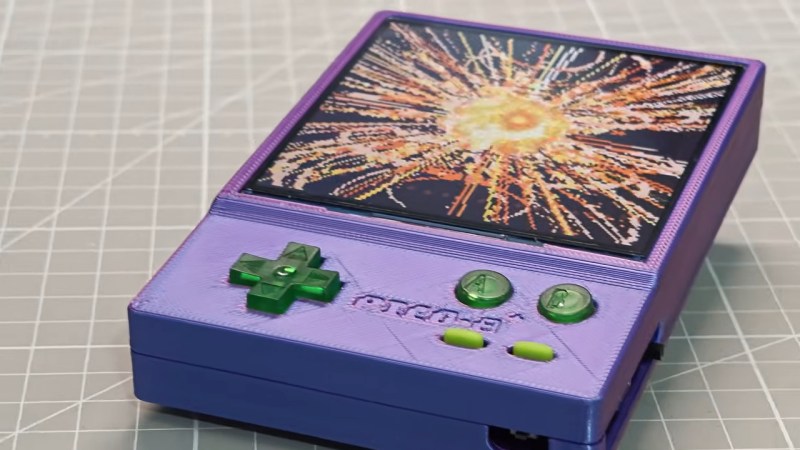
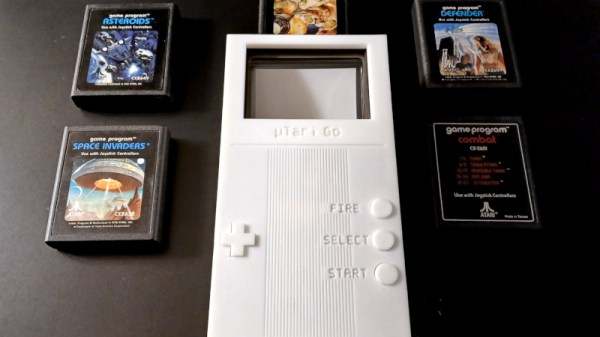
We do sometimes go on about how absurdly powerful microcontrollers are these days, but this time it’s technically a microprocessor, not a microcontroller, at the heart of the build — specifically, an STM32MP2. Still, you know you’re living in the future when an STM32 of any sort can not only run [John Cronin]’s gk handheld game console, but provide 3D acceleration to boot.

Full disclosure: you’ve seen this handheld here before — sorta. That was version 3, which was an STM32-based handheld.  V3 used the much less powerful STM32H7S7L8, with a single Cortex-M7 clocked at 600 MHz and a 2D NeoChrom GPU. The STM32MP2, by contrast, has dual Cortex-A35 cores running 1.5 GHz and a bonus Cortex-M33. It’s running a custom OS called gkos, which is mostly POSIX-compliant and boasts nigh-instantaneous boot times.

As with the last version, you can run a bevy of emulators from the 8-bit to the 32-bit era, but the added power and OpenGL support mean this handheld also runs N64 games via a fork of mupen64. There are also emulators for ‘real’ computers, namely Atari ST and XL, and a little-known thing known as a “PC”. DOSBox gets the equivalent performance of a 50 MHz 486, which means you can run all the classics, including DOOM, though that will be more performant running the native-running port of sdl-DOOM.

You also get extra inputs to play with and a bigger screen compared to the last version. Oh, and WiFi. There are accelerometers for tilt control, and did we mention the screen’s touch input is supported? If it weren’t for the form-factor, we’d call this a capable little computer. The GK handheld looks like an awesome handheld console, check it out in the demo video below.

Continue reading “STM32 Handheld Has OpenGL And All The Classics”

It’s Another Pi Handheld. But It’s A Really Good One

Ever since the first Linux capable single-board computers came out, there have been projects turning them into handhelds. The Raspberry Pi Zero and in particular the Compute Modules are ideally suited to this. While there are more common projects that find their way into our feed we’ve certainly seen a few of them in our time, enough now that a new one has to be special to really catch our eye. Which brings us to the PiBrick from [Ahmad Amarullah], which sets the bar pretty high.

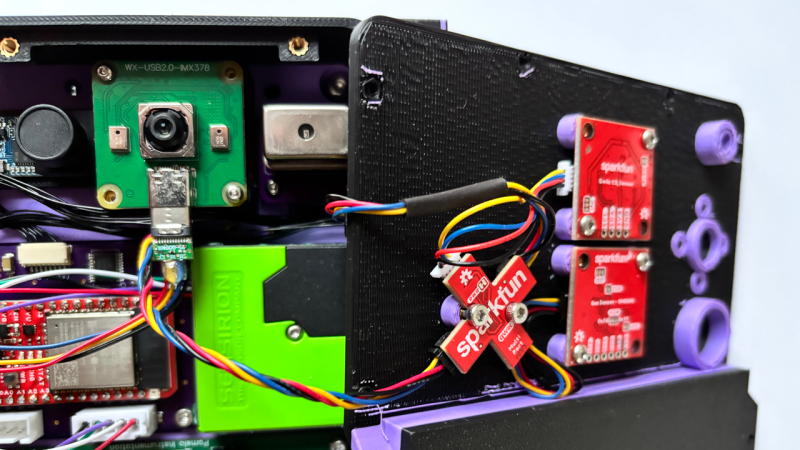
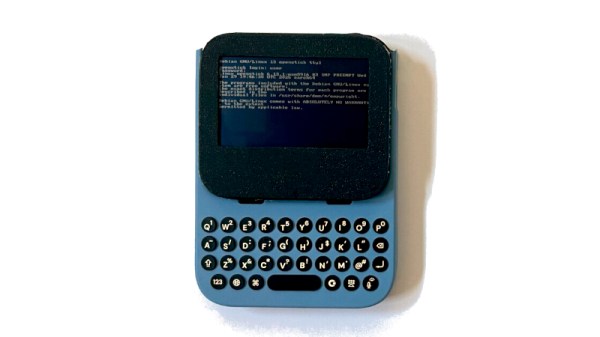
The device is a Compute Module 5 smartphone sized computer with a 3.92″ OLED touch display and the ubiquitous BlackBerry-derived keyboard. It’s drawn together with a PCB that holds all components and peripherals, and this and the 5000 mAH battery fit in a 3D printed shell that gives it the form factor of a chunky smartphone. You can see it at the link above, and also find it in a GitHub repository.

Handheld computers always represent something of a compromise as they can only ever offer relatively small screens and keyboards. But they live or die on their versatility and robustness, both of which this one has in spades. We like it, a lot.

Thanks [Nick] for the tip.

ESP-Osito Eschews Retrocomputing For Modern Code On Modern, Equivalent Hardware

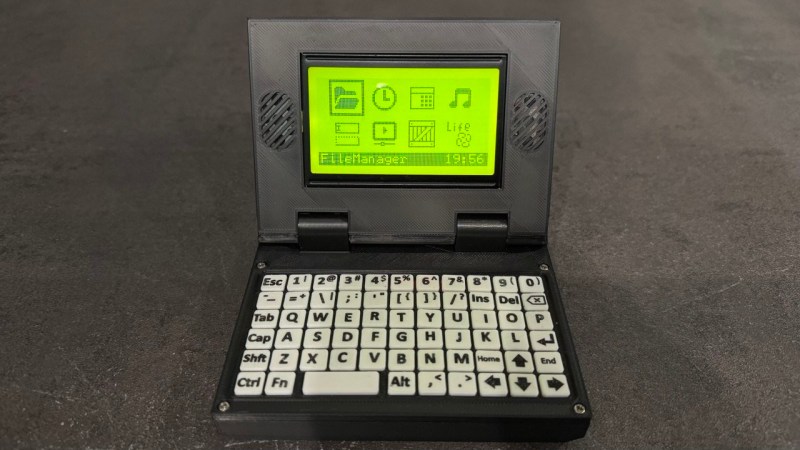
If you’re of a certain vintage, you have probably looked at some of the microcomputers on the market these days and thought “that would have been a decent workstation back in the day!”. We certianly have, and so did [Roberto Alsina]. Rather than allow himself to contemplate his age and threfore rapidly approaching mortailty, [Roberto] wrote a useful operating system called ESP-Osito for the Cheap Yellow Display, which he refers to as “the cheapest computer”. He’s not wrong, and it’s certainly a better use of time than an existential crisis.

He explains some of his reasoning behind the project in an accompanying blog post, but on the project page he compares it to a Palm Pilot– it’s on quick, apps load quick, and the API is simple enough for easy app creation in a few hundred lines of C, unlike certain pocket computers we won’t name. Sure, there’s no multitasking, but when apps jump from SD card to run in memory in microseconds, who cares? Saving the current state of the app back to SD means the experience is virtually identical from a user perspective anyway.

DOS knew what time it was, but how many of us wasted phone time for weather reports?

As this is a one-man show for now, the app store won’t quite rival your smart phone– but there’s everything you’d expect on the 90s-era computer this has the horsepower of: a serial terminal, a text editor, a file explorer, a calculator, a clock, but also some things that aren’t so retro. The clock app gives weather info via futuristic wireless networking, the reader app takes Markdown text, and the chat app connects to an LLM somewhere instead of your friends on IRC. The blackberry keyboard option gives it a feel of a slightly different vintage. You can also play snake, because no computer is complete without games. The OS and all its applications are released under the MIT license on GitHub, and [Roberto] is actively looking for collaborators.

If you doubt the workstation comparison at the start of this article, this CYD runs Macintosh System 3 via a 68k emulator. That’s got old-school cred, but there’s something great about having retro constraints with modern code on modern hardware. In that way, ESP-Osito is similar to the 3D graphics engine behind this Wipeout clone.

Open-Source eink firmware

Pocket-Sized E-Ink Gets A Firmware Upgrade

Not so long ago, e-ink devices were rare and fairly pricey. As they have become more common and cheaper, some cool form-factor devices have emerged that suffer from subpar software. [Concretedog] picked up just such a device, and that purchase led to the discovery of a cool open-source firmware project for this tiny gadget.

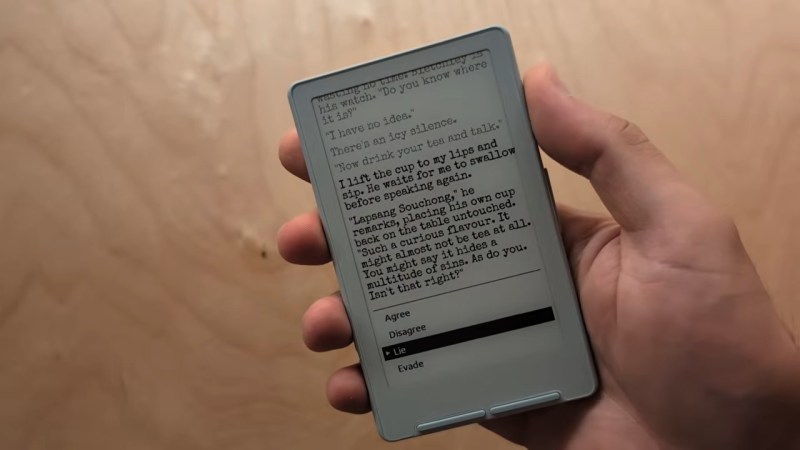
[Concretedog] described the process of loading the firmware, which is just about as easy a modification as one can make. You plug the e-ink display into your computer, visit a website, and can flash it right from there. Once the display is running the CrossPoint Reader firmware, it unlocks some new tricks on this affordable reader. The firmware lets you turn the device into a WiFi hotspot and upload books wirelessly, or it can connect to an existing network to add files that way. It also enables rotating the display and KOReader syncing if you have multiple devices you read from.

We love seeing the community step in and improve devices that are hardware-wise good, sometimes great, but come up lacking in the software or firmware department. Thanks [Concretedog] for sharing your experience with this device and the cool open-source firmware. Be sure to check out some other projects we’ve featured where a firmware swap breathed new life into the hardware.

Pixel Camera Puts Lo-Fi Images In The Palm Of Your Hand

Some things have an undeniable appeal, and lo-fi, pixelated Game Boy-camera-like images are one of them. In service of this, [Raul Zanardo] created his handheld pixel camera that goes the extra mile. It implements slick real-time pixel art filters and a number of other useful features.

A live preview with real-time filters makes capturing just the right image easy.

For hardware, [Raul] uses a LilyGo T-Display S3 Pro which is an ESP32-based development board, camera, and color touchscreen display in a handheld form factor that vaguely resembles a chunky smartphone. The only change is swapping the stock camera for an OV3660-based camera module. It’s a drop-in replacement, but necessary because some of the features and settings his software uses are not available on the stock camera.

The camera captures 240 x 176 images, but the really neat part is the real-time filter pipeline. There are many configurable choices to play with, including pixelation, dithering, edge detection, CRT scanline effect, and color palette presets. Captures are saved to a local micro SD card and there’s all kinds of handy features like a photo gallery that takes full advantage of the color touchscreen. There’s also USB Mass Storage functionality, so downloading photos is as simple as plugging in a USB cable.

The Game Boy camera’s charming lo-fi imagery has inspired many pixel-camera projects, and this one makes great use of an inexpensive handheld development board and includes truly useful features.

Do you have your own pixel-art inspired camera project? Hit up our tips line and tell us all about it!

Mimisbrunnur

Calculator Case To Scratch-Built Pocket E-Reader

E-readers are an awesome creation allowing you to display digital information in a way that requires little battery life. While there’s plenty of very impressive models to chose from on the commercial market, it’s also possible to build one yourself — which is exactly what [kaos-69] did in his Mimisbrunnur project, creating a truly unique e-reader from scratch.

While looking through old junk at home, [kaos-69] came across a case that held a calculator and pen at one point in the distant past. The pen was gone and the calculator no longer functioned but the case held promise. He removed the calculator and got some parts on order. For the e-paper display he went with a 5.83-inch unit that just fit inside the spring-loaded case. The Mimisbrunnur is powered by a 2000 mAh LiPo battery, with a micro SD card reader for storing what will be displayed. The brains come from an RP2040 microcontroller on an Adafruit Feather breakout board, which worked out great as it already takes care of battery management and the 24-pin interface for the e-paper display.

There are also eight buttons that live below the display for user interface, and even some LEDs to aid in reading in the dark. The depth of the case allowed all this to be connected with the use of a perfboard and some risers to set the screen forward, allowing the battery to live behind it. Using the Mimisbrunnur is pretty straightforward with the eight buttons sitting below icons on the screen giving you clear guidance on how to turn the page, add a bookmark, or browse the SD card for another file to open.

We’ve seen some impressive DIY e-readers over the years, such as the dual-screen Diptyx and the Open Book. But this project is an excellent reminder that a device doesn’t have to be complex to get the job done.

The Joy Of Making Handheld Tetris From Scratch

As anyone who’s made a thing knows, a lot of work goes into bringing something from idea to completion. But there’s also considerable satisfaction in the process. [Willian] recently did exactly that, and shares the joyful experience of creating a homebrew handheld game gadget from scratch. It runs a homebrewed Tetris clone (as well as Snake), and we love the results.

The game gadget uses an ATmega328P programmed via the Arduino IDE, and a 1.8″ TFT color LCD screen. It’s self-contained in a box with a few buttons as controls and runs off three AAA cells. [Willian] made the smart design choice to run the microcontroller at 8 MHz instead of the more common 16 MHz, because doing so meant the board can run at 3.3 V instead of 5 V. Why does this matter? The LCD display runs off 3.3 V as well, and if all components can run off the same supply and logic levels, it simplifies things considerably.

Also, creating a 3.3 V supply is a simple matter of three alkaline cells in series with an LDO (low drop-out) regulator, which is great for a handheld device. We do note that AA cells have a considerably higher energy density and capacity than AAA cells and are usually the better choice, but one works with what one has, and sometimes the space and weight saved by AAA is just too good to pass up.

The software has some notable approaches to keep things responsive and optimal. Instead of defining each of the Tetris pieces as a 2D shape, [Willian] instead pre-defines each piece (and their rotations) so that rotating a piece is just an index change in an array, instead of a transform implementing a rotation. Also, full-screen redraws are comparatively slow over SPI and caused flickering, so only cells that have changed are redrawn to the screen to keep things responsive. The code is all on GitHub, and it’s a great peek at how things get implemented under the hood.

The enclosure is just cardboard, and it does the job in [Willian]’s case. But we’ll point out that cardboard is actually a highly adaptable material from which to prototype. With just a few tips and a little care, paper products can be your new best friend when it comes to one-offs and prototypes.