From Gates To FPGA’s – Part 1: Basic Logic

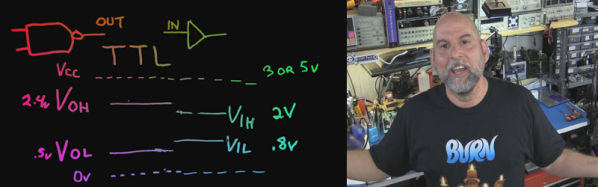
It’s time to do a series on logic including things such as programmable logic, state machines, and the lesser known demons such as switching hazards. It is best to start at the beginning — but even experts will enjoy this refresher and might even learn a trick or two. I’ll start with logic symbols, alternate symbols, small Boolean truth tables and some oddball things that we can do with basic logic. The narrative version is found in the video, with a full reference laid out in the rest of this post.

Invert

1The most simple piece of logic is inversion; making a high change to low or a low change to high. Shown are a couple of ways to write an inversion including the ubiquitous “bubble” that we can apply almost anywhere to imply an inversion or a “True Low”. If it was a one it is now a zero, where it was a low it is now a high, and where it was true it is now untrue.

AND

2Moving on to the AND gate we see a simple truth table, also known as a Boolean Table, where it describes the function of “A AND B”. This is also our first opportunity to see the application of an alternate symbol. In this case a “low OR a low yields a low”

NAND

3Most if not all of the standard logic blocks come in an inverted form also such as the NAND gate shown here. The ability to invert logic functions is so useful in real life that I probably used at least three times the number of NAND gates as regular AND gates when doing medium or larger system design. The useful inversion can occur as spares or in line with the logic.

Continue reading “From Gates To FPGA’s – Part 1: Basic Logic”

Hacking Amazing Soldering Features Into The Already Great Weller WMRP

Weller, the German soldering tools manufacturer, has a nice range of micro soldering irons (pencils) designated as the WMRP series. These are 12V, 40 W or 55W units with a 3 second heat up time, and allow quick tip exchange without needing any tools. [FlyGlas] built a neat soldering station / controller for the WMRP series based around an ATMega microcontroller running Arduino.

It’s packed with most of the features you see in a professional rig.

  • low offset op amp for soldering tip temperature measurement with type c thermocouple
  • cold junction compensation using the PTC (KTY82-210) included in the WMRP soldering pencil
  • input voltage measurement
  • soldering pencil current measurement
  • recognizing if the soldering pencil rests in the stand (–> standby)
  • 3 buttons to save and recall temperature values
  • rotary encoder to set soldering temperature
  • illuminated 16×2 character LCD module
  • USB for debugging and firmware update
  • 4mm safety socket for +12V power input and a protective earth socket for connection to ESD protection

WMRP_controller_02A PWM signal from the microcontroller controls the load current using a MOSFET. Load current is measured using a Hall Effect-Based Linear Current Sensor – ACS712. The corresponding linear output voltage is buffered and slightly amplified using AD8552 zero drift, single supply, RRIO Dual Op Amp before being sent to the microcontroller ADC input. To ensure ADC measurements are accurate and stable, a low noise precision voltage reference – ADR392 is used. Another precision resistive voltage divider allows input voltage measurement. The supply input has over-current and reverse voltage protection. A set of buttons and a rotary encoder are connected to the microcontroller to allow settings and adjustments. An analog section measures the thermocouple voltage from the soldering pencil as well as the stand-by switch status. The handle has an embedded reed switch that is activated by a magnet in the support stand which puts it into stand-by mode. Another analog section performs cold junction compensation using the PTC sensor within the soldering pencil.

The Git repo contains the initial Arduino code which is still a work in progress. While the hardware source files are not available, the repo does have the pdf’s, gerbers and BOM list, if you want to take a shot at building it. Check a demo video after the break. Thanks [Martin] for sending in the tip.

Continue reading “Hacking Amazing Soldering Features Into The Already Great Weller WMRP”

C.H.I.P. Is A Linux Trojan Horse For Nine Bucks

I’m sure you’ve already heard about C.H.I.P, the $9 Linux computer. It is certainly sexy to say nine-bucks but there should really be an asterisk next to that number. If you want things like VGA or HDMI you need an adapter board which adds cost (natively the board only supports composite video output). I also have questions about MSRP once the Kickstarter is fulfilled. But what’s on my mind isn’t cost; this is still going to be in the realm of extremely-inexpensive no matter what shakes out. Instead, I’d like to look at this being the delivery device for wider Linux acceptance.

chip-single-board-computer

The gist of the hardware is a small board with a SoC boasting a 1GHz clock, half a gig of ram, four gigs of flash, one USB, WiFi and Bluetooth. It also has add-ons that make it a handheld and is being promoted as a gaming console. It’s amazing what you get out of these SoC’s for the cost these days, isn’t it?

For at least a decade people have claimed that this is the year of the Linux desktop. That’s not the right way to think. Adults are brand-loyal and business will stick to things that just work. Trying to convert those two examples is a sisyphean effort. But C.H.I.P. is picking up on a movement that started with Raspberry Pi.

These are entry-level computers and a large portion of the user-base will be kids. I haven’t had a hands-on with this new board, but the marketing certainly makes an effort to show how familiar the GUI will be. This is selling Linux and popular packages like LibreOffice without even tell people they’ll be adopting Linux. If the youngest Raspberry Pi users are maturing into their adolescence with C.H.I.P, what will their early adult years look like? At the least, they will not have an ingrained disposition against Open Source Software (unless experiences with Rasbperry Pi, C.H.I.P., and others is negative). At best they’ll fully embrace FOSS, becoming the next generation of code contributors and concept evangelists. Then every year will be the year of the Linux desktop.

Workbench Eye Candy From Around The World

The workbench. We’re always looking for ways to make the most out of the tools we have, planning our next equipment purchase, all the while dealing with the (sometimes limited) space we’re allotted. Well, before you go off and build your perfect electronics lab, this forum thread on the EEVblog should be your first stop for some extended drooling research.

You’ll find a great discussion about everything from workbench height, size, organization, shelf depth, and lighting, with tons of photos to go with it. You’ll also get a chance to peek at how other people have set up their labs. (Warning, the thread is over 1000 posts long, so you might want to go grab a snack.)

We should stop for a moment and give a special note to those of you who are just beginning in electronics. You do not need to have a fancy setup to get started. Most of these well equipped labs is the result of being in the industry for years and years. Trust us when we say, you can get started in electronics with nothing more than your kitchen table, a few tools, and a few parts. All of us started that way. So don’t let anything you see here dissuade you from jumping in. As proof, we’ve seen some amazingly professional work being done with the most bare-bones of tools (and conversely, we seen some head-scratching projects by people with +$10,000 of dollars of equipment on their desk.)

Here’s some links that you might find handy when setting up a lab. [Kenneth Finnegan] has a great blog post on how his lab is equipped. And [Dave Jones] of the EEVblog has a video covering the basics. One of the beautiful things about getting started in electronics is that used and vintage equipment can really stretch your dollars when setting up a lab. So if you’re looking into some vintage gear, head on over to the Emperor of Test Equipment. Of course no thread about workbenches would be complete with out a mention of Jim Williams’ desk. We’ll leave the discussion about workbench cleanliness for the comments.

A Deadbugged GPS/GLONASS/Geiger Counter

So you think you’re pretty good at soldering really tiny parts onto a PCB? You’re probably not as good as [Shibata] who made a GPS/GLONASS and Geiger counter mashup deadbug-style with tiny 0402-sized parts.

The device uses an extremely small GPS/GLONASS receiver, an AVR ATxmega128D3 microcontroller, a standard Nokia phone display and an interesting Geiger tube with a mica window to track its location and the current level of radiation. The idea behind this project isn’t really that remarkable; the astonishing thing is the way this project is put together. It’s held together with either skill or prayer, with tiny bits of magnet wire replacing what would normally be PCB traces, and individual components making up the entire circuit.

While there isn’t much detail on what’s actually going on in this mess of solder, hot glue, and wire, the circuit is certainly interesting. Somehow, [Shibata] is generating the high voltage for the Geiger tube and has come up with a really great way of displaying all the relevant information on the display. It’s a great project that approaches masterpiece territory with some crazy soldering skills.

Thanks [Danny] for sending this one in.

Continue reading “A Deadbugged GPS/GLONASS/Geiger Counter”

A DIY Fourier Transform Spectrometer

Typical spectrometers use prisms or diffraction gratings to spread light over a viewing window or digital sensor as a function of frequency. While both prisms and gratings work very well, there are a couple of downsides to each. Diffraction gratings produce good results for a wide range of wavelengths, but a very small diffraction grating is needed to get high-resolution data. Smaller gratings let much less light through, which limits the size of the grating. Prisms have their own set of issues, such as a limited wavelength range. To get around these issues, [iliasam] built a Fourier transform spectrometer (translated), which operates on the principle of interference to capture high-resolution spectral data.

[iliasam]’s design is built with an assortment of parts including a camera lens, several mirrors, a micrometer, laser diode, and a bunch of mechanical odds and ends. The core of the design is a Michelson interferometer which splits and recombines the beam, forming an interference pattern. One mirror of the interferometer is movable, while the other is fixed. [iliasam]’s design uses a reference laser and photodiode as a baseline for his measurement, which also allows him to measure the position of the moving mirror. He has a second photodiode which measures the interference pattern of the actual sample that’s being tested.

Despite its name, the Fourier transform spectrometer doesn’t directly put out a FFT. Instead, the signal from both the reference and measurement photodiodes is passed into the sound card of a computer. [iliasam] wrote some software that processes the sampled data and, after quite a bit of math, spits out the spectrum. The software isn’t as simple as you might think – it has to measure the reference signal and calculate the velocity of the mirror’s oscillations, count the number of oscillations, frequency-correct the signal, and much more. After doing all this, his software calculates an interferogram, performs an inverse Fourier transform, and the spectrum is finally revealed. Check out [iliasam]’s writeup for all the theory and details behind his design.

Old Fluorescent Fixtures Turned Into Fill Lights

The Tymkrs are hard at work setting up their home studio, and since they’ll be shooting a few videos, they need some lights. The lights themselves aren’t very special; for YouTube videos, anything bright enough will work. The real challenge is making a mount and putting them in the right place, With a shop full of tools, making some video lights isn’t that hard and easily translates into a neat video project.

The lights began their lives as large fluorescent fixtures, the kind that would normally house long fluorescent tubes. The Tymkrs cut the metal reflector of this fixture in half, capped the ends with wood, and installed normal incandescent sockets in one end.

The inside of this reflector was coated with a reflective material, and a beautiful rice paper diffuser was glued on. The Tymkrs attached a metal bracket to these lights and screwed the bracket to the ceiling. There’s enough friction to keep the lights in one spot, but there’s also enough play in the joints to position them at just the right angle.

Continue reading “Old Fluorescent Fixtures Turned Into Fill Lights”