DIY Light Panels Work With Home Assistant

There are a few major companies out there building colorful LED panels you can stick on your wall for aesthetic purposes. Most commercial options are pretty expensive, and come with certain limitations in how they can be controlled. [Smart Solutions For Home] has whipped up a flexible DIY design for decorating your walls with light that is altogether more customizable.

In this case, the DIY light panels ape the hexagonal design made popular by brands like Nanoleaf. In this case, each hexagon panel runs an ESP32 microcontroller, which controls a series of WS2812 addressable LEDs. This allows each panel to glow whatever color you like, and they’re arranged in an XY grid to enable you to light individual panels with a range of different geometric effects. The benefit of having a full microcontroller on each panel is that they can act quite independently—each one able to be used as a smart light, an notification display, or even as a physical button, all integrated with Home Assistant.

If you’re a fan of DIY smart home products, these might be right up your alley. They’re supremely flexible and customizable, and can do a lot of things that commercial versions can’t easily replicate. Just don’t ignore the fact that they require a considerable amount of assembly, what with the custom PCBs, 3D printed enclosures, and front diffusers to deal with. That’s just the way the LED wall crumbles.

We’ve seen other similar builds before, too. Why? The simple fact is that a lot of people want cool glowy panels on their wall without having to pay through the nose for them.

Continue reading “DIY Light Panels Work With Home Assistant”

Phone-grabbing robot

This Bedtime Bot Enforces Better Sleep Hygiene

[Will Dana] is engineering his way to better sleep hygiene. Not satisfied with a simple bedtime reminder notification — such things are easily dismissed, after all — [Will] is offloading self-control onto a robot which will take his phone away at bedtime.

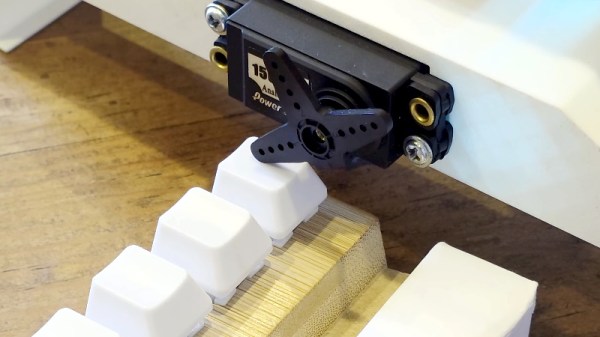
Scrolling in bed is allowed up to a prescribed time. At that time, a rack and pinion-mounted arm rises up from behind his mattress, presenting an open hand, ready to accept the object of his addiction. At this point, a countdown begins. If he does not hand over the device in a matter of seconds, the robot escalates by flashing obnoxiously bright lights in his face.

The nocturnal technology detox is not absolute, however. A button allows [Will] to temporarily retrieve his phone after it has been confiscated. This safety override accounts for the Inevitable situation where he will need to send a last-minute text before nodding off. The flashing light disincentive countdown is restarted upon retrieval, ensuring that [Will] does not cheat his own system for additional scroll time.

As a brief sidebar, [Will] does a nice job explaining how pulse-width modulation works for the purpose of controlling the speed of the rack and pinion mechanism.

For more of [Will’s] projects see this iPad suspension system a Lamp that tracks the location of the ISS and a drum that uses the piezoelectric effect to charge mobile devices.

Continue reading “This Bedtime Bot Enforces Better Sleep Hygiene”

Remember XBMC? It’s Back!

The original Xbox was different from the consoles that had gone before, in that its hardware shared much with a PC of the day. It was found to be hackable, and one of the most successful projects to take advantage of it was a media centre. You know it as Kodi, but its previous name was XBMC, for Xbox Media Centre. The last version that still ran on an original Xbox saw the light of day in 2016, so it’s definitely a surprise that a new version has appeared.

XBMC version 4.0 brings a host of new features to the venerable platform, including the Estuary user interface that will be familiar to users of more recent Kodi versions, a better games library, and more. The plugin system has been revamped too, and while it retains the Python 2 version from back in the day it’s promised that a Python 3 update is in the works. That’s right, it sounds as though there will be more releases. Get them from the GitHub repository.

We’re not sure how many of you have early Xbox hardware along with the inclination to use it as a media centre, after all Kodi runs so well on a lot of very accessible hardware. But we’re impressed that the developers of this release have managed so much within the confines of a machine with a 2000s-era spec, and have released it at all.

If you’re curious about Xbox hacking, take a look at some of its early history.

Damn Fine (Solar Powered) Coffee

The folks at Low Tech Magazine are here again, this time with a solar powered coffee maker. Lest you think of a large parabolic mirror with a pot at its focus, in this case the device is much more friendly. It’s a table-top appliance that relies upon a 100 W, 12 V panel for its operation.

They make the point that an electric coffee pot requires at least 300 W to work, so what’s the secret? In this case, insulation, as a standard moka pot is placed within a nichrome heating element set in mortar and surrounded by cork. On the outside are tiles, though they appear largely ornamental and the write-up suggests you could experiment with other materials to serve as an enclosure.

It appears to be an effective coffee maker, with the significant caveat that it’s hardly fast. In full sunlight the first pot takes over an hour to brew, with subsequent ones once it’s up to temperature being somewhat faster. But you can’t argue with the idea of free power, even if your favourite caffeinated beverage may now take a while to appear.

We like this idea, despite its slow brewing. We’ve featured Low Tech Magazine before, not least in their solar powered oven.

Humane Mousetrap Lets You Know It’s Caught Something

“Build a better mousetrap and the world will beat a path to your door,” so goes the saying, but VHS beat Betamax and the world hasn’t been the same since. In any case, you might not get rich building a better mousetrap, but you can certainly create something more humane than the ol’ spring’n’snap, as [nightcustard] demonstrates.

The concept is the same as many humane mousetraps on the market. The mouse is lured into a confined cavity with the use of bait, and once inside, a door closes to keep the mouse inside without injuring it. [nightcustard] achieved this by building a plastic enclosure with plenty of air holes, which is fitted with a spring-loaded door. When a mouse walks through an infra-red break beam sensor, a Raspberry Pi Pico W triggers a solenoid which releases the door, trapping the mouse inside. This design was chosen over a passive mechanical solution, because [nightcustard] noted that mice in the attic were avoiding other humane traps with obvious mechanical trigger mechanisms.

As a bonus, the wireless connectivity of the Pi Pico W allows the trap to send a notification via email when it has fired. Thus, you can wake up in the morning and check your emails to see if you need to go and release a poor beleaguered mouse back into the wild. This is critical, as otherwise, if you forget to check your humane trap… it stops being humane pretty quickly.

If you’re looking for more inspiration to tackle your mouse problems, we can help. We’ve featured other traps of this type before, too. Meanwhile, if you’ve got your own friendly homebrew solutions to pesky pest problems, don’t hesitate to hit up the tipsline.

If It Ain’t Broke… Add Something To It

Given that we live in the proverbial glass house, we can’t throw stones at [ellis.codes] for modifying a perfectly fine Vornado fan. He’d picked that fan in the first place because, unlike most fans, it had a DC motor. Of course, DC motors are easier to control with a microcontroller, and next thing you know, it was sporting an ESP32 and a WiFi interface.

The original fan was surprisingly sparse inside. A power supply, of course, and just a tiny PCB for a speed control. Oddly, it looks like the speed control was just a potentiometer and a 24 V supply. It wasn’t clear if the “motor” had some circuitry in it to do PWM control or not. That seems likely, though.

Regardless, the project opted for a digital pot IC to maintain compatibility. One nice thing about the modification is that it replaces the existing board with the same connectors. So if you wanted to revert the fan to normal, you simply have to swap the boards back.

Now the fan talks to home automation software. Luckily, there’s still nothing wrong with it. We love seeing bespoke ESPHome projects. Even if your fan has WiFi, you might not like it communicating with Big Brother.

If IRobot Falls, Hackers Are Ready To Wrangle Roombas

Things are not looking good for iRobot. Although their robotic Roomba vacuums are basically a household name, the company has been faltering financially for some time now. In 2024 there was hope of a buyout by Amazon, who were presumably keen to pull the bots into their Alexa ecosystem, but that has since fallen through. Now, by the company’s own estimates, bankruptcy is a very real possibility by the end of the year.

Hackaday isn’t a financial blog, so we won’t get into how and why iRobot has ended up here,  although we can guess that intense competition in the market probably had something to do with it. We’re far more interested in what happens when those millions of domesticated robots start getting an error message when they try to call home to the mothership.

We’ve seen this scenario play out many times before — a startup goes belly up, and all the sudden you can’t upload new songs to some weirdo kid’s media player, or the gadget in your fridge stops telling you how old your eggs are. (No, seriously.) But the scale here is unprecedented. If iRobot collapses, we may be looking at one of the largest and most impactful smart-gadget screw overs of all time.

Luckily, we aren’t quite there yet. There’s still time to weigh options, and critically, perform the kind of research and reverse engineering necessary to make sure the community can keep the world’s Roombas chugging along even if the worst happens.

Continue reading “If IRobot Falls, Hackers Are Ready To Wrangle Roombas”