Automatic Daylight Saving Time Compensation For Your Clock Projects

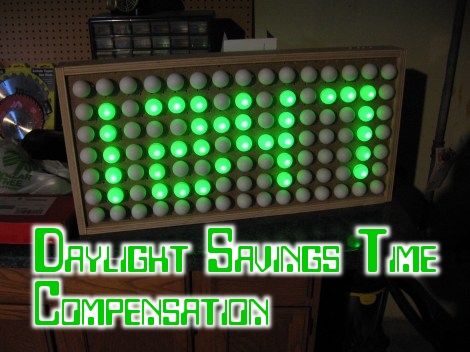
Pretty early in development of my Ping Pong Clock I came up with the idea of automatic Daylight Saving Time compensation. It’s an interesting feature, but it’s a luxury and so I figured I could add it as a future improvement. Now’s the time and I’m reporting back on what I’ve learned and how you can add this to your own projects.

There’s two things to think about before adding this feature. Is it worth the effort and does it make the clock more confusing rather than easier to use?

As to the latter, if you are responsible for setting the time initially but you are not responsible for resetting the clock when we fall back or spring forward will it cause confusion? Perhaps initially, but the battery-backed RTC that I used in my project should mean that you set it once and never have to reset it again. The one exception is DST and that’s what I’m compensating for.

Whether it is worth it or not is difficult to answer until after the fact. You should take into consideration that the DST rules are not set in stone, they change from time to time. Add to that the fact that not all parts of the world observe the practice. This means that not only do you need to implement the compensation, but you should add a method of switching it on and off as well as changing the rules for when it is observed.

Join me after the break to learn the method and code I use to make time adjustments automatically twice a year.

Continue reading “Automatic Daylight Saving Time Compensation For Your Clock Projects”

How To Earn Your Hackaday Skill Badge

Since Adafruit released a few dozen hacker skill badges, we’ve been waiting for this tip to come in. [phillip torrone] over at Adafruit posted a requirement sheet put together by a school teacher-blogger friend aimed at high school students wanting to earn their Hackaday skill badge.

The requirement list is heavily influenced by the requirements needed to earn a merit badge in the Boy and Girl scouts – first, do a little research and be able to describe the type of build we usually feature. Then, describe the project to your teacher and directly relate your project to other builds featured on Hackaday. Solid advice, we have to say.

There’s a few solid tips that really help us out; putting up a blog post for your project really helps us out, as does hosting your code on a Git. Videos are always good, and even though I’m partial to Vimeo (these videos just come out looking more professional for some reason), a lot of our commentors prefer YouTube.

About the commentors: the requirement sheet specifically mentions ignoring the flame bait comments, something we’d have to agree with. The comments have gotten better, but the best way for you (yes, all of you) to help is just hit the report button and don’t feed the trolls.

If your post doesn’t make Hackaday, don’t feel bad. Before I started working here, I built a Mellotron and submitted it to the tip line. It didn’t get featured, but I just rolled with the punches. Now I’m waiting for a Raspberry Pi to come in so I can update that build and give it the rollout it deserves. If your build gets skipped, just re-submit a week or so later. We’re a fickle bunch and sometimes projects waste away in the tip line, especially if it’s similar to a recently posted build.

Getting Started With Software Defined Radio

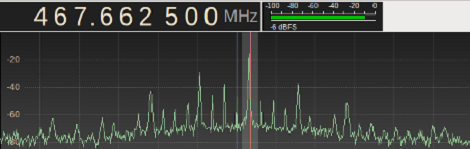
In the last few months, software defined radio has seen an explosion in popularity thanks to a small USB TV tuner dongle able to receive anything broadcast between 64 and 1700 MHz. It’s a very neat project that opens the door to a whole bunch of radio experimentations, but getting started in the SDR world can be a bit daunting. To help everyone out, [MS3FGX] is writing a getting started guide so everyone can get into the world of software defined radio.

After getting one of the TV tuners supported by the RTL-SDR project (by far the most commonly used is this one from Dealextreme), the next thing you’ll need is a decent antenna. [MS3FGX] has had some success with this Radio Shack antenna, but it’s very easy to make your own.

The most popular software package to use with the RTL TV dongle is GNU Radio, and [MS3FGX] goes over the ins and outs of setting this up along with a brief aside for the Gqrx receiver.

After your hardware and software is set up, the only thing left to do is tuning into a few of your favorite stations. The range of frequencies the RTL covers includes AM and FM radio, along with GSM and GPS signals. Of course there’s a whole lot more you can do with this project like listening in on your car’s keyless entry fob, pagers, and wireless weather stations.

[Balint] Is Starting A Software-defined Radio Tutorial Series

A few months ago, we saw a hack where a $20 USB TV tuner was transformed into a software-defined radio capable of reading GPS signals, listening to radio transmissions between aircraft and a control tower, and even a simple FM radio. This project is a perfect introduction to the RTL-SDR and Ham radio scene, but getting these projects up and running can be a bit overwhelming for anyone who hasn’t played around with this before. [Balint] is tackling this problem head on with a series of YouTube tutorials to get SDR noobs up and running with GNU Radio and the Realtec USB TV tuner.

To demonstrate the power of software-defined radio, [Balint] is using GNU Radio and the USB TV tuner that started it all, the Ezcap EZTV668 (conveniently back in stock at DealExtreme, but other options exist). Because software-defined radio is a touch confusing for a beginner to wrap their head around, [Balint] is beginning his tutorial series by explaining radio sources, sinks, and the GNU Radio interface.

Already, [Balint] has put up 5 tutorials and made the flowgraph files available in his gr-baz project. He’s doing a wonderful job opening up the software-defined radio scene to beginners, but he’s still looking for some feedback. If you have a suggestion on what [Balint] should cover next, leave a note in the YouTube comments and we’re sure [Balint] will get around to that eventually.

PCB Manufacturing Tutorial

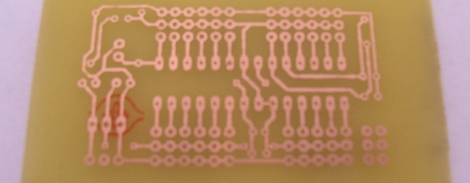
There comes a time in every maker’s career where solderless breadboards won’t do, perfboard becomes annoying, and deadbug is impossible. The solution is to manufacture a PCB, but there’s a learning curve. After learning a few tricks from [Scott]’s awesome DIY PCB guide, it’s easy to make your own printed circuit boards.

There are a few basic steps to making a PCB. First is designing the board in Eagle or KiCad. The next step, putting the design into copper, has a lot of techniques to choose from. Photo transfer, direct printing, and CNC milling have huge benefits, but by far the most common means hobbyists produce boards is with toner transfer using a laminator.

Unless you’re doing SMD-only circuits, a drill is required. Most people can get away with a Dremel or other rotary tool, but Hackaday has a favorite drill press that is perfect for drilling holes in FR-4. In part two of [Scott]’s tutorial, he goes over solder masks, silk screens before jumping into vias. These small bits of copper conducting electricity through a circuit board are extremely hard for the garage-bound builder to achieve on their own, but there are a few solutions – copper rivets (anyone have a US source for these?) and copper foil can be used, but sometimes the most effective solution is just hitting the board with a lot of solder and heat.

Thanks [Upgrayd] for the title pic.

Manga Guide To SMD

For those that have always felt a bit treppidatious when approaching SMD, you can relax. Here’s a simple guide to walk you through your first shaky steps into surface mount devices. Distributed freely under the creative common license, the Manga Guide to SMD is an 18 page comic that has a goal of making SMD producers out of all of us. There’s a good visual explanation of what SMT is and why we use it, as well as a thorough walk through of how to solder the tiny devices with your soldering iron. They don’t go into dealing with a small reflow oven in this issue.

If this fits well with your learning style, you might also be interested in the Manga Guide to Electricity.

Making A Miniature X-Ray Tube From Scratch

We know that most of you will have no reason to ever make a miniature X-ray tube. However, we also know that many of you will find this video mesmerizing like we did. [Glasslinger] does a fantastic job of explaining the entire process of creating the mini x-ray tube from, procuring the uranium glass and tungsten stem, creating the filament from scratch, all the glass work, and the testing.

Admittedly, most of us here at hackaday won’t go any further than admiring the craftsmanship, though we’re curious to see what [Adam Munich] has to say when he sees this story.

If you enjoyed the tube construction in the video, be sure to check out [Glasslinger’s] other videos. He makes all kinds of tubes in his shop and usually shares so much information along the process that each one has useful information beyond that particular project. Another crazy part is that he has made most of his own tools, including his glass lathe.

We really shouldn’t have to point out that X-Rays are dangerous. Don’t mess with them unless you have researched how to do it safely.