Security Audit Kit In A Mouse

Sometimes it helps to have an entire set of tools with you to tackle a problem, and sometimes it helps to take the discreet route. [StenoPlasma] took the latter of these approaches, and stuffed a USB hub, a 16 GB flash drive, and an Atheros based USB wireless adapter into a regular looking USB mouse to make a Linux bootable system in a mouse. Because he chose the Atheros adapter, he is also capable of doing packet injection with tools like Aircrack-ng, which can invaluable in a security audit or (white hat) hacking situation.

This is the only photo we have, so it could be possible that the mouse is no more than a mouse, however we know all of what [StenoPlasma] claims is 100% possible, so we’ll give him the benefit of the doubt, and hope this inspires others to hack up your own mouse kits. Be sure to check out the full parts list after the break.

Continue reading “Security Audit Kit In A Mouse”

Classic Game Emulation On The Dockstar

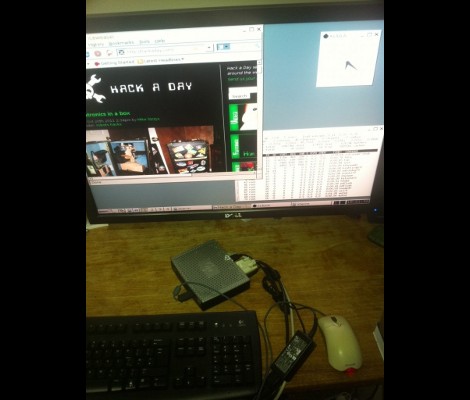
[Hunter Davis] is playing games like Contra, Monkey Island, and Quake 3 by running them on a Seagate Dockstar. We were shocked after seeing how well these run in the video after the break. [Hunter], who used the ZipIt for game emulation in the past, added a couple of hardware peripherals to get everything running. For sound he picked up an inexpensive USB sound card which was no problem to get up and running. Next he picked up a USB to DVI adapter and fired up the Linux USB DisplayLink driver. With the peripherals running he loaded up Fluxbox and the rest was history. Not bad for a small network storage adapter. Continue reading “Classic Game Emulation On The Dockstar”

Crash Course In HTML Manipulation From A Shell Script

Automating something involving data from the Internet can be confusing when it comes to pages generated by user input. For instance, let’s say you want to scrape data from a page that loads after using a search box. [Andrew Peng] posted a quick and dirty example to help you write your own scripts. The example he used checks stock on one of the websites he frequents. His process outlines finding the link that all searches are submitted to, establishing the method used to send the search string, and grabbing the resulting data. He parses it and sends off an email if it finds what he’s looking for. But this could be used for a lot of things, and it shouldn’t be a problem to make it alert you in any way you can imagine. Maybe we’ll use this to add some functionality to our rat.

Making MSATA Work With Mini PCI Express

[Trucki] wanted to upgrade the internal storage on his JooJoo. There’s an mSATA connector inside but devices that use that protocol are hard to come by and when you do they’ll cost you and arm and a leg. He knew he could get solid state drives cheaply that use the mini PCI Express standard, which is mechanically compatible with mSATA. So he set out to alter a mini PCI Express device to work with the mSATA protocol. This entails swapping the transmission lines and rearranging the voltage traces on the connector. To handle the TX- and TX+ lines he desoldered their decoupling capacitors and realigned them to trade their signals. For the 3.3V lines he had to cut the feed and solder jumper wire to the correct pads.

This is some nice work which let him add a 32 GB drive for just sixty Euros. Since the device only comes with a 4 GB SSD an upgrade is almost mandatory if you’re planning to install an alternate OS on the Joojoo.

Sluggy Wind Speed Sensor

Sometimes when we look at a hack, its to see how someone chose those parts for the project. In this case, it would have been hard to see it coming. [Janne Jansson] decided to combine a set of measuring cups, a hacked Linksys NSLU2 NAS, and a PS/2 Mouse together to make a self-contained Wind Speed Sensor for his roof. The measuring cups act as wind catchers, which in turns drives the rotation of one of the mouse ball sensors. This data is then logged and transmitted by the NSLU2. The NSLU2 is running a custom Linux based firmware, similar to how OpenWRT works for wireless routers.

To calibrate the device, he also made the best logical choice: to duct tape it to the hood of his car along with a much more expensive wind sensor and use that data to make his own device as accurate as possible. When placed atop his house with a 1500VA 220V UPS, the device managed 250 days of uptime before meeting its demise. Those 250 days also included 5 days of being frozen solid, yet still transmitting (somewhat meaningless) data. All of the relevant code and build instructions are available, for those of you with similar parts to spare.

Chumby Webserver Using Upgraded Internal Storage

The Chumby One has an internal SD card offering a fair amount of storage. [Kenneth Finnegan’s] came with a 1 GB card that had about 500 MB left over which he filled with a collection of MP3s. But he wanted to do more and so installed a pre-compiled version of lighttpd to act as a web server. The problem is that this binary requires a thumb drive to be plugged in because it maps the storage directory to the mounted USB folder. He wasn’t happy with that so he upgraded the internal SD card and rolled his own webserver to run from the internal SD card.

The upgrade involved going from a 1 GB to an 8 GB microSD card. In order to run the webserver internally he needed to recompile lighttpd to use a different root directory. This meant setting up an ARM cross-compiler and eventually finding a new place for the start up script. The location change for the ‘lighty’ directory leaves us wondering if a symlink couldn’t have solve the problem without recompilation. But we don’t have the hardware on hand to try this out ourselves.

But if you want to give it a shot, check out [Bunnie’s] post about Chumby-based hardware. Looks like you can head out to the big-box store and have one in hand without shelling out too many clams.

Dungeon Crawler Game For IM-ME (and Linux)

[Joby Taffey] takes the prize for the first completed homebrew game for the IM-ME. Over the last few weeks we’ve seen [Travis Goodspeed] working with sprite graphics, and [Emmanuel Roussel] developing game music for the pink pager. But [Joby] didn’t really use either of those.

[Travis’] sprites were using a framebuffer that fills up a lot of valuable RAM. [Joby] decided to draw the room screens (all of them have been stitched together for the image above) as a one-time background image to keep the memory free. From there, the screen is updated in 8×8 blocks based on cursor movement. He also decided not to add music as he feels the high-pitched piezo is not capable making sound without driving everyone crazy.

Source code is available and for those of you who don’t own this pretty handheld, the game can also be compiled in Linux.