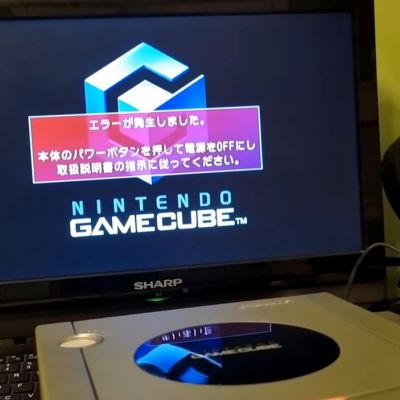
Fixing A GameCube’s Dodgy Optical Drive With Fresh Capacitors

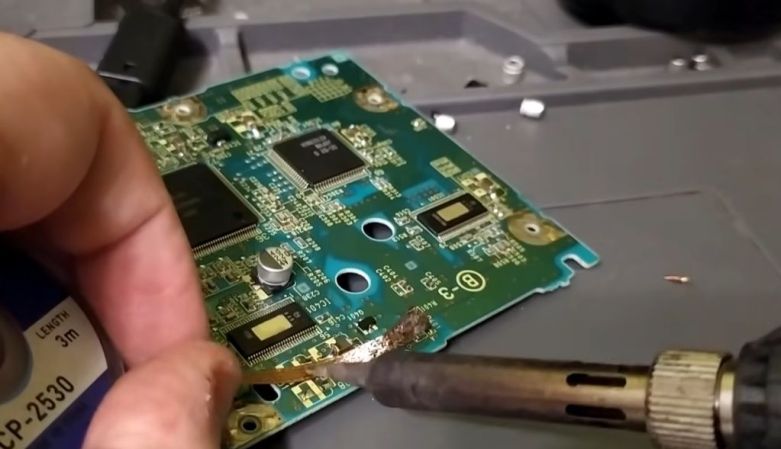
Generally when a game console with an optical drive stops reading discs the first thing that people do is crank on the potentiometer that controls the power to the laser diode to ramp up its output. While this can be a necessary solution to eke out a bit more life out of a clearly dying laser diode, this can actually massively shorten the lifespan of a good diode that’s just held back by bad capacitors. This is demonstrated by [Skawo] with a fix on a GameCube that stopped reading discs.

While it’s absolutely true that laser diodes have a limited lifespan, so do the capacitors and other components in the system. Thus, after tearing down this Japanese GameCube, [Skawo] accesses the optical PCB for some delicate plier-based capacitor surgery. One can absolutely question such violence, as well as the replacement mix of MLCC ceramics and a stray THT electrolytic capacitor, but the results after reassembly are obvious.

Without having to adjust the laser diode’s potentiometer, the game console now happily reads the game disc while the laser diode breathes a sigh of relief. Although all GameCube consoles will face the inevitable demise of their optical drives – barring a replacement optical pickup solution appearing – with this capacitor replacement solution it’s at least possible to stave off that undesirable time for a bit longer.

Continue reading “Fixing A GameCube’s Dodgy Optical Drive With Fresh Capacitors”

Rescuing A Pokémon Off A Pokéwalker After Losing The Game Cartridge

The Pokéwalker is a gadget that was sold alongside the Pokémon HeartGold and SoulSilver games for the Nintendo DS which players could use to take a Pokémon out on a walk in the real world. Not only would you earn points while walking, but you’d be able to find items, battle wild enemies, etc. The Pokémon inside the device is however linked to the game cartridge. This fact turned into tragedy when [Etchy] found his old Pokéwalker with a treasured Pokémon still on it, but was forced to erase the device as he had lost the cartridge over the years.

Although he had been told repeatedly by then that it was impossible to transfer such a digital pet to a new save file, this never felt right. Although it made some sense that a specific critter would be linked to a specific save file as a level of security, there’s also the question of whether all data of the Pokémon in question would be erased from said save file.

Cloning a Snickers. {Credit: Etchy, YouTube)

Fortunately, [Dmitry] has reverse-engineered the Pokéwalker already, including the infrared protocol that uses the IR transceiver in the cartridge itself. As it turns out, only some basic information is sent over to the device, while the Pokémon is simply hidden in the save file, including the data that isn’t sent to the device. Case closed, right?

It would be a sad ending for those who have lost Pokémon on these devices if it was that simple, fortunately. After some digging, [Etchy] found out that the device only checks for three pieces of information to ensure that it is being accessed from a valid game session: the version (HeartGold or SoulSilver), the region (NA, JP, etc.), and the training and secret IDs.

This thus means that if you try long enough, or use an RNG manipulation hack as demonstrated, you can get a new save file created that has the exact same IDs. As long as you make sure that your local critter’s details in terms of species and form are the same as on the device, there’s nothing really stopping the device from happily handing over the critter’s details.

Of course, the real thing that defines a single Pokémon is its ID (PID) that defines its properties, and this is only saved in the save file. The final answer is thus that there’s no way to rescue a trapped Pokémon, as it only really exists on the cartridge that may or may not still exist in some physical form.

Continue reading “Rescuing A Pokémon Off A Pokéwalker After Losing The Game Cartridge”

Nintendo’s Family BASIC Keyboard Gets USB Upgrade

America knew it as the Nintendo Entertainment System, but in Japan, it was the Family Computer (Famicom). It was more than just a home console—it was intended to actually do a whole lot more. All you had to do was plug in the keyboard and chuck in the right Family BASIC cartridge, and you had a computer hooked up to your TV! [Lucas Leadbetter] came across an old Family BASIC keyboard recently, and set about making it more useful in our modern age with a simple USB upgrade.

[Lucas] started with research, and soon found plenty of schematics and details on the keyboard on the NESdev wiki page. Hunting further turned up a video from [Circuit Rewind], who demonstrated how to hook up the keyboard to a Raspberry Pi Pico, including how to interface with the onboard chips to scan the keys. These resources told [Lucas] enough to get going—and that it should be as simple as wiring some custom hardware up to the internal keyboard matrix connector to get it speaking to USB.

[Lucas] went a slightly different path to [Circuit Rewind], implementing the popular QMK firmware to suit the Family Basic keyboard on an Adafruit KB2040. The Adafruit part is basically an RP2040 microcontroller slapped onto a tiny PCB in a form factor that’s ideal for making custom keyboards. [Lucas] was able to reimplement the scanning logic that [Circuit Rewind] had reverse engineered previously, and had the keyboard up and running in short order with all the usability benefits of the QMK firmware. Files are on Github for those eager to recreate the work.

As far as usability goes, [Lucas] notes that the Family BASIC keyboard is more of a conversation piece than a daily driver, thanks to its rather poor feel. Duly noted. We’ve explored how software development is done in Family BASIC before, too. Video after the break.

Continue reading “Nintendo’s Family BASIC Keyboard Gets USB Upgrade”

SNES Controllers Are (Almost) SPI-Compatible

Considering that the Serial Peripheral Interface bus semi-standard has been around since the early 1980s, it’s perhaps not that shocking that the controllers of the Super Nintendo Entertainment System (SNES) would take at least some strong design hints for the used protocol. This does however raise the question of exactly how compatible a SNES controller is when connected to the SPI master peripheral of any random MCU. Recently [James Sharman] set out to answer this question decisively.

The impetus for answering this question came after [James] designed a separate SNES controller board for his homebrew computer system, which led to many comments on that video saying that he could just have hooked the controller up to the SPI board in said homebrew system.

Here the short answer is that the SNES controller protocol is very close to SPI Mode-1, with a similar arrangement of clock/data/chip select (latch) lines and clocking. If you think of the SNES controller as an SPI device with just a MISO line, you’re basically there already. The only niggle that popped up was that the ‘MISO’ line does not get pulled into a high-impedance state when the active-low latch connection is pulled high.

This was fixable by introducing a 74HC125 tri-state buffer IC, after which both the original SD card and twin SNES controllers could be used simultaneously.

Continue reading “SNES Controllers Are (Almost) SPI-Compatible”

The Long Afterlife Of The Console Modchip

For a late-1990s engineer with good soldering skills, many a free pint of beer could be earned by installing modchips on the game consoles of the day. Modchips were usually a small microcontroller connected with a few wires to selected pins on the chips or pads on the board that masked or overrode the copy protection and region locking. This scene was brought back for us by a recent [Modern vintage gamer] video looking at the history of console hardware mods, and it’s worth a watch (see the video, below).

The story starts in 1996 with the original PlayStation, largely the source of those free pints for a nascent Hackaday scribe back in the day. Along the way, as he expands the story, we find other memories, for example, the LPC bus-based hijacks of the first XBox console, and the huge modding scenes on both that machine and Sony’s PS2. The conclusion is that this community left its mark on today’s consoles even though the easy hardware hacks may be a thing of the past on the latest hardware, and as past Hackaday articles can attest, jailbreaking older consoles still has a way to go.

In the early days, our recollection is that the PlayStation modchips were driven by the region locking rather than piracy, for the simple reason that Sony used 80-minute ISOs which wouldn’t fit on the then-available consumer 74-minute CD-R. We also remember them being used by people who couldn’t afford a blue debuugging PlayStation,. or the rare black developer model.

Continue reading “The Long Afterlife Of The Console Modchip”

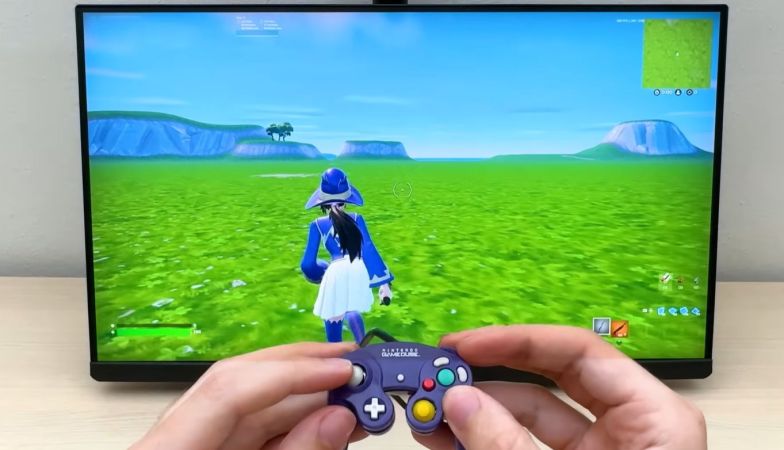
GameCube Dock For Switch, Revisited

While modern game consoles are certainly excellent, there is still something magical about the consoles of yore. So why not bring the magical nostalgia of a GameCube controller to the Switch series of consoles?

This isn’t [Dorison Hugo’s] first attempt at building a Switch dock, but with seven years of development, there are a lot of updates in the project to unpack. One version allows the user to play on the Switch’s screen instead of on a docked display, and another comes with a mechanical lock to prevent the console from being stolen. But what really caught our eye is the modifications made to the OEM Switch docks.

As it turns out, there is enough space inside a Switch dock to stuff in four GameCube ports. Short of spinning a custom board, the trick was picking the right commercial adapter to start with. The Wii U branded adapter [Dorison] was using wouldn’t fit. However, a rather small third-party adapter from Input Integrity got the job done. Space was still rather tight, and the ports needed to be removed from the board to fit. Some cables with simple connectors on the GameCube connector side make cable management a bit simpler later. Holes have to be very neatly cut into the front of the Switch dock to complete the look, with the mods held in with some superglue, epoxy, and hot glue.

Shortly after the completion of the dock, the Switch 2 was released, so naturally, that dock went through a similar process. While there is more internal space for cable management on this iteration of the console, there is too little space for the ports to fit without modification. Shaving off a few millimeters from the top of the ports allows them to fit inside the case, but makes cutting professional-looking holes in the front panel all the more challenging. Unfortunately, there is no good way to connect the adapter’s USB cable to the dock’s PCB, so an extra USB cable became necessary.

Regardless of any imperfections, both modified docks look excellent, with near-OEM quality!

Continue reading “GameCube Dock For Switch, Revisited”

After 30 Years, Virtual Boy Gets Its Chance To Shine

When looking back on classic gaming, there’s plenty of room for debate. What was the best Atari game? Which was the superior 16-bit console, the Genesis or the Super NES? Would the N64 have been more commercially successful if it had used CDs over cartridges? It goes on and on. Many of these questions are subjective, and have no definitive answer.

But even with so many opinions swirling around, there’s at least one point that anyone with even a passing knowledge of gaming history will agree with — the Virtual Boy is unquestionably the worst gaming system Nintendo ever produced. Which is what makes its return in 2026 all the more unexpected.

Released in Japan and North America in 1995, the Virtual Boy was touted as a revolution in gaming. It was the first mainstream consumer device capable of showing stereoscopic 3D imagery, powered by a 20 MHz 32-bit RISC CPU and a custom graphics processor developed by Nintendo to meet the unique challenges of rendering gameplay from two different perspectives simultaneously.

In many ways it’s the forebear of modern virtual reality (VR) headsets, but its high cost, small library of games, and the technical limitations of its unique display technology ultimately lead to it being pulled from shelves after less than a year on the market.

Now, 30 years after its disappointing debut, this groundbreaking system is getting a second chance. Later this month, Nintendo will be releasing a replica of the Virtual Boy into which players can insert their Switch or Switch 2 console. The device essentially works like Google Cardboard, and with the release of an official emulator, users will be able to play Virtual Boy games complete with the 3D effect the system was known for.

This is an exciting opportunity for those with an interest in classic gaming, as the relative rarity of the Virtual Boy has made it difficult to experience these games in the way they were meant to be played. It’s also reviving interest in this unique piece of hardware, and although we can’t turn back the clock on the financial failure of the Virtual Boy, perhaps a new generation can at least appreciate the engineering that made it possible.

Continue reading “After 30 Years, Virtual Boy Gets Its Chance To Shine”