[via Digg]
[via Digg]
Privacy watchdog group, National Legal and Policy Center has released a PDF detailing Google founder Larry Page’s home (dowload PDF here). They used Google’s Maps and Street View to assemble all of the information. Google is currently involved in a lawsuit resulting from a Street View vehicle traveling and documenting a private road. This PDF was released in response to Google stating that “complete privacy does not exist”.
For some reason the PDF is redacted with black boxes. We threw together a simple screencast (click through for HiDef) to show how to easily bypass the boxes using free tools. You can simply cut and paste the hidden text and images can be copied as well-no need to break out Illustrator. This sort of redaction may seem trivial, but the US military has fallen victim to it in the past.

Security-Hacks has a great roundup of essential Bluetooth hacking tools. As they point out, Bluetooth technology is very useful for communication with mobile devices. However, it is also vulnerable to privacy and security invasions. Learning the ins and outs of these tools will allow you to familiarize yourself with Bluetooth vulnerabilities and strengths, and enable you to protect yourself from attackers. The list is separated into two parts – tools to detect Bluetooth devices, and tools to hack into Bluetooth devices. Check out BlueScanner, which will detect Bluetooth-enabled devices, and will extract as much information as possible from those devices. Other great tools to explore include BTCrawler, which scans for Windows Mobile devices, or Bluediving, which is a Bluetooth penetration suite, and offers some unique features like the ability to spoof Bluetooth addresses, and an L2CAP packet generator. Most of the tools are available for use with Linux platforms, but there are a few you can also use with Windows.
[via Digg]

It’s been a few weeks since [Dan Kaminsky] announced the nature of the DNS vulnerability and allowed 30 days of non-disclosure for patches to be applied before details of the exploit went public. Unfortunately, the details were leaked early and it didn’t take long for a functional exploit to be released into the wild. Since then, many ISPs have taken steps to prevent their users from falling victim to the attack, and BIND, the widely-used DNS protocol implementation, was updated to minimize the threat. Even then, there were reports of a version of the attack being actively used on AT&T’s DNS servers.
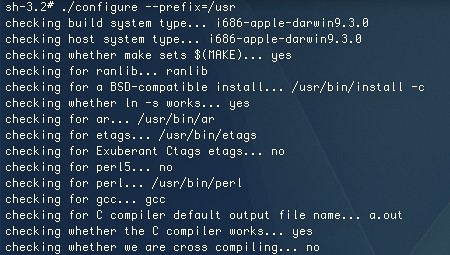
Mac OSX uses a BIND implementation but as of yet, Apple has not released a patch updating the system (Microsoft, on the other hand, patched this up on July 8). As a result, machines running OSX are at risk of being exploited. Individual users are less likely to be targeted, since the attacks are directed towards servers, but it’s not a smart idea to leave this vulnerability open. [Glenn Fleishman] has published a way to update BIND on OSX manually, rather than waiting on Apple to patch it themselves. It requires Xcode and a bit of terminal work, but it’s a relatively painless update. When we tried it, the “make test” step skipped a few tests and told us to run “bin/tests/system/ifconfig.sh up”. That allowed us to re-run the tests and continue the update without further interruption. [Fleischman] warns that people who manually update BIND may break the official update, but he will update his instructions when it happens with any possible workarounds. Unfortunately, this fix only works for 10.5 but alternative, yet less effective methods may work for 10.4 and earlier.
If you’d like to know if your preferred DNS servers are vulnerable or not, you can use the DNS checker tool from Doxpara. As an alternative to your ISP’s DNS servers, you can use OpenDNS, which many prefer for its security features and configuration options.

Despite, Hack a Day seeming to be fairly lock heavy lately, we’ve yet to cover a major story from The Last HOPE. At the conference, [Jon King] talked about vulnerabilities in Medeco locks and presented his Medecoder tool. Medeco is really what makes this story interesting; unlike the EU, the US has very few high security lock manufacturers. You pretty much have to use Medeco and it’s found in many government agencies.
The Medeco locks have a vertical row of six pins arranged like most pin tumbler locks. Unlike your average lock, the rotation of the pins is important. When the key is placed in the lock, it not only moves the pins to the correct height, it also rotates them to the correct orientation. A sidebar blocks the cylinder unless the pins are rotated properly. Each pin has three possible orientations. They’re biaxial as well, which means the pin’s offset point allows for three more possible positions.

Slate is running an interesting article about taking new security approaches to lock vulnerabilities. In the past, lock makers such as Medeco have been able to quietly update their product lines to strengthen their security, but as movements such as Locksport International gain popularity and lock picking videos on YouTube become dime a dozen, lock makers can no longer rely on security through obscurity. It’s no question that an increased interest in this field helps lock manufacturers to create more secure products, but because patching these flaws often means changing critical features of the lock, it becomes a very expensive game of cat-and-mouse.
Traditional lock picking has employed the use of picksets, like the credit card sized set given out sold at The Last HOPE, but more recent methods of lock hacking have used bump keys or even magnets. However, as manufacturers make their locks less susceptible to picking and bumping, not even high-security locks will ward off someone determined enough to create a copy of the key, either by observing the original or using impressioning, as [Barry Wels] covered in a recent talk at HOPE 2008.

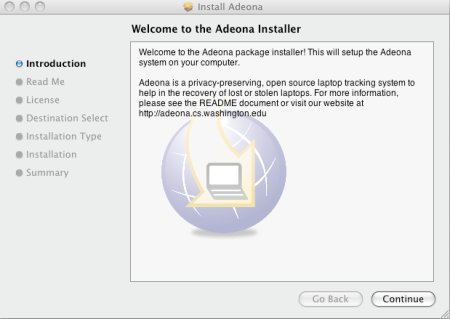
Adeona is an open source internet-based laptop tracking system that is free to use. It’s available for Linux, OSX, and Windows XP/Vista. After installation, Adeona will submit at random intervals, anonymously encrypted updates on the computer’s location to servers on the Internet, specifically to OpenDHT, a free storage service. The information is kept on the servers for one week. If your laptop becomes lost or stolen, you can use the retrieval tool to access information about where your laptop was last used: the external IP address, internal IP address, and nearby routers. If your laptop is a Mac, you can also download isightcapture to grab a picture of the thief. Adeona is designed to protect against common criminals who may not have much technological knowledge, and does not have any protections against events such as disk wipes. The open source nature of Adeona’s system means that there’s ample opportunity to improve upon the release or add extensions. Here’s one user who really likes what he sees.
[via Schneier]