Compiling C To PowerPoint

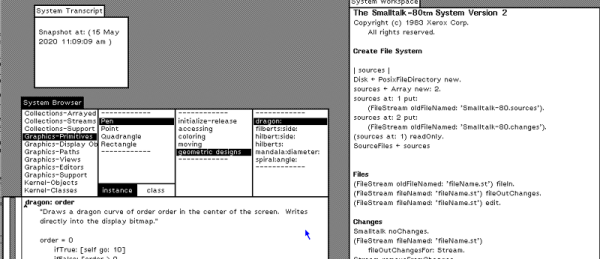
If you have worked for a large company — or even a small one — it might seem that you spend more time writing PowerPoint charts than programming. [Tom Widenhain’s] video asks the question: Can we compile C into PowerPoint? Watch the video below to find out the answer. Would it surprise you to know that [Tom] wanted to simulate the x86? It surprised us, too, and we had to note the video appeared on April 1. It does look workable, though, other than it is a bit unwieldy.

Instead of a Turing machine, this builds a set of clever logic gates. Unsurprisingly, [Tom] is the guy who put together a Turing machine in Excel. Surprisingly, he isn’t the first one to attempt a C to PPT compiler. The University of Chicago had a similar idea over a year ago, based on [Tom’s] earlier work and executed program using inefficient Turing machines.

Continue reading “Compiling C To PowerPoint”

Making An Arduino Ventilator? Read This First

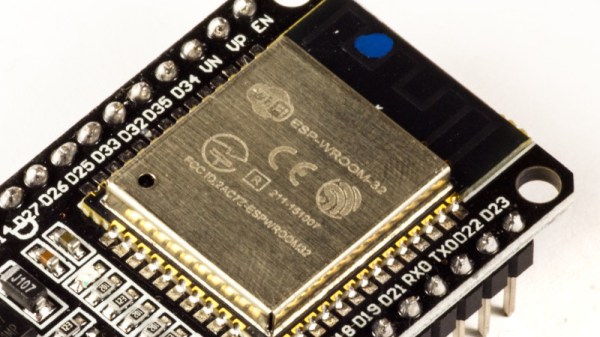
Thanks to the virus crisis, lots of people are designing makeshift ventilator designs in the hopes of saving people’s lives. Many of these are based around some sort of Arduino-powered CPU. [Armstrong Subero] things that’s a great idea, but cautions that making an electronic pair of dice is a different proposition than creating a machine to breathe for someone. But he isn’t just complaining. He talks about considerations when building a real-time and safety-critical system.

[Armstrong] has a lot of good points, although we aren’t sure you need the complexity of a real-time operating system just to squeeze a bag. If anything, that seems like it might make it more susceptible to unexpected operation. However, we agree with his comments that you should have closed-loop control to make sure the device is working, alarming when the device isn’t working, and watchdog timers to guard against lockup.

Continue reading “Making An Arduino Ventilator? Read This First”

Gold Cables Really Do Work The Best

As a writer, I have long harboured a dream that one day an editor will buy me a top-of-the-range audio analyser, and I can set up an audio test lab and write pieces debunking the spurious claims made by audiophiles, HiFi journalists, and the high-end audio industry about the quality of their products. Does that amp really lend an incisive sibilance to the broader soundstage, and can we back that up with some measurable figures rather than purple prose?

An Audio Playground You Didn’t Know You Had

An Audio Precision APx525 audio analyser.
An Audio Precision APx525 audio analyser. Bradp723 (CC-BY-SA 3.0)

Sadly Hackaday is not an audio magazine, and if Mike bought me an Audio Precision he’d have to satisfy all the other writers’ test equipment desires too, and who knows where that would end! So there will be no Hackaday audio lab — for now. But that doesn’t mean I can’t play around with audio analysis.

Last month we carried a write-up of a Supercon talk from Kate Temkin and Michael Ossmann, in which they reminded us that we have a cracking general purpose DSP playground right under our noses; GNU Radio isn’t just for radio. Once I’d seen the talk my audio analysis horizons were opened up considerably. Maybe that audio analyser wouldn’t be mine, but I could do some of the same job with GNU Radio.

It’s important to stress at this point that anything I can do on my bench will not remotely approach the quality of a professional audio analyser. But even if I can’t measure infinitesimal differences between very high-end audio circuitry, I can still measure enough to tell a good audio product from a bad one.

Continue reading “Gold Cables Really Do Work The Best”

Handheld 3D Scanning, Using Raspberry Pi 4 And Intel RealSense Camera

Raspberry Pi 4 (with USB 3.0) and Intel RealSense D415 depth sensing camera.

When the Raspberry Pi 4 came out, [Frank Zhao] saw the potential to make a realtime 3D scanner that was completely handheld and self-contained. The device has an Intel RealSense D415 depth-sensing camera as the main sensor, which uses two IR cameras and an RGB camera along with the Raspberry Pi 4. The Pi uses a piece of software called RTAB-Map — intended for robotic applications — to take care of using the data from the camera to map the environment in 3D and localize itself within that 3D space. Everything gets recorded in realtime.

This handheld device can act as a 3D scanner because the data gathered by RTAB-Map consists of a point cloud of an area as well as depth information. When combined with the origin of the sensing unit (i.e. the location of the camera within that area) it can export a point cloud into a mesh and even apply a texture derived from the camera footage. An example is shown below the break.
Continue reading “Handheld 3D Scanning, Using Raspberry Pi 4 And Intel RealSense Camera”

How To Try Generative Optimization At Home

Chairs, spokes on a wheel, bridges, and all kinds of other load-bearing objects are designed such that material is only present where it is needed. There’s a process by which the decisions about how much material to put and where is determined by computer, and illustrating this is [Adam Bender]’s short primer on how to use generative optimization in Autodesk’s Fusion 360 (which offers a variety of free licenses) using a wheel as an example.

Things start with a solid object and a definition of the structural loads expected. The computer then simulates the force (or forces) involved, and that simulation can be used to define a part that only has material where it’s really needed. The results can be oddly organic looking, and this process has been used to optimize spacebound equipment where every gram counts.

It’s far from an automated process, but it doesn’t look too difficult to navigate the tools for straightforward designs. [Adam] cautions that one should always be mindful of the method of manufacturing when designing the part’s final form, which is always good advice but especially true when making oddball shapes and curves.  To see the short process in action, watch the video embedded below.

Continue reading “How To Try Generative Optimization At Home”

Stay Informed: How To Pull Your Own COVID-19 Data

For all the technology we have, it can still be frustratingly difficult to get any concrete information from the media. Sometimes all you want to do is to cut through the noise and see some real numbers. Watching talking heads argue for a half hour probably isn’t going to tell you much about how the COVID-19 virus is spreading through your local community, but seeing real-time data pulled from multiple vetted sources might.

Having access to the raw data about COVID-19 cases, fatalities, and recoveries is, to put it mildly, eye-opening. Even if day to day life seems pretty much unchanged in your corner of the world, seeing the rate at which these numbers are climbing really puts the fight into perspective. You might be less inclined to go out for a leisurely stroll if you knew how many new cases had popped up in your neck of the woods during the last 24 hours.

But this article isn’t about telling you how to feel about the data, it’s about how you can get your hands on it. What you do with it after that is entirely up to you. Depending on where you live, the numbers you see might even make you feel a bit better. It’s information on your own terms, and in these uncertain times, that might be the best we can hope for.

Continue reading “Stay Informed: How To Pull Your Own COVID-19 Data”

Inside A CAN Bus Mileage Manipulator

In the days of carburetors and leaf spring suspensions, odometer fraud was pretty simple to do just by disconnecting the cable or even winding the odometer backwards. With the OBD standard and the prevalence of electronics in cars, promises were made by marketing teams that this risk had all but been eliminated. In reality, however, the manipulation of CAN bus makes odometer fraud just as easy, and [Andras] is here to show us exactly how easy with a teardown of a few cheap CAN bus adapters.

We featured another project that was a hardware teardown of one of these devices, but [Andras] takes this a step further by probing into the code running on the microcontroller. One would imagine that basic measures would have been taken by the attackers to obscure code or at least disable debugging modes, but on this one no such effort was made. [Andras] was able to dump the firmware from both of his test devices and start analyzing them.

Analyzing the codes showed identical firmware running on both devices, which made his job half as hard. It looked like the code was executing a type of man-in-the-middle attack on the CAN bus which allowed it to insert the bogus mileage reading. There’s a lot of interesting information in [Andras]’s writeup though, so if you’re interested in CAN bus or attacks like this, it’s definitely worth a read.