An EInk, ESP32-based Game Boy

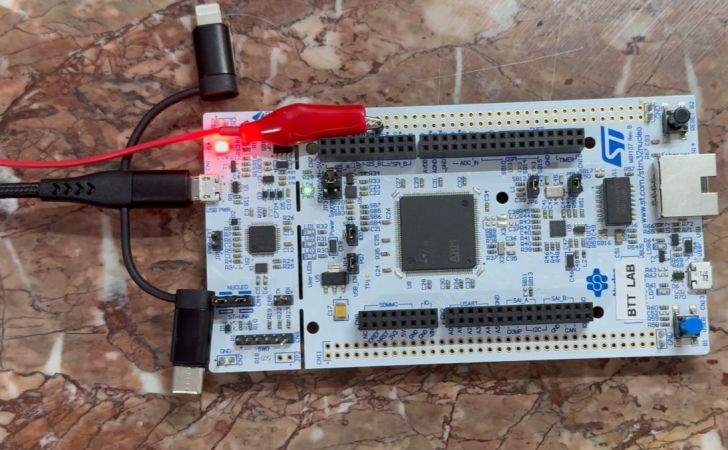
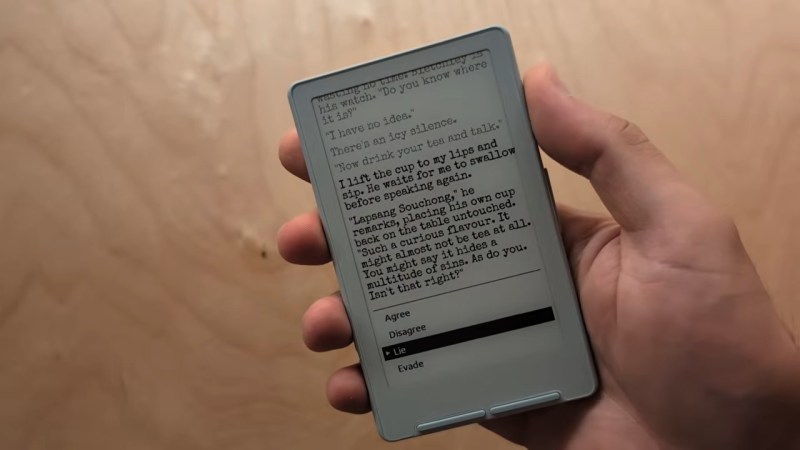
This is one of those projects that was both inspired and made possible by the absolute embarrassment of dev boards available to the modern hacker. In this case, the dev board was the M5Stack PaperS3, which as the name implies combines an ESP32-S3 with an e-ink panel. [Wenting Zhang] picked one up and was immediately inspired to try and make an e-ink Game Boy.

The M5Stack PaperS3 made this project possible by exposing the display with row/column control — parallel, some would call it, as opposed to the usual serial interface of SPI. That allowed [Wenting] to work some of the same e-ink magic he perfected on his Modos monitors to allow partial refresh at up to 60 Hz. That the ESP32-S3 is capable of emulating a Game Boy while driving the screen should surprise no one, since it can emulate an MSX while outputting VGA or even Windows 95 on a 386. In this case, he’s basing the actual Game Boy emulation on Crank Boy.

Of course the e-ink screen on the M5Stack is far larger and has a much higher resolution than what the Game Boy shipped with, which lets him implement touch controls and scale the image up 3X so he can fake a couple of shades of grayscale while actually outputting black and white. Even better, if he was actually playing this thing on the regular, once the high-refresh portion of the screen starts to wear out, he can flip the orientation and keep gaming on the virtually-unrefreshed control portion of the screen — doubling the lifetime of the system, something many of you raised as a concern when we last looked at a his e-ink monitor project.

The only real shortcoming of this hack is the sound. With one-bit beeps coming out of the M5Stack buzzer, it’s got nothing on Nintendo’s hardware. Of course, that’s partially down to using the hardware as-is. With the addition of an I2S sound chip like the one used in the MOD player project we featured recently, you’d just need to squeeze out enough processor cycles to make this sound as good as it looks.

Continue reading “An EInk, ESP32-based Game Boy”

A GUI Solution For ESP32 Web Development

These days, a lot of embedded projects feature some sort of screen, and a screen often creates a desire for a nice user interface. [Geoffrey Wells] has created a tool for developing web interfaces for the ESP32, named ESP-GenUI.

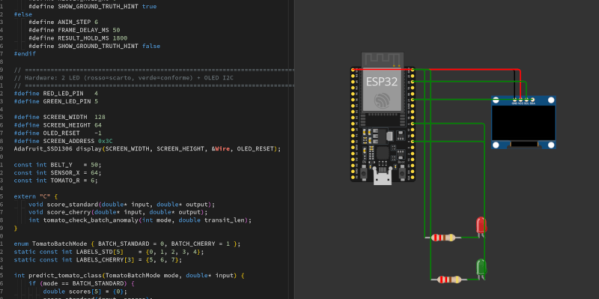
The aim was to make UI development as easy as possible for this platform. ESP-GenUI allows the creation of a website by dragging various nodes on to a canvas and linking them up to create the desired web interface. There are nodes for GPIO control, camera feeds, gauges, and all sorts of other common elements for quickly putting together dashboards and control panels. All this is done from within the browser, and the code generated by the tool can even be flashed without having to open any external tools. Alternatively, it can spit out Arduino code that you can open and flash from within the IDE. You can try the tool out yourself right here.

We’ve featured some other great resources for developing embedded user interfaces, like this highly-flexible display library for the ESP32. Feel free to espouse on your own favorite tools and techniques in the comments.

Continue reading “A GUI Solution For ESP32 Web Development”

CSS On The ESP32

There are lots of graphics libraries available for the ESP32, and lots of ways to program one to boot. Even still, most of us wouldn’t immediately think to CSS when it comes to embedded products — yet that’s now a thing on the Espressif platform, apparently.

The Gea stack allows one to compose CSS and TypeScript code that is then turned into generated C++ code that compiles to native firmware. The team behind Gea have demoed this ability by running a 3D cube animation on an ESP32 at up to 60 FPS. This isn’t some ugly, low-res wireframe demo, either. It’s a full-color animation running on a 410×502 AMOLED screen. It’s very fluid, and can even handle transparency on the cube faces (albeit with a performance penalty).

It’s worth noting that this isn’t a full browser engine. As you might expect, some concessions had to be made to get it running on the ESP32. Namely, it doesn’t handle “:hover” states because it’s designed for touchscreen use, fonts are rasterized, and the UI tree is limited to just 512 nodes. Regardless, it shows that using CSS and TypeScript to develop for the ESP32 is entirely possible without some crazy loss of performance. If you want to build easy interfaces on an ESP32 while leaning on web dev experience, this could be very useful indeed.

There are lots of fun ways to write code for the ESP32; you can even try MicroPython if you like.

Continue reading “CSS On The ESP32”

A BIOS For Your ESP32-C6

An old-style PC BIOS served the function of a bootloader in loading the operating system kernel, and of an API in providing a set of standard system calls through which software could interact with the hardware. Though it as been long-ago superseded by operating system level calls and UEFI bootloaders, it was a simple and easy-to-understand firmware for the PCs of the day.

Microcontrollers usually don’t have anything quite like a BIOS because their software is more often compiled as-is without the need for one. But here’s [Rompass] who has bucked that trend, with a BIOS for the ESP32-C6.

Of course this isn’t the PC BIOS we all know, and you’ll not be running DOS on it. Instead it’s a subsystem that serves the purposes outlined above and provides an environment for dynamically loaded executables from RAM rather than an operating system kernel. The executables are compiled in the normal way for the ESP32, and can be loaded over the network if necessary.

We don’t know how popular a firmware like this one will become, but for us it’s symptomatic of how the line between a microcontroller and a microprocessor is becoming blurred. The next few years are going to continue this trend, as inexpensive microcontroller application processors such as the C6’s P4 bigger brother move into the mainstream.


Header image: Popolon, CC BY-SA 4.0.

Deeply Optimized MSX Emulation On ESP32-S3 With VGA Output

ESP32-S3 board with VGA and audio output during development. (Credit: Ivan Svarkovsky)

The ESP32-S3 is by many metrics quite the powerful little computer, which has led to it being used even for things like emulating retro consoles and similar. Here [Ivan Svarkovsky]’s S3-MSX-PC project pushes the envelope by taking the multi-system Retro-Go project’s MSX component and optimizing it for the ESP32-S3’s Xtensa Lx7 CPU cores.

The project involves an ESP32-S3 as the core, requiring at least 8 MB of PSRAM (N16R8 configuration) to match the tested configuration. Any software is loaded into PSRAM before it’s executed, with the MSX1, MSX2 and MSX2+ supported.

For audio you have to wire up your own PDM filters to connect to the two GPIO pins that are used for audio output, while VGA output is handled by a basic 2-bit R-2R RGB222 DAC. For input devices you can use any USB keyboard, while software is added via the web interface or directly onto an SD card.

The Technical Deep Dive section goes into more detail as to what exactly got changed – with the blessing of the fMSX author – in the original fMSX core, such as targeting the Lx7 core’s cache dimensions and optimizing hot paths to avoid bottlenecks. Memory accesses were aligned for Xtensa and moving certain data from Flash to RAM was another change, along with the prevention of pipeline flushing due to certain branching decisions.

Considering that MSX specifications are based on a Z80 core, it’s not so crazy that one of these ESP32-S3 MCUs can effectively emulate them. The Retro-Go project itself claims to cover a whole swath of Nintendo and Sega consoles, as well as others, making it almost too easy to do some retrogaming without even having to drag out a Raspberry Pi SBC or so.

It's rare to see an A1200 case fuller than this.

Amiga 1232 Storm CD Packs Every Upgrade Into One Wedge

You know what they used to say– once you go Commodore, you’ll never leave by any door. Well, they might not have said that, but given the prevalence of projects still using Commodore-branded systems decades after the company’s demise, perhaps someone should have. A case in point is [Jit06] with this writeup on his Ultimate Amiga 1200 — or “Amiga 1232 Storm CD”– which crams just about every upgrade you might think of into the 1990s wedge computer.

Of course it has the PiStorm 32, with a CM4 providing supercomputer performance, at least by A1200 standards. That’s rather old hat, though, and it’s everything else crammed into the old Commodore that takes the score. For one thing, there’s a slot-loading, slim-form DVD drive from an old laptop that’s been incorporated so smoothly it almost looks factory. Ditto for the compact flash card slot, which is also on the IDE bus. The two share a custom IDE cable– yes, kids, we did used to roll our on 44-pin cables back in the day, but you’d better believe no one did it unless they really had to. With the space constraints inside the A1200 case, [Jit06] falls into that category.

The optical and CF cards trigger the drive LED on the Amiga case by default, but [Jit] wanted to see access on the PiStorm’s SD card as well, so he wired a couple of red LEDs to the default lightguide to get a colour-contrasting flash. That SD card is also broken out with an extender for easy access without opening the case– and once again, it looks almost as good as stock. So does the modded-on VGA port, which is stealing space that once belonged to the Amiga’s RF modulator and fed by a ScanPlus AGA board.

The only thing that really stands out as modded is the volume knob on the floppy-drive side of the case; that controls a mixer that sits between the CD audio and Paula, the Amiga’s custom sound chip. This lets him use the A1200 as a CD-32 system, and is very handy to have as CD-32 games used CD audio tracks that apparently were not well mixed with the digital audio in the games.

With all the cutting and soldering, this is not a reversible mod, something people are becoming much more concerned with as these machines slowly increase in rarity. Still, as a quality-of-life improvement, this sort of upgrade might be worth it if can keep the old A1200 relevant for another three decades. For anyone else who never got over the Amiga bug, he’s also published a linux-native SD-card creator called emu68 bootstrap on github to help with making images for the PiStorm.

Thanks to [Jit] for the tip! With the easy OS-swapping he’s enabled with the SD-breakout, there’s no reason not to try the rediscovered Amiga Unix. If you want the same without cutting into a vintage case, the PiStorm can be a sidecar.

Continue reading “Amiga 1232 Storm CD Packs Every Upgrade Into One Wedge”

Texas Instruments Changes The NE5532 And Others Into Incompatible Versions

First introduced in 1979 by Signetics, the NE5532 was a pretty spiffy dual op-amp for the time with low noise and low distortion. Over the years it has become a standard part that showed up in countless audio products, and has become a so-called jellybean generic component with Texas Instruments (TI) being one of countless manufacturers.

It being such a standard, multi-sourced part makes it thus even more puzzling that TI has now decided to completely overhaul this IC in a way that makes it incompatible with even the original Signetics NE5532. These changes are covered in detail by [Dave] of EEVblog as his mind is pretty much blown at such an incomprehensible change.

The changes entail an entirely different manufacturing process and a big change in specifications, while making no change to the part number. In revision K of the TI datasheet these changes are first seen, with some specifications changed for the better, like a higher unity gain bandwidth by 2 MHz, but a much slower slew rate.

Kramer Electronics PT-102AN - board - Texas Instruments SA5532A
Texas Instruments SA5532A variant of the 5532 op-amp. (Credit: Raimond Spekking, Wikimedia)

Although the 5532 op-amps are multi-sourced, there are good reasons to just stick with manufacturers like TI, as that means receiving a product change notification (PCN) when anything changes. In the PCN related to this op-amp a change to process node is noted, along with other changes, but no reasoning.

Among the other big changes are a reduction in the supply voltage from 22 V to 18 V, and a halving of the ESD protection from 2 kV to 1 kV. Although it might be slightly more efficient on the new process node this way, it clearly comes with a lot of trade-offs that make it an overall worse op-amp, while also being incompatible with the same op-amp from other manufacturers.

In the video [Dave] goes through the datasheets of this jellybean part of other manufacturers, showing that they still have the original 1980s specifications. Only one exception here was the NE5532DR from Shenzhen HuaXuanYang Electronics, whose supply rail voltage is also 18 V for some reason, along with a similar internal transistor configuration that reduces the ESD resistance.

In addition to the NE5532 op-amp, it seems that TI also took an axe to the OPA134 op-amp, by removing its offset trim feature and listing the pins as ‘NC’, with a warning to not connect these pins and also worsening other specifications. This makes these similar jellybean parts incompatible, with no change to the part number. Worse is that it continues with the LMH6518, whose changes [Dave] argues might even kill oscilloscopes as they are commonly found in those.

Meanwhile the LM317M also got an overhaul, but here TI opted to give it a new part name, calling it the LM317MQ with at first glance no major degradations in the specifications, but instead some actual improvements. This makes it even more puzzling why TI didn’t give the other ICs a new part number to differentiate them from the jellybean part.

Until there’s some clarification from the side of TI, it might be a good idea to source these parts from a manufacturer that is not TI, especially when replacing these ICs in older devices.

Continue reading “Texas Instruments Changes The NE5532 And Others Into Incompatible Versions”