Mini Arcade Cabinet Looks As Good As The Real Thing

mame_cab

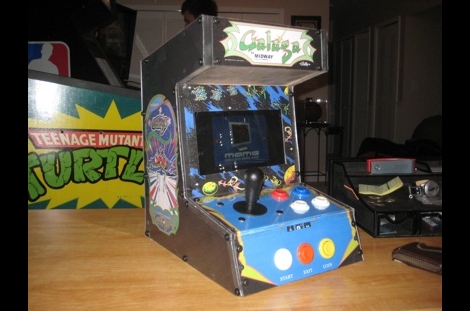
[Ed] had a netbook he no longer needed and decided to make it into a mini MAME cabinet for some of his family members. MAME cabinets are pretty plentiful, but this one was so nicely done, we wanted to share it.

He removed the monitor from an EeePC 901 in order to get some precise measurements, then went about crafting a mini cabinet from MDF. The whole thing was wrapped in sticky label paper adorned with old-school Galaga graphics, then covered in plexiglass for a nice sleek look that also protects the artwork.

He used an iPac 2 controller board to wire up all of the buttons and joystick to the netbook, opting to solder the controller’s wires directly to the USB header on the eeePC’s motherboard. A power switch was added up on top for easy operation, and the cabinet was sealed shut, though the back does open easily in the event that maintenance is required. The system is managed using the Maximus Arcade front end for MAME, which [Ed] claims is incredibly easy.

If you are interested in making your own MAME cabinet, check out some of the other MAME-based projects we have featured in the past, and don’t miss the video below of [Ed’s] cabinet in action.

Continue reading “Mini Arcade Cabinet Looks As Good As The Real Thing”
MIDI Controller Fit For An Arcade

arcade_midi_controller

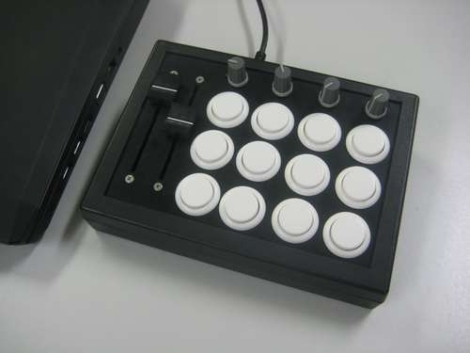
MIDI controllers can be relatively expensive depending on feature sets and requirements, so Instructables user [fraganator] went about building one on his own for just under $100. He originally wanted to replicate a commercially available MIDI controller, which used arcade buttons in lieu of the more common rubberized buttons, since they are large and have a better feel when pressed. Once he drew up plans for his MIDI clone, he realized he wanted more features in his controller than were available in the commercial version, so he started revising.

His final plan included three rows of four arcade buttons as well as four rotary and two sliding potentiometers. All of the components were mounted in a small keyboard enclosure, then wired to an Arduino clone, which manages all of the controller’s functions. The controller is connected to a PC via USB and can perform any number of operations once the buttons are mapped in MIDI-compatible software.

There are no videos of the controller in action just yet, though [fraganator] says one is forthcoming.

SNES Arcade Controller

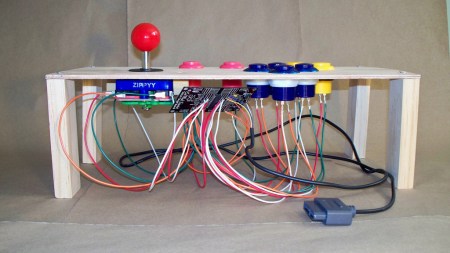
[Daniel] is making a mini arcade cabinet with an SNES housed inside. He wanted to build an arcade controller for it and chose to construct something from scratch instead of destroying an original piece of hardware. We can almost feel you guys sighing with relief at that one. He sent us some nice photos of his build and pointed out that he’s using one of the Evilmadscientist AVR boards housing an ATtiny2313. The arcade buttons are readily available at sparkfun. The source code for this project is available after the break.

Continue reading “SNES Arcade Controller”

MeggyCade: When Handheld Pixel Gaming Isn’t Enough

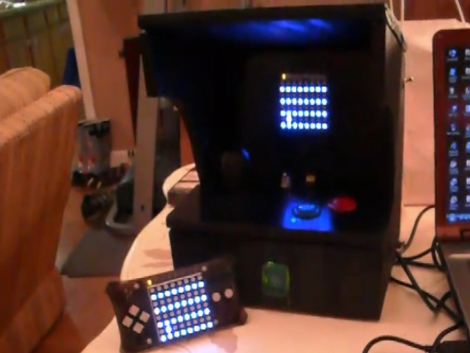
[Bomber Punk] built his own arcade cabinet, but you won’t find any MAME games here. He made the enclosure to house a Meggy Jr. 8×8 pixel graphics game console. Proper coin-op buttons and a joystick replace the stock tactile switches that come with the kit. [Bomber Punk] has also added a lighted coin slot. A three-cell battery pack powers the beast, with a programming port to one side so that different games can be loaded from a PC. We’d like to see a processor upgrade that would allow multiple games to be stored on a stand-alone system.

Take a look at the video after the break, it’ll bring a smile to your face.

Continue reading “MeggyCade: When Handheld Pixel Gaming Isn’t Enough”

IPad Arcade Dock Has Hidden Projector

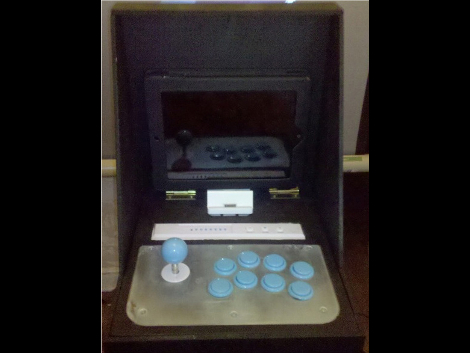
This iPad dock is a well-executed gaming accessory. [Linkreincarnate] used a Hori Wii fighting stick as the controller. In his hardware explanation he outlines several benefits of this choice including built-in support in most of the iPad emulators, as well as foregoing the need for a wired connection. Just above the controls there is a standard docking connector which holds the iPad in place and patches through the audio to some external speakers. But  that’s not all that is included in the build, the final touch is a pico projector that can be used if you want a larger gaming experience. Video of the hardware and a gaming demonstration can be found after the break.

Continue reading “IPad Arcade Dock Has Hidden Projector”

Mini Racing Cabinet

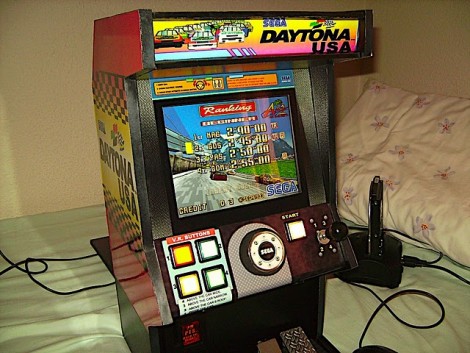
Here’s another small arcade cabinet. This time around it’s the racing simulator Daytona USA. [Pocket_lucho’s] cabinet work has been featured before and he did some fine work with the control interface on this build. The wheel is from the controller of an RC car and the gear lever from a heavily used toy. He fashioned two pedals using gate hinges and a couple of leaf switches. The guts pack quite a punch with a mini ITX motherboard running the show. This will look great next to Ms. Pac-Man. Check out the video after the break.

Continue reading “Mini Racing Cabinet”

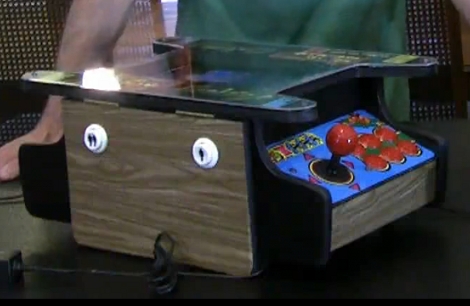
Child-sized Cocktail Cabinets

[Sam Seide] dropped us a line about his new arcade creation. We loved his Punch-Out build that used a punch dummy as a game controller. This time around he’s made some mini-cocktail style MAME cabinets. He removed the screen from a netbook and placed it face-up underneath the acrylic bezel. There are controls on either side for two players as we would expect from any quality cocktail cabinet. The control panels are interfaced through the now familiar iPac boards and are a bit unfinished on the underside but that doesn’t decrease our need to see one of these on the coffee table at home. Check out demo and an outline of the parts inside after the break.

Continue reading “Child-sized Cocktail Cabinets”