A Novelty Clock Makes The Best Tiny Mac Yet

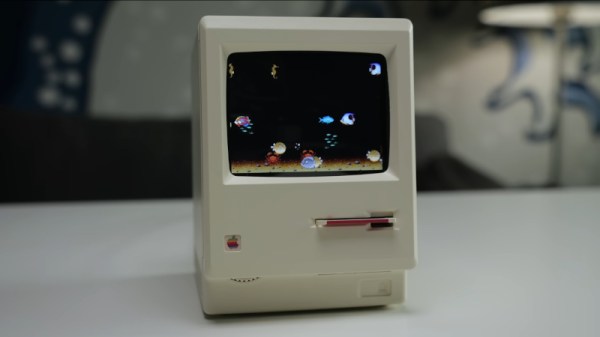
We’re lucky enough in 2026 to have cheap single-board computers fast enough to emulate machines from the 1990s, touching on the 32-bit era. We’ve seen a few projects as a result, emulating the Apple Macs of the 68000 era, but even with the best 3D printing, they can disappoint when it comes to the case. So when [This Does Not Compute] saw a novelty alarm clock using a very well-modelled mini replica of an early Mac, putting a Mac emulator in it was the obvious way to go.

The project uses a Raspberry Pi with a small colour LCD.  The video below the break takes us through the process of gutting it and mounting the Pi and display on a custom 3D-printed bracket. In an unexpected touch, parts of the original LCD are used to give the curved corners, which owners of an original Mac will remember. It may have a little further to go in that its fake floppy drive is begging to be converted to an SD card slot, and it has a now-unused brightness dial. But we’d say it’s one of the best little Mac emulators we’ve seen so far, if perhaps not the smallest.

Continue reading “A Novelty Clock Makes The Best Tiny Mac Yet”

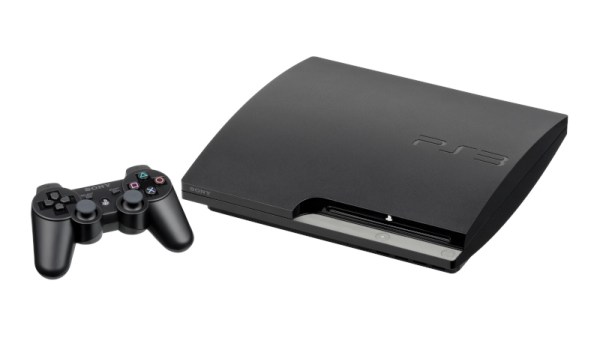
PlayStation 3 Emulator RPCS3 Can Play Nearly Three-Quarters Of All PS3 Games

Although already having entered the territory of ‘retro gaming’, the Sony PlayStation 3 remains a notoriously hard to emulate game console. Much of this is to blame on its unique PowerPC-based Cell processor architecture, which uses a highly parallel approach across its asymmetric multi-core die that is very hard to map to more standard architectures like those in today’s x86 and ARM CPUs. This makes it even more amazing that the RPCS3 emulator team has now crossed the 70% ‘playable’ threshold on their compatibility list.

This doesn’t mean that you can fire up these games on any purported ‘gaming system’, as the system requirements are pretty steep. If you want any kind of enjoyable performance the recommended PC specifications feature an Intel 10th generation 6-core CPU, 16 GB of dual-channel RAM and a NVIDIA RTX 2000 or AMD RX 5000 series GPU or better.

It should be noted here also that the ‘playable’ tag in the compatibility list means that the game can be completed without game breaking glitches. Performance remains an issue, with very creative optimizations through e.g. the abuse of x86 SIMD instructions remaining the topic of research by the emulator developers. Yet as original PS3 hardware gradually becomes less available, the importance of projects like RPCS3 will become more clear.


Header: Evan-Amos, Public domain.

EmuDevz Is Literally A Software Game

The idea of gamifying all the things might have died down now that the current hype is shoving AI into all the things — but you’ve probably never seen it quite like EmuDevz, a game in which you develop an 8-bit emulator by [Rodrigo Alfonso].

There’s a lot of learning you’ll have to do along the way, about programming and how retro systems work, including diving into 6502 assembly code. Why 6502? Well, the emulator you’re working on (it’s partially-written at the start of the game; you need only debug and finish the job) is for a fantasy system called the NEEES “an antique game console released in 1983”. It’s the NEEES and not NES for two reasons. One, Nintendo has lawyers and they really, really know how to use them. Two, by creating a fantasy console that is not-quite-a-Famicom, the goalposts for EmuDevz can be moved a bit closer in.

Continue reading “EmuDevz Is Literally A Software Game”

The Power-Free Tag Emulator

Most of you know how an NFC tag works. The reader creates an RF field that has enough energy to power the electronics in the tag; when the tag wakes up, two-way communication ensues. We’re accustomed to blank tags that can be reprogrammed, and devices like the Flipper Zero that can emulate a tag. In between those two is [MCUer]’s power-free tag emulator, a board which uses NFC receiver hardware to power a small microcontroller that can run emulation code.

The microcontroller in question is the low-power CW32L010 from Wuhan Xinyuan Semiconductor, a Chinese part with an ARM Cortex M0+ on board. Unfortunately, that’s where the interesting news ends, because all we can glean from the GitHub repository is a PCB layout. Not even a circuit diagram, which we hope is an unintended omission rather than deliberate. It does, however, lend itself to the fostering of ideas, because if this designer can’t furnish a schematic, then perhaps you can. It’s not difficult to make an NFC receiver, so perhaps you can hook one up to a microcontroller and be the one who shares the circuit.

Vintage Hardware Find Includes Time Capsule Of Data

Before social media brought the Internet to the masses, and before even Napster, ICQ, and AIM gave those with a phone line a reason to connect online at all, those who went online often went to a BBS messageboard. By modern standards these text-only environments would have been extremely limited, with only weather updates, stock information, limited news, some email and messaging, and perhaps some classifieds or other miscellaneous information. This was an important time for the early Internet though, and [Nicola] recently discovered a time capsule of sorts from this era.

He first got a tip about a piece of vintage hardware, a DEC VAXstation II which was missing from his collection. But after painstakingly preserving the data on the hard drive he found it had been hosting one of these BBS servers and had plenty of gems from the era to show off. Not only does this build restore the DEC hardware but [Nicola] was able to virtualize the server using the data he recovered on a SIMH emulator, granting insights into how the Internet of this era was used.

[Nicola] also brought the BBS messaging system back online, although he notes that running it on the original hardware wouldn’t be feasible so for now it runs in the cloud. It’s a fascinating look into the Internet of the past, far beyond when many of us first went online as well. For a deep dive on how these systems worked, as well as an introduction to some of the Internet culture of the day, we saw this guide to the BBS a little while ago.

Explore The Granddaddy Of All Macs With LisaGUI

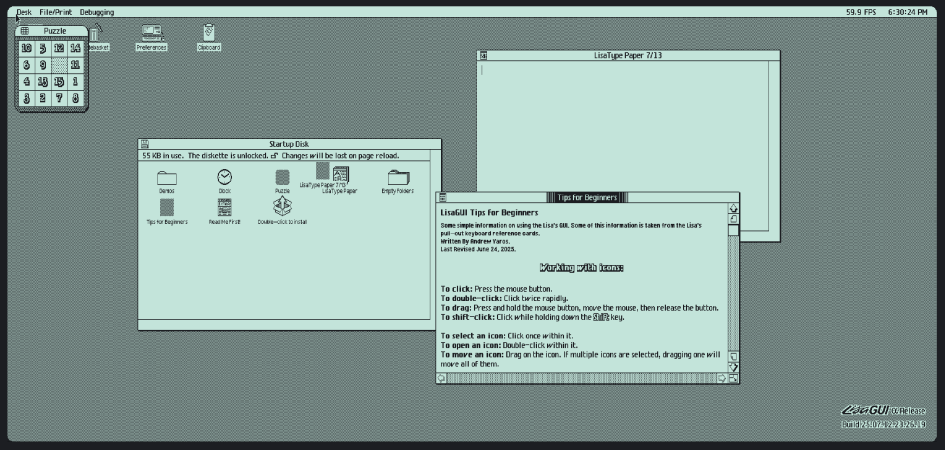
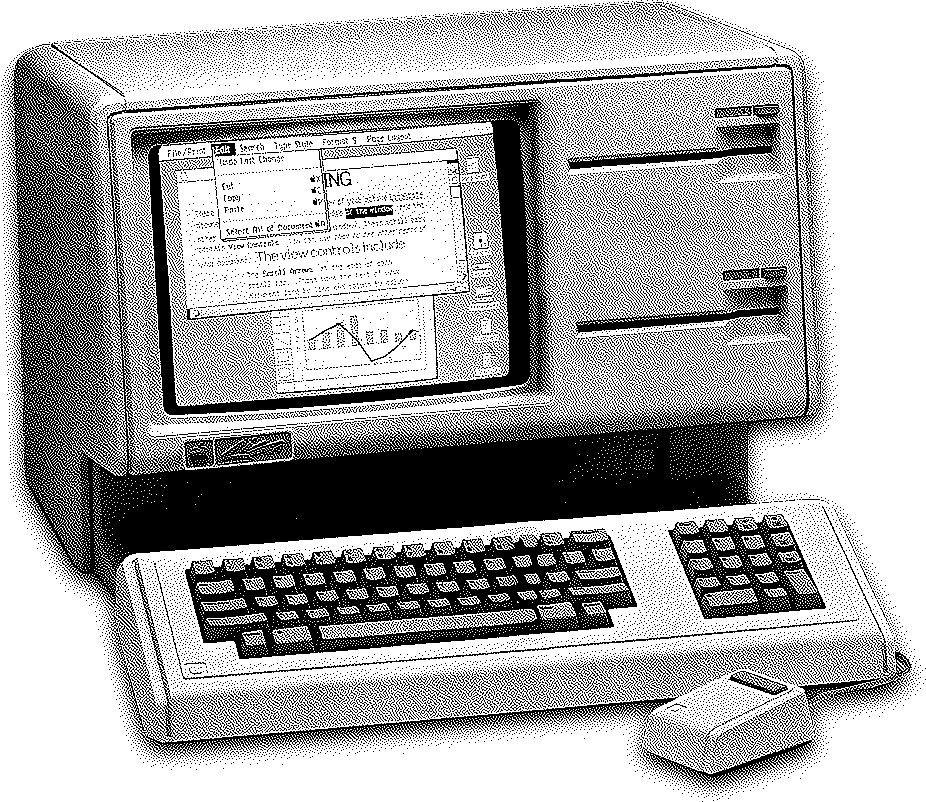
Sure, Apple’s Lisa wasn’t the first computer released with a graphical user interface — Xerox was years ahead with the Alto and the Star workstation — but Lisa was the first that came within the reach of mere mortals. Which doesn’t mean many mortals got their hands on one; with only about 10,000 sold, they were never common, and are vanishingly rare nowadays. Enter [Andrew Yaros], who has graced the world with LisaGUI, an in-browser recreation of the Lisa Office System in Javascript.

Lisa’s GUI varies from modern conventions in a few interesting ways. For one, it is much more document-focused: if you double-click on LisaType, you do not start the program. Instead you “tear off” a document from the “pad” icon of LisaType, which you can then open with another double click. The desktop is also not a folder for files to live permanently, but a temporary space. You can “set aside” a file to the desktop, but its home on disk is unchanged.
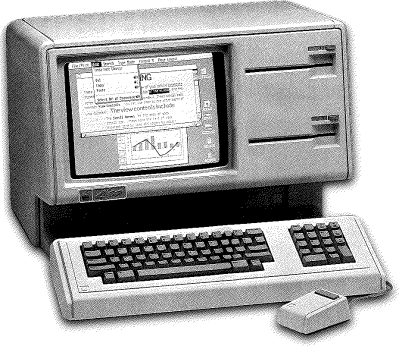
Unlike the family of Mac emulators, LisaGUI does not purport to be a perfect replica. [Andrew] has made a few quality-of-life improvements for modern users, as well as a few innovations of his own. For instance, menus are now “sticky”– on the Lisa, you had to hold down the mouse to keep them open, and release on the appropriate entry. LisaGUI leaves the menu open for you to click the entry, as on a later Macintosh.

Obviously the menu bar clock and FPS counter are not native to the Lisa; nor is the ability to theme the icons and change (1-bit) colour palettes. The ability to draw unique icons to assign to documents is all [Andrew], but is something we wish we had back in the day. He also makes no attempt to enforce the original aspect ratio, so you’ll be dragging the window to get 4:3 if that’s your jam.

Right now it does not look as though there’s much original software aside from LisaType. We would have loved to see the famous LisaProject, which was the original “killer app” that led NASA to purchase the computer. Still, this is an Alpha and it’s possible more software is to come, if it doesn’t run afoul of Apple’s IP. Certainly we are not looking too hard at this gift horse’s chompers. What’s there is plenty to get a feel for the system, and LisaGUI should be a treat for retrocomputer enthusiasts who aren’t too anal about period-perfect accuracy.

We stumbled across this one in a video from [Action Retro] in which he (the lucky dog) also shows off his Lisa II, the slightly-more-common successor.

Game Boy? NES? Why Not Both!

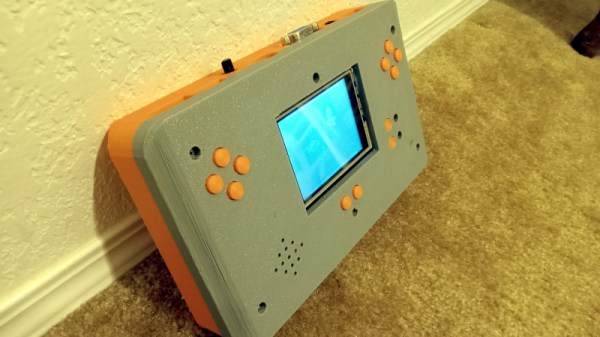
If you’re a retro Nintendo fan you can of course carry a NES and a Game Boy around with you, but the former isn’t very portable. Never fear though, because here’s [Chad Burrow], who’s created a neat handheld console that emulates both.

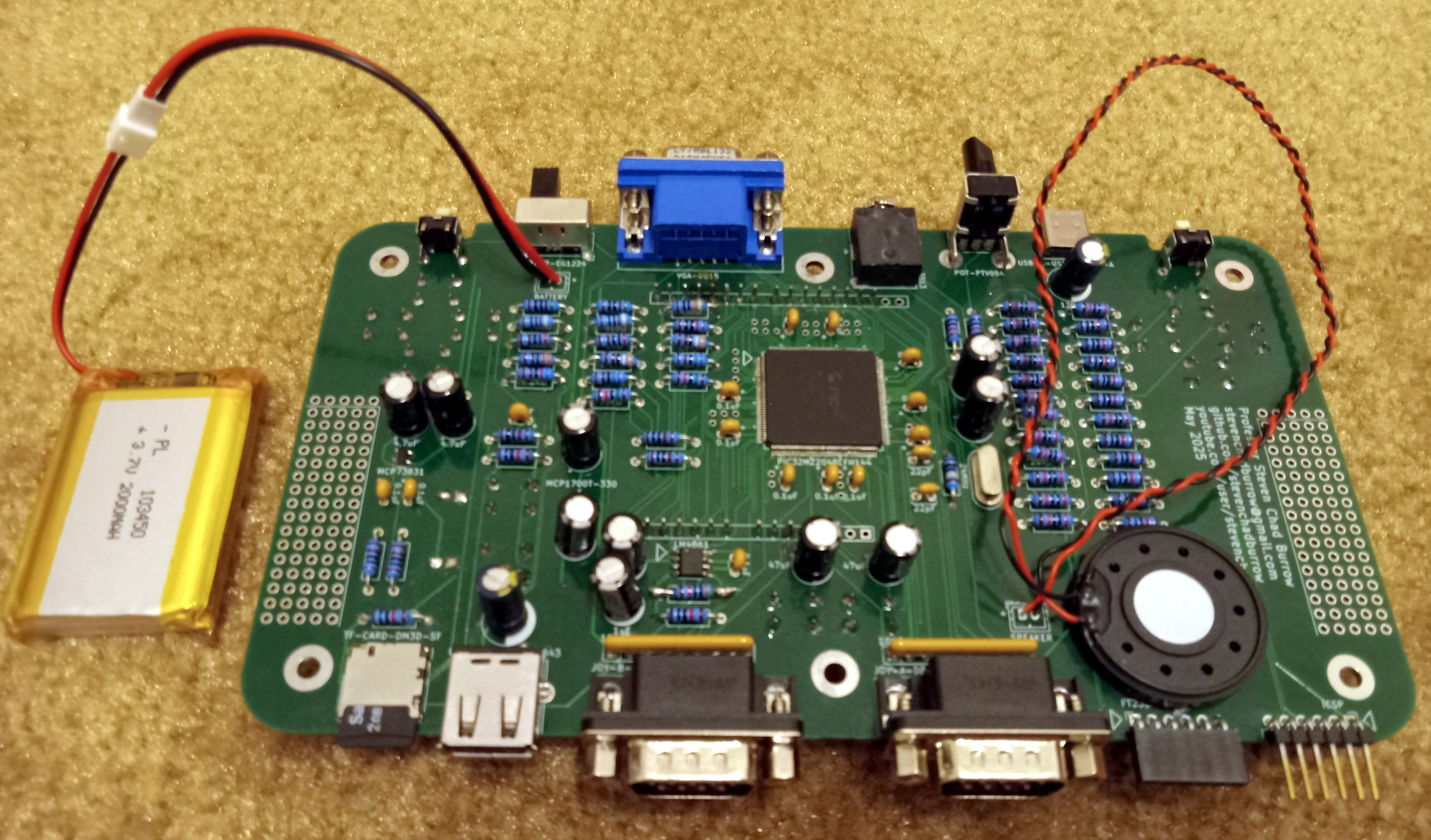
It’s called the Acolyte Handheld, and it sports the slightly unusual choice for these parts of a PIC32 as its main processor. Unexpectedly it can use Sega Genesis controllers, but it has the usual buttons on board for portable use. It can drive either its own LCD or an external VGA monitor, and in a particularly nice touch, it switches between the two seamlessly. The NES emulator is his own work, while Game Boy support comes courtesy of Peanut-GB.

We like the design of the case, and particularly that of the buttons. Could it have been made smaller by forgoing some of the through-hole parts in favour of SMD ones? Quite likely, but though it’s chunky it’s certainly not outsized.

Portable Nintendo-inspired hardware is popular around here, as you can see with this previous handheld NES