Emulators 101: How To Write A Program That Functions Like An NES CPU

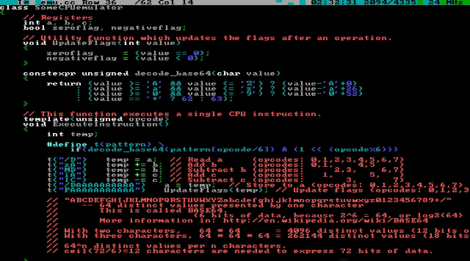
We’d bet everyone reading this article has played a game on an emulator at some time or another. And you may have a base idea of how those emulators work. But we’d wager the vast majority of you are clueless about the actual implementation of game emulators (we know we are). But that has all changed after seeing this demonstration of how [Bisqwit] wrote his own NES emulator. The description doesn’t cover anything more than the basics of writing code that emulates the NES CPU hardware itself. But it’s presented in such a way that makes it quite easy to understand for anyone who has a basic knowledge of programming. He starts with a switch statement for handling the processor’s opcodes and then moves through piece by piece showing how he refined his code to make it work while keeping it readable. We think this is a great teaching method and appreciate the time he put into producing this tutorial.

The explanation starts about 4:22 into the video which is embedded after the break. You’ll also find the first two demo videos there. Those involve mostly fast-motion text editing of the emulator coding process with some gameplay tests at the end of the second video.

Continue reading “Emulators 101: How To Write A Program That Functions Like An NES CPU”

PlayStation Gaming On A NOOK Simple Touch

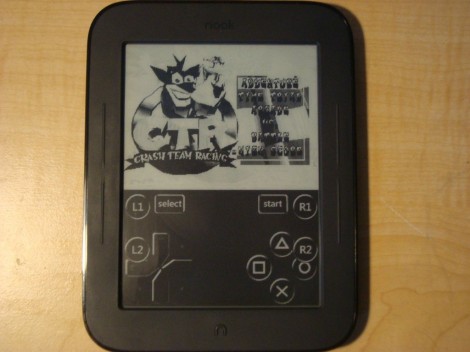
Improvements in processing power really hit home when you see an eBook reader playing PlayStation games. Sure, we’re talking about a system which launched more than 15 years ago (the original PlayStation launched way back in 1995), but this is a $99 device which seems to be playing the games at full speed!

[Sean] wrote in to share the project with us. After rooting the device he installed System 7 (aka Mac OS 7) using Mini vMac for Android. He uses Free PlayStation Emulator (FPSE) to run the games. There is an Android version which provides the touch-screen controls you see above. We figured the graphics would be awful, but the video after the break proves us wrong. Other than being in black and white we think the graphics are fantastic. Just one hack was necessary to make this happen. [Sean] uses NoRefresh to keep the Nook from refreshing the screen which is what causes the film-negative type of flashing after several page turns.

Continue reading “PlayStation Gaming On A NOOK Simple Touch”

Interfacing SNES Controllers With Your Raspberry Pi

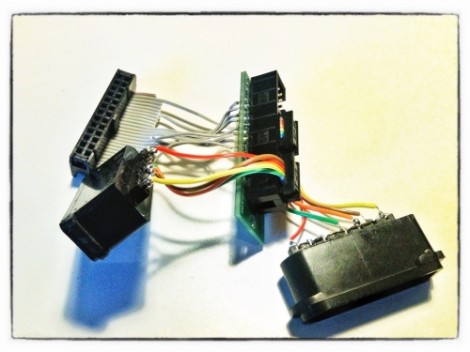
This lovely set of wires lets [Florian] connect stock Super Nintendo controllers to his Raspberry Pi. The IDC connector in the upper left plugs into the GPIO header on the RPi rather than going the route of using an intermediary USB converter.

The setup lets you connect two controllers at once, so you’ll have no trouble going head-to-head on Mario Kart as seen in the clip after the break. The ports themselves were pulled from a pair of SNES extension cables. Since button signals are pushed to the console via a shift register there’s just five wires needed for each (voltage, ground, data, clock, and latch). As far was we know the Raspberry Pi pins are not 5V tolerant so you probably want to add some level conversion to this circuit if you build it yourself.

[Florian] wrote a C program which shifts in data from the controllers and converts it to HID keyboard inputs. This should make it extremely flexible when it comes to emulator setup, and using the technique for different styles of controllers should also be pretty easy.

Continue reading “Interfacing SNES Controllers With Your Raspberry Pi”

Cheat Your Way Through The Original Prince Of Persia

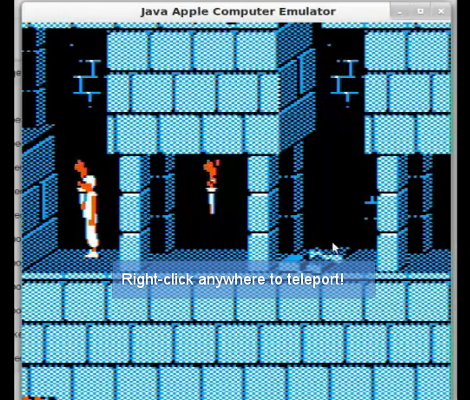
If you don’t have the patience to play through the original Prince of Persia perhaps you should just cheat? [BLuRry] has made this easy for us, by building Prince of Persia cheats into JACE, the Java Apple Computer Emulator.

He shows off the emulator and the cheats he added in the video after the break. We saw the ability to teleport anywhere, kill enemies immediately, and open gates and exits. All of this happens with the click of a mouse. But there’s also a configuration screen used to enable the cheats that offers a handful of other cheat options that weren’t original to the game. [BLuRry] managed to roll these cheats into the emulator after some thoughtful study of the original source code which [Jordan Mechner] recently released after the once-lost floppy discs storing the ancient digital gem were discovered.

You know, we always see people running doom on various types of hardware. Maybe we should start using PoP as our go-to novelty game?

Continue reading “Cheat Your Way Through The Original Prince Of Persia”

Multi-system Nintendo Emulator Uses Stock Controllers

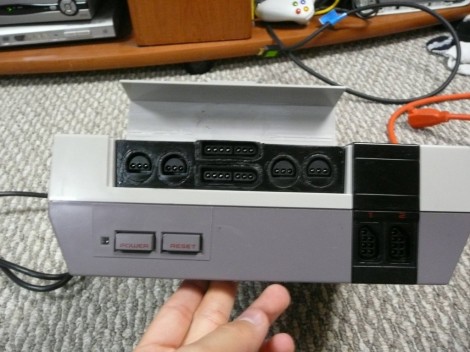
The first month of [WoolyDawg5’s] summer break went into building one Nintendo emulator to rule them all. He thinks there’s nothing like playing the games on the original controllers, and we agree with him 100%. Here you can see that the cartridge door on this NES enclosure hides the extra connectors he needs.

With that door closed this looks like a stock console, but only from the front. If you take a look at the back of it you’ll see how he pulled this off. There’s a Zotac motherboard whose I/O panel has been fitted into the back. It’s responsible for emulating games for the NES, SNES, and GameCube consoles — we’re sure it can do more but that covers the controller ports seen here. Each port is wired to a USB controller module. The cables for these modules exit the back of the case and plug into the motherboard’s I/O panel. There is WiFi for the board, and that’s what [WoolyDawg] uses for configuration, tunneling into the OS instead of connecting a keyboard or mouse.

Of course you could just shoehorn all-original console hardware into one package to accomplish something like this.

[Thanks KoldFuzion]

Emulating ARM On An 8-pin AVR

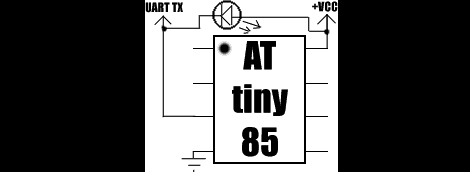
Falling on the heels of some fabulous ‘lets see what we can emulate on an AVR’ builds we’ve seen, [Dimitri] emulated an ARM Cortex-M0 on an 8-pin ATtiny85.

The emulator is written entirely in AVR assembly. Unfortunately, the instruction set of ATtinys don’t have a multiply instruction, so that had to emulated in a separate piece of code. Even with this addition, the emulator is very small; the core is just over 1300 instructions and small enough to fit on the Flash of the very small ‘tiny85.

Unlike the ATMega running Linux we saw last month, [Dimitri] won’t be doing anything crazy like making the tiniest and worst Linux computer ever. The Cortex-M0 doesn’t have a MMU, so Linux is out of the question. [Dimitri] could go with μCLinux, with the addition of a I2C EEPROM and RAM, but don’t expect a speed demon for an emulated ARM running at 200kHz.

[Dimitri] put all the code up on his webpage, and the installation is just running ‘make.’  It looks easy enough to get up and running very quickly, so we’re sure some bored hardware guru will come up with something interesting to do with this code.

Funtendo Connects All Your Nintendo Controllers To A PC

For those of us who can’t be bothered to dig out or N64 whenever we want to play Ocarina of Time or our NES whenever we get the urge to play Battletoads, emulators are a godsend. There is a problem, though. A keyboard doesn’t provide the right experience as a the classic NES ‘brick’ or the N64 tritopus controllers. Enter the Funtendo, a breakout box that converts all your well-loved controllers to USB.

The Funtendo uses the Gadget Gangster Propeller Platform with a terminal block module. Putting together the electronics is fairly easy; just strip the ends of the controllers and screw them down to the terminal blocks. N64, NES and Wii Classic Controllers are supported by the Funtendo. Going for the Classic Controller over a Super Nintendo controller reduces the complexity of the build. The Classic Controller can play SNES games and uses an I2C bus, making it easier to wire.

For interfacing the controllers to the computer, the Parallax Propeller Tool, Parallax serial terminal, and PPJoy convert button mashing into readable buttons for the emulator. The build may take more time than pulling an NES out of the attic, but even with a large project box it takes up much less space.

Check out the demo of the Funtendo after the break.

Continue reading “Funtendo Connects All Your Nintendo Controllers To A PC”